Motorola XT2431-1

Buku Panduan Pangguna Smartphone Motorola G64 5G

Modél: XT2431-1

Bubuka

Welcome to the user manual for your new Motorola G64 5G smartphone. This guide provides essential information on setting up, operating, maintaining, and troubleshooting your device. The Motorola G64 5G is designed for powerful performance and a seamless user experience, featuring a MediaTek Dimensity 7025 processor, a 50MP OIS camera, and a long-lasting 6000mAh battery.

Please read this manual thoroughly to ensure optimal use of your device.
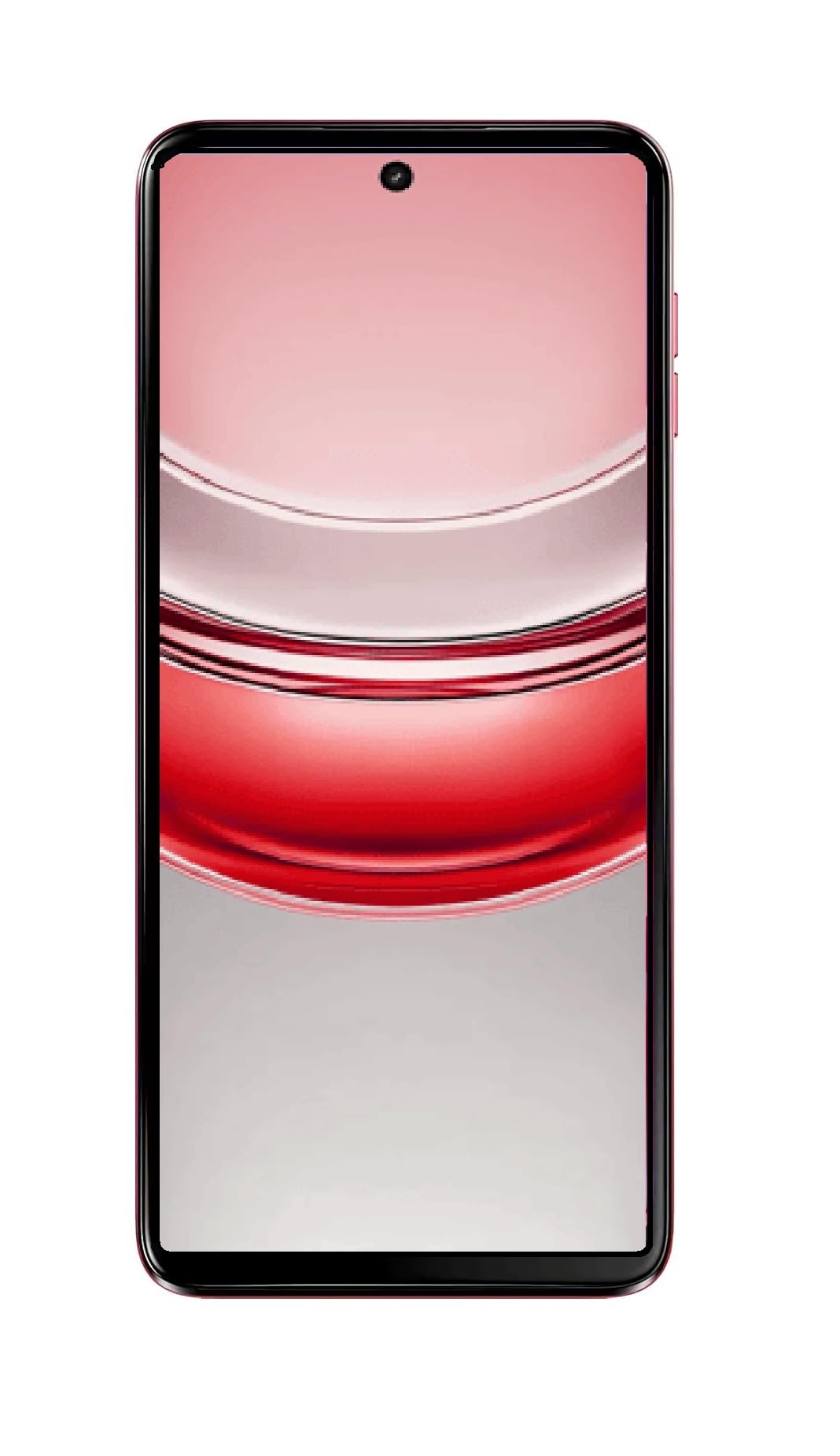
Smartphone Motorola G64 5G, hareup jeung tukang view, in Red Berry color

Image: The Motorola G64 5G smartphone, showcasing its sleek design and Red Berry finish from a slight angle, with the screen displaying the time.

Guide Setup

1. Unboxing sareng Inspeksi Awal

Sacara saksama miceun sadaya barang tina bungkusan. Pastikeun yén komponén di handap ieu aya:

  • Telepon pinter Motorola G64 5G
  • Charger (adapter and USB cable)
  • Alat Ejector SIM
  • Quick Start Guide (this manual provides more detail)

Pariksa alatna pikeun ayana karusakan fisik. Upami aya komponén anu leungit atanapi ruksak, langsung hubungi dukungan palanggan.

2. Nyelapkeun Kartu SIM sareng microSD

  1. Panggihan tempat SIM di sisi telepon anjeun.
  2. Insert the SIM ejector tool into the small hole on the SIM tray and press firmly until the tray pops out.
  3. Place your Nano-SIM card(s) and/or microSD card into the tray with the gold contacts facing down, ensuring they are correctly aligned. The device supports Dual SIM and expandable storage up to 2TB.
  4. Gently nyorong baki deui kana telepon nepi ka ngaklik kana tempatna.
Samping view of Motorola G64 5G showing SIM tray slot

Gambar: Beulah kénca view of the Motorola G64 5G, highlighting the location of the SIM card tray slot.

3. Ngecas Batré

Before first use, it is recommended to fully charge your device. Use only the charger provided with your phone or a Motorola-approved charger.

  1. Sambungkeun kabel USB kana adaptor ngecas.
  2. Colokkeun adaptor ka colokan listrik.
  3. Sambungkeun tungtung USB-C kabel ka port ngecas di handapeun telepon anjeun.
  4. Indikator batré dina layar bakal némbongkeun status ngecas.

The Motorola G64 5G features a 6000mAh battery with fast charging support.

Handapeun view of Motorola G64 5G showing USB-C charging port

Gambar: handap view of the Motorola G64 5G, displaying the USB-C charging port and speaker grille.

4. Powering On jeung Konfigurasi Awal

  1. Pencét terus tahan tombol Daya (anu aya di sisi katuhu) dugi ka logo Motorola némbongan.
  2. Follow the on-screen instructions to complete the initial setup, including selecting your language, connecting to Wi-Fi, setting up your Google account, and configuring security features.
Beulah katuhu view of Motorola G64 5G showing power and volume buttons

Gambar: Sisi katuhu view of the Motorola G64 5G, showing the power button (which also functions as a fingerprint sensor) and volume rocker.

Ngoperasikeun Alat Anjeun

1. Napigasi Dasar

  • Gerak layar rampa: Ketok pikeun milih, gesek pikeun ngagulung, ciwit pikeun ngazum.
  • Layar Utama: Aksés aplikasi, widget, sareng bewara.
  • Panel Bewara: Gesek ka handap ti luhur layar pikeun view bewara sareng setelan gancang.
  • Laci Aplikasi: Gesek ka luhur ti bagean handap layar pikeun ngakses sadaya aplikasi anu dipasang.

2. Fitur kaméra

The Motorola G64 5G is equipped with a versatile camera system:

  • Kaméra tukang: 50MP main sensor with Optical Image Stabilization (OIS) for sharp, stable photos, and an 8MP ultra-wide lens for broader scenes.
  • Kaméra hareup: 16MP kanggo selfie sareng telepon vidéo kualitas luhur.

Pikeun ngagunakeun kaméra:

  1. Buka aplikasi Kamera tina layar utama anjeun atanapi laci aplikasi.
  2. Select your desired mode (Photo, Video, Portrait, Ultra-wide, etc.).
  3. Ketok tombol jepret pikeun moto atanapi ngamimitian/eureun ngarekam video.
Balik deui view of Motorola G64 5G showing dual camera module

Gambar: Tukangeun view of the Motorola G64 5G, highlighting the dual camera module with 50MP OIS and Quad Pixel branding.

3. Manajemén batré

Your Motorola G64 5G comes with a 6000mAh battery for extended usage. To optimize battery life:

  • Saluyukeun kacaangan layar.
  • Aktipkeun modeu Panghemat Batré nalika diperyogikeun.
  • Tutup aplikasi anu henteu dianggo dina latar tukang.
  • Pareuman Wi-Fi, Bluetooth, sareng GPS upami teu dianggo.

4. Panyimpenan sarta Performance

The device offers 128GB of internal storage, expandable up to 2TB via microSD card. It also features 8GB RAM with RAM Boost technology, allowing expansion up to 24GB for enhanced multitasking.

  • Atur Panyimpenan: Regularly check your storage usage in Settings > Storage and delete unnecessary files atawa aktip.
  • Ngaronjatkeun RAM: This feature automatically optimizes RAM usage for smoother performance. You can manage it in Settings.
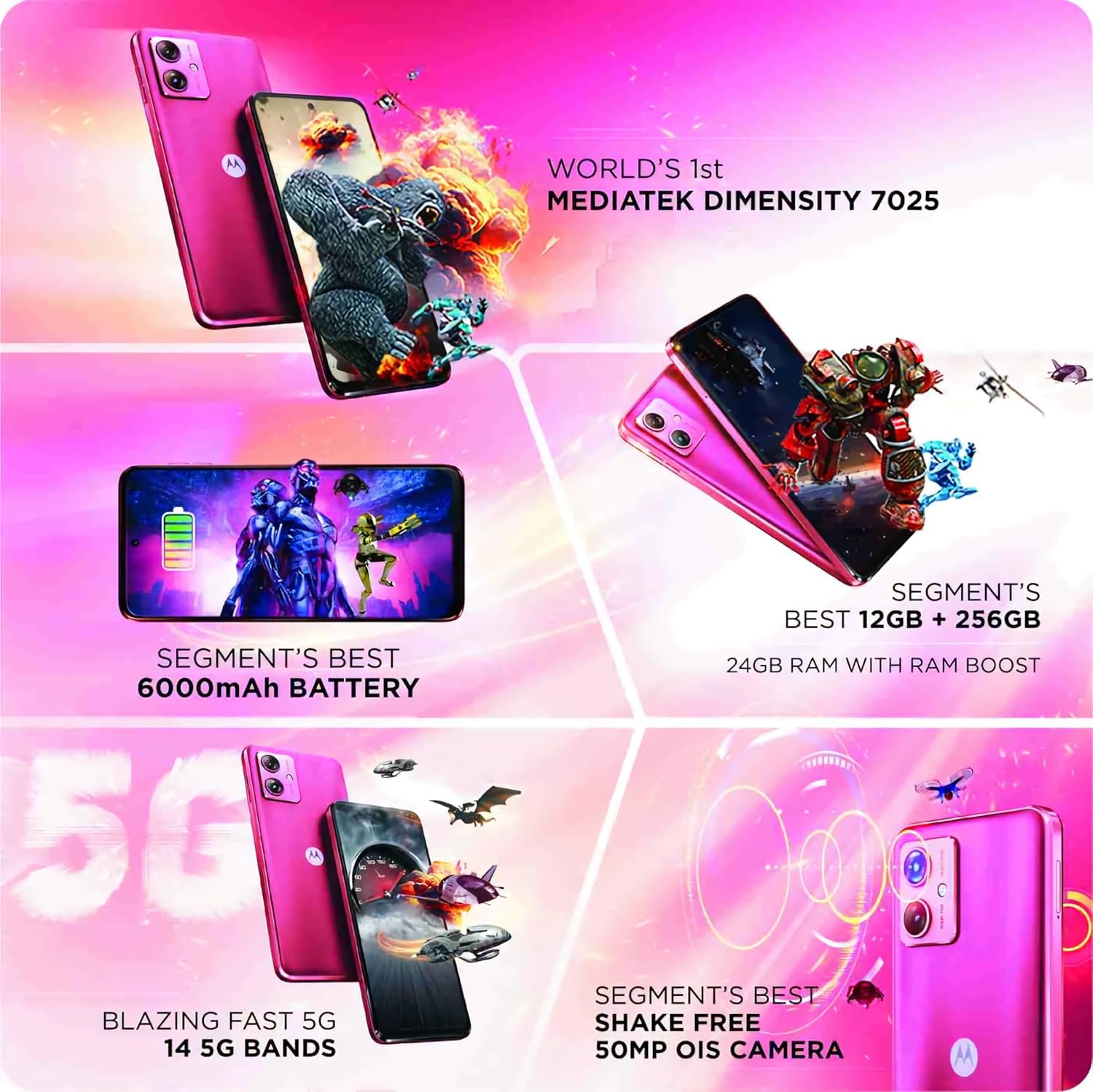
Motorola G64 5G features collage showing MediaTek Dimensity 7025, 6000mAh battery, 24GB RAM, 5G bands, and 50MP OIS camera

Image: A collage highlighting key features of the Motorola G64 5G, including the MediaTek Dimensity 7025 processor, 6000mAh battery, 24GB RAM with RAM Boost, 14 5G bands, and 50MP OIS camera.

5. Konektipitas

Your device supports 5G connectivity for faster internet speeds, along with Wi-Fi and Bluetooth for local connections.

  • Jaringan 5G: Ensure your SIM card supports 5G and you are in a 5G coverage area.
  • Wifi: Buka Setélan > Jaringan & internét > Wi-Fi pikeun nyambung ka jaringan nu sadia.
  • Bluetooth: Buka Setélan > Alat nu disambungkeun > Bluetooth pikeun masangkeun jeung alat Bluetooth nu séjén.

Pangropéa sareng Perawatan

1. Ngabersihan Alat Anjeun

  • Anggo lawon anu lemes sareng henteu lint pikeun ngabersihan layar sareng awak telepon.
  • Hindarkeun ngagunakeun bahan kimia kasar, pembersih abrasive, atanapi semprot aerosol.
  • Pikeun smudges nekad, rada dampen lawon kalawan cai atawa cleaner layar husus dirancang pikeun éléktronika.

2. Apdet parangkat lunak

Keep your device's software up to date to ensure optimal performance, security, and access to new features. You will receive notifications for available updates. To manually check for updates, go to Settings > System > System updates.

3. Kaperawatan batré

  • Ulah nepi ka telepon kakeunaan suhu anu ekstrim (panas pisan atanapi tiis pisan).
  • Ulah ngantep telepon ngecas lila teuing saatos dicas pinuh.
  • Anggo ukur pangecas sareng kabel anu asli atanapi anu disertipikasi.

Pamérésan masalah

Alat Teu Dihurungkeun

  • Pastikeun batréna geus dieusian. Sambungkeun carjer sareng antosan sababaraha menit sateuacan nyobian hurungkeun.
  • Pencét jeung tahan tombol Daya sahenteuna 10-15 detik pikeun ngalakukeun balikan deui paksa.

Masalah Ngecas

  • Check if the charger and USB cable are securely connected to both the phone and the power outlet.
  • Try using a different charger and cable to rule out faulty accessories.
  • Mariksa port ngecas pikeun sagala lebu atawa karuksakan.

Network/Connectivity Problems

  • Teu Aya Sinyal/Sinyal Goréng: Ensure your SIM card is correctly inserted. Try restarting the phone. Check if you are in a network coverage area.
  • Masalah Sambungan Wi-Fi: Balikan deui router Wi-Fi anjeun. Poho jaringan dina telepon anjeun sarta sambungkeun deui.
  • Masalah Nyapasangkeun Bluetooth: Ensure both devices are in pairing mode and within range. Try restarting both devices.

Kaméra Teu Gawé

  • Balikan deui telepon.
  • Clear the cache and data of the Camera app (Settings > Apps > Camera > Storage & cache).
  • Pastikeun teu aya aplikasi séjén anu ayeuna nganggo kaméra.

Ngalakukeun Reset Pabrik

Upami anjeun ngalaman masalah anu terus-terusan, reset pabrik tiasa ngabéréskeunana. Perhatosan: Ieu bakal mupus sadaya data dina telepon anjeun. Nyadangkeun data penting sateuacan neraskeun.

  1. Buka Setélan> Sistem> Reset pilihan.
  2. Pilih "Hapus sadaya data (reset pabrik)".
  3. Pastikeun kaputusan anjeun sareng turutan pitunjuk dina layar.

Spésifikasi teknis

Nomer modél XT2431-1
Sistem operasi Android 14
Prosesor MediaTek Dimensity 7025
Ram 8 GB (Tiasa dilegaan dugi ka 24 GB nganggo RAM Boost)
Panyimpenan internal 128 GB
Panyimpenan Expandable Nepi ka 2 TB via kartu microSD
tampilan 6.7-inch Full HD+ (1920 x 1080 resolution)
Kaméra tukang 50MP (OIS) + 8MP (Ultra-wide)
Kaméra hareup 16MP
Kapasitas batré 6000 mAh (Khusus)
Konektipitas 5G, Wi-Fi, Bluetooth, GPS
Tipe SIM Dual Nano SIM
Ukuran (L x W x H) 16.18 x 7.43 x 0.86 cm
Beurat 420 g
Audio Jack Taya jack headphone
Warna Berry Beureum

Émbaran jaminan

Your Motorola G64 5G smartphone comes with a limited manufacturer's warranty. The specific terms and conditions of the warranty may vary by region and retailer. Please refer to the warranty card included in your product packaging or visit the official Motorola website for detailed information regarding warranty coverage, duration, and service procedures.

Simpen bukti pameseran anjeun (struk atanapi faktur) sabab éta bakal diperyogikeun pikeun klaim garansi.

Rojongan Palanggan

For further assistance, technical support, or service inquiries, please contact Motorola customer support. You can find contact information and frequently asked questions (FAQs) on the official Motorola support websitus.

Rojongan Motorola Websitus: www.motorola.in/support (Punten Catet: URL may vary by region)

When contacting support, please have your device model number (XT2431-1) and serial number ready.

Dokumén Patali - XT2431-1

Praview Motorola Tepi 50 Fusion Guide pamaké
Pituduh pangguna anu lengkep pikeun smartphone Motorola Edge 50 Fusion ieu nyayogikeun pitunjuk anu lengkep pikeun ngabantosan pangguna ngamaksimalkeun alatna. Pituduh ieu ngawengku topik-topik penting ti mimiti setelan awal dugi ka fitur-fitur canggih.
Praview Motorola moto g24: Kagancangan, Gaya, sareng Performa
Panggihan Motorola moto g24, smartphone anu ngagabungkeun desain premium sareng kinerja anu kuat. Dilengkepan sistem kaméra 50MP, layar 6.6" 90Hz anu cerah, batré 5000mAh anu awét kalayan ngecas TurboPower™ 15, sareng fitur Android 14 pangénggalna, moto g24 dirancang pikeun kahirupan sadidinten anjeun.
Praview Motorola Moto G64 5G Pituduh Pamaké
Buku pituduh komprehensif pikeun Motorola Moto G64 5G, ngawengku setelan, fitur, ngungkulan, jeung perawatan.
Praview Lambaran Inpormasi Produk sareng Spésifikasi Motorola moto g06
Lambaran inpormasi produk anu lengkep sareng spésifikasi pikeun smartphone Motorola moto g06, kalebet wincikan téknis, efisiensi énergi, sareng inpormasi kamampuan pikeun diropéa, anu saluyu sareng peraturan EU.
Praview Motorola Moto G34 5G Pituduh Pamaké
Pituduh pamaké komprehensif pikeun smartphone Motorola Moto G34 5G, ngawengku setelan, fitur, personalisasi, manajemén aplikasi, jeung ngungkulan.
Praview Motorola Signature Smartphone: Technical Specifications & Features
Detailed technical specifications for the Motorola Signature smartphone, featuring advanced hardware, camera, display, connectivity, and software. Crafted for visionaries.