1. Produk Langkungview
The MOCREO H5Pro LoRa Hub serves as a central digital monitoring station for your MOCREO sensor network. It features an upgraded LCD screen and antenna, providing real-time data display, historical charts, weather information, and calendar functions. The H5Pro Hub is designed for seamless compatibility with various MOCREO BLE and Long Range (LoRa) sensors, enabling comprehensive environmental monitoring.
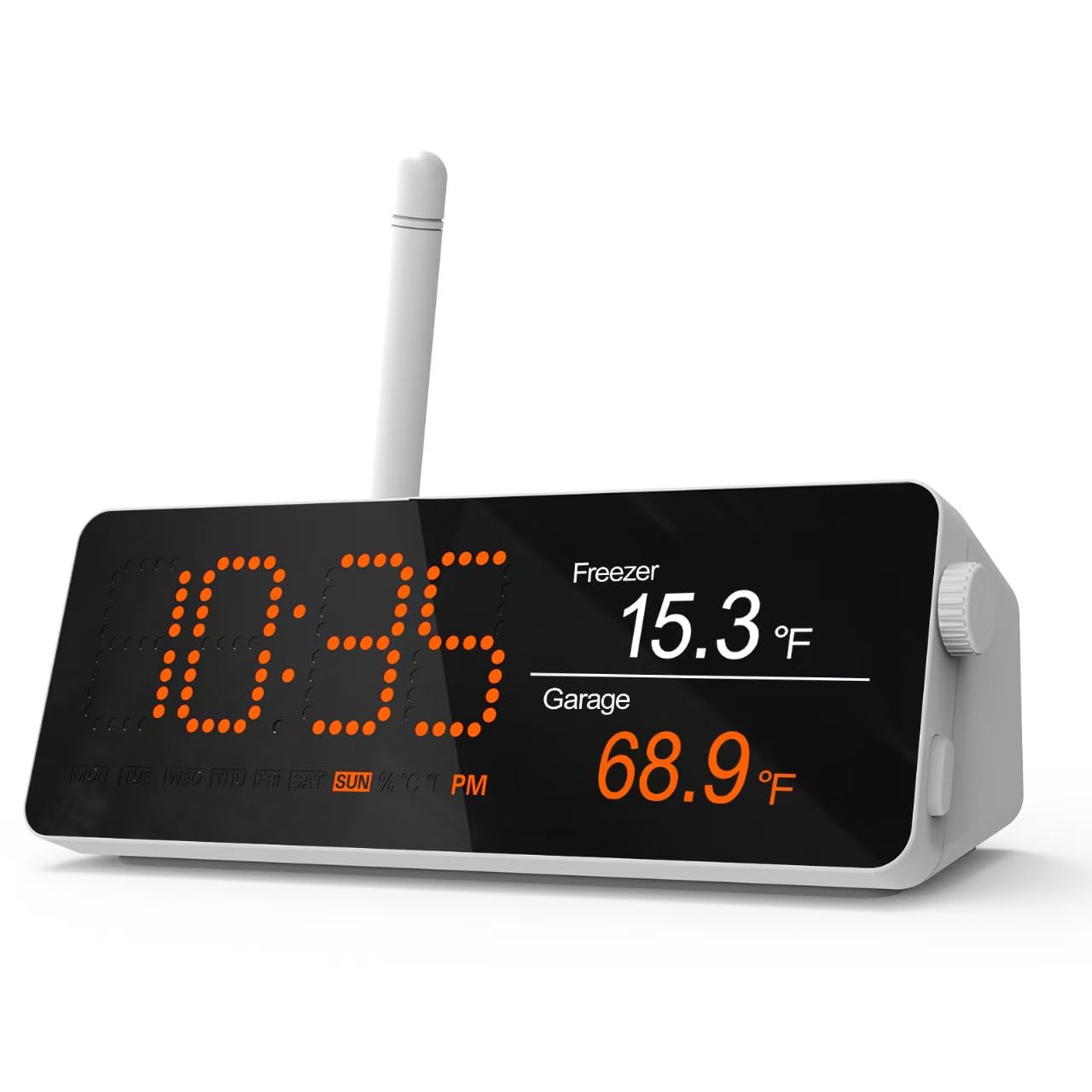
Image: The MOCREO H5Pro LoRa Hub, showcasing its LCD screen displaying current time and temperature readings from connected sensors.
2. Catetan penting Sateuacan Paké
- The H5Pro Hub exclusively supports 2.4GHz WiFi networks, including cellular hotspots. If your router operates on a dual-band WiFi system, ensure the 2.4GHz band is enabled for proper connection.
- The MOCREO H5Pro Hub requires MOCREO Sensors (sold separately) to function as a monitoring system. It is not a standalone sensor.
3. Eusi Paket
Pastikeun yén sadaya item di handap ieu kalebet dina pakét anjeun:
- H5Pro Hub x1
- anteneu LoRa x1
- USB Type A-Type C cable x1
- Adaptor kakuatan x1
- User manual x1 (this document)
4. Setup Guide
4.1 Ngahurungkeun Hub
- Connect the USB Type A-Type C cable to the H5Pro Hub.
- Plug the USB cable into the provided power adapter.
- Insert the power adapter into a standard electrical outlet. The hub's LCD screen should illuminate.
4.2 Attaching the LoRa Antenna
Carefully screw the LoRa antenna into the designated port on the H5Pro Hub. Ensure it is securely fastened but do not overtighten.
4.3 Network Connection (2.4GHz WiFi)
The H5Pro Hub requires a 2.4GHz WiFi connection to access online features and communicate with the MOCREO Smart App. Follow the on-screen prompts on the hub's LCD or refer to the MOCREO Smart App for detailed WiFi setup instructions.
4.4 Pairing MOCREO Sensors
The H5Pro Hub can connect with up to 100 MOCREO sensors. Refer to the individual sensor's user manual for specific pairing instructions. Generally, sensors are paired via the MOCREO Smart App after the hub is connected to WiFi.

Image: A visual representation of how one H5Pro Hub can connect to numerous MOCREO sensors throughout a building, enabling comprehensive monitoring.
5. Operating the H5Pro LoRa Hub
5.1 Fungsi Témbongkeun LCD
The upgraded LCD display provides a local digital monitoring center, offering various data and features:
- Pangimeutan sacara real-time: View live data from connected MOCREO sensors (e.g., temperature, humidity, water leak status).
- Data sajarah: Access charts and logs of past sensor readings directly on the screen.
- Jam & Kalénder: Mintonkeun waktos sareng kaping ayeuna.
- Pembaruan Cuaca: Provides local weather information when connected to the internet.

Image: The H5Pro Hub's LCD screen showcasing its multi-functional display, including calendar, local weather, real-time sensor data, and historical data charts.
5.2 Remote Monitoring via MOCREO Smart App
For comprehensive remote monitoring and control, download the MOCREO Smart App on your smartphone. The app allows you to:
- Narima Bewara App for alerts.
- Meunang Tanda Email for critical events.
- Pemicu Hub Beeping for immediate local alerts.
- View all sensor data and historical trends from anywhere.
- Configure alert thresholds and settings.

Image: A smartphone screen showing the MOCREO Smart App interface with various sensor readings and alert notifications, demonstrating remote monitoring capabilities.
5.3 Ékspor Data
The H5Pro Hub supports exporting up to two years of historical data in CSV table format. This feature is accessible through the MOCREO Smart App, allowing for detailed analysis and record-keeping.

Image: A user exporting historical sensor data from the MOCREO Smart App on a smartphone to a spreadsheet on a laptop, illustrating the data export function.
5.4 Sensor Communication Range
The H5Pro Hub utilizes both BLE and LoRa technologies for sensor communication:
- BLE Sensors: Up to 131 feet (40 meters) without obstructions.
- LoRa Sensors: Up to 1640 feet (500 meters) without obstructions, utilizing the external LoRa antenna.
Note: Actual range may vary depending on environmental factors, obstacles, and building materials.
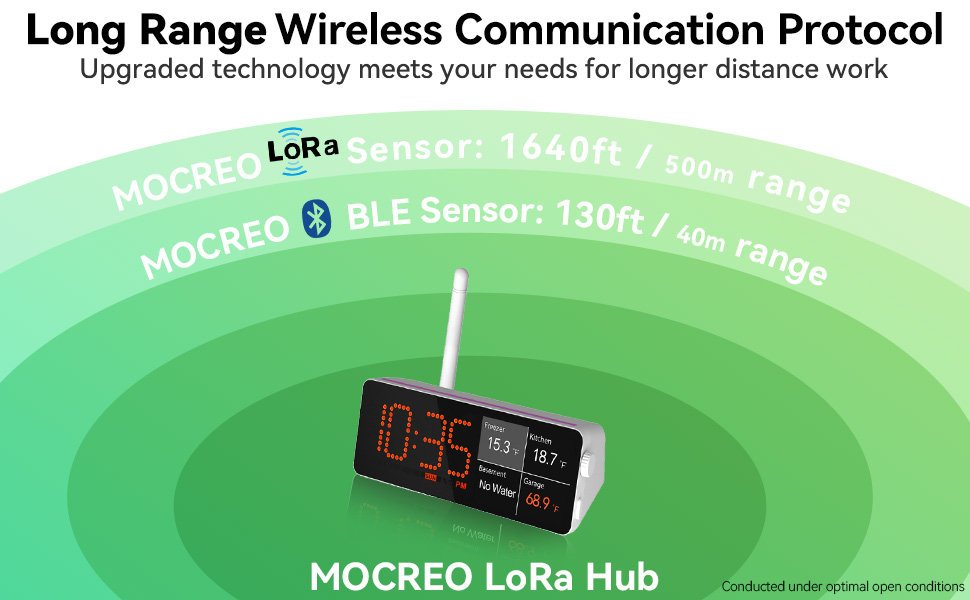
Image: A diagram illustrating the effective communication ranges for MOCREO BLE sensors (130ft/40m) and LoRa sensors (1640ft/500m) when connected to the H5Pro Hub.
6. Pangropéa
6.1 Cleaning the Hub
To clean the H5Pro Hub, gently wipe its surface with a soft, dry cloth. Avoid using abrasive cleaners, solvents, or spraying liquids directly onto the device.
6.2 Apdet firmware
MOCREO periodically releases firmware updates to improve performance and add new features. Check the MOCREO Smart App regularly for available updates and follow the in-app instructions to install them.
7. Cara ngungkulan
- Hub Offline Alert: If the hub frequently goes offline, ensure it is within range of your 2.4GHz WiFi router and that the router is functioning correctly. Check the 'Hub offline alert' setting in the MOCREO Smart App to enhance monitoring sensitivity.
- Teu aya Data Sénsor: Verify that sensors are properly paired with the hub and have sufficient battery power. Ensure sensors are within their respective communication ranges (BLE: 131ft, LoRa: 1640ft) from the hub.
- Alarm Karungu: The H5Pro Hub features an audible alarm that can reach up to 95 decibels for immediate local alerts. If the alarm is not functioning, check settings in the MOCREO Smart App.
- Masalah tampilan: If the LCD display is not functioning correctly, try restarting the hub by unplugging and re-plugging the power adapter.
8. Spésifikasi
| Fitur | Rincian |
|---|---|
| Nomer modél | H5Pro |
| merek | MOCREO |
| Produsén | MOCREO |
| Ukuran Paket | 6.38 x 3.46 x 2.44 inci |
| Item Beurat | 8.78 ons |
| Sumber Daya | Battery Powered (Internal, for backup) / AC Adapter (Primary) |
| Téhnologi konektipitas | Wi-Fi (2.4GHz) |
| Fitur husus | Alarm, App Companion, Large Display, Wi-Fi Support |
| Bahan | Acrylonitrile Butadiene Styrene (ABS) |
| Warna | Hideung |
9. Compatible MOCREO Sensors
The H5Pro Hub is compatible with a wide range of MOCREO sensors to expand your monitoring capabilities:
| Tipe sénsor | Model cocog | Téknologi |
|---|---|---|
| Sénsor Suhu | ST5, ST8, ST10, MS1 | BLE |
| Sénsor Suhu & Kalembaban | ST6, ST9, MS2 | BLE |
| Detektor Bocor Cai | SW2 | BLE |
| Sénsor Suhu | LS1, LS2 | LoRa |
| Detektor Bocor Cai | LW1 | LoRa |
| Sénsor PIR | LM1 | LoRa |
| Sénsor Panto | LD1 | LoRa |
Note: Stay tuned for upcoming long-range series sensors: LS3, LW1.

Image: A detailed table listing various MOCREO BLE and LoRa sensor models that are compatible with the H5Pro Hub, categorized by sensor type.
10. Garansi jeung Rojongan
MOCREO is committed to providing reliable products and excellent customer service.
- Jaminan Kapuasan 90 Dinten: Enjoy a 100% satisfaction guarantee, including money-back and free returns within 90 days of purchase.
- Garansi 1 Taun: The H5Pro Hub is covered by a 1-year warranty from the date of purchase.
- Dukungan Online 24/7: Access dedicated 1-on-1 online support for any questions or issues you may encounter.

Image: An infographic detailing MOCREO's after-sales support, including a 90-day satisfaction guarantee, 1-year warranty, and 24/7 online support.
For further assistance or to explore other MOCREO products, please visit the MOCREO Store.


