Bubuka
Welcome to the JLab Go Lux ANC Wireless Headphones instruction manual. These premium on-ear Bluetooth headphones are designed to provide an immersive audio experience with advanced features for comfort and connectivity.
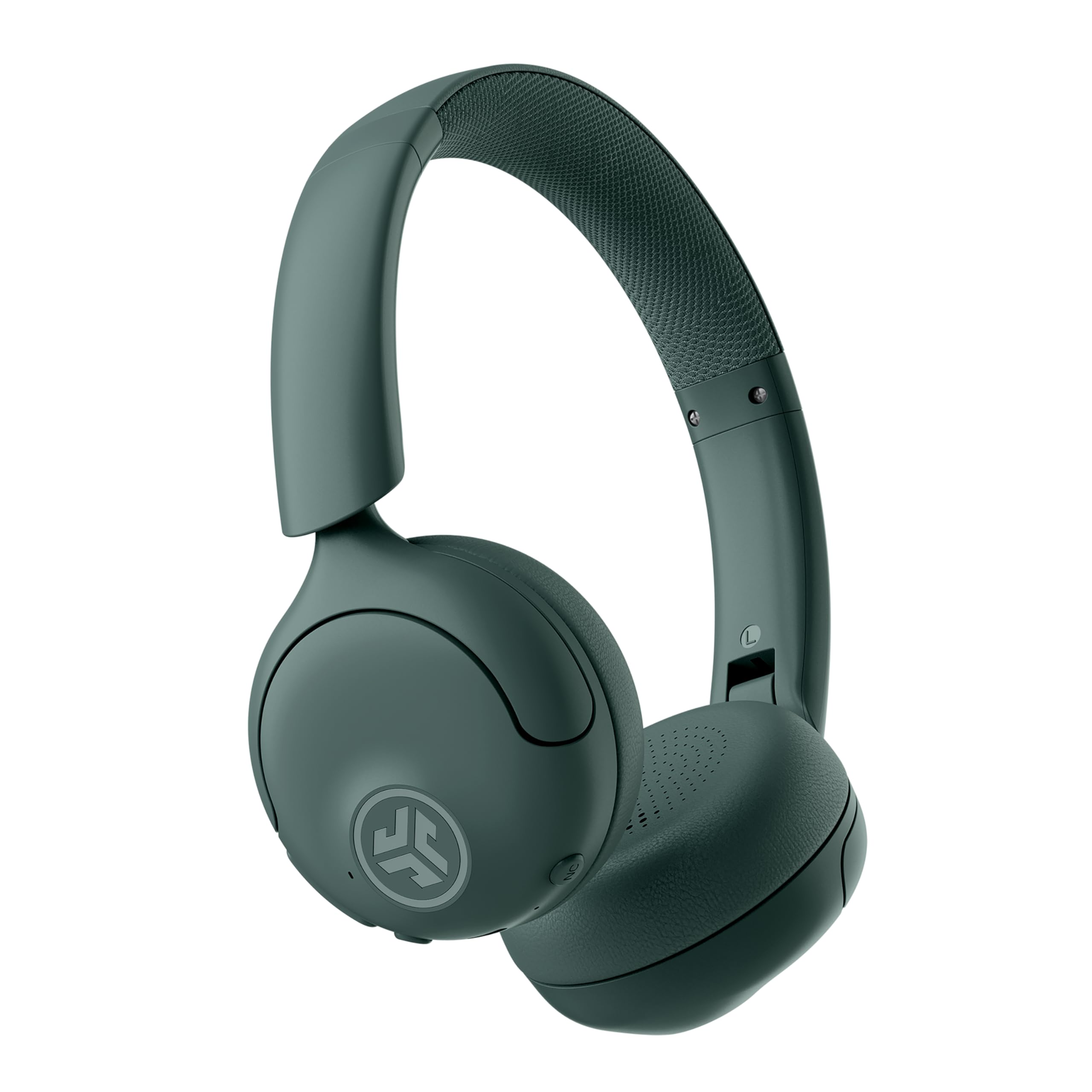
Image: JLab Go Lux ANC Wireless Headphones, showcasing rarancang sakabéh.
Fitur konci
- Hybrid Active Noise Cancelling (ANC) & Be Aware Mode: Eliminate distractions up to 30 dB or stay connected to your surroundings.
- Cloud Foam Comfort: Ergonomically shaped Form-Fit Earcups and adjustable hinges for ultimate comfort.
- Customizable Sound via JLab App: Personalize ANC/Be Aware settings, touch controls, and sound preferences.
- Telepon Crystal Clear: Noise-canceling microphones ensure clear communication.
- Sambungan Gampang: Bluetooth Multipoint for simultaneous connection to two devices, Wireless Share Mode, Google Fast Pair, and Microsoft Swift Pair.
- Google Find My Device: Locate your headphones easily.
Guide Setup
1. Ngecas Awal
Before first use, fully charge your JLab Go Lux ANC headphones using the provided USB-C charging cable. The charging port is located on one of the earcups.

Image: JLab Go Lux ANC headphones folded, showing the USB-C charging cable.
2. Papasangan Bluetooth
Pikeun nyapasangkeun headphone anjeun sareng alat:
- Pastikeun headphone dipareuman.
- Pencét jeung tahan kenop daya nepi ka indikator LED hurung bulao jeung beureum, nunjukkeun mode papasangan.
- On your device (smartphone, tablet, computer), go to Bluetooth settings and select "JLab Go Lux ANC" from the list of available devices.
- Sakali disambungkeun, indikator LED bakal ngahurungkeun biru padet.
3. Sambungan Multipoint
The headphones support Bluetooth Multipoint, allowing connection to two devices simultaneously:
- Pair with the first device as described above.
- Nonaktipkeun Bluetooth dina alat munggaran. Headphone bakal asup deui kana mode papasangan.
- Pasangkeun sareng alat kadua.
- Aktipkeun deui Bluetooth dina alat munggaran. Headphone bakal otomatis nyambung ka kadua alat eta.
4. JLab App Installation
Download the JLab App from the App Store or Google Play Store to customize settings and access additional features.

Image: JLab App interface on a smartphone, demonstrating sound customization options.
Parentah Operasi
1. Daya Hurung / Pareum
- Daya Hurung: Pencét jeung tahan tombol daya salila 3 detik.
- Pareum listrik: Pencét jeung tahan tombol daya salila 5 detik.
2. Hybrid ANC & Be Aware Mode
Toggle between Hybrid Active Noise Cancelling and Be Aware Mode using the dedicated NC button on the earcup.
- Hibrid ANC: Ngurangan noise éksternal pikeun pangalaman déngékeun immersive.
- Modeu Waspada: Ngidinan sora-sora sakuriling nembus, ngajantenkeun anjeun tetep waspada kana lingkungan anjeun.

Image: A person wearing JLab headphones, illustrating the Hybrid ANC and Be Aware Mode features.
3. Kadali dasar
The headphones feature intuitive touch controls on the earcups:
- Volume Kaluhur/Turun: Anggo tombol volume khusus.
- Puter / Reureuh: Single tap the multi-function button.
- Lagu salajengna: Double tap the multi-function button.
- Lagu Sateuacanna: Triple tap the multi-function button.
- Ngajawab / mungkas Telepon: Single tap the multi-function button during a call.
- Nolak Telepon: Pencét jeung tahan tombol multi-fungsi nalika keur nelepon asup.
4. Wireless Share Mode
Share audio wirelessly between two JLab Lux headphones. Refer to the JLab App or JLab website for detailed instructions on activating and using Wireless Share Mode.
5. Google Find My Device
Utilize Google Find My Device to locate your headphones if misplaced. Ensure your headphones are connected to a compatible Android device.
Pangropéa
1. Ngecas
Charge the headphones using the provided USB-C cable. A full charge provides up to 70+ hours of playtime (40+ hours with ANC on).
2. beberesih
Wipe the headphones with a soft, dry cloth. Avoid using harsh chemicals or abrasive materials. Ensure the charging port is dry before charging.
3. Panyimpenan
Nalika henteu dianggo, simpen headphone dina tempat anu tiis sareng garing. Desain foldable ngamungkinkeun pikeun neundeun kompak.

Image: JLab Go Lux ANC headphones folded for compact storage, alongside the charging cable.
Pamérésan masalah
- Henteu aya kakuatan: Pastikeun headphone dicas pinuh.
- Teu Bisa Dipasangkeun: Pastikeun Bluetooth diaktipkeun dina alat anjeun sareng headphone dina modeu papasangan. Cobi hilapkeun alat dina telepon anjeun teras pasangkeun deui.
- Masalah sora: Check volume levels on both headphones and connected device. Ensure headphones are within Bluetooth range.
- ANC Teu Gawé: Verify ANC mode is activated.
For further assistance, refer to the JLab App or contact JLab customer support.
spésifikasi
| Ngaran modél | Go Lux ANC |
| Téhnologi konektipitas | Nirkabel (Bluetooth 5.0) |
| Panempatan Ceuli | Dina Ceuli |
| Kontrol bising | Hybrid Active Noise Cancelling, Be Aware Mode |
| Tipe Supir Audio | Hybrid Driver (40mm) |
| Kahirupan batré | Up to 70+ Hours (40+ Hours with ANC) |
| Métode kontrol | Touch, Volume Control |
| Alat nu cocog | Android devices, Windows PCs |
| Bahan | Plastic, Metal, Faux Leather |
| Item Beurat | 0.704 ons (0.02 Kilogram) |
| Dimensi produk | 2.95 x 6.1 x 7.48 inci |
Garansi & Rojongan
Your JLab Go Lux ANC Wireless Headphones come with a JLab 2 Year Warranty.
For warranty claims, technical support, or additional product information, please visit the official JLab Store or contact JLab customer service.


