1. Bubuka
This manual provides essential instructions for the safe and efficient operation, maintenance, and troubleshooting of your AIRROBO T25+ Robot Vacuum and Mop Combo. Please read this manual thoroughly before using the product and retain it for future reference.
2. Parentah Kasalametan
- Ensure the product is used only with the provided power adapter and charging base.
- Do not operate the robot in wet environments or near water sources.
- Jauhkeun pakean, rambut, sareng bagian awak tina bagian anu obah.
- Ulah ngantep barudak atawa piaraan maén kalawan robot.
- Remove any cables, small objects, or fragile items from the floor before operation to prevent entanglement or damage.
- Produk ieu dirancang pikeun pamakéan jero rohangan wungkul.
- The product is suitable for 110-120V voltage. For regions with 220-230V, a transformer is required.
3. Produk Langkungview
3.1 Komponén
The AIRROBO T25+ system includes the following main components:
- AIRROBO T25+ Robot Vacuum
- Automatic Dust Collection Station (Self-Empty Bin)
- 2-in-1 Dust & Water Bin
- Wiper Module
- Main Brush (2 included)
- Manual pangguna (dokumén ieu)
- Instructions for use (quick start guide)
- Kadali jauh
- Disposable Dust Bag (2 included)
3.2 Diagram Produk

The robot vacuum features a top-mounted LDS laser navigation sensor, side brushes, and a main roller brush on the underside. The self-empty station includes a large capacity dust bag and charging contacts.

4. Setélan
4.1 Ngecas Base Nempatkeun
Place the automatic dust collection station (charging base) on a flat, hard floor against a wall. Ensure there are no obstacles around it for optimal robot navigation and recharging. Avoid placing the base in areas exposed to direct sunlight or on carpets, as this may interfere with the robot's ability to recharge efficiently.
4.2 Ngecas Awal
Before first use, ensure the robot is fully charged. Place the robot onto the charging base. The indicator lights will confirm charging status.
4.3 Pamasangan sareng Sambungan Aplikasi
To unlock full functionality, download and connect the AIRROBO app:
- Download the AIRROBO app from your device's app store.
- Buka aplikasi sareng jieun akun pangguna.
- Tap '+' in the upper right corner of the app to go to the 'T25' page, then select your device model (RoboVacTB).
- Turutan pitunjuk dina aplikasi pikeun nyetél sambungan Wi-Fi.
Catetan:
- Ngan Wi-Fi 2.4GHz anu dirojong.
- Ensure your phone is connected to your 2.4GHz Wi-Fi and Bluetooth is enabled.
- Keep the router, mobile phone, and robot vacuum cleaner as close as possible during setup for a smooth connection.
- Update the firmware promptly for optimal user experience.

5. Operasi
5.1 Modeu beberesih sarta kakuatan nyeuseup
The AIRROBO T25+ offers 5-level suction modes and various cleaning options via the app or remote control. It features 5500Pa ultra-strong suction for effective dirt, dust, and debris removal from hard floors and carpets.
5.2 LDS Laser Navigation and Mapping
The robot utilizes LDS laser navigation for precise mapping of your home, ensuring efficient cleaning paths and comprehensive coverage. It can save multi-floor maps for seamless cleaning across different levels.

5.3 Carpet Detection and Avoidance
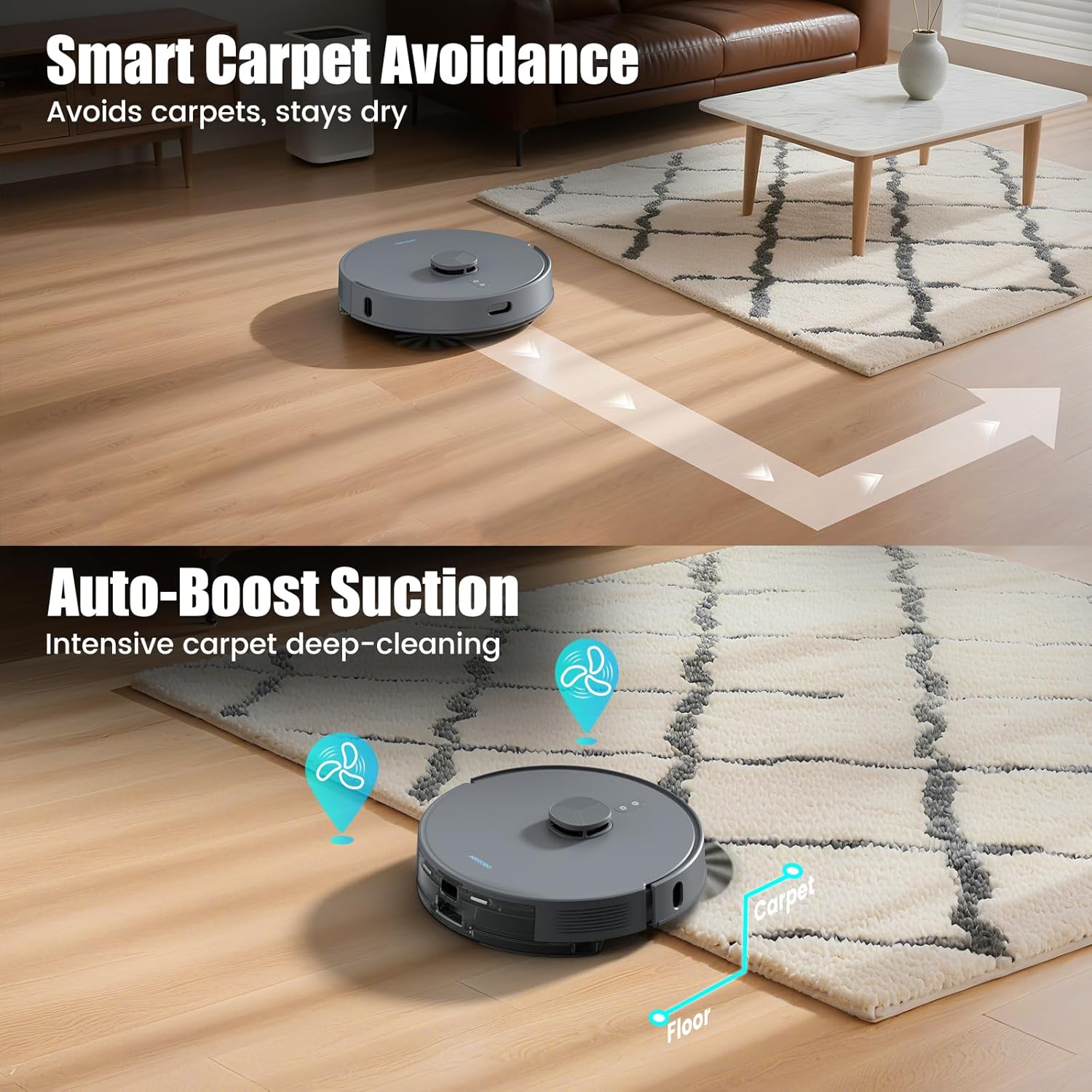
The advanced ultrasonic sensor allows the robot to automatically detect carpets. When a carpet is detected, the robot activates 'Carpet Lift Mode' to enhance suction for deep cleaning. If 'Carpet Avoidance Mode' is enabled, the robot will automatically avoid carpeted areas when the mopping module is installed.
5.4 Fungsi Mopping
The robot includes a 340 ml water tank with 3 levels of water output adjustment for mopping. Do not use the mopping module on carpets. If the mopping module is installed, the robot will automatically avoid carpets by default. You can adjust settings in the app.
5.5 Smart App Control and Features
Through the AIRROBO app, you can:
- Atur jadwal beberesih.
- Create no-go zones and virtual walls to restrict cleaning areas.
- Atur peta multi-lantai.
- Customize cleaning routines.
- Activate pet furniture deep cleaning mode.
- Utilize carpets grid clean for deeper carpet cleaning.
5.6 Obstacle Recognition
The robot can sense obstacles and uses its 360° LiDAR to detect and avoid furniture, toys, and pet bowls, adapting to changes in your home environment.
6. Pangropéa
6.1 Automatic Dust Collection Station
The 3.5L dust bag in the self-empty base station provides up to 60 days of hands-free dust disposal. Replace the disposable dust bag when full.

6.2 Pangropéa poean
- Roller Brush, Side Brushes, and Filter: Refer to the accessory maintenance page in the app to clean these components at least once a week.
- Pin sambungan: Regularly wipe the robot and base's connection pins and ensure the station's pins can rebound normally.
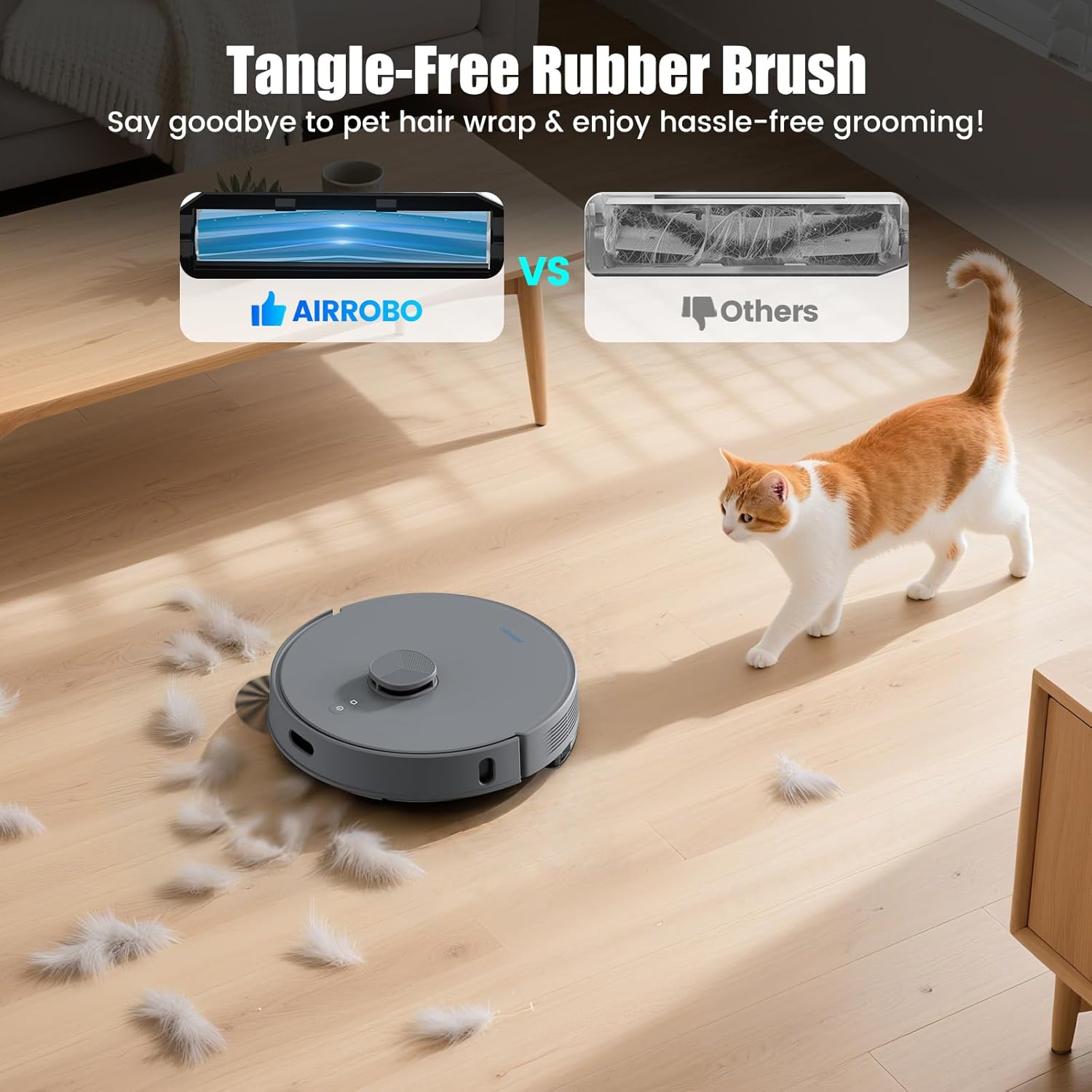
- Brush Ends: Daily cleaning of the brush ends and the brush roller junction area helps prevent brush reporting errors. If the robot reports 'Brushes are tangled', clean any hair or foreign matter after shutting down the robot.
- Tangle-Free Rubber Brush: The specially designed rubber brush minimizes hair tangling, making it suitable for households with pets. Regular inspection and cleaning are still recommended.
6.3 Apdet firmware
Regularly check for new firmware updates in the app and upgrade to ensure optimal cleaning performance and access to new features.
7. Cara ngungkulan
7.1 Isu umum jeung Solusi
- Robot macét: Clean up debris on the ground (such as wires, toys, etc.) to prevent the robot from getting stuck.
- Sensor/Bumper Malfunction: If the robot reports a sensor or bumper issue, clean all sensors and ensure the bumper moves freely.
- Inefficient Cleaning: Ensure the map is complete and consider backing it up in the app. If the map is abnormal, it can be restored.
- Inefficient Recharging: Ensure the base station is on a flat, hard floor against a wall with no obstacles. Avoid placing it in direct sunlight or on carpets.
7.2 Masalah Sambungan Aplikasi
If you experience difficulty connecting the app:
- Confirm your Wi-Fi is 2.4GHz.
- Ensure your phone's Bluetooth is on.
- Keep your phone, router, and robot close during the connection process.


8. Spésifikasi
| Fitur | Spésifikasi |
|---|---|
| merek | AIRROBO |
| Ngaran modél | T25+ |
| Fitur husus | 3-in-1 Sweeping, Vacuuming & Mopping, LiDAR Navigation, No-Go Zone, Self-Emptying, Smart Mapping |
| Daya nyeuseup | 5500 Pa |
| Kapasitas Kantong lebu | 3.5L (dugi ka 60 dinten) |
| Kapasitas Tangki Cai | 340 ml |
| Kahirupan batré | Nepi ka 240 menit |
| Jinis Napigasi | LDS Laser |
| Konektipitas | 2.4GHz Wi-Fi, App Control |
| Voltage | 110-120 Volt |
| Jenis Filter | HEPA |
| Dimensi produk | 13.5 "L x 13.5" W x 3.5" H |
| Item Beurat | 20.2 pon |
9. Garansi jeung Rojongan
AIRROBO ensures that all products are sold brand new. If you encounter any issues, such as damaged packaging, missing accessories, or signs of prior use, please contact AIRROBO support immediately. We are committed to promptly resolving your concerns and ensuring your satisfaction. For specific warranty details and support contact information, please refer to the documentation included in your product packaging or visit the official AIRROBO websitus.


