
1. Produk Langkungview
Experience wireless freedom and exceptional sound quality with the LX-09 Wireless Single Earphone. Designed with a sleek, ergonomic ear hook style, it offers a secure and comfortable fit for all-day wear. The rechargeable Type-C battery ensures uninterrupted audio enjoyment, while intelligent noise cancellation technology delivers crystal-clear audio, even in noisy environments. This HIFI headset is perfect for music, calls, or any audio activity on the go.
Fitur konci:
- Desain serbaguna: Sleek and ergonomic in-ear earhook style for a secure and comfortable fit during active use or daily wear.
- Pembatalan Noise: Intelligent noise cancellation technology effectively blocks out ambient sounds for an immersive audio experience.
- Konéktipitas nirkabel: Utilizes Bluetooth for a hassle-free wireless connection to your devices without tangled cords.
- Hirup batré anu panjang: Built-in rechargeable battery provides up to 6 hours of continuous playback on a single charge.
- Kompak sareng Portabel: Lightweight and compact design allows for easy carrying and storage when not in use.

Image: The LX-09 Wireless Single Earphone, showcasing its ergonomic ear hook design and compact form factor.

Gambar: sababaraha views of the LX-09 earphone, highlighting its sleek black finish and the integrated speaker components.

Image: A graphic illustrating key features of the LX-09 earphone, including Bluetooth 5.4, double horn speakers, comfort, suitability for driving, office use, running, riding, light weight, fast charge, hands-free, IP56 waterproof rating, and HiFi sound quality.
2. Naon dina Box
Punten parios eusi bungkusan nalika unboxing pikeun mastikeun yén sadaya barang aya:
- LX-09 Wireless Single Earphone
- Kabel Ngecas Tipe-C
3. Setup Guide
3.1 Ngecas Earphone
Before first use, fully charge the earphone. Use the provided Type-C charging cable.
- Connect the Type-C end of the charging cable to the charging port on the LX-09 earphone.
- Sambungkeun tungtung USB-A kabel ngecas kana adaptor daya USB anu cocog (henteu kalebet) atanapi port USB komputer.
- The indicator light on the earphone will illuminate during charging and turn off or change color when fully charged. A full charge takes approximately 1.5 hours.

Image: The LX-09 earphone connected to a Type-C charging cable, illustrating the fast charging capability.
3.2 Nyapasangkeun Bluetooth
To connect your LX-09 earphone to a device, follow these steps:
- Ensure the earphone is charged and powered off.
- Press and hold the multi-function button on the earphone until the indicator light flashes red and blue alternately, indicating it is in pairing mode.
- Dina alat anjeun (smartphone, tablet, jsb.), aktipkeun Bluetooth sareng milarian alat anu sayogi.
- Select "LX-09" from the list of found devices.
- Once connected, the indicator light on the earphone will stop flashing and may turn solid blue or off, depending on the model.
- Earphone bakal otomatis nyobian nyambungkeun deui ka alat anu terakhir dipasangkeun nalika dihurungkeun.

Image: A visual representation of the LX-09 earphone's internal Bluetooth 5.4 chip, emphasizing stable and anti-jamming wireless connectivity.
4. Parentah Operasi
4.1 Daya Hurung/Pareuman
- Daya Hurung: Press and hold the multi-function button for approximately 3 seconds until the indicator light flashes blue.
- Pareum listrik: Press and hold the multi-function button for approximately 5 seconds until the indicator light flashes red and then turns off.
4.2 Music Playback (Touch Control)
The LX-09 earphone features touch controls for convenient music management.
- Puter / Reureuh: Single tap the touch control area.
- Lagu salajengna: Double tap the touch control area.
- Lagu Sateuacanna: Triple tap the touch control area.
4.3 Call Management (Touch Control)
Manage your calls with simple touch gestures.
- Ngajawab / mungkas Telepon: Single tap the touch control area during an incoming call or active call.
- Nolak Telepon: Press and hold the touch control area for 2 seconds during an incoming call.
4.4 Pangurangan Bising
The LX-09 features intelligent noise cancellation for an enhanced audio experience.
- Aktipkeun/Nonaktipkeun Pangurangan Sora: Refer to your device's Bluetooth settings or specific app controls, as this feature is often managed at the source device level for optimal performance.

Image: The LX-09 earphone shown worn on an ear, demonstrating its "ear-hanging" and "non-inductive wearing experience" design for comfort and secure fit.

Image: A close-up of the LX-09 earphone worn, highlighting its lightweight integrated liquid silicone and ergonomic design for comfortable wear and freedom of movement.
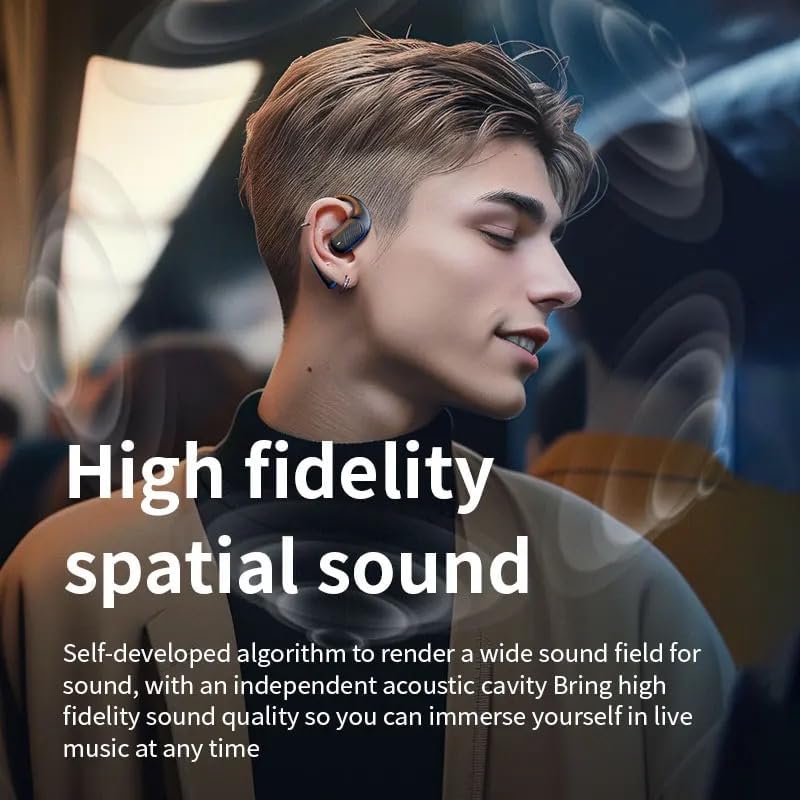
Image: A person wearing the LX-09 earphone, with visual effects indicating high fidelity spatial sound and an immersive audio experience.
5. Pangropéa
Proper maintenance ensures the longevity and optimal performance of your LX-09 earphone.
- beberesih: Gently wipe the earphone with a soft, dry, lint-free cloth. Do not use abrasive cleaners, alcohol, or chemical solvents.
- Panyimpenan: When not in use, store the earphone in a cool, dry place, away from direct sunlight and extreme temperatures.
- Perawatan batré: To preserve battery life, avoid fully discharging the earphone frequently. Charge it regularly, even if not in use for extended periods.
- Tahan cai: The earphone is rated Water Resistant (IP56). This means it can withstand splashes and light rain, but it is not designed for submersion in water. Avoid exposing it to heavy rain or direct water jets.
6. Cara ngungkulan
If you encounter issues with your LX-09 earphone, refer to the following common solutions:
- Henteu aya kakuatan:
- Pastikeun earphone parantos dicas pinuh.
- Pastikeun kabel ngecas sareng sumber listrik berpungsi leres.
- Teu Bisa Dipasangkeun jeung Alat:
- Make sure the earphone is in pairing mode (indicator light flashing red and blue).
- Pastikeun Bluetooth dina alat anjeun diaktipkeun sareng aya dina jangkauan (biasana 10 méter).
- Forget "LX-09" from your device's Bluetooth list and attempt to pair again.
- Balikan deui earphone sareng alat anjeun.
- Henteu aya Sora atanapi Volume Lemah:
- Check the volume levels on both the earphone and your connected device.
- Pastikeun earphone disambungkeun kalayan leres kana alat anjeun.
- Coba maén audio tina aplikasi atanapi sumber anu béda.
- Sambungan Intermittent:
- Pindah leuwih deukeut ka alat anjeun anu nyambung pikeun ngirangan gangguan.
- Avoid obstacles between the earphone and your device.
- Pastikeun teu aya sinyal nirkabel anu kuat anu nyababkeun gangguan.
7. Spésifikasi
| Fitur | Rincian |
|---|---|
| Ngaran modél | LX-09 |
| merek | Generik |
| Téhnologi konektipitas | Wireless, Bluetooth, Type-C |
| Téknologi Komunikasi Nirkabel | Bluetooth 5.3 (as per image, product spec says Bluetooth) |
| Kontrol bising | Pembatalan Noise aktip |
| Headphone Jack | Tipe-C |
| Komponén Kaasup | Earphone, Type-C Charging Cable |
| Bahan | palastik |
| Dianjurkeun Mangpaat | Musik, Telepon |
| Alat nu cocog | Smartphone, Tablet |
| Tipe Kontrol | Toél Control |
| Tingkat Résistansi Cai | Tahan cai (IP56) |
| Panempatan Ceuli | Dina Ceuli |
| Faktor Bentuk | Single Earpiece |
| Item Beurat | 1.6 ons |
| Produsén | Pintotronics |
8. Garansi jeung Rojongan
Kanggo inpormasi garansi sareng dukungan palanggan, mangga tingal ka padagang atanapi produsén resmi webtempat produk éta dibeuli. Simpen bukti pameseran anjeun pikeun klaim garansi naon waé.
Manufacturer: Pintotronics