1. Bubuka
The UGREEN 9-in-1 USB-C Docking Station is designed to expand the connectivity of your USB-C compatible devices, such as handheld gaming consoles, laptops, tablets, and smartphones. It features multiple ports for video output, data transfer, network connectivity, and power delivery, all integrated into a compact and foldable design.
This docking station includes a unique adjustable and foldable stand, which helps maintain optimal airflow for your device, preventing overheating during extended use. Its robust aluminum construction ensures durability and portability.
2. Fitur produk jeung komponén
The UGREEN 9-in-1 Docking Station offers a comprehensive set of ports and features:
- Adjustable Foldable Stand: Designed to provide stable support and improve heat dissipation for your device.
- Kaluaran DisplayPort: Supports resolutions up to 4K (3840x2160) at 120Hz, backward compatible with 4K@30Hz, 2K@60Hz, and 1080P@120Hz. Also supports high refresh rates like 2K@144Hz, 2K@120Hz, 1080P@240Hz, and 1080P@144Hz.
- Port Ethernet Gigabit: Provides stable and fast wired network connectivity (up to 1000Mbps).
- USB 3.2 Gen 2 Ports (1x USB-A, 1x USB-C): Offers high-speed data transfer up to 10Gbps.
- USB 2.0 Ports (2x USB-A): Suitable for connecting peripherals like keyboards, mice, and game controllers.
- Power Delivery (PD) 100W USB-C Port: Supports fast charging for your connected device. Note: Actual charging speed depends on the device and power adapter.
- TF/SD Card Slots: For convenient access to memory cards.

Gambar 1: Leuwihview of the UGREEN 9-in-1 Docking Station with labeled ports.

Figure 2: The adjustable and foldable stand design for optimal viewing and heat dissipation.
3. Parentah Setup
- Unfold Stand: Gently unfold the two panels of the docking station to create the stand. Ensure it is stable on a flat surface.
- Sambungkeun Kakuatan: Connect a USB-C power adapter (not included) to the PD 100W USB-C input port on the back of the docking station.
- Nyambung ka Alat: Use the included USB-C cable to connect your handheld gaming console (e.g., Steam Deck, ROG Ally) or other compatible USB-C device to the dedicated USB-C host port on the docking station. The angled end of the cable is designed for convenient connection to handheld devices.
- Sambungkeun Tampilan (Opsional): For external display, connect a DisplayPort cable from the docking station's DisplayPort output to your monitor or TV. Note: HDMI output requires a separate DP-to-HDMI adapter (not included).
- Sambungkeun Periferal (Opsional): Plug in your USB peripherals (keyboard, mouse, external hard drives, game controllers) into the available USB-A and USB-C data ports.
- Sambungkeun Ethernet (Opsional): For wired internet, connect an Ethernet cable to the Gigabit Ethernet port.
- Lebetkeun Kartu Memori (Opsional): Selapkeun kartu SD atanapi TF kana slotna masing-masing pikeun aksés data.

Figure 3: Connecting various USB accessories to the docking station.
4. Parentah Operasi
4.1 Pangiriman kakuatan
The docking station supports up to 100W Power Delivery. When connected to a compatible power adapter, it will charge your device while in use. The actual charging speed will vary depending on your device's power requirements (e.g., Steam Deck max 45W, ROG Ally max 65W).

Figure 4: Fast charging a handheld device via the PD 100W port.
4.2 Kaluaran tampilan
Connect your device to an external monitor via the DisplayPort for an enhanced visual experience. The dock supports high resolutions and refresh rates, ideal for gaming. Ensure your monitor and DisplayPort cable support the desired resolution and refresh rate.
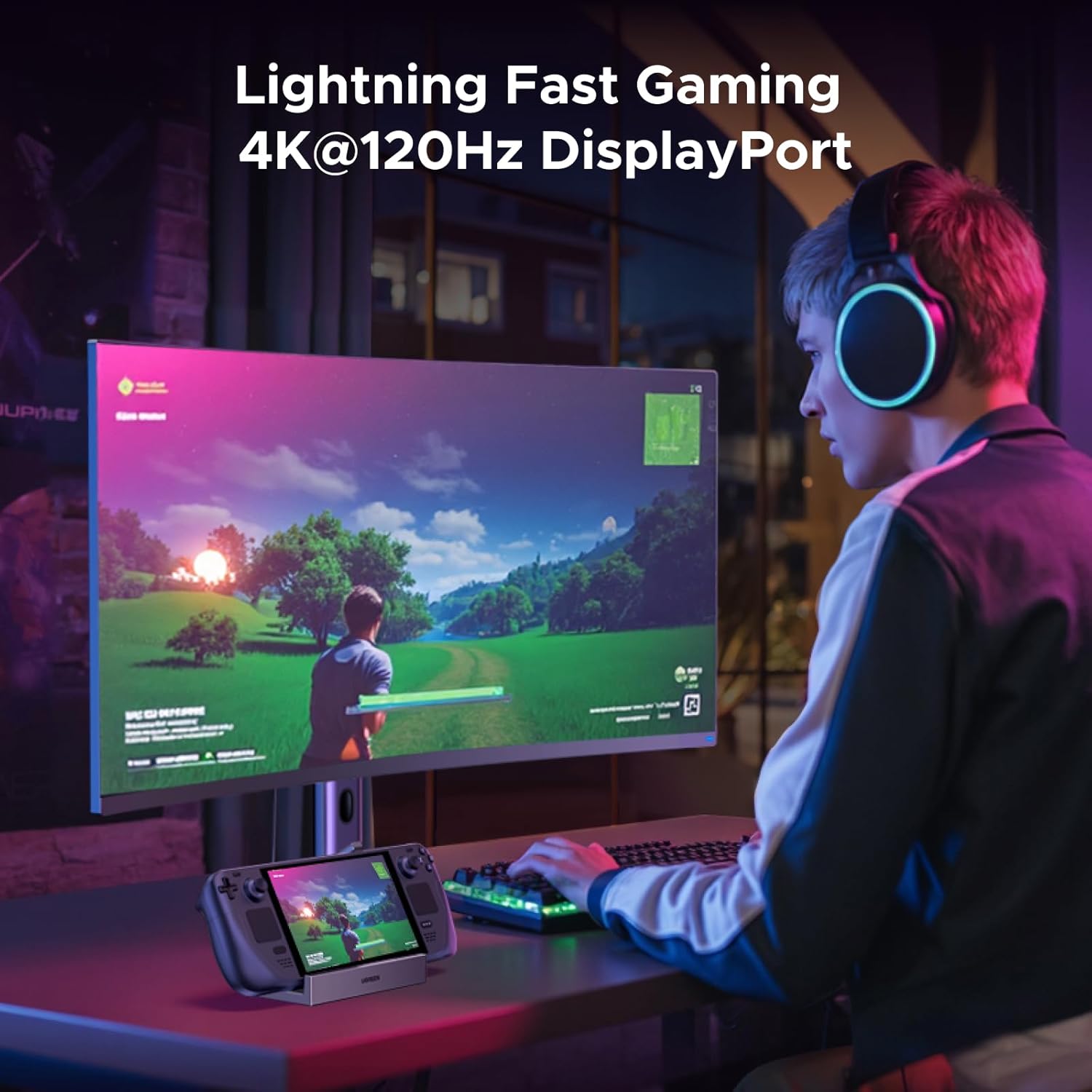
Figure 5: Gaming on an external monitor using the DisplayPort output.
4.3 Mindahkeun Data
Utilize the 10Gbps USB 3.2 ports (USB-A and USB-C) for rapid file transfers, such as downloading games or moving large media files. The USB 2.0 ports are suitable for lower-bandwidth devices like input peripherals.
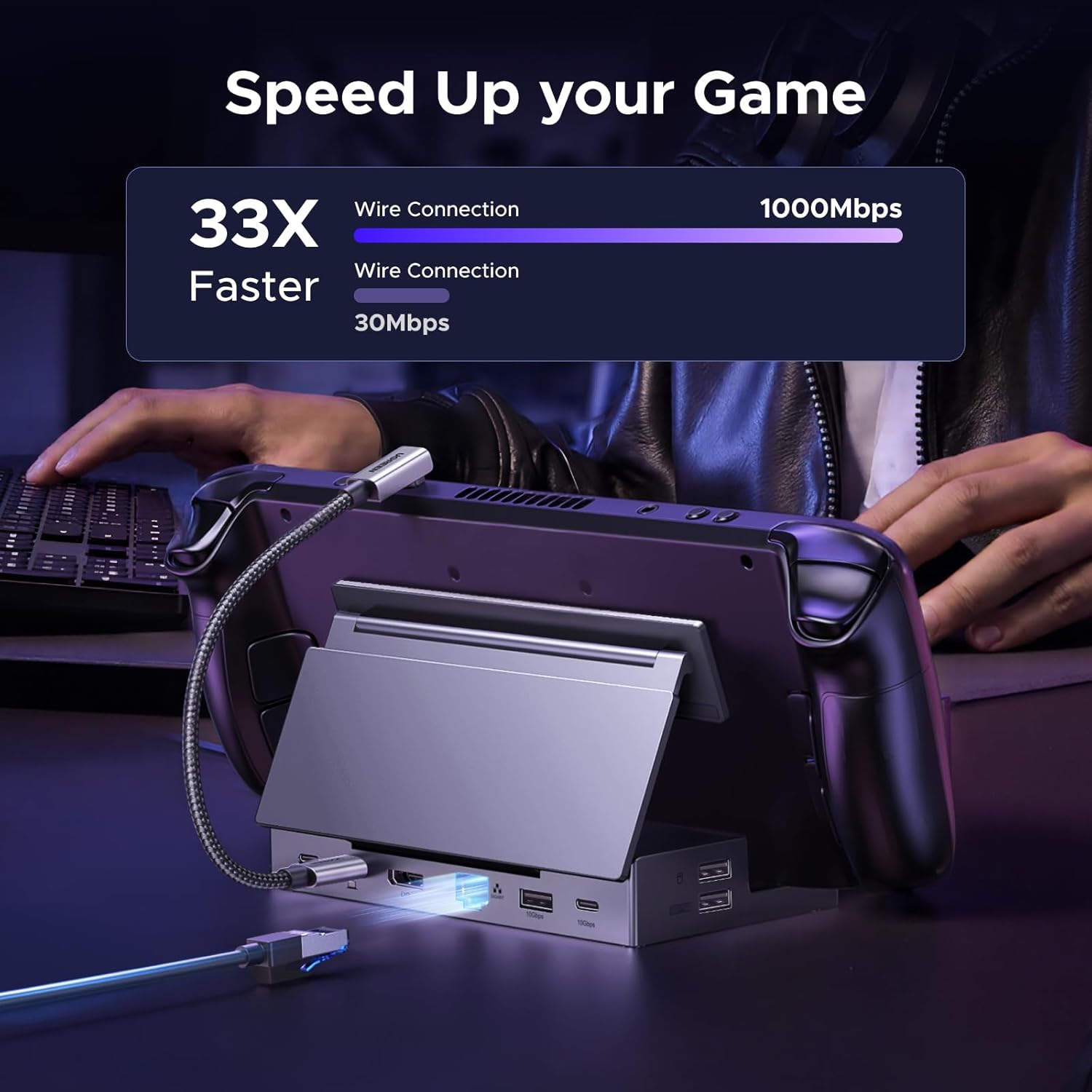
Figure 6: Demonstrating fast data transfer and network speeds.
4.4 Konektipitas jaringan
The Gigabit Ethernet port provides a stable and high-speed internet connection, which is often more reliable than Wi-Fi, especially for online gaming or large downloads.
4.5 Memory Card Access
The integrated TF/SD card slots allow for easy access to data stored on memory cards, useful for expanding storage or transferring files.
5. Kasaluyuan
This docking station is widely compatible with various USB-C devices, including:
- Kukus Dek
- ROG babaturan
- ROG Xbox Ally
- LEGION Go
- MSI Claw A1M
- iPad Pro/Air
- Surface Pro 8 & Go 3
NOTE: Not compatible with Nintendo Switch 2.
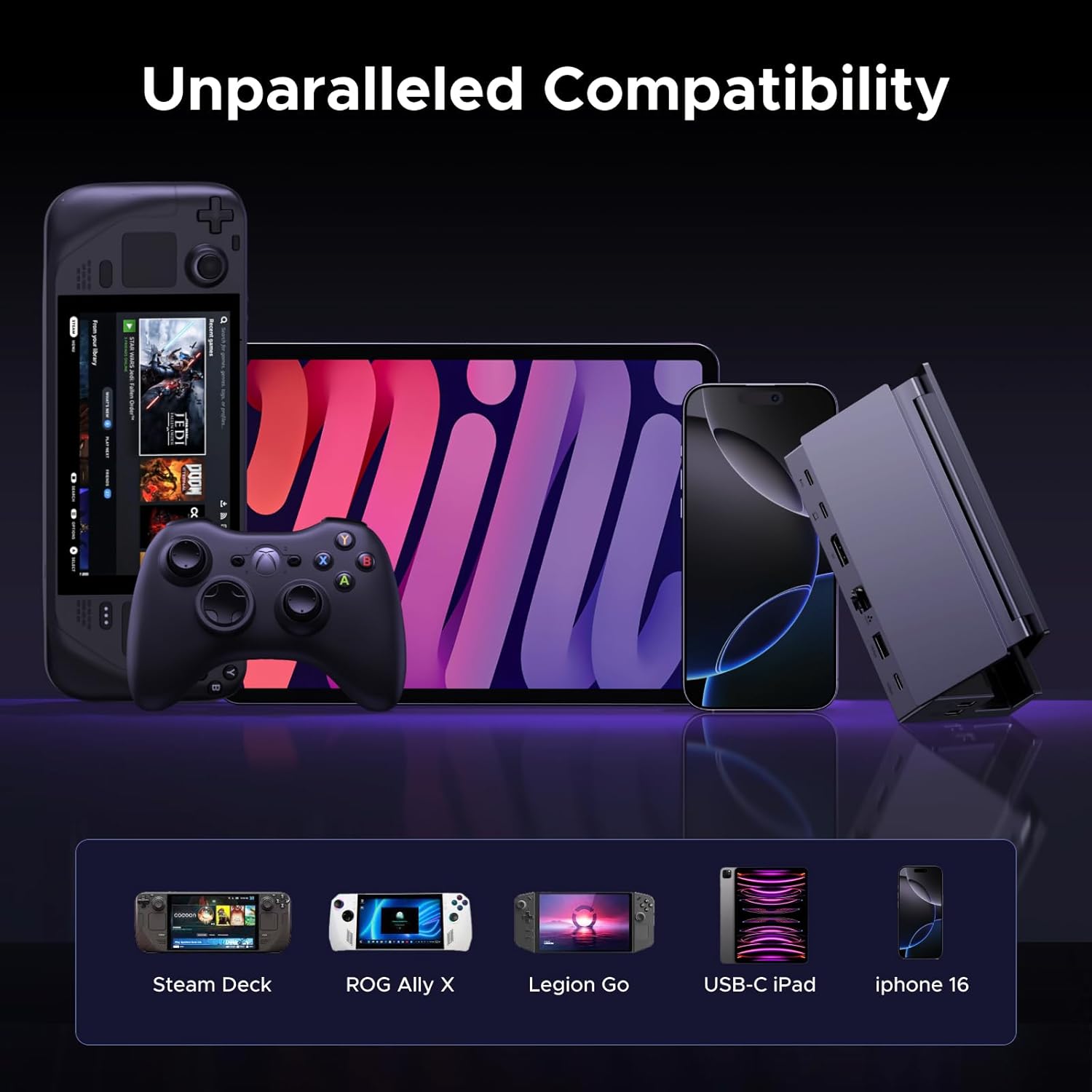
Figure 7: The docking station's broad compatibility with different USB-C devices.
6. Pangropéa
To ensure the longevity and optimal performance of your UGREEN docking station, follow these maintenance guidelines:
- Jaga alat tetep bersih ku cara ngusap nganggo lawon anu lemes sareng garing. Hindarkeun nganggo bahan kimia anu kasar atanapi bahan anu abrasif.
- Nyimpen stasiun docking dina tiis, tempat garing jauh ti sinar panonpoé langsung sarta suhu ekstrim.
- Hindarkeun ngaragragkeun alatna atanapi mangaruhan kana tabrakan anu kuat.
- Pastikeun sadaya kabel disambungkeun pageuh tapi ulah dipaksakeun kana port.
7. Cara ngungkulan
If you encounter issues with your docking station, consider the following:
- Henteu aya kaluaran tampilan:
- Ensure the USB-C host cable is securely connected to both the docking station and your device.
- Verify that the DisplayPort cable is properly connected to both the dock and the monitor.
- Check your device's display settings to ensure the external monitor is detected and configured correctly.
- Confirm that your monitor is set to the correct input source (DisplayPort).
- Masalah ngecas:
- Ensure a compatible USB-C power adapter (100W recommended) is connected to the PD input port.
- Verify the power cable is functioning correctly.
- Periferal USB Teu Jalan:
- Coba sambungkeun periferal ka port USB béda dina darmaga.
- Ensure the peripheral is properly connected and powered, if required.
- Some high-power USB devices may require the docking station to be connected to external power.
- No Internet Connection (Ethernet):
- Pariksa sambungan kabel Ethernet ka duanana dok jeung router / modem Anjeun.
- Verify your network settings on your connected device.
8. Spésifikasi
| Fitur | Spésifikasi |
|---|---|
| Nomer modél | 55733 |
| Dimensi produk | 5.79 x 2.76 x 1.14 inci (14.7 x 7.0 x 2.9 cm) |
| Item Beurat | 9.3 ons (264.7 gram) |
| Jumlah Palabuhan | 9 |
| Panganteur Hardware | DisplayPort, Ethernet, MicroSD, USB, USB Type C |
| Kaluaran DisplayPort | Up to 4K@120Hz (3840x2160@120Hz) |
| Ethernet | Gigabit (1000 Mbps) |
| Port Data USB | 2x USB 3.2 Gen 2 (1x USB-A, 1x USB-C, 10Gbps), 2x USB 2.0 (USB-A, 480Mbps) |
| Pangiriman kakuatan | Up to 100W (USB-C PD input) |
| Pamaca Kartu | TF/SD (104MB/s) |
| Warna | Hideung |
9. Video Produk Resmi
Video 1: Hiji leuwihview of the UGREEN 9-in-1 Steam Deck Dock, demonstrating its features, connectivity options, and foldable design. This video highlights the product's build quality, port functionality, and compatibility with various handheld gaming devices.
10. Garansi jeung Rojongan
UGREEN products come with a standard manufacturer's warranty. For specific warranty details, product support, or technical assistance, please refer to the official UGREEN websitus atanapi ngahubungan layanan palanggan UGREEN langsung. Simpen resi pameseran anjeun pikeun klaim jaminan.


