1. Bubuka
This manual provides essential information for setting up, operating, and maintaining your ASUS ROG Strix G13 Gaming Desktop PC. Please read this manual thoroughly before using the product to ensure proper functionality and safety.
2. Émbaran Kasalametan
- Ensure the desktop is placed on a stable, flat surface with adequate ventilation.
- Entong meungpeung lawang angin.
- Keep the device away from liquids, excessive heat, and direct sunlight.
- Paké ngan adaptor kakuatan disadiakeun kalawan alat.
- Ulah nyobian muka atawa ngalereskeun alat sorangan. Rujuk ka tanaga jasa anu mumpuni.
3. Eusi Paket
Pastikeun yén sadaya barang aya dina bungkusan produk anjeun:
- ASUS ROG Strix G13 Gaming Desktop PC
- Kabel listrik
- Dokuméntasi (Panduan Mimitian Gancang, Kartu Garansi)
Note: Additional peripherals such as a monitor, keyboard, and mouse are typically sold separately.
4. Leuwih fisikview
4.1 Hareup View
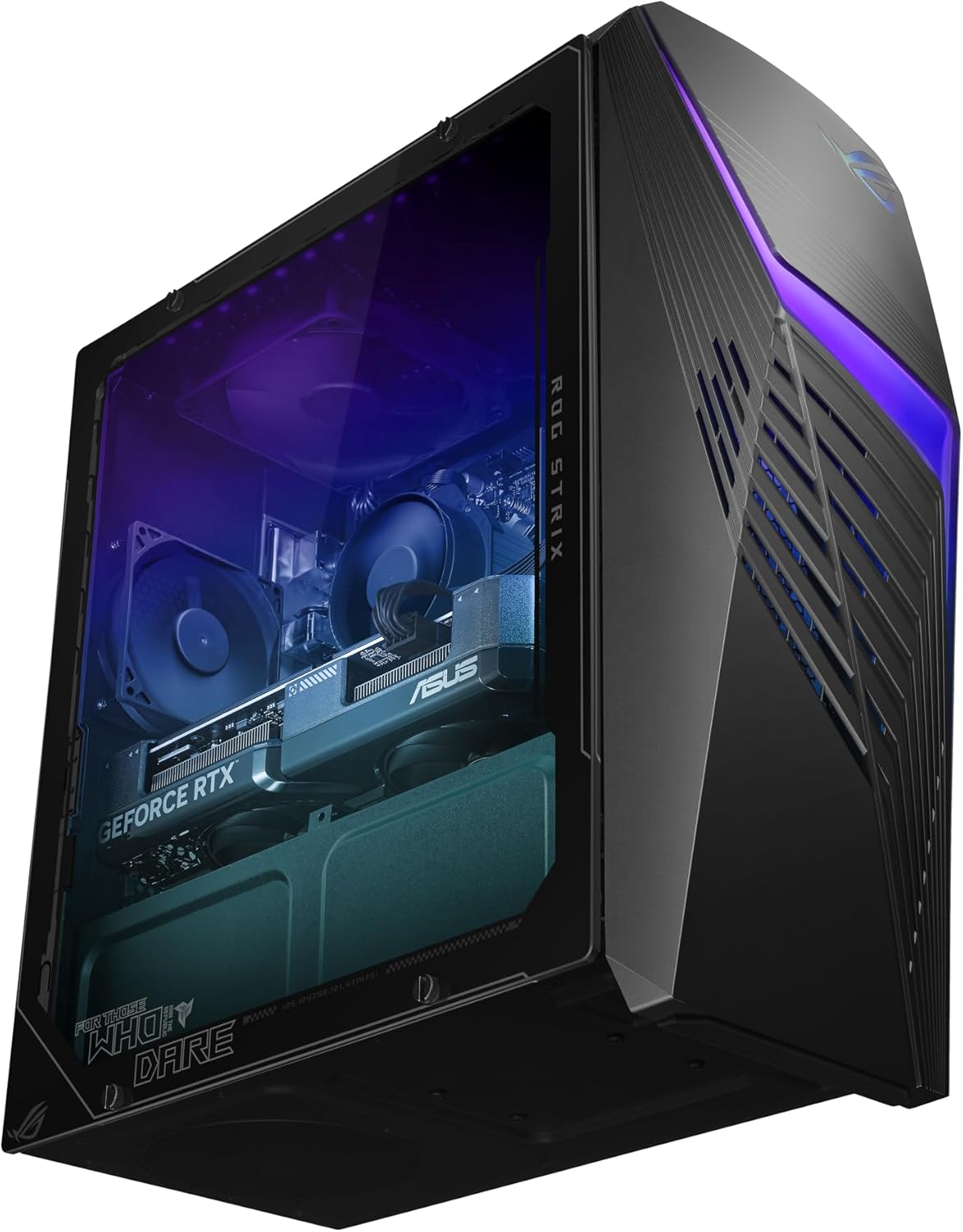
The front panel features a distinctive design with customizable RGB lighting and ventilation.
4.2 Samping View
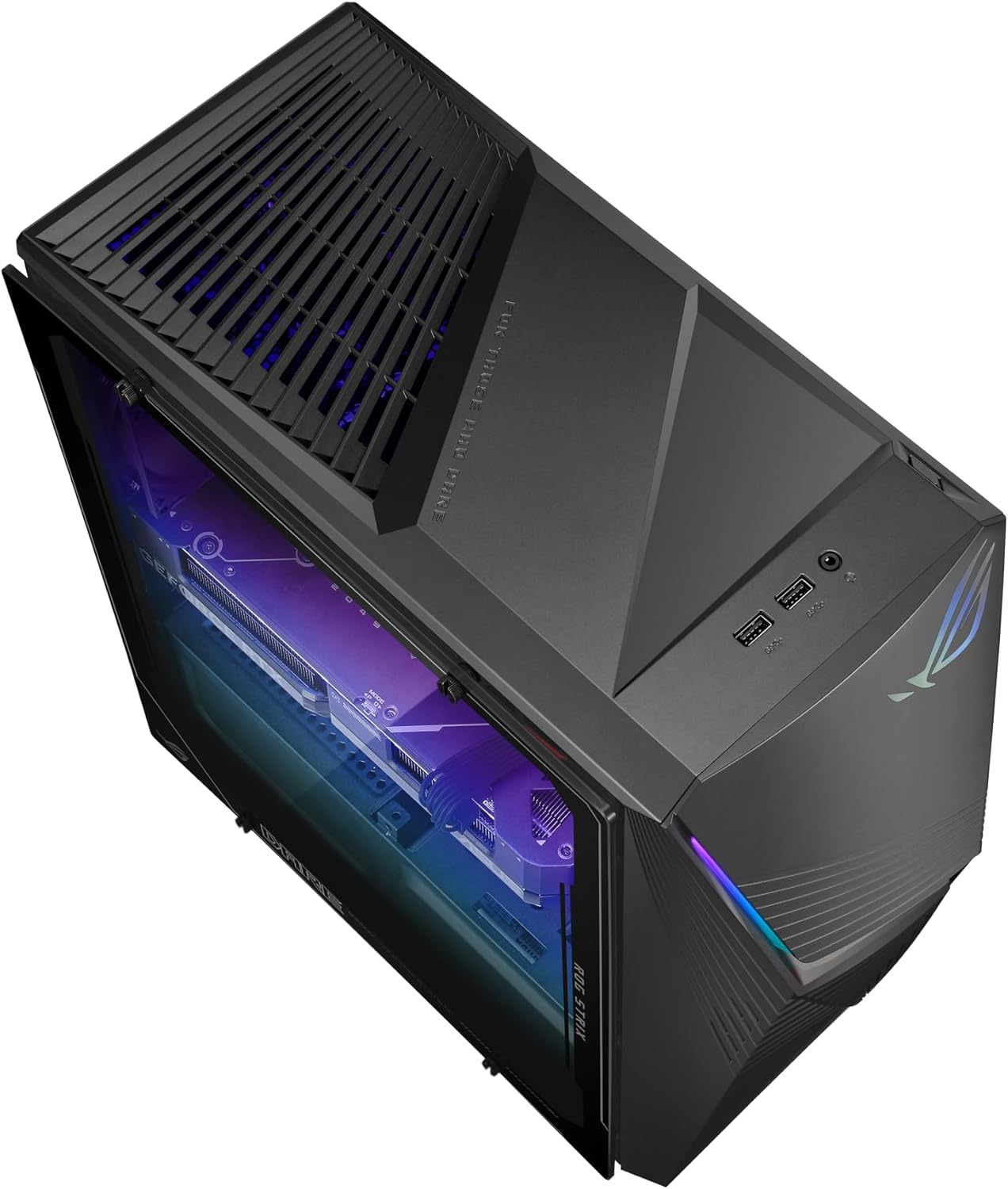
The transparent side panel allows visibility of the internal components and RGB lighting.
4.3 Tukangeun View jeung Palabuhan

The rear panel provides access to all essential input/output ports, including USB, HDMI, DisplayPort, Ethernet, and audio jacks.
5. Setélan
5.1 Nyambungkeun périferal
- Monitor: Sambungkeun monitor anjeun kana kaluaran HDMI atanapi DisplayPort kartu grafis anu aya di panel tukang.
- Keyboard sareng Mouse: Sambungkeun keyboard sareng beurit anjeun ka palabuhan USB anu sayogi.
- Audio: Sambungkeun spiker atanapi headphone kana colokan kaluaran audio.
- Jaringan: For a wired connection, connect an Ethernet cable to the LAN port. For wireless, ensure Wi-Fi antennas are connected if applicable.
5.2 Sambungan Daya
- Connect the power cord to the power input on the rear of the desktop.
- Colokkeun tungtung kabel listrik anu sanés kana stop kontak listrik anu dibumikeun.
5.3 Mimiti Boot-Up
- Press the power button on the front panel of the desktop.
- Follow the on-screen instructions to complete the Windows 11 Home setup. This includes setting up your user account, network connection, and privacy settings.
6. Ngoperasikeun PC Anjeun
6.1 Windows 11 Imah
Your ASUS ROG Strix G13 comes pre-installed with Windows 11 Home, offering a modern and intuitive user experience. Familiarize yourself with the Start Menu, Taskbar, and File Explorer pikeun navigasi anu efisien.
6.2 Fitur konci na Performance

The desktop is equipped with an Intel Core i5-14400F processor, NVIDIA GeForce RTX 3050 graphics, and 16GB DDR5 RAM for high-performance gaming and multitasking.
- Prosesor: The 10-core Intel Core i5-14400F provides robust performance for gaming and demanding applications.
- Grafik: The NVIDIA GeForce RTX 3050 with 8GB GDDR6 supports real-time ray tracing and AI-powered DLSS for enhanced visual fidelity.
- Mémori: 16GB DDR5 RAM ensures smooth multitasking and quick application switching.
- Panyimpenan: A 1TB M.2 PCIe 4.0 SSD offers fast boot times and rapid game loading.
6.3 Sistim cooling

Hiji internal view of the desktop, showcasing the cooling solution and component arrangement.
The ROG Strix G13 features Flow Tech Ventilation with two isolated air chambers to prevent heat buildup, ensuring optimal performance and system stability during intense gaming sessions.
6.4 Fitur Audio

Experience immersive audio with Dolby Atmos and clear communication with Two-Way AI Noise Cancellation.
Enjoy rich, immersive sound with Dolby Atmos support and crystal-clear voice communication thanks to Two-Way AI Noise Cancellation, which filters out background noise.
6.5 ASUS Aura Sync

Customize the RGB lighting effects across your desktop and compatible peripherals using Aura Sync.
Personalize your gaming setup with ASUS Aura Sync RGB lighting. Use the Aura Sync software to synchronize lighting effects across your desktop and compatible peripherals.
7. Pangropéa
7.1 beberesih
- Luar: Use a soft, dry cloth to wipe down the exterior surfaces. Avoid abrasive cleaners.
- Ventilasi: Periodically clean dust from the ventilation grilles using compressed air to maintain optimal airflow.
- Palabuhan: Pastikeun port bébas tina lebu sareng runtah.
7.2 Apdet parangkat lunak
Regularly update your Windows operating system, graphics drivers (NVIDIA), and ASUS utilities to ensure optimal performance, security, and compatibility.
7.3 Nyadangkeun Data
Disarankeun pikeun rutin nyadangkeun data penting anjeun ka drive éksternal atanapi panyimpenan awan pikeun nyegah leungitna data.
8. Cara ngungkulan
8.1 Taya Daya
- Pariksa naha kabel listrik parantos disambungkeun kalayan pageuh kana desktop sareng kana stop kontak listrik.
- Pastikeun colokan listrik tiasa dianggo ku cara nguji sareng alat anu sanés.
8.2 Taya Pintonan
- Verify that the monitor is powered on and the video cable is securely connected to both the desktop's graphics card and the monitor.
- Pastikeun sumber input anu bener dipilih dina monitor anjeun.
8.3 Sistim slowdown
- Tutup aplikasi latar tukang anu teu perlu.
- Pariksa sareng pasang apdet Windows atanapi supir anu nuju ngantosan.
- Pastikeun ventilasi nyukupan pikeun nyegah overheating.
8.4 Masalah Audio
- Check speaker/headphone connections and ensure they are plugged into the correct audio jacks.
- Verify audio settings in Windows and ensure the correct output device is selected.
9. Spésifikasi
| komponén | Rincian |
|---|---|
| Nomer modél | G13CHR-BBI53050-CB |
| Prosesor | Intel Core i5-14400F (10 Cores, up to 4.7 GHz) |
| Kartu Grafis | NVIDIA GeForce RTX 3050 (8GB GDDR6) |
| Ram | 16GB DDR5 |
| Panyimpenan | 1TB M.2 PCIe 4.0 SSD |
| Sistem operasi | Windows 11 Imah |
| Konektipitas | Wi-Fi 6, Ethernet, USB 2.0 (x4), USB 3.0 (x6) |
| Ukuran (L x W x H) | 43 x 18 x 42.8 cm |
| Beurat | 8 kg |
10. Garansi jeung Rojongan
Your ASUS ROG Strix G13 Gaming Desktop PC is covered by a manufacturer's warranty. Please refer to the warranty card included in your package for detailed terms and conditions.
Kanggo dukungan téknis, unduhan driver, atanapi bantosan salajengna, mangga buka dukungan resmi ASUS. website or contact their customer service. Keep your product's serial number handy when seeking support.


