1. Bubuka
This manual provides detailed instructions for the setup, operation, and maintenance of your THOMSON 8-inch Digital Photo Frame (Model: TRDF-8001C). Please read this manual thoroughly before using the device to ensure proper functionality and to maximize your enjoyment of its features. This digital photo frame is designed to display your cherished photos and videos with an 8-inch IPS HD screen, offering a clear and vibrant viewpangalaman.
2. Naon dina Box
Saatos ngabongkar bungkusan, pastikeun sadaya barang anu didaptarkeun di handap aya sareng dina kaayaan anu saé:
- THOMSON 8-inch Digital Photo Frame
- Kadali jauh
- Adaptor kakuatan
- Photo Frame Stand
- Manual pamaké

Figure 2.1: Contents of the THOMSON Digital Photo Frame package.
3. Setélan
3.1 Sambungan Daya
- Connect the power adapter to the DC-IN port on the back of the digital photo frame.
- Colokkeun adaptor kakuatan kana stop kontak listrik standar.
- Pigura bakal otomatis hurung.
3.2 Setup Awal
- Upon first startup, you will be prompted to select your preferred language. Use the navigation buttons on the remote control or the physical buttons on the back of the frame to select and confirm.
- Setel tanggal sareng waktos ayeuna.
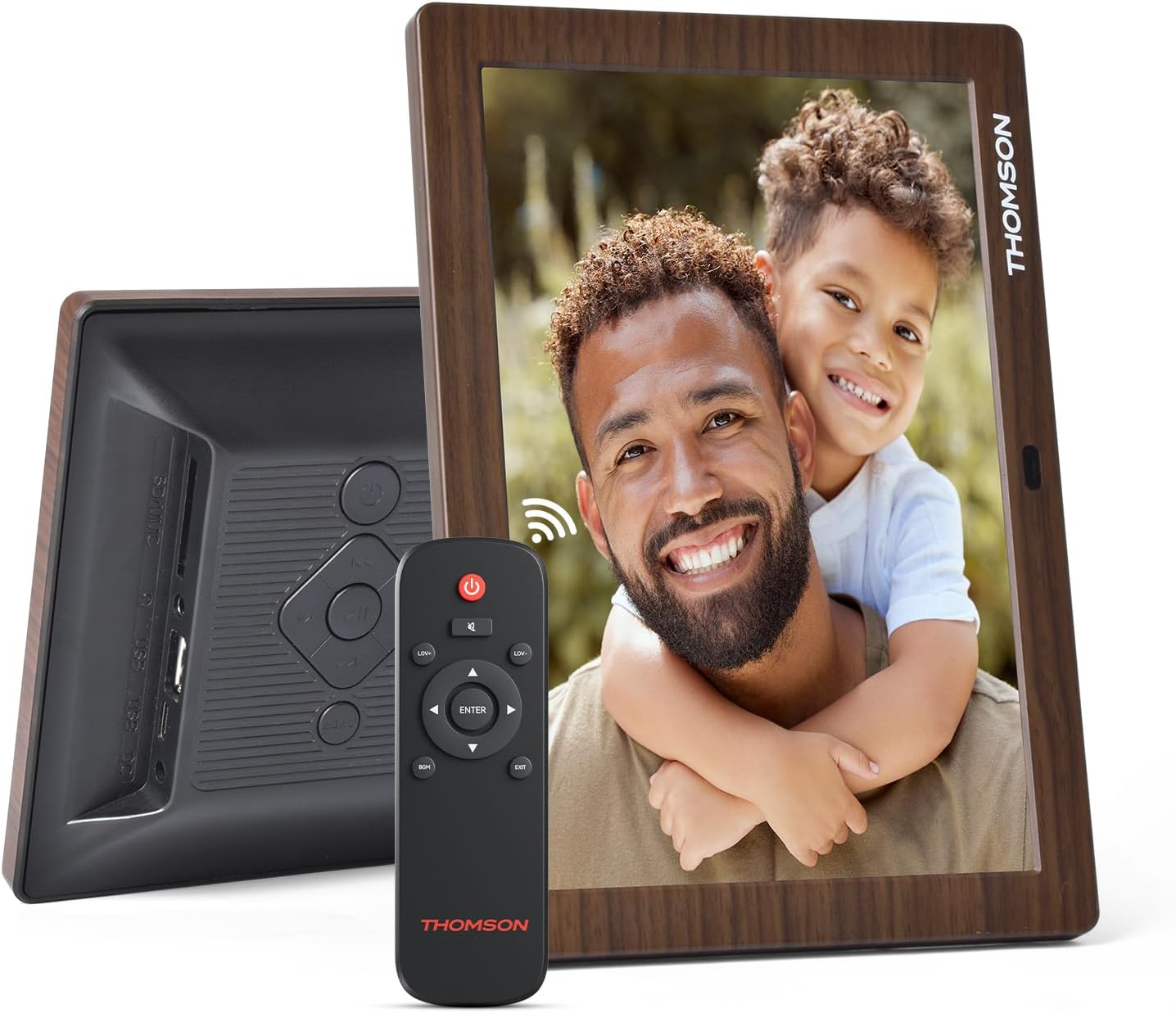
Gambar 3.1: Tukangeun view of the frame with power input and physical controls.
3.3 Masang Stand
The digital photo frame can be placed on a flat surface using the included stand. Insert the stand into the designated slot on the back of the frame. The frame also supports wall mounting using the integrated mounting holes.
4. Parentah Operasi
4.1 Fitur tampilan
- 8-inch IPS HD Screen: Enjoy clear and vibrant images with a 1280x800 resolution from various viewdina sudut.
- Rotasi otomatis: The built-in gravity sensor automatically adjusts the photo orientation (landscape or portrait) for optimal viewing.

Figure 4.1: The 8-inch IPS HD screen provides a high-quality display for your memories.
4.2 Média Playback
The frame supports playback of photos, music, and videos. You can navigate through your media using the remote control or the physical buttons.
- Poto pintonan slaid: Configure slideshow intervals and transition effects in the settings.
- Puteran musik: Puter musik latar bari viewing poto.
- Puterkeun Pidéo: Enjoy your favorite video clips directly on the frame.

Figure 4.2: User interface for media selection and playback options.
4.3 Remote Control and Physical Buttons
Control your digital photo frame conveniently using the included remote control or the physical buttons located on the back of the frame.
- Fungsi Remote Control: Power on/off, adjust volume, navigate images, control background music, and access menus.
- Tombol fisik: Provide direct control for essential functions, useful for elderly users.

Figure 4.3: Remote control for convenient operation of the frame.
4.4 Expansion Modes
The frame supports various expansion options for storing your media:
- SD/SDHC/MMC Card: Expand storage up to 32 GB.
- USB-A/Type-C/U-disk: Connect USB drives for additional media.
- Catetan: This frame does not have built-in storage. An external memory card or USB drive is required for media storage.

Figure 4.4: Memory expansion slots on the back of the frame.
4.5 Automatic Power On/Off
You can set a customized automatic start and stop time for the frame to conserve energy and manage display times.

Figure 4.5: Setting automatic power on/off times for convenience.
5. Pangropéa
- Ngabersihan layar: Use a soft, dry, lint-free cloth to gently wipe the screen. For stubborn marks, slightly dampen lawon kalayan cai atanapi solusi beberesih layar. Hindarkeun bahan kimia anu kasar.
- Ngabersihkeun pigura: Lap pigurana ku lawon anu lemes sareng garing.
- Panyimpenan: When not in use for extended periods, disconnect the power adapter and store the frame in a cool, dry place away from direct sunlight.
6. Cara ngungkulan
| Masalah | Mungkin Cukang lantaranana | Solusi |
|---|---|---|
| Pigura teu hurung. | Adaptor listrik teu nyambung atanapi lepat. | Pastikeun adaptor kakuatan disambungkeun sacara aman ka pigura sareng stop kontak listrik anu tiasa dianggo. Coba outlet béda. |
| No images/videos displayed. | No memory card/USB drive inserted or media files are corrupted/unsupported. | Insert a memory card or USB drive with supported media files. Cék file formats (JPEG for photos, MP4 for videos). Ensure the memory card/USB drive is properly inserted. |
| Kadali jauh teu jalan. | batré lemah atawa halangan. | Replace the remote control battery. Ensure there are no obstructions between the remote and the frame's IR receiver. |
| Images are distorted or incorrect orientation. | Incorrect display settings or disabled auto-rotation. | Check display settings in the menu. Ensure the auto-rotation feature is enabled if desired. |
7. Spésifikasi
- Jumlah modél: TRDF-8001C
- Ukuran layar: 8 inci
- Resolusi: 1280x800 (WXGA)
- Rasio Aspék: 16:10
- Téknologi tampilan: IPS HD
- Konektipitas: DC-4.0, USB-A, Type-C, SD Card, 3.5MM earphone jack
- Ékspansi mémori: SD/SDHC/MMC card up to 32GB, U-disk
- Sumber Daya: Kabel Listrik
- User Interface Input: Buttons, Remote Control
- Bahan pigura: palastik
- Ukuran produk: 24.4 x 18 x 2.51 cm
- Beurat produk: 240 gram
8. Garansi jeung Rojongan
For warranty information and customer support, please refer to the documentation included in your product packaging or visit the official Thomson websitus. Simpen resi pameseran anjeun salaku bukti pameseran pikeun klaim garansi.


