1. Bubuka
This manual provides instructions for the safe and effective use of your iJoy Disney Stitch Disco Party Bluetooth Over-Ear Headphones. Please read this manual thoroughly before operating the device and retain it for future reference.

Gambar 1.1: Hareupeun view of the iJoy Disney Stitch Disco Party Bluetooth Over-Ear Headphones.
2. Eusi Paket
Pastikeun yén sadaya item aya dina bungkusan:
- iJoy Disney Stitch Disco Party Bluetooth Over-Ear Headphones
- Kabel Ngecas USB
- Kabel Auxiliary Audio
- Pelindung Mawa Case
- Manual pamaké
3. Produk Langkungview
Biasakeun diri anjeun sareng komponén sareng kontrol headphone.
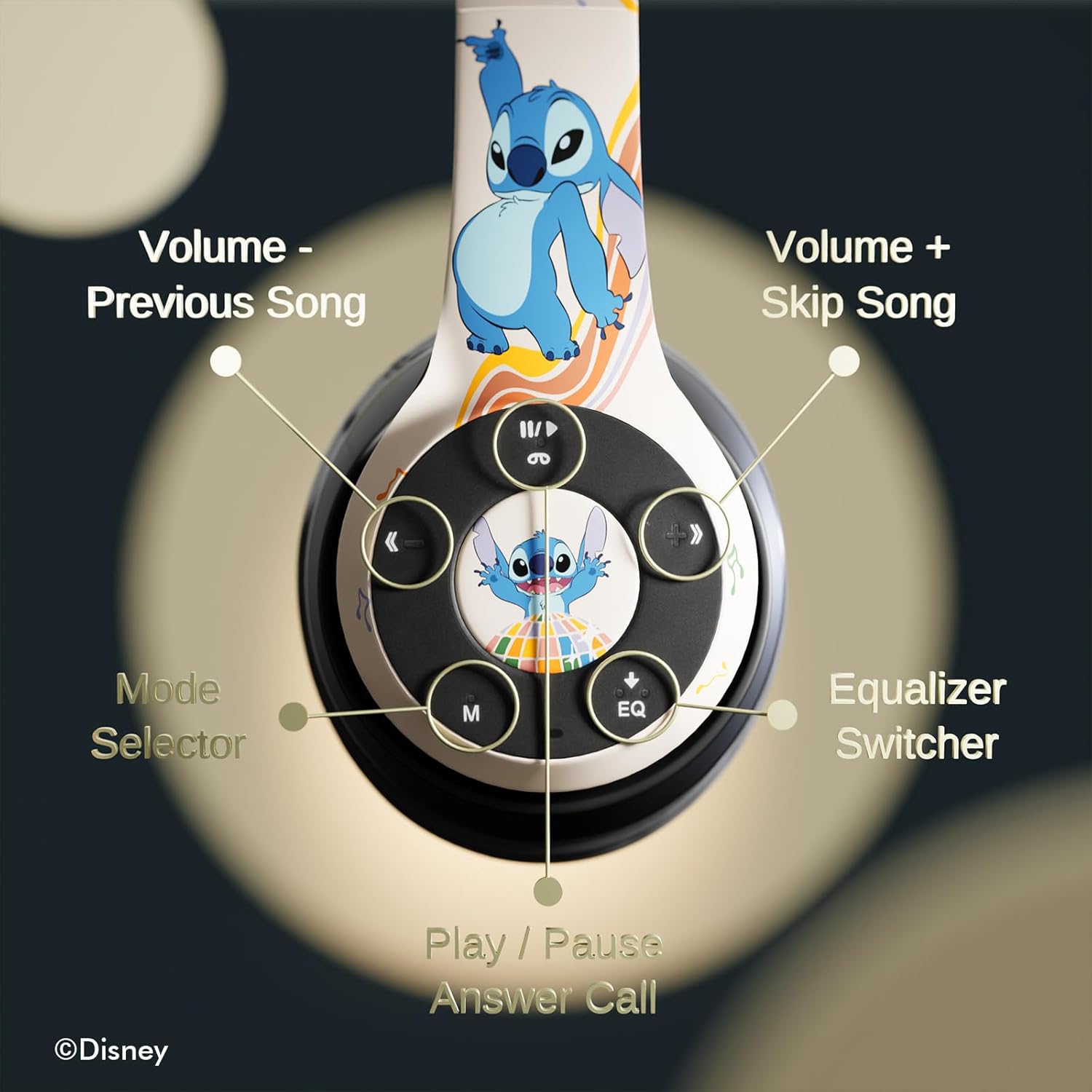
Gambar 3.1: Detil view tina tombol kontrol dina earcup katuhu.
Fungsi kontrol:
- Volume - / Lagu Saméméhna: Pencét pondok pikeun volume handap, pencét lila pikeun lagu saméméhna.
- Volume + / Skip Song: Pencét pondok pikeun polumeu ka luhur, pencét panjang kanggo lagu salajengna.
- Play / Pause / Answer Call: Short press to play/pause music or answer/end a call. Long press to reject a call.
- Mode Selector (M): Press to switch between Bluetooth, Micro SD, and FM Radio modes.
- Equalizer Switcher (EQ): Press to cycle through available equalizer presets.
- Indikator LED: Displays power, charging, and Bluetooth connection status.
- Mikropon internal: Pikeun nelepon handsfree.
- Slot Kartu SD Mikro: For direct audio playback from a Micro SD card.
4. Setélan
4.1. Ngecas Headphone
Before initial use, fully charge the headphones. Connect the supplied USB charging cable to the charging port on the headphones and to a USB power source (e.g., computer USB port, wall adapter). The LED indicator will illuminate during charging and change color or turn off when charging is complete. A full charge provides approximately 15 hours of playtime.

Image 4.1: The headphones offer up to 15 hours of audio playback on a single charge.
4.2. Papasangan Bluetooth
- Pastikeun headphone dicas sareng dipareuman.
- Pencét jeung tahan tombol Daya nepi ka indikator LED hurung, nunjukkeun mode papasangan.
- Dina alat anjeun (smartphone, tablet, jsb.), aktipkeun Bluetooth sareng milarian alat anu sayogi.
- Select "iJoy Stitch Headphones" from the list of found devices.
- Sakali disambungkeun, indikator LED bakal eureun kedip-kedip sarta tetep solid.

Image 4.2: The headphones are compatible with various Bluetooth-enabled devices.
4.3. Micro SD Card Usage
Insert a Micro SD card (not included) into the Micro SD card slot on the headphones. The headphones will automatically switch to Micro SD mode and begin playing audio files from the card. Use the Mode button to switch to this mode if already in another mode.
5. Parentah Operasi
5.1. Daya Hurung / Pareum
- Daya Hurung: Press and hold the Power button until the LED indicator illuminates.
- Pareum listrik: Pencét jeung tahan tombol Daya nepi ka indikator LED pareum.
5.2. Puterkeun Musik
- Puter / Reureuh: Pencét tombol Puter / Reureuh.
- Lagu salajengna: Pencét lila tombol Volume +.
- Lagu Sateuacanna: Pencét lila tombol Volume -.
- Volume Up: Pencét sakeudeung tombol Volume +.
- Volume Turun: Pencét sakeudeung tombol Volume -.
5.3. Manajemén nelepon
- Ngajawab / mungkas Telepon: Pencét tombol Puter / Reureuh.
- Nolak Telepon: Pencét lila tombol Puter/Pause.
5.4. Fungsi Radio FM
In FM Radio mode (selected via the Mode button), the headphones can scan and play FM radio stations. Use the Volume +/- buttons to change stations or adjust volume.
5.5. Equalizer Function
Press the EQ button to cycle through different audio equalizer presets, adjusting the sound profile kana karesep anjeun.
6. Pangropéa
6.1. beberesih
Wipe the headphones with a soft, dry cloth. Do not use abrasive cleaners or solvents. Avoid exposing the headphones to excessive moisture.
6.2. Panyimpenan
When not in use, store the headphones in the provided protective carrying case. The foldable design allows for compact storage, protecting them from damage.
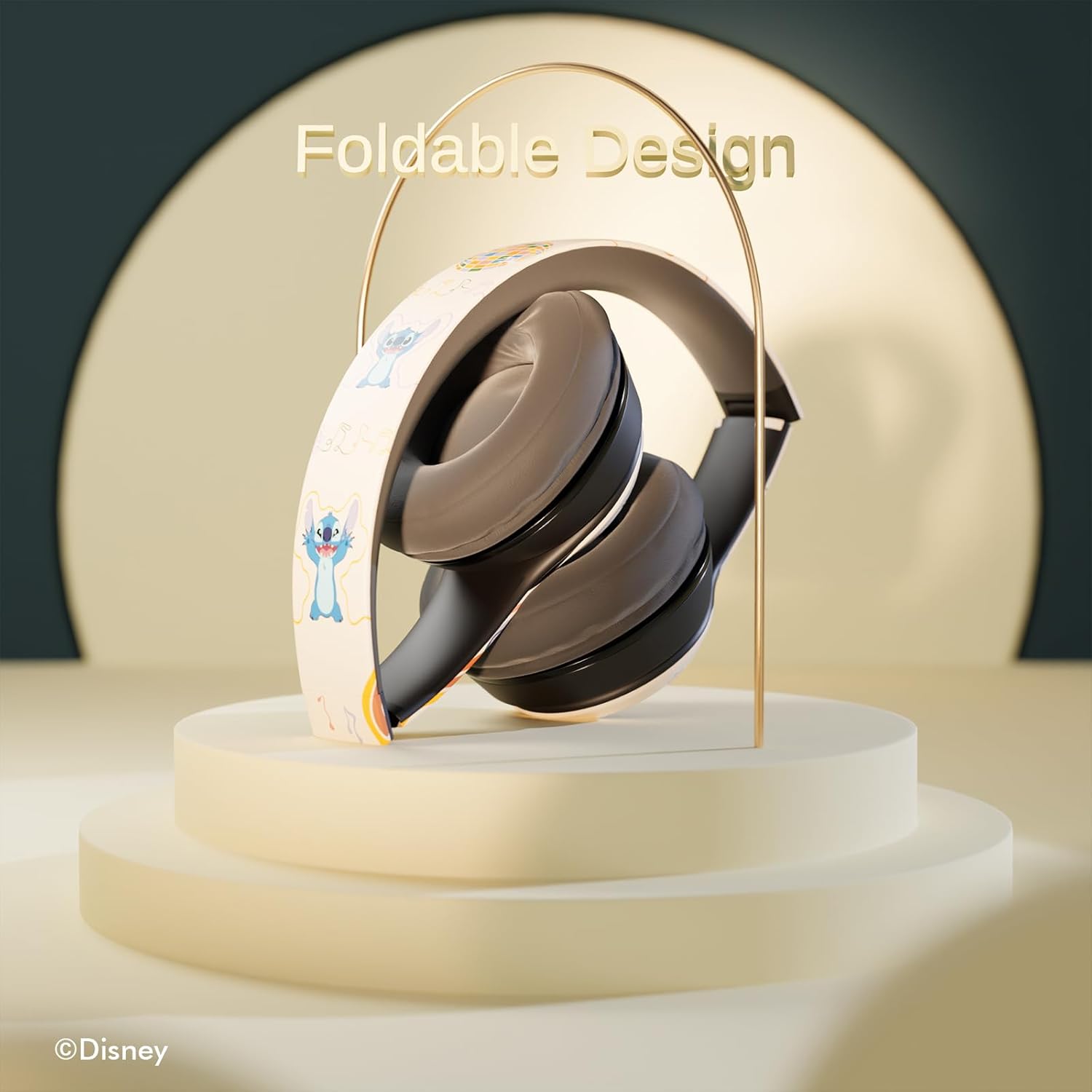
Image 6.1: The headphones feature a foldable design for easy storage and portability.
7. Cara ngungkulan
Upami anjeun mendakan masalah sareng headphone anjeun, tingal masalah sareng solusi umum ieu:
- Henteu aya kakuatan: Ensure the headphones are fully charged. Connect to a power source and check the LED indicator.
- Teu Bisa Masangkeun via Bluetooth:
- Ensure the headphones are in pairing mode (LED flashing).
- Pastikeun Bluetooth diaktipkeun dina alat anjeun.
- Pindahkeun headphone ngadeukeutan ka alat Anjeun.
- Turn off and on both the headphones and your device, then attempt pairing again.
- Henteu aya sora:
- Pariksa tingkat polumeu boh dina headphone sareng alat Anjeun nu disambungkeun.
- Ensure the headphones are correctly paired or the audio cable is fully inserted.
- If using a Micro SD card, ensure it contains compatible audio files and is inserted correctly.
- Kualitas Sora goréng:
- Caketkeun alat Bluetooth anjeun pikeun ngirangan gangguan.
- Pastikeun teu aya halangan antara headphone sareng alat anjeun.
- Coba sumber audio béda atawa file.
8. Spésifikasi
| Ngaran modél | Disney Stitch Disco Party |
| Nomer Modél Item | 810146469544 |
| Téhnologi konektipitas | Nirkabel (Bluetooth) |
| Téknologi Komunikasi Nirkabel | Bluetooth |
| Rentang Umur (Deskripsi) | Dewasa, Budak |
| Tipe Kontrol | Kontrol Volume, Toél |
| Fitur husus | Built-in Radio Receiver, Foldable and Adjustable headband, Micro SD Card Plug-in, Microphone Included |
| Item Beurat | 0.26 Kilogram (9.1 ons) |
| Batré | 1 batré Litium Polimér (kaasup) |
| Rentang Frékuénsi | 20 Hz - 20,000 Hz |
| Tingkat Résistansi Cai | Henteu Tahan Cai |
| Panempatan Ceuli | Leuwih Ceuli |
| Kontrol bising | Isolasi sora |

Image 8.1: The headphones feature sound isolation and include an auxiliary cable for wired connection.
9. Émbaran Kasalametan
Observe the following safety guidelines to prevent damage to the device or personal injury:
- Do not expose the headphones to extreme temperatures, direct sunlight, or excessive moisture.
- Hindarkeun leupaskeun atanapi nahan headphone kana dampak anu kuat.
- Ulah ngabongkar atanapi nyobian ngalereskeun headphone sorangan. Ieu tiasa ngabatalkeun garansi sareng nyababkeun karusakan.
- Saluyukeun polumeu ka tingkat sedeng pikeun nyegah karuksakan dédéngéan. Paparan anu berkepanjangan kana sora anu nyaring tiasa nyababkeun leungitna dédéngéan permanén.
- Ulah nganggo headphone nalika nyetir, ngagowes, atanapi dina kaayaan dimana teu tiasa ngadangu sora sekitar tiasa bahaya.
10. Garansi jeung Rojongan
This product is covered by a manufacturer's warranty. For specific warranty details, please refer to the documentation included with your purchase or contact iJoy customer support. For technical assistance or inquiries, please visit the official iJoy websitus atanapi ngahubungan departemén layanan palanggan maranéhna.