Bubuka
Hatur nuhun pikeun meuliasing the ECHTPower Wireless Switch Controller. This controller is designed to provide a versatile and immersive gaming experience across multiple platforms, including Nintendo Switch, Switch Lite, iOS, Android, and PC. Its unique design combines nostalgic retro aesthetics with modern performance features.

Image: The ECHTPower Wireless Switch Controllers in purple and starry sky blue, showcasing desain anu béda-béda.
1. Setélan
1.1 Ngecas Awal
Before first use, fully charge the controller. Connect the provided USB cable to the controller's charging port and the other end to a USB power source (e.g., console, PC, or USB wall adapter). The indicator lights on the controller will show charging status and turn off when fully charged.
1.2 Pairing with Nintendo Switch/Switch Lite
- Turn on your Nintendo Switch/Switch Lite console.
- Tina Menu HOME, pilih "Controllers" > "Robah Cepengan/Pesenan".
- On the controller, press and hold the SYNC button (usually a small button on the top or back) for 3-5 seconds until the indicator lights start flashing rapidly.
- Once paired, the corresponding player indicator light(s) on the controller will remain solid.
1.3 Connecting to PC (Wired/Wireless)
Mode Kabel: Connect the controller to your PC using the USB cable. The PC should automatically detect and install the necessary drivers.
Mode nirkabel (Bluetooth):
- Pastikeun PC Anjeun tos Bluetooth diaktipkeun.
- Buka setélan "Bluetooth & alat sanésna" dina PC anjeun.
- Pilih "Tambahkeun Bluetooth atanapi alat sanésna" > "Bluetooth".
- On the controller, press and hold the SYNC button until the indicator lights flash rapidly.
- Select the controller from the list of available devices on your PC to pair.
1.4 Nyambungkeun ka ios / Alat Android
- Enable Bluetooth on your iOS/Android device.
- On the controller, press and hold the SYNC button until the indicator lights flash rapidly.
- Milarian pikeun and select the controller from the list of available Bluetooth devices on your mobile device to pair.
2. Parentah Operasi
2.1 Kadali Dasar
The controller features standard gaming buttons including A/B/X/Y, D-pad, Left/Right Analog Sticks, L/R/ZL/ZR shoulder buttons, Home, Capture, Plus (+), Minus (-), and a Turbo button.

Gambar: A lengkep view of the purple controller, highlighting its button layout and ergonomic design.
2.2 Fungsi Turbo
The controller supports both manual and auto turbo functions, allowing for rapid button presses. The manual turbo function can achieve up to 25 shots per second.
- Setélan Turbo: Press and hold the button you wish to set for turbo (e.g., A) then press the Turbo button once. The button will now rapidly repeat when held down.
- Setting Auto Turbo: Press and hold the turbo-enabled button (e.g., A) and press the Turbo button a second time. The button will now automatically repeat without being held down.
- Clearing Turbo: Press and hold the turbo-enabled button and press the Turbo button a third time to clear the turbo setting for that button. To clear all turbo settings, press and hold the Turbo button for 5 seconds.
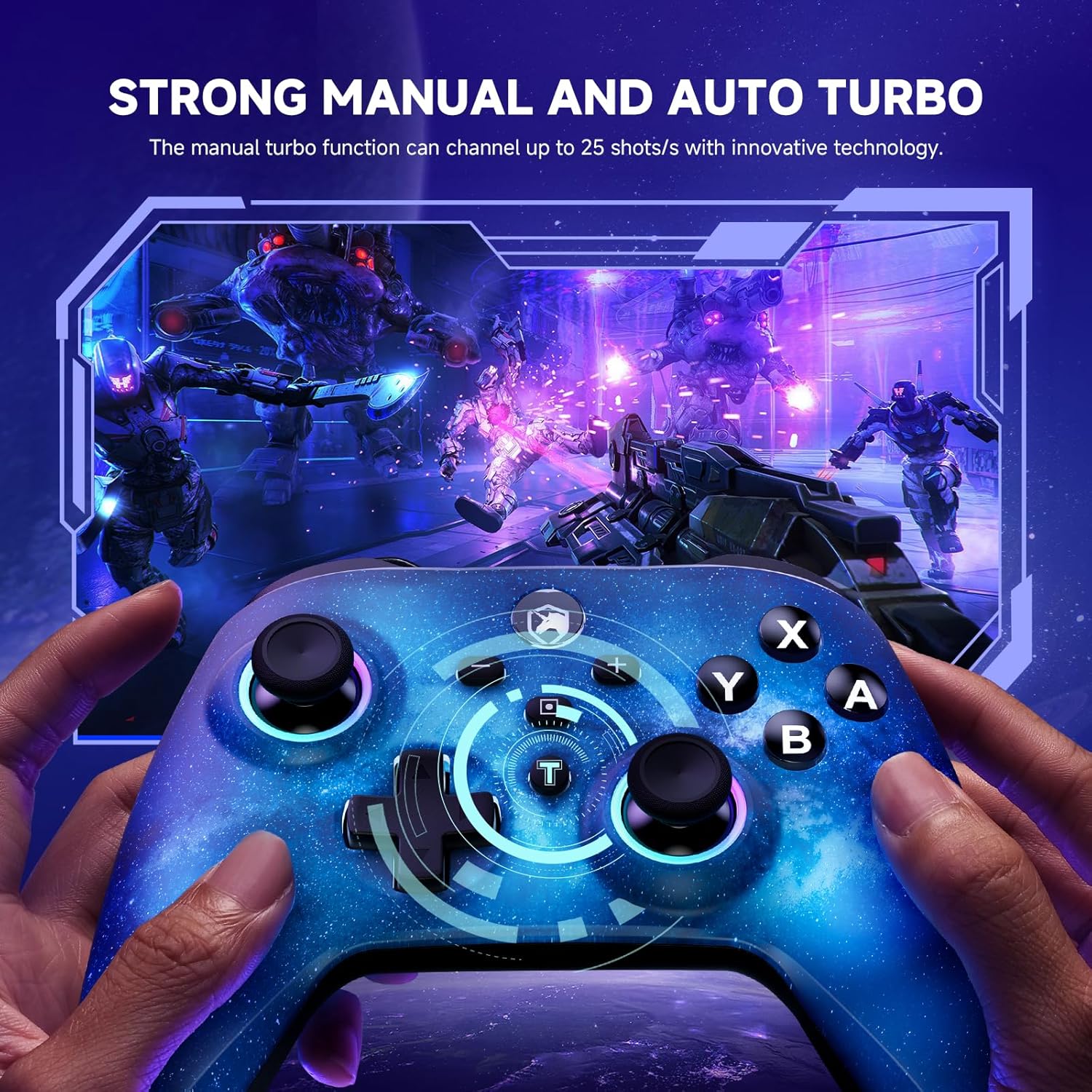
Image: The starry sky blue controller in use, demonstrating the rapid fire capability of the turbo function in a gaming scenario.
2.3 Getaran Ganda
The controller features adjustable dual vibration motors, offering 4 vibration speed intensities for a more realistic gaming experience.
- Adjusting Vibration: While connected, press the Turbo button and the Up/Down direction on the D-pad simultaneously to cycle through vibration intensities.
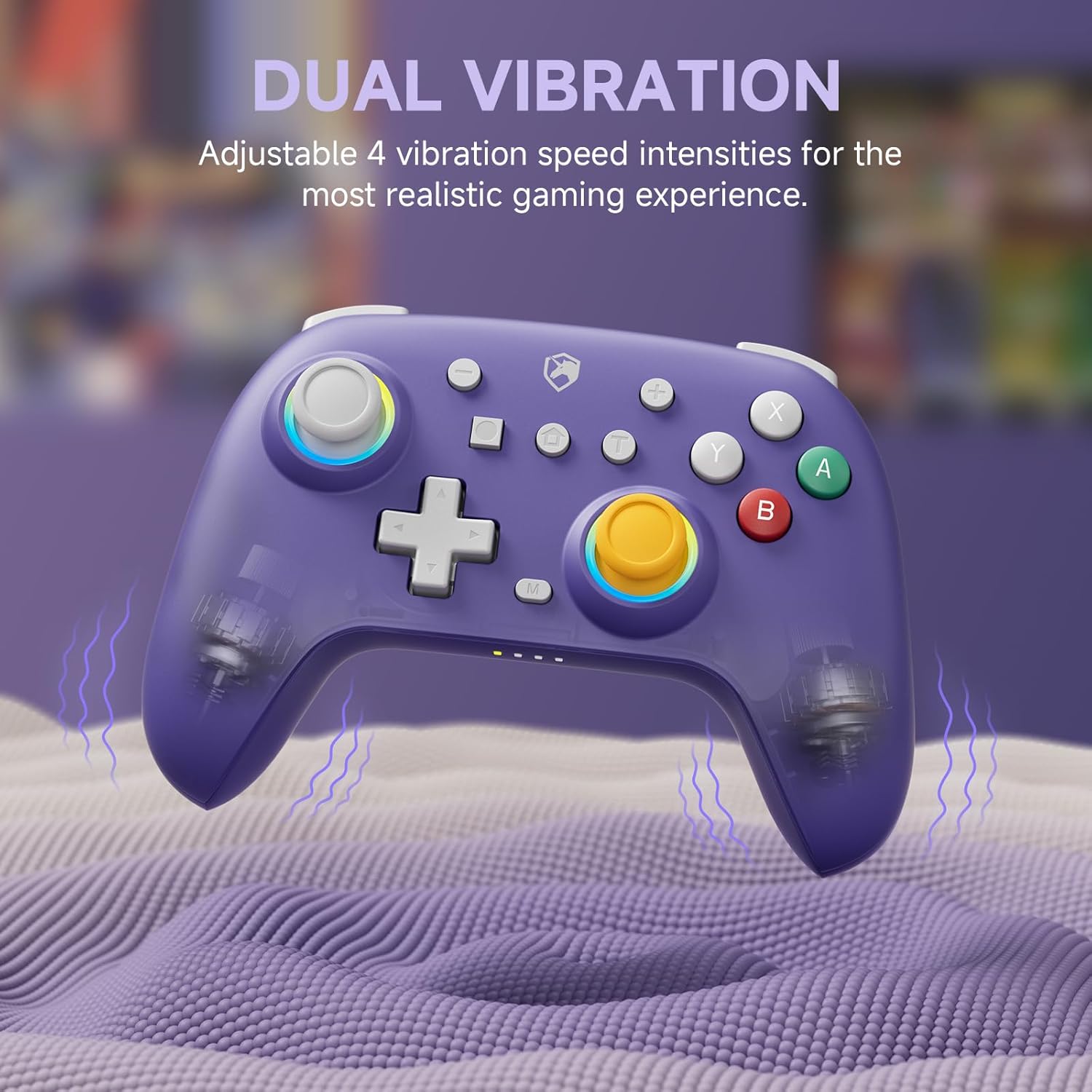
Image: The purple controller illustrating its dual vibration feature, enhancing tactile feedback during gameplay.
2.4 Lampu RGB
The controller features sparkly 9 RGB lighting colors and 4 light modes, adding a visual flair to your gaming setup.

Image: The starry sky blue controller showcasing its customizable RGB lighting, creating an immersive visual effect.
2.5 Hall Effect Sticks
Equipped with Hall Effect sticks, the controller offers precise and durable position detection, reducing stick drift and extending lifespan.

Image: A diagram explaining the Hall Effect stick technology, emphasizing its precision and durability for accurate input.
3. Pangropéa
- beberesih: Paké kaen lemes, garing pikeun ngabersihan controller. Keur kokotor bandel, rada dampen lawon jeung cai. Ulah make bahan kimia kasar atawa cleaners abrasive.
- Panyimpenan: Nyimpen controller dina tiis, tempat garing jauh ti sinar panonpoé langsung jeung hawa ekstrim.
- Perawatan batré: Pikeun manjangkeun umur batre, ulah pinuh discharging controller remen. Ngeusi batre rutin, sanajan teu dipaké pikeun période nambahan.
- Hindarkeun tetes: Nangtayungan controller tina tetes jeung dampak, nu bisa ngaruksak komponén internal.
4. Cara ngungkulan
| Masalah | Mungkin Cukang lantaranana | Solusi |
|---|---|---|
| Controller won't turn on. | batré lemah. | Ngecas controller sahenteuna 30 menit. |
| Teu tiasa dipasangkeun sareng alat. | Kontroler teu dina modeu pasangan; Bluetooth alat pareum; gangguan. | Ensure controller is in pairing mode (flashing lights). Check device Bluetooth settings. Move closer to the device. Try resetting the controller (if applicable, usually a small pinhole button). |
| Input lag atanapi pegat sambungan. | Distance from device; low battery; wireless interference. | Move closer to the device. Charge the controller. Reduce other wireless device interference. |
| Buttons/sticks not responding correctly. | Calibration issue; physical damage; software glitch. | Try recalibrating sticks/buttons via console/PC settings. Reset the controller. If issues persist, contact support. |
5. Spésifikasi
- merek: ECHPower
- model: B0DNN27RS5
- Konektipitas: Nirkabel (Bluetooth), Kabel (USB)
- Alat anu cocog: Nintendo Switch, Nintendo Switch Lite, iOS, Android, PC
- warna: Purple, Starry Sky Blue
- Sumber Daya: Batré Powered
- Jenis Controller: Gamepad
- Fitur husus: Dual Vibration, Turbo Function, Hall Effect Sticks, RGB Lighting
6. Garansi jeung Rojongan
ECHTPower products come with a standard manufacturer's warranty. For specific warranty details, please refer to the product packaging or contact ECHTPower customer support.
If you encounter any issues not covered in this manual or require further assistance, please contact ECHTPower customer support via their official websitus atanapi pangecér dimana anjeun mésér produk.
Dukungan Online: Visit the ECHTPower Store on Amazon


