Produk Leuwihview
The SIIG 16-Port Industrial USB-C PD Charging Station is designed for efficient, simultaneous charging of multiple USB-C devices. With a total power output of 1000W, it can deliver up to 100W to 10 USB-C ports for devices like MacBooks, or up to 60W to 16 USB-C ports for Chromebooks, Tablets, or Smartphones.
This industrial-grade charging station supports Power Delivery 2.0 and 3.0 specifications, ensuring broad compatibility and optimal charging speeds. It features an intelligent power allocation system for 95% power conversion efficiency and includes multiple safety protections to safeguard your devices.
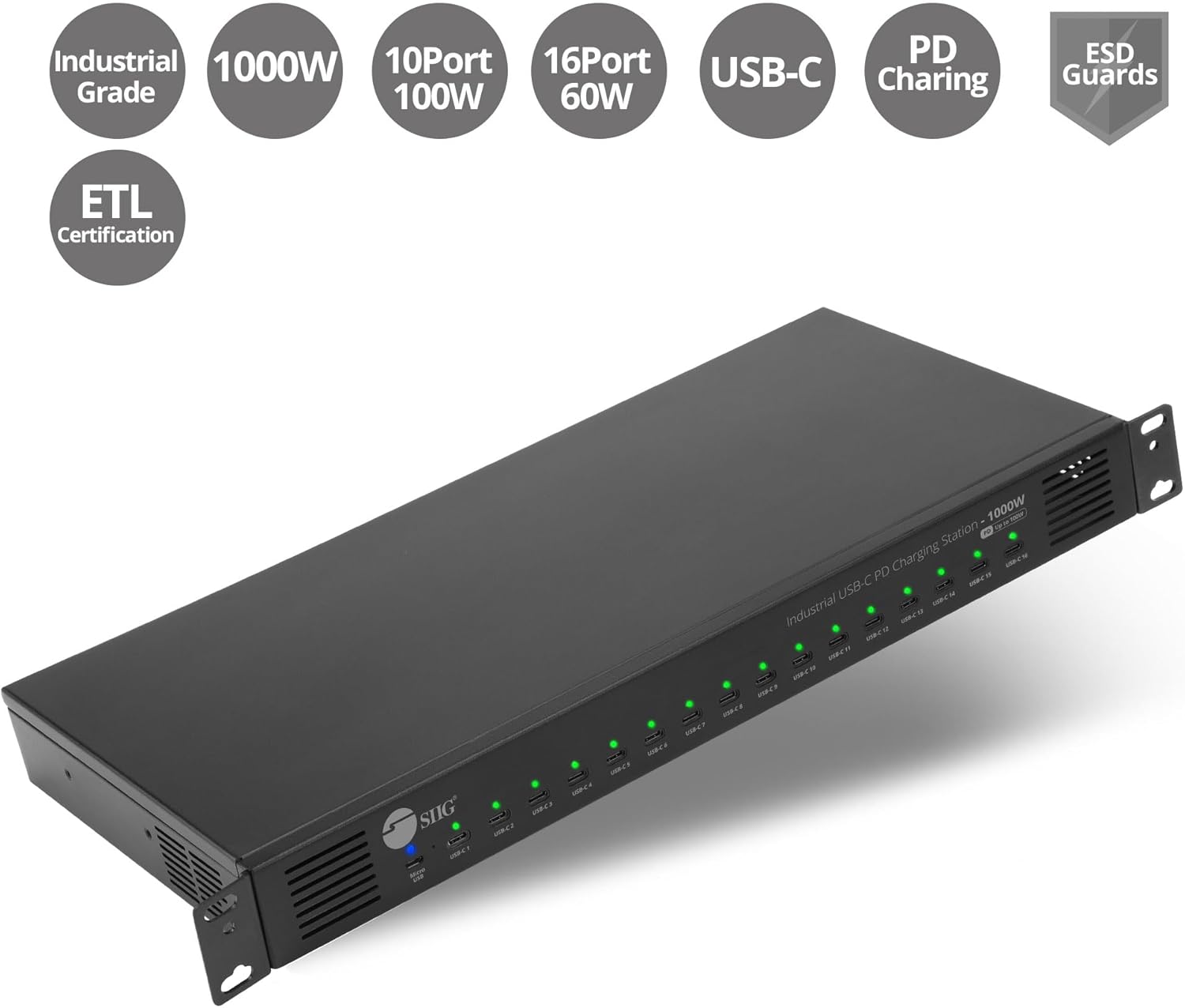
Figure 1: SIIG 16-Port Industrial USB-C PD Charging Station highlighting Industrial Grade, 1000W, 10x 100W USB-C, 16x 60W USB-C, PD Charging, ESD Guards, and ETL Certification.
Eusi pakét
Pastikeun yén sadaya item aya dina pakét anjeun:
- SIIG 16-Port Industrial USB-C PD Charging Station (ID-US0C11-S1)
- Kabel Daya AC
- 19-inch Rack Mount Brackets (2 pieces)
- Pamasangan screws
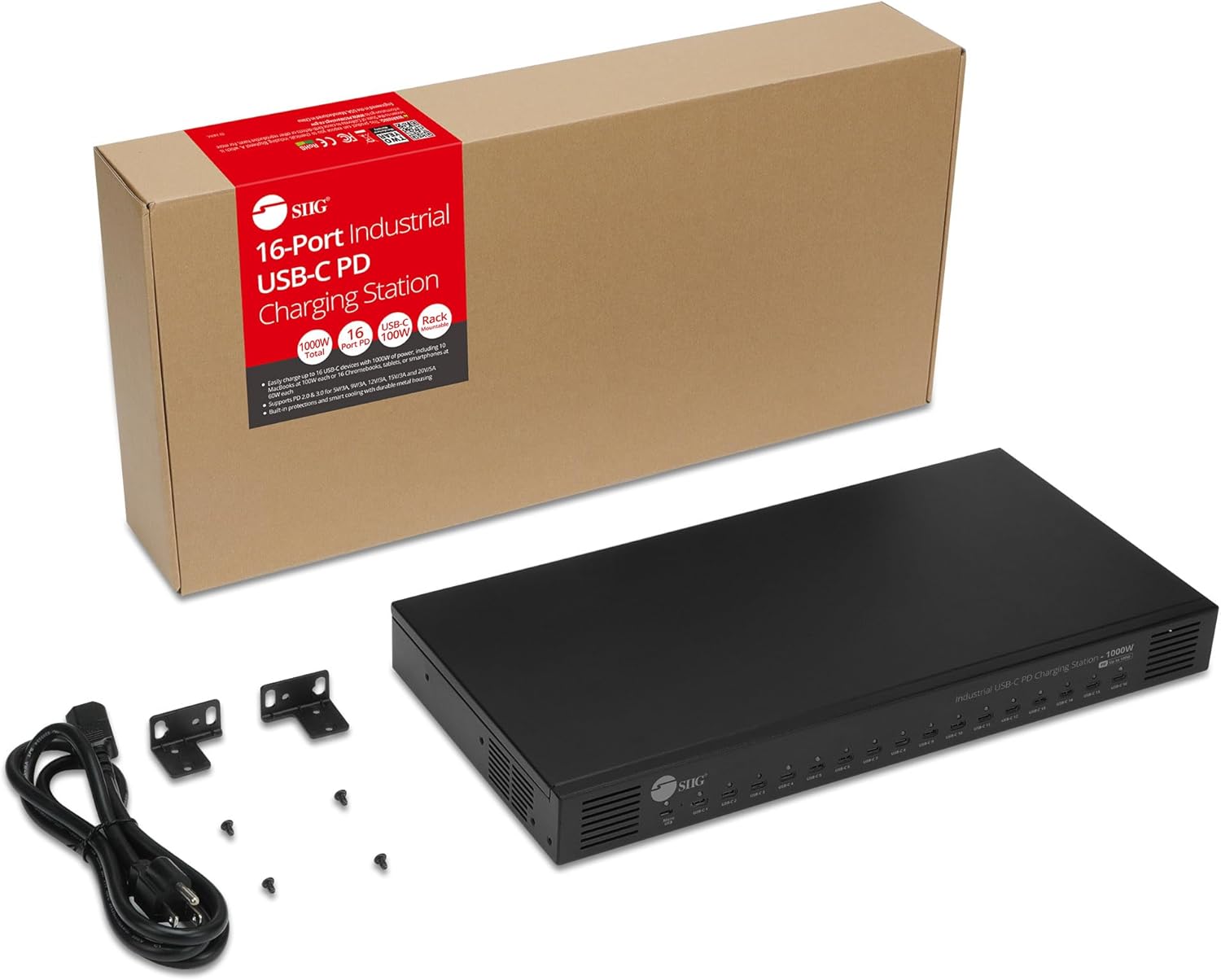
Figure 2: The charging station, AC power cord, rack mount brackets, and screws are included in the package.
Fitur produk
- 16 USB-C Charging Ports: Capable of charging up to 16 devices simultaneously.
- 1000W Total Power: Nyadiakeun ample power for high-demand devices.
- Alokasi Daya Cerdas: Dynamically distributes power to connected devices for optimal charging efficiency (95% conversion rate).
- Power Delivery 2.0 & 3.0 Support: Compatible with various charging profiles (5V/3A, 9V/3A, 12V/3A, 15V/3A, 20V/5A).
- Kontrol Kipas Otomatis: Fans activate and deactivate based on internal temperature to maintain optimal operating conditions.
- Saklar kakuatan: Allows for easy power management, conserving energy when not in use.
- Indikator LED: Built-in LEDs provide visual feedback on charging status for each port.

Figure 3: Front panel with 16 USB-C charging ports and a Micro USB port for an optional LED panel. Rear panel with AC100-240V input and power switch.
Parentah Setup
- Ngabongkar: Sacara saksama miceun sadaya komponén tina bungkusan.
- panempatan: Place the charging station on a stable, flat surface or install it into a 19-inch rack using the provided brackets and screws. Ensure adequate ventilation around the unit.
- Sambungkeun Kakuatan: Plug the AC power cord into the AC input port on the rear of the charging station. Then, plug the other end of the power cord into a compatible power outlet (AC100-240V).
- Daya Hurung: Flip the power switch on the rear of the unit to the 'ON' position. The built-in LED indicators on the front panel will illuminate to show power status.

Figure 4: The charging station is designed to be 19-inch rack mountable for secure installation.
Parentah Operasi
- Sambungkeun Alat: Plug your USB-C devices into any of the 16 available USB-C charging ports on the front panel.
- Monitor Status Ngecas: The LED indicator above each port will show the charging status:
- Green: Power On / Fully Charged
- Beureum: Ngecas
- Manajemén kakuatan: Use the power switch on the rear to turn the unit off when not in use to conserve energy.
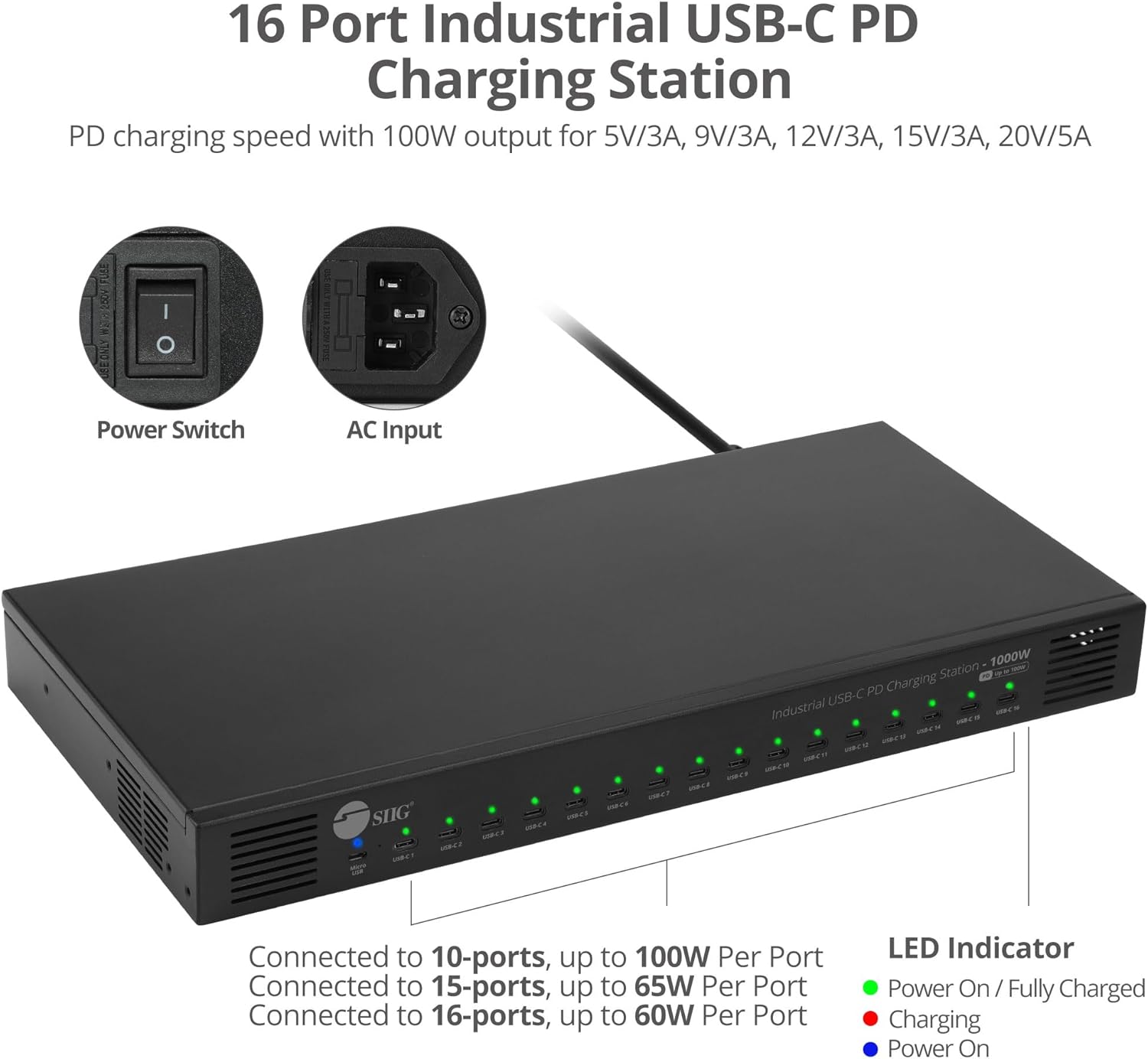
Figure 5: LED indicators show charging status (Green for Power On/Fully Charged, Red for Charging). The power switch and AC input are located on the rear.
Kamampuhan ngecas
The charging station intelligently allocates its 1000W total power based on the number and power requirements of connected devices:
- Up to 100W per port: When charging up to 10 USB-C devices, each port can deliver up to 100W, ideal for MacBooks and other high-power laptops.
- Up to 60W per port: When charging up to 16 USB-C devices, each port can deliver up to 60W, suitable for Chromebooks, Tablets, and Smartphones.
Ensure your USB-C cables and devices support the required Power Delivery (PD) wattage for optimal charging performance.

Figure 6: Charging scenario for 10 laptops, each receiving up to 100W. Note: 100W charging requires E-mark IC cables and device support.

Figure 7: Charging scenario for 16 Chromebooks or Tablets, each receiving up to 60W. Note: 60W charging requires device support.
Fitur Kasalametan
The SIIG 16-Port Industrial USB-C PD Charging Station is equipped with multiple industrial-grade safety protections:
- Langkung Suhu Perlindungan: Automatically manages internal temperature to prevent overheating.
- Langkung Voltage panyalindungan: Safeguards devices from excessive voltage asupan.
- Ngalangkungan Perlindungan Ayeuna: Nyegah karusakan tina tarikan arus anu kaleuleuwihi.
- Perlindungan sirkuit pondok: Ngajaga tina korsleting listrik.
- ESD Guards: Electrostatic Discharge protection for enhanced reliability.

Figure 8: Visual representation of the charging station's comprehensive safety features.
Dissipation Panas
The charging station incorporates an intelligent heat dissipation design. Fans automatically turn on when the internal temperature exceeds 70°C and turn off when it drops below 70°C, ensuring stable performance and longevity.

Figure 9: Fans automatically start when temperature is above 70°C and cut off when below 70°C.
Aplikasi
This industrial-grade charging station is versatile and suitable for various environments requiring robust multi-device charging:
- Industrial Workstations: Ideal for charging multiple devices in demanding industrial settings.
- Educational Institutions: Perfect for classrooms, labs, or libraries to keep student devices charged.
- Retail Environments: Useful for charging display units, staff devices, or customer devices.

Figure 10: The charging station is suitable for industrial workstations.

Figure 11: The charging station is suitable for educational institutions.

Figure 12: The charging station is suitable for retail environments.
spésifikasi
| Fitur | Spésifikasi |
|---|---|
| Nomer modél | ID-US0C11-S1 |
| merek | SIIG |
| Total Wattage | 1000 watt |
| Number of USB-C Ports | 16 |
| Rojongan Pangiriman kakuatan | PD 2.0 & 3.0 (5V/3A, 9V/3A, 12V/3A, 15V/3A, 20V/5A) |
| Masukan Voltage | AC100-240V |
| Dimensi produk | 17.4 x 8.42 x 1.83 inci |
| Item Beurat | 10.12 pon |
| Warna | Hideung |
| Panganteur Hardware | USB Tipe C |
| Alat nu cocog | Cellular Phones, Laptops, Tablets |
Pangropéa
- Jaga stasiun ngecas tetep bersih sareng bébas tina lebu. Anggo lawon anu lemes sareng garing pikeun ngabersihkeun.
- Ensure proper ventilation around the unit to prevent overheating. Do not block the fan vents.
- Hindarkeun alat ka suhu ekstrim, kalembaban, atanapi sinar panonpoé langsung.
- Do not attempt to open or repair the unit yourself. Refer to qualified service personnel.
Pamérésan masalah
- Henteu aya kakuatan: Ensure the AC power cord is securely connected to both the charging station and a working power outlet. Check the power switch on the rear of the unit.
- Alat Teu Ngecas: Verify that your USB-C cable is functioning correctly and is compatible with Power Delivery. Ensure your device supports USB-C PD charging. Try a different port.
- Ngecas Lambat: Check if your cable and device support the desired wattage (e.g., 100W). If multiple devices are connected, the power allocation may reduce individual port output.
- Overheating: Ensure the charging station has adequate ventilation. Do not place it in an enclosed space. The automatic fans should manage temperature; if overheating persists, disconnect devices and contact support.
Garansi sareng Rojongan
SIIG products typically come with a manufacturer's warranty. For specific warranty details, product support, or technical assistance, please visit the official SIIG websitus atanapi ngahubungan layanan palanggan maranéhanana langsung.
You can also refer to the contact information provided in your product's packaging or on the SIIG brand store on Amazon: SIIG Store


