1. Bubuka
This manual provides detailed instructions for the Hiseeu HC908-P 4K POE Dome Security Camera. Please read this guide thoroughly before installation and operation to ensure proper use and optimal performance of your device.

Figure 1: Hiseeu HC908-P 4K POE Dome Security Camera. This image shows the white dome camera with the Hiseeu logo, featuring a clear dome covering the lens.
2. Fitur Produk
The Hiseeu HC908-P camera is equipped with advanced features for robust security surveillance:
- 8MP Ultra HD & HD Night Vision: Delivers 4K resolution with dual infrared light sources for clear night vision up to 65ft.
- 320° Pan, 90° Tilt & 5X Digital Zoom: Offers extensive coverage and remote adjustment via PC or smartphone using the Eseecloud app.
- Motion Detection & App Alarm Notification: Customizable detection sensitivity and areas, with real-time push alerts and automatic tracking of intruders.
- Audio Dua Arah: Enables remote communication through the camera.
- IP66 waterproof: Designed for outdoor use, providing protection against various weather conditions.
- POE Compatibility: Works seamlessly with Hiseeu 5MP POE CCTV systems for simplified power and data transmission.
3. Eusi Paket
Saatos ngabongkar bungkusan, mangga pariksa yén sadaya barang aya sareng dina kaayaan anu saé:
- Hiseeu HC908-P Dome Camera (1 unit)
- Pemasangan Screws sareng Colokan Tembok
- Panyambung waterproof pikeun Cable Ethernet
- Pituduh Mimiti Gancang (manual ieu)
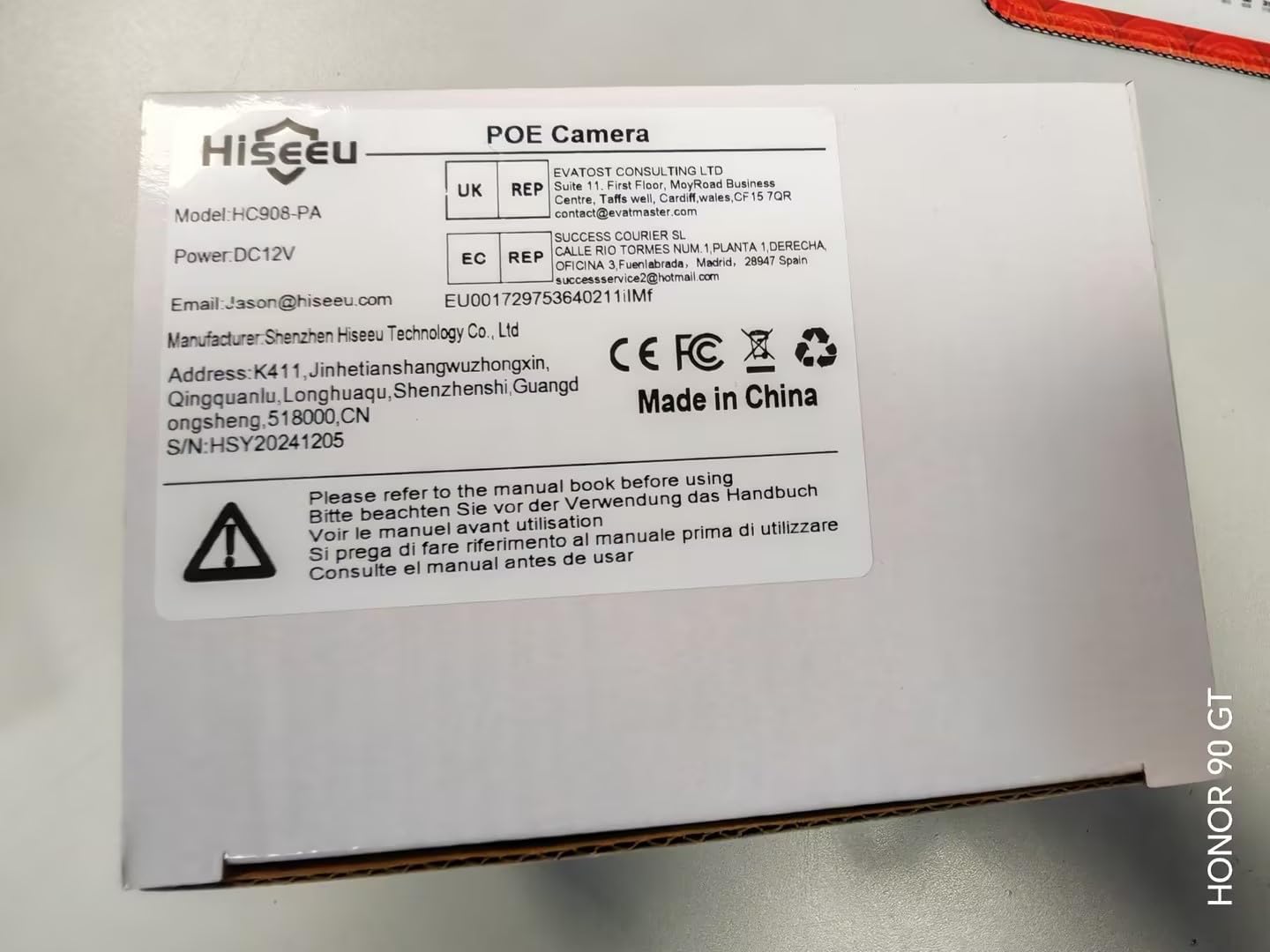
Figure 2: Product Packaging. This image displays the side of the product box, clearly showing the model number HC908-PA, power requirements (DC12V), manufacturer information, and a "Made in China" label. A barcode with the identifier X0026LSISP is also visible.
4. Parentah Setup
4.1 Instalasi fisik
- Pilih Lokasi: Select an outdoor location that provides the desired surveillance coverage. The camera is designed for ceiling mount.
- Pamasangan: Use the provided screws and wall plugs to securely attach the camera to the chosen surface. Ensure the camera is firmly fixed to prevent movement.
- Manajemén Kabel: Route the Ethernet cable from your POE switch or NVR to the camera. Use the waterproof connector to protect the Ethernet connection from environmental elements.
4.2 Daya sareng Sambungan Jaringan
The HC908-P camera supports Power over Ethernet (POE), simplifying installation by delivering both power and data through a single Ethernet cable.
- Sambungkeun kabel Ethernet: Plug one end of the Ethernet cable into the camera's POE port and the other end into a POE switch or a POE-enabled Network Video Recorder (NVR).
- Daya Hurung: Once connected to a POE source, the camera will power on automatically. Allow a few minutes for the camera to initialize.
4.3 App Installation and Initial Configuration
To access and control your camera remotely, download and install the Eseecloud app on your smartphone.
- Unduh App: Milarian pikeun "Eseecloud" in your smartphone's app store (iOS App Store or Google Play Store) and install it.
- Ngadaptar Akun: Open the Eseecloud app and follow the on-screen instructions to register a new account or log in if you already have one.
- Tambahkeun Alat: In the app, tap the "+" icon to add a new device. Scan the QR code located on the camera or its packaging, or manually enter the device ID.
- Konfigurasi jaringan: The app will guide you through connecting the camera to your network. For POE cameras, this step is often automatic once connected to a POE NVR or switch.
- Setel kecap akses: Create a strong password for your camera to ensure security.
5. Parentah Operasi
5.1 Hirup View sareng Jauh Jauh
- Aksés Eupan Langsung: Open the Eseecloud app and select your camera from the device list to view feed video hirup.
- Pan/Miringkeun/Zoom (PTZ): Use the on-screen controls in the app to remotely adjust the camera's viewing angle (320° Pan, 90° Tilt) and apply 5X digital zoom.
5.2 Deteksi Gerak sareng Siaga
- Aktipkeun Deteksi Gerakan: In the app settings for your camera, navigate to "Motion Detection" and enable it.
- Sesuaikeun Setélan:
- Sensitipitas: Adjust the detection sensitivity (low/medium/high) to minimize false alarms.
- Wewengkon Deteksi: Nangtukeun wewengkon husus dina kaméra urang view dimana deteksi gerak kedah aktip.
- Sora Alarm: Customize the alarm sound that the camera emits upon detection.
- Push Bewara: Ensure push alerts are enabled in the app to receive real-time notifications on your smartphone.
- Pelacakan Otomatis: The camera can automatically track and record the movement of detected intruders.
5.3 Audio Dua Arah
Kaméra ieu dilengkepan mikropon sareng spiker internal pikeun komunikasi dua arah.
- Activate Audio: Dina hirup view interface of the Eseecloud app, tap the microphone icon to speak through the camera's speaker. Tap the speaker icon to listen to audio from the camera's vicinity.
5.4 Visi Peuting
The camera automatically switches to HD night vision in low-light conditions, utilizing dual infrared light sources for clear visibility up to 65 feet.
- Aktip otomatis: Night vision activates automatically when ambient light levels drop.
5.5 Ngarekam jeung Panyimpenan
The camera supports local storage via an SD card (not included) for recording footage.
- Selapkeun Kartu SD: Locate the SD card slot on the camera (refer to the product diagram for exact location) and insert a compatible microSD card (up to 128GB, Class 10 or higher recommended).
- View Rékaman: Aksés dirékam footage through the Eseecloud app's playback function.
6. Pangropéa
- beberesih: Périodik ngabersihan lénsa kaméra jeung perumahan ku lemes, damp lawon. Hindarkeun pembersih abrasive atanapi pangleyur.
- Pembaruan firmware: Check the Eseecloud app regularly for available firmware updates to ensure optimal performance and security.
- Pamariksaan kabel: Inspect all cables and connections periodically for any signs of wear or damage, especially for outdoor installations.
- Waterproofing: The camera is IP66 waterproof. Ensure all covers and seals are properly secured after any access to internal components (e.g., SD card slot).
7. Cara ngungkulan
| Masalah | Mungkin Cukang lantaranana | Solusi |
|---|---|---|
| Kaméra teu hurung. | No power from POE switch/NVR; faulty cable. | Verify POE source is active. Check Ethernet cable for damage and ensure secure connection. |
| Teu tiasa nyambungkeun kaméra ka aplikasi. | Incorrect network configuration; camera not initialized; wrong device ID. | Ensure camera is powered and connected to the network. Double-check device ID or QR code. Restart camera and router. |
| Bewara deteksi gerakan sering teuing/jarang. | Sensitivity settings are too high/low; detection area not optimized. | Adjust motion detection sensitivity in the Eseecloud app. Refine the detection area to exclude irrelevant zones. |
| Kualitas panglihatan peuting anu goréng. | Obstruction in front of IR lights; dirty lens. | Pastikeun teu aya objék anu ngahalangan kaméra view or IR lights. Clean the camera lens. |
| Audio dua arah teu jalan. | Microphone/speaker disabled in app; volume too low; network issues. | Check audio settings in the Eseecloud app. Ensure app has microphone permissions. Verify network stability. |
8. Spésifikasi
| Nomer modél | HC908-P |
| merek | Hiseu |
| Resolusi Capture Video | 4K (8 Megapiksel) |
| Jarak Visi Peuting | Nepi ka 65 ft |
| Pan / Dengdekkeun / Zum | 320° Pan, 90° Tilt, 5X Digital Zoom |
| Protokol konektipitas | Ethernet (POE) |
| Sumber Daya | Corded Electric (via POE) |
| Jero rohangan / pamakéan outdoor | Outdoor (IP66 Waterproof) |
| Bahan | logam |
| Tipe Pamasangan | Gunung siling |
| Ukuran (L x W x H) | 11.99 x 8.99 x 14 cm |
| Item Beurat | 540 g |
| Komponén Kaasup | Kaméra kubah |
9. Garansi jeung Rojongan
Hiseeu is committed to providing excellent customer service and technical support for its products.
- Bantosan Téknis: Should you encounter any issues or have questions regarding your Hiseeu HC908-P camera, please contact our support team. Our well-experienced technicians are available online to assist you.
- Inpormasi Garansi: For detailed warranty terms and conditions, please refer to the official Hiseeu websitus atanapi ngahubungan rojongan customer.
- Inpormasi kontak: Pikeun rojongan, mangga buka di Hiseeu Store on Amazon or refer to the contact details provided on the product packaging or official websitus.


