1. Bubuka
Welcome to the user manual for your new SONICAKE QKP-10 Portable Digital Electronic Piano Keyboard. This manual provides essential information for setting up, operating, and maintaining your instrument. Please read it thoroughly to ensure proper use and to maximize your musical experience.
2. Produk Langkungview
The SONICAKE QKP-10 is a versatile 61-key digital keyboard designed for beginners and aspiring musicians. It offers a wide array of features to enhance learning and creativity.
- Vast Range of Tones and Features: Includes 300 tones, 300 rhythms, and 80 demo songs, providing diverse sound options.
- Pangalaman Stereo: Equipped with two built-in speakers and Bluetooth connectivity.
- Konéktivitas Headphone: Allows for private practice without disturbing others.
- Rékam sareng Playback: Built-in function to record and review pagelaran anjeun.
- Fungsi Praktis: Features vibrato, sustain, transpose, Dual-tone mode, 2 chord modes, and Split function.
- Portability: Can be powered by six AA batteries (not included) or a 5V 1A USB connection for use anywhere.

Gambar 2.1: Leuwihview of the SONICAKE QKP-10 Digital Electronic Piano Keyboard with music rest.
3. Setélan
3.1 Ngahurungkeun Kibor
The QKP-10 keyboard can be powered in two ways:
- Adaptor AC: Connect the included 5V 1A USB power adapter to the USB-C port on the back of the keyboard and plug it into a standard wall outlet.
- Batré: For portable use, insert six AA batteries (not included) into the battery compartment located on the underside of the keyboard. Ensure correct polarity.

Figure 3.1: Keyboard dimensions and included power adapter and USB cable.
3.2 Nyambungkeun Asesoris
- Headphone: Connect standard 3.5mm headphones to the "PHONES" jack on the rear panel for private listening.
- Ngajaga pedal: Connect an optional sustain pedal (not included) to the "SUSTAIN" jack for extended note decay.

Figure 3.2: Rear panel showing Sustain, Phones, and USB-C ports.
4. Parentah Operasi
4.1 Operasi Dasar
- Hurungkeun/Pareuman: Pencét éta POWER tombol pikeun ngaktipkeun atanapi mareuman kibor.
- Kontrol volume: Ngagunakeun éta MAIN VOL + / - buttons to adjust the overall volume.

Figure 4.1: User interacting with the keyboard and its control panel.
4.2 Tones and Rhythms
The QKP-10 features 300 tones and 300 rhythms.
- Milih Nada: Pencét éta NADA button, then use the number pad (0-9) to enter the desired tone number.
- Milih Ritme: Pencét éta Wirahma button, then use the number pad (0-9) to enter the desired rhythm number.
- Volume Irama: Adjust rhythm volume using RHYTHM VOL + / - kancing.
- Tempo: Adjust the tempo of rhythms and demo songs using TEMPO + / - kancing.
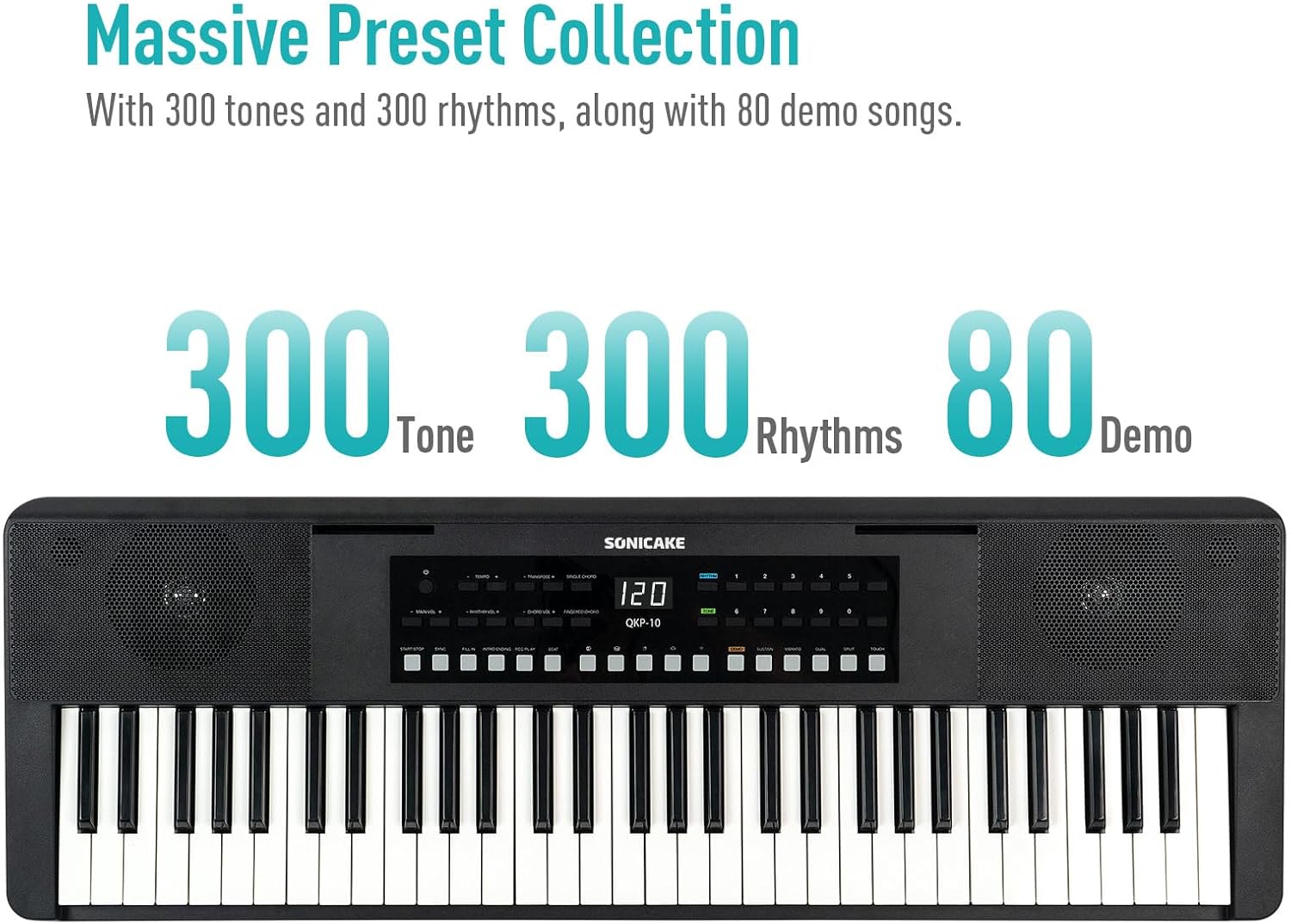
Figure 4.2: Control panel highlighting the 300 Tones, 300 Rhythms, and 80 Demo songs available.
4.3 Lagu Demo
The keyboard includes 80 demo songs for listening and learning.
- Playing Demos: Pencét éta DEMO button to cycle through the demo songs.
4.4 Ngarekam jeung Playback
Record your performances and play them back to review kamajuan anjeun.
- Rékam: Pencét éta REC button to start recording. Play your desired melody.
- Eureun Rekaman: Pencét ulin or EUREUN pikeun ngeureunkeun rékaman.
- Playback: Pencét éta ulin button to listen to your recorded performance.
4.5 Konektipitas Bluetooth
Connect your smartphone or tablet via Bluetooth to play along with your favorite songs or accompaniment audio.
- Aktipkeun Bluetooth: Pastikeun Bluetooth diaktipkeun dina alat éksternal anjeun.
- papasangan: The keyboard will appear as "SONICAKE QKP-10" (or similar) in your device's Bluetooth settings. Select it to pair.
- Playback: Once paired, audio from your device will play through the keyboard's speakers.

Figure 4.3: Illustrates Bluetooth playback support, showing a smartphone wirelessly connected to the keyboard.
4.6 Fungsi Maju
Explore these functions to expand your musical expression:
- Geter: Adds a slight pitch variation to notes. Press NGAGETAR.
- Sustain: Extends the decay of notes. Press SUSTAIN.
- Transpose: Shifts the pitch of the entire keyboard up or down. Use TRANSPOSE + / -.
- Dual-tone Mode: Layers two different tones simultaneously. Press DUAL.
- Fungsi Pamisah: Divides the keyboard into two sections, each with a different tone. Press BEULAH.
- Chord Modes: Includes Single Chord and Fingered Chord modes.

Gambar 4.4: Detil view of the control panel, showing buttons for various functions like Tempo, Transpose, Chord modes, Demo, Sustain, Vibrato, Dual, Split, and Touch.
5. Pangropéa
Proper care will ensure the longevity and performance of your keyboard.
- beberesih: Anggo lawon anu lemes sareng garing pikeun ngusap permukaan kibor. Pikeun kokotor anu bandel, usap sakedikampBilas lawon ku cai sareng deterjen hampang, teras langsung usap dugi ka garing. Hindarkeun pembersih atanapi pelarut anu abrasif.
- Panyimpenan: Simpen kibor di tempat anu tiis sareng garing, jauh tina sinar panonpoé langsung, suhu anu ekstrim, sareng kalembaban anu luhur.
- Penanganan: Ulah nepi ka ngalungkeun kibor atawa ngabalukarkeun keuna ku benturan anu kuat. Ulah neundeun barang anu beurat di luhurna.
- Perawatan batré: If not using the keyboard for an extended period, remove the batteries to prevent leakage.
6. Cara ngungkulan
If you encounter any issues with your keyboard, please refer to the following common problems and solutions:
| Masalah | Mungkin Cukang lantaranana | Solusi |
|---|---|---|
| Taya sora tina speaker / headphone. | Volume too low; power issue; headphones not fully inserted. | Increase MAIN VOL. Check power connection/batteries. Ensure headphones are fully plugged in. |
| Kibor teu tiasa dihurungkeun. | No power supply; dead batteries; faulty adapter. | Check power adapter connection. Replace batteries. Try a different USB power source. |
| Masalah sambungan Bluetooth. | Keyboard not in pairing mode; device too far; interference. | Ensure Bluetooth is enabled on both devices. Move devices closer. Restart both devices. |
| Konci teu ngabales. | Keyboard frozen; internal issue. | Turn the keyboard off and on again. If problem persists, contact customer support. |
7. Spésifikasi
| Fitur | Rincian |
|---|---|
| Ngaran modél | QKP-10 |
| Jumlah konci | 61 |
| Nada | 300 |
| Wirahma | 300 |
| Demo Lagu | 80 |
| Konektipitas | Bluetooth, USB |
| Tipe Panyambung | USB Type A, 3.5mm Jack |
| Headphone Jack | 3.5mm Jack |
| Sumber Daya | Battery Powered (6x AA), 5V 1A USB |
| Item Beurat | 10.47 pon (kira-kira 4.75 kg) |
| Ukuran Paket | 38.19 x 14.37 x 5.91 inci (kira-kira 97 x 36.5 x 15 cm) |
| Warna | Hideung |
| Produsén | SONICAKE |
8. Garansi jeung Rojongan
For warranty information and customer support, please refer to the documentation included with your purchase or visit the official SONICAKE websitus. Simpen bukti pameseran anjeun pikeun klaim garansi.
If you require further assistance or have questions not covered in this manual, please contact SONICAKE customer service.


