1. Bubuka
This manual provides essential instructions for the setup, operation, and maintenance of your GOBOULT Drift+ Smart Watch. Please read this guide thoroughly to ensure proper use and to maximize the device's features.

Image 1.1: The GOBOULT Drift+ Smart Watch.
The GOBOULT Drift+ Smart Watch features a 1.85-inch HD display, Bluetooth calling capabilities, IP68 water resistance, and comprehensive health monitoring functions.

Gambar 1.2: Leuwihview of GOBOULT Drift+ Smart Watch features.
2. Naon dina Box
Pastikeun yén sadaya item di handap ieu kalebet dina bungkusan produk anjeun:
- GOBOULT Drift+ Smart Watch
- Kabel Ngecas
- Manual pangguna (dokumén ieu)
- Kartu Garansi
3. Setélan
3.1 Ngecas Awal
Before first use, fully charge your GOBOULT Drift+ Smart Watch. Connect the provided charging cable to the charging port on the back of the watch and to a standard USB power adapter (not included). The watch typically takes approximately 2.5 hours to fully charge.

Image 3.1: Charging the GOBOULT Drift+ Smart Watch.
3.2 Masangkeun sareng Smartphone Anjeun
- Download the official GOBOULT application from your smartphone's app store (compatible with iOS and Android).
- Pastikeun Bluetooth diaktipkeun dina smartphone Anjeun.
- Open the GOBOULT app and follow the on-screen instructions to create an account or log in.
- Select 'Add Device' or a similar option within the app and choose 'Drift+' from the list of available devices.
- Confirm the pairing request on both your smartphone and the smart watch.
4. Parentah Operasi
4.1 Napigasi Dasar
The GOBOULT Drift+ Smart Watch features a 1.85-inch HD touchscreen display. Swipe left, right, up, or down to navigate through menus and functions. Press the side button to return to the home screen or access the app list.
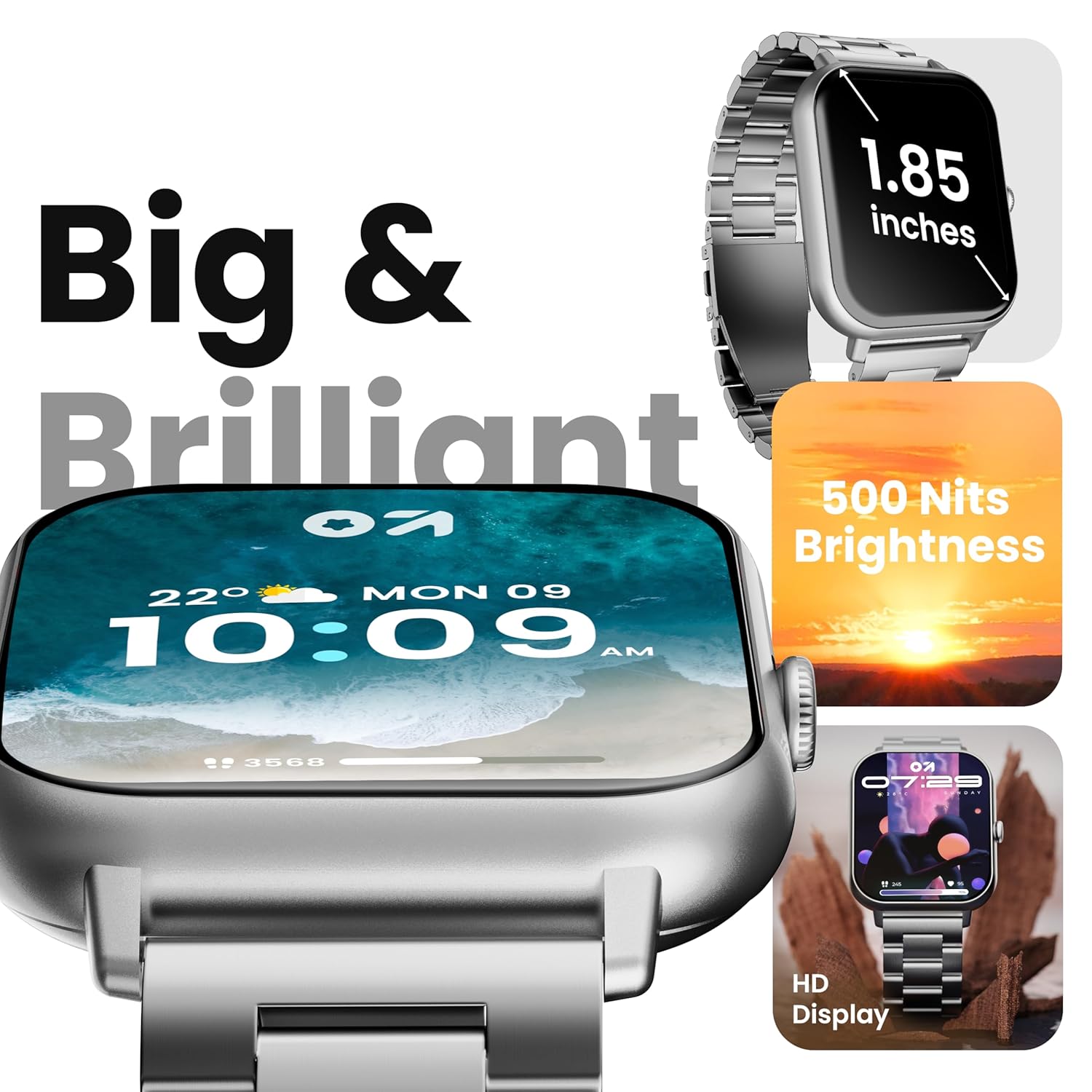
Image 4.1: The 1.85-inch HD display of the smart watch.
4.2 Bluetooth Nelepon
Once paired with your smartphone, the Drift+ Smart Watch allows you to make and receive calls directly from your wrist. The watch is equipped with a built-in speaker and microphone for clear audio communication.
- Ngajawab Telepon: Nalika aya telepon asup, ketok ikon jawaban héjo dina layar jam tangan.
- Nelepon: Access the dialer or contacts through the watch menu to initiate a call.

Image 4.2: Bluetooth calling feature in use.
4.3 Ngaropea Watch Faces
The watch supports over 150 cloud-based watch faces and custom watch face options. To change your watch face:
- Long-press on the current watch face on your watch.
- Swipe left or right to browse pre-installed watch faces.
- For more options, open the GOBOULT app on your smartphone and navigate to the 'Watch Faces' section to download and apply new designs.

Image 4.3: Customizing watch faces.
4.4 Modeu Olahraga
The GOBOULT Drift+ offers over 100 sports modes to track various physical activities. To access and use sports modes:
- From the watch's main menu, select the 'Sports' or 'Workout' icon.
- Choose your desired activity from the list (e.g., running, cycling, walking).
- Ketok pikeun ngamimitian ngalacak. Jam tangan bakal ngarékam data sapertos léngkah, jarak, kalori anu kaduruk, sareng denyut jantung.
- To end a workout, swipe right or press the side button and select 'End'.

Image 4.4: Tracking activities with sports modes.
4.5 Pangimeutan Kaséhatan
The watch provides comprehensive health insights, including:
- Pangimeutan Denyut Jantung 24/7: Terus ngalacak denyut jantung anjeun.
- SpO2 Blood Oxygen Tracking: Ukur tingkat jenuh oksigén getih.
- Monitoring tekanan darah: Nyadiakeun estimasi bacaan tekanan darah.
- Nyukcruk Siklus Menstruasi Awéwé: Ngabantosan ngalacak sareng ngaduga siklus menstruasi.
- Panginget inuman cai: Ngajurung anjeun tetep caian.
- Panginget Sedentary: Ngaronjatkeun gerakan saatos période teu aktip.
Access these features through the health menu on the watch or view detailed data in the GOBOULT app.

Gambar 4.5: Fitur pangawasan kaséhatan.
4.6 AI Asisten Sora
Activate the AI voice assistant on your watch for hands-free assistance. This feature allows you to perform tasks, ask questions, and control certain functions using voice commands. Ensure your watch is connected to your smartphone for full functionality.
4.7 Bewara pinter
Receive notifications from your favorite social apps, messages, and calls directly on your watch. Configure notification settings within the GOBOULT app on your smartphone.
5. Pangropéa
5.1 Tahan cai
The GOBOULT Drift+ Smart Watch is IP68 water resistant, meaning it is protected against dust and can withstand immersion in water up to 1.5 meters for up to 30 minutes. It is suitable for daily use, such as hand washing or light rain exposure. However, it is not recommended for swimming, diving, or exposure to hot water/steam.

Image 5.1: IP68 Water Resistance.
5.2 beberesih
To clean your smart watch, gently wipe the screen and strap with a soft, damp, lint-free cloth. Avoid using harsh chemicals or abrasive materials, as these can damage the device.
5.3 Perawatan Batré
Pikeun manjangkeun umur batre:
- Hindarkeun suhu anu ekstrim.
- Ngeusi batre arloji sacara rutin, tapi ulah ngantepkeun arloji dicas pinuh atanapi béak pinuh pikeun période anu panjang.
- Reduce screen brightness and disable unnecessary features when not in use.
The watch offers up to 7 days of battery life in regular mode, 2-3 days with heavy Bluetooth calling, and an impressive 25 days in standby mode.
6. Cara ngungkulan
| Masalah | Solusi anu mungkin |
|---|---|
| Lalajo teu hurung | Pastikeun arloji dicas pinuh. Sambungkeun ka carjer sahenteuna 30 menit. |
| Teu tiasa dipasangkeun sareng smartphone | Check if Bluetooth is enabled on your phone. Restart both the watch and phone. Ensure the GOBOULT app is updated. |
| Bluetooth calling not working | Verify that the watch is properly connected for both media and call audio in your phone's Bluetooth settings. Check app permissions. |
| Data kaséhatan teu akurat | Ensure the watch is worn snugly on your wrist, not too tight or too loose. Clean the sensors on the back of the watch. Note that smart watch data is for reference and not for medical diagnosis. |
| hirup batré pondok | Reduce screen brightness, disable 'Always-On Display' if active, limit frequent heart rate monitoring, and turn off unnecessary notifications. |
7. Spésifikasi
| Fitur | Rincian |
|---|---|
| Ngaran modél | Drift+ |
| Ukuran tampilan | 1.85 Inches HD |
| Caang | 500 niis |
| Tahan cai | IP68 |
| Tipe Wireless | Bluetooth 5.1 |
| Kasaluyuan System Operasi | ios, Android |
| Jenis Batré | Litium Polimér |
| Waktu Ngeusi batre | Kira-kira. 2.5 jam |
| Kahirupan Batre pamakéan has | Nepi ka 7 Dinten |
| Heavy Usage (BT Calling) Battery Life | 2-3 poé |
| Waktu sayaga | Nepi ka 25 Dinten |
| Item Beurat | 38 g |
| Komponén Kaasup | Smart Watch, Charging Cable, User Manual, Warranty Card |
8. Garansi jeung Rojongan
Your GOBOULT Drift+ Smart Watch comes with a manufacturer's warranty. Please refer to the included Warranty Card for detailed terms and conditions, including warranty period and coverage.
For technical support, service, or further inquiries, please visit the official GOBOULT website or contact customer service using the information provided on your Warranty Card or the product packaging.
Manufacturer: Exotic Mile Private Limited, Boult Audio, B-67 Wazirpur Industrial Area, New Delhi 110052, India.


