Bubuka
Hatur nuhun pikeun meuliasing the PRUNUS J-618BTE Portable Radio. This versatile device combines AM/FM radio functionality with Bluetooth earphone connectivity, Bluetooth speaker capabilities, and an MP3 player. Featuring a long-lasting 2000mAh rechargeable battery and a convenient sleep timer, it is designed for portable and enjoyable listening experiences. This manual provides detailed instructions for setup, operation, maintenance, and troubleshooting to ensure optimal use of your new radio.
Naon dina Box
- PRUNUS J-618BTE Radio
- Kabel Ngecas USB-C
- Lanyard
- Manual Pamilik (dokumén ieu)
Produk Leuwihview
Familiarize yourself with the various components of your PRUNUS J-618BTE Portable Radio.

Gambar: Hareupeun view of the PRUNUS J-618BTE Portable Radio, showing the LCD display, control buttons, and speaker grille. The display shows "90.50 MHz" and battery level.
Kontrol sareng palabuhan:
- Layar LCD: Shows frequency, battery level, and mode.
- Tombol Kakuatan / Mode: Turns the radio on/off and switches between FM/AM/Bluetooth/MP3 modes.
- Tombol Luhur / Turun: Saluyukeun volume audio.
- Tombol Scan: Automatically scans and saves radio stations.
- M+/M- Buttons: Navigates through preset stations or tracks.
- Tombol Puter/Reureuh: Controls playback in MP3/Bluetooth modes.
- Tombol Timer Saré: Activates and sets the sleep timer.
- Port ngecas USB-C: Pikeun ngecas batré internal.
- Slot Kartu TF: For inserting a Micro SD card for MP3 playback.
- Jack Headphone 3.5mm: Pikeun sambungan headphone kabel.
- Antena Teleskopik: Pikeun ningkat panarimaan FM.
Disetél
Ngecas Batré
The PRUNUS J-618BTE comes with a built-in 2000mAh rechargeable lithium battery. Before first use, it is recommended to fully charge the device.
- Connect the included USB-C charging cable to the USB-C port on the radio.
- Sambungkeun tungtung kabel anu sanés ka adaptor kakuatan USB standar (teu kalebet) atanapi port USB komputer.
- The battery indicator on the LCD display will show charging status. It will indicate full charge when complete.
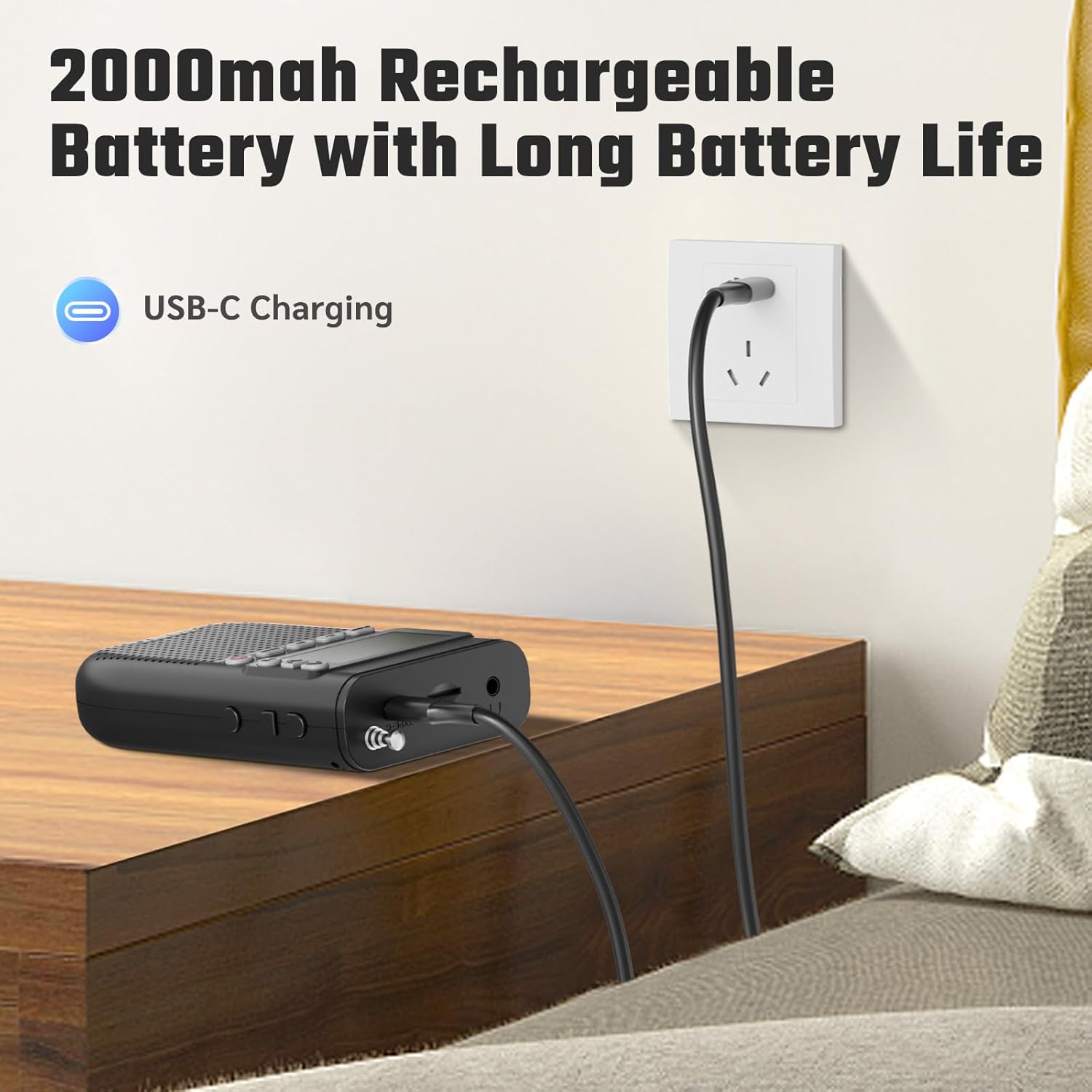
Image: The PRUNUS J-618BTE radio connected to a wall charger via a USB-C cable, illustrating the charging process.
Inserting a TF Card (Micro SD Card)
To use the MP3 player function, insert a TF card (Micro SD card) loaded with audio files.
- Locate the TF card slot on the side of the radio.
- Gently insert the TF card with the metal contacts facing down until it clicks into place.
- Pikeun nyabut, dorong kartu ka jero dugi ka kaluar.
Parentah Operasi
Daya Hurung / Pareum sareng Pamilihan Mode
- Daya Hurung: Pencét jeung tahan tombol Daya / Modeu kancing.
- Pareum listrik: Pencét jeung tahan tombol Daya / Modeu tombol deui.
- Robah Mode: Pencét pondok Daya / Modeu button to cycle through FM, AM, Bluetooth, and TF Card (MP3) modes.
Operasi Radio (AM/FM)
- Ensure the radio is in FM or AM mode. Extend the telescopic antenna for better reception.
- Scan otomatis: Pencét éta SCAN button to automatically scan and save available stations. The radio can store up to 99 stations.
- Tuning Manual: Ngagunakeun éta M+ jeung M- buttons to manually tune to specific frequencies or navigate through saved presets.
Bluetooth Headphone Connection
This radio can connect to Bluetooth headphones for private listening.
- Switch the radio to Bluetooth mode. The display will show "BT" and the Bluetooth icon will flash, indicating it's in pairing mode.
- Put your Bluetooth headphones into pairing mode (refer to your headphone's manual).
- The radio will automatically search for and connect to nearby Bluetooth headphones. Once connected, the Bluetooth icon on the radio's display will stop flashing.
- You can now listen to AM/FM radio, TF card music, or audio from a connected phone (via Bluetooth speaker function) through your headphones.

Image: An illustration showing two individuals enjoying audio from the PRUNUS J-618BTE radio through wireless Bluetooth headphones, highlighting the wireless listening capability.
Fungsi Speaker Bluetooth
The radio can also act as a Bluetooth speaker for your smartphone or other Bluetooth-enabled devices.
- Switch the radio to Bluetooth mode. The display will show "BT" and the Bluetooth icon will flash.
- On your smartphone or device, enable Bluetooth and search for "J-618BTE" in the list of available devices.
- Select "J-618BTE" to pair. Once connected, the Bluetooth icon on the radio's display will stop flashing.
- Anjeun ayeuna tiasa muterkeun audio tina alat anjeun ngalangkungan spiker radio.

Image: The PRUNUS J-618BTE radio on a table, wirelessly connected to a smartphone via Bluetooth, demonstrating its use as a Bluetooth speaker and MP3 player with a TF card.
MP3 Player (TF Card)
If a TF card with audio files is inserted, the radio will automatically switch to MP3 mode or you can select it via the Mode button.
- Puter / Reureuh: Pencét éta Play / Reureuh tombol pikeun ngamimitian atawa ngareureuhkeun playback.
- Lagu Salajengna / Saméméhna: Ngagunakeun éta M+ jeung M- tombol pikeun skip lagu.
- The radio supports single-song repeat, playlist looping, and shuffle play.
Fungsi Timer Saré
Timer sare ngamungkinkeun radio otomatis pareum saatos periode anu disetél.
- Pencét éta SARE kancing.
- Pencét sababaraha kali SARE button to cycle through available timer settings: 90, 60, 45, 30, 15, or 10 minutes.
- The radio will automatically power off after the selected time.

Image: The PRUNUS J-618BTE radio on a bedside table, with an overlay illustrating the sleep timer options (10, 15, 30, 45, 60, 90 minutes) and a person sleeping peacefully.
Using the 3.5mm Headphone Jack
For wired private listening, connect any standard 3.5mm headphones (not included) to the headphone jack on the radio.
Pangropéa
- Tetep radio garing. Hindarkeun paparan ka cai atanapi kalembaban anu luhur.
- Bersihkeun radio nganggo kaén anu lemes sareng garing. Ulah make cleaners abrasive atawa pangleyur.
- Hindarkeun ngaragragkeun radio atanapi nahan kana dampak anu kuat.
- Simpen radio di tempat anu tiis sareng garing upami henteu dianggo salami lami.
Pamérésan masalah
| Masalah | Mungkin Cukang lantaranana | Solusi |
|---|---|---|
| Radio teu hurung. | batré lemah. | Charge the radio fully using the USB-C cable. |
| Poor radio reception (AM/FM). | sinyal lemah; anteneu teu diperpanjang. | Fully extend the telescopic antenna. Try repositioning the radio for better signal. Perform an auto-scan. |
| Cannot connect Bluetooth headphones/speaker. | Radio not in pairing mode; headphones/speaker not in pairing mode; too far apart. | Ensure radio is in Bluetooth mode and flashing "BT". Put headphones/speaker in pairing mode. Keep devices within 10 meters (33 feet). Turn off and on both devices. |
| kartu TF teu maén. | Kartu henteu diselapkeun leres; teu didukung file format; no audio files. | Reinsert the TF card. Ensure audio files are in a supported format (e.g., MP3). Verify files are present on the card. |
| Distorsi sora atanapi volume rendah. | Volume too low; poor signal; speaker obstruction. | Adjust volume. Improve radio reception. Ensure speaker grille is not blocked. |
spésifikasi
| Fitur | Rincian |
|---|---|
| merek | PRUNUS |
| Modél | J-618BTE |
| Dimensi produk | 6.8 x 2.6 x 11.6 cm |
| Item Beurat | 145 g |
| Batré | 2000mAh Litium Rechargeable Ion |
| Pangecas Interface | USB Tipe C |
| Téhnologi Tuner | FM (87-108MHz), AM (520-1710KHz) |
| Speaker Kaluaran Power | 5 Watt |
| Konektipitas | Bluetooth, 3.5mm Headphone Jack, TF Card Slot |
| Fitur husus | Sleep Timer, Preset Function (up to 99 stations), Bluetooth Headset Connectivity, Bluetooth Speaker Function, Micro SD Card Shuffle Play |
| Tipe tampilan | LCD |
| Bahan | Plastik |
| Negara asal | Cina |
Garansi sareng Rojongan
For any pre-sale queries, post-purchase quality issues, or return/exchange related concerns, please feel free to contact us:
Surélék: prunus-in@hotmail.com
Please provide your product model (J-618BTE) and a detailed description of your issue when contacting support.


