
Bubuka
Welcome to the user manual for your Monster Achieve 300 AirLinks Wireless Earbuds. These earbuds are designed to provide a superior audio experience with advanced features for daily use, sports, and calls. Featuring Pure Monster Sound, Bluetooth 5.3 connectivity, touch controls, and a water-resistant design, they offer comfort and convenience for extended listening.

Image: Monster Achieve 300 AirLinks Wireless Earbuds in their open charging case, showcasing the sleek black design with gold accents.
Eusi pakét
Mangga cék kotak pikeun item di handap ieu:
- Earbud Nirkabel Monster Achieve 300 AirLinks (Kenca sareng Katuhu)
- Ngecas Case
- Kabel Ngecas USB-C
- Manual pamaké
- Three pairs of soft rubber ear tips (Small, Medium, Large - Medium size pre-installed)
Disetél
1. Ngecas Earbuds jeung Case
Before first use, fully charge the earbuds and charging case. The charging case provides extended battery life for your earbuds.
- Sambungkeun kabel USB-C anu disayogikeun kana port ngecas dina casing sareng kana sumber daya.
- Lampu indikator dina wadah ngecas bakal nunjukkeun status ngecas.
- A 10-minute quick charge provides up to 120 minutes of playback.
- The earbuds offer up to 32 hours of total play time with the charging case.

Image: The Monster Achieve 300 AirLinks charging case, highlighting its compact size and the LED indicators for battery status.
Video: This video demonstrates the features and usage of the Monster Achieve 300 AirLinks Wireless Earbuds, including pairing, touch controls, sound quality, and water resistance.
2. Nyapasangkeun sareng Alat Anjeun
The earbuds feature one-step pairing for quick and easy connection.
- Buka wadah ngecas. Earbuds bakal otomatis asup kana mode papasangan.
- Dina alat anjeun (smartphone, tablet, laptop), aktipkeun Bluetooth.
- Milarian pikeun "Monster Achieve 300 AirLinks" dina daptar alat Bluetooth anu sayogi.
- Pilih earbud anu bade disambungkeun. Saatos disambungkeun, anjeun bakal ngadangu sora konfirmasi.

Image: A graphic illustrating key features such as Bluetooth 5.3 for stable transmission, IPX6 water resistance, one-step pairing, and one-key reset.
Parentah Operasi
Toél Kontrol
The multi-function touch control allows for easy management of music and calls. Specific gestures may vary slightly, but common functions include:
- Puter / Reureuh: Ketok tunggal dina boh earbud.
- Lagu salajengna: Ketok dua kali dina earbud katuhu.
- Lagu Sateuacanna: Ketok dua kali dina earbud kénca.
- Volume Up: Ketok tilu kali dina earbud katuhu.
- Volume Turun: Ketok tilu kali dina earbud kénca.
- Ngajawab / mungkas Telepon: Ketok tunggal dina boh earbud nalika aya telepon asup.
- Nolak Telepon: Pencet jeung tahan boh earbud salila telepon asup.
- Aktipkeun Asisten Sora: Press and hold for 2 seconds on either earbud (e.g., Siri, Google Assistant).
Nelepon jeung Narima Telepon
The Monster Achieve 300 AirLinks are equipped with built-in dual microphones for clear calls, enhanced by ENC (Environmental Noise Cancellation) technology.
- Pastikeun earbuds disambungkeun ka telepon anjeun.
- Pikeun ngajawab telepon asup, ketok tunggal boh earbud.
- Pikeun mungkas telepon, ketok tunggal boh earbud.
- To reject a call, press and hold either earbud.

Image: A man wearing the Monster Achieve 300 AirLinks earbuds, illustrating the clear call quality provided by the built-in microphones with ENC technology.
Ngadangukeun Musik
Experience Pure Monster Sound with deep bass and a wider soundstage, ensuring excellent accuracy and clarity across the entire frequency range.
- Once paired, open your preferred music application on your device.
- Use the touch controls on the earbuds or your device to manage playback.
- The ergonomic design ensures a comfortable and secure fit, ideal for extended listening sessions.
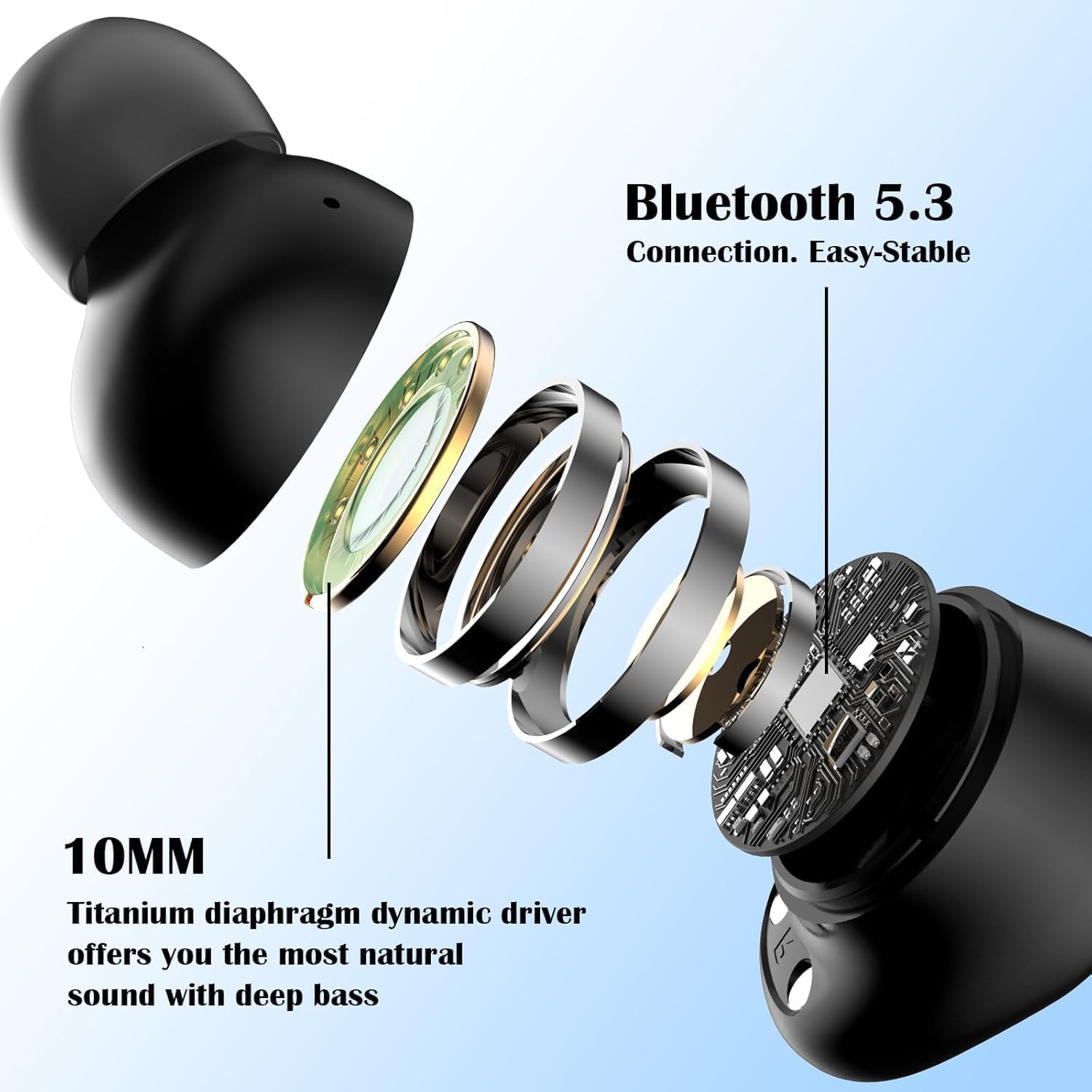
Gambar: Hiji ngabeledug view of a Monster Achieve 300 AirLinks earbud, detailing the internal components including the 10MM Titanium diaphragm dynamic driver for natural sound and deep bass.
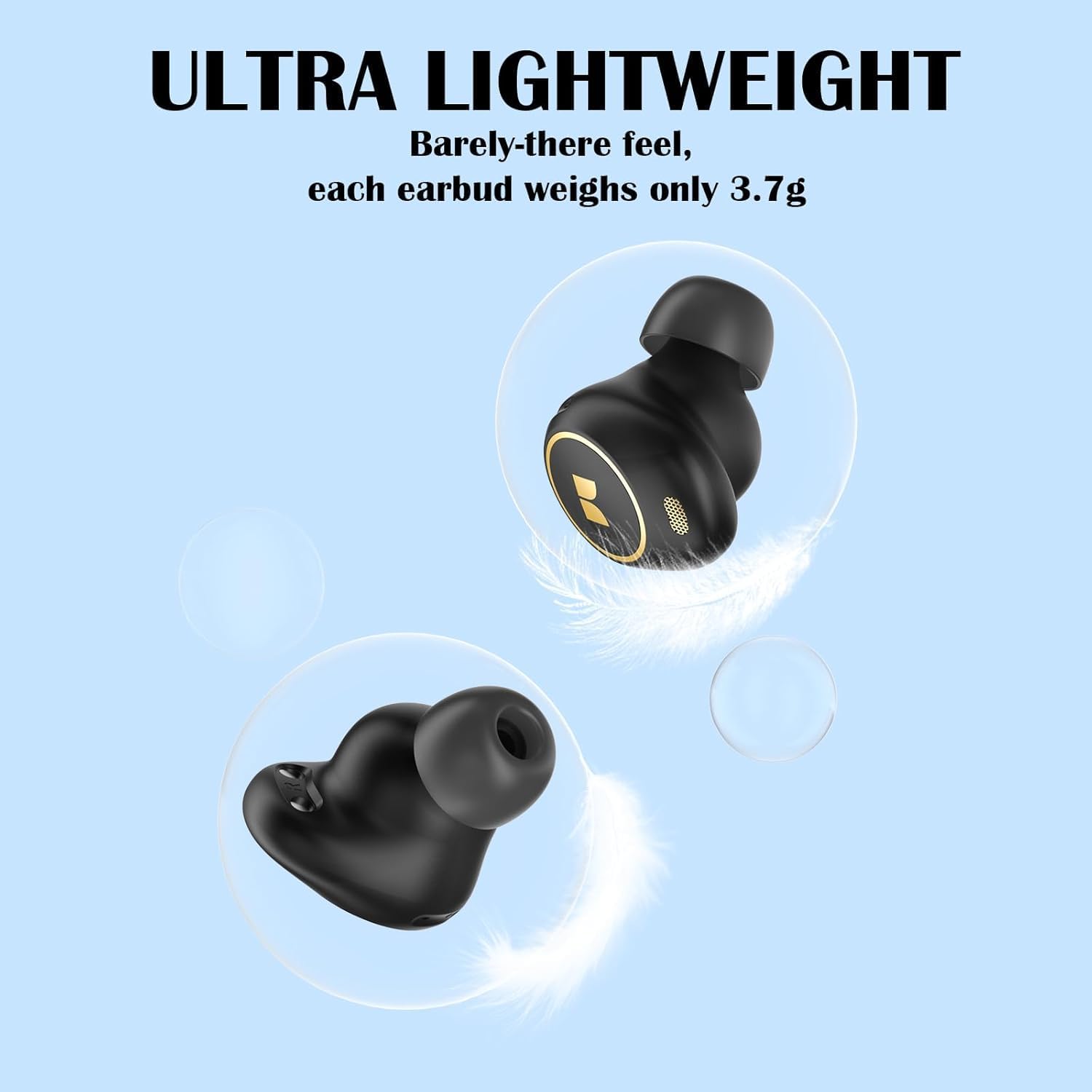
Image: A visual representation emphasizing the ultra-lightweight design of the Monster Achieve 300 AirLinks earbuds, with each earbud weighing only 3.7g.
Pangropéa
To ensure the longevity and optimal performance of your Monster Achieve 300 AirLinks earbuds:
- beberesih: Rutin ngabersihkeun earbuds sareng wadah ngecas ku lawon anu lemes, garing, teu aya lint. Ulah make bahan kimia kasar atawa bahan abrasive.
- Tahan cai: The earbuds are IPX6 water-resistant, meaning they can withstand powerful water jets. This makes them ideal for sports and outdoor activities, protecting against sweat and rain. However, they are not designed for submersion in water. Ensure they are dry before placing them back in the charging case.
- Panyimpenan: Nalika henteu dianggo, simpen earbuds dina wadah ngecasna pikeun ngajagi sareng tetep dicas.
- Suhu: Hindarkeun ngalaan earbuds ka suhu anu ekstrim (panas atanapi tiis) atanapi kalembaban anu luhur.
Pamérésan masalah
Upami anjeun ngalaman masalah sareng earbud anjeun, cobian solusi ieu:
| Masalah | Solusi |
|---|---|
| Earbuds teu dipasangkeun |
|
| Teu aya sora ti hiji earbud |
|
| Earbuds teu ngecas |
|
| Kualitas panggero goréng |
|
spésifikasi
| Fitur | Rincian |
|---|---|
| Ngaran modél | MH12005 |
| Téhnologi konektipitas | Nirkabel (Bluetooth 5.3) |
| Tingkat Résistansi Cai | IPX6 (Tahan cai) |
| Batré Rata Kahirupan | 32 Jam (kalayan kotak ngecas) |
| Panempatan Ceuli | Dina Ceuli |
| Faktor Bentuk | Dina Ceuli |
| Impedansi | 29.99 ohm |
| Fitur husus | Volume Control, Touch Control, Built-in Mic for Clear Calls |
| Alat nu cocog | Smartphone, Tablet, Laptop, Spiker Pinter |
| Item Beurat | 120 g (Parcel Dimensions) |
Garansi sareng Rojongan
For warranty information or technical support, please refer to the warranty card included in your package or visit the official Monster website. If you have any questions or require assistance, please feel free to contact our customer service team. We are committed to providing quality service within 24 hours.
Anjeun oge bisa manggihan inpo leuwih lengkep sarta rojongan di Toko Monster di Amazon.