Bubuka
This manual provides comprehensive instructions for the setup, operation, and maintenance of your ORICO B5PLUS Portable SSD 2TB. Please read this manual carefully before using the device to ensure optimal performance and longevity.
Produk Leuwihview
The ORICO B5PLUS Portable SSD is a compact and high-speed external storage solution designed for various devices, including smartphones, PCs, and tablets. It offers quick data transfer and easy storage expansion.
Fitur konci:
- Panyimpenan anu tiasa dilegakeun: Easily expand your device's storage capacity.
- Transfer Data Kecepatan Tinggi: Achieves speeds up to 460MB/s for efficient file mindahkeun.
- Desain Ultra-Portable: Compact and lightweight, measuring 2.44 x 2.72 x 0.5 inches and weighing only 0.09 lb.
- 2-in-1 USB-C & USB-A Cable: Ensures broad compatibility with both USB-C and USB-A devices.
- Indikator Status: An LED indicator shows device activity.
Naon anu aya dina Kotak:
- ORICO B5PLUS Portable SSD
- 2-in-1 USB-C to USB-A/USB-C Cable
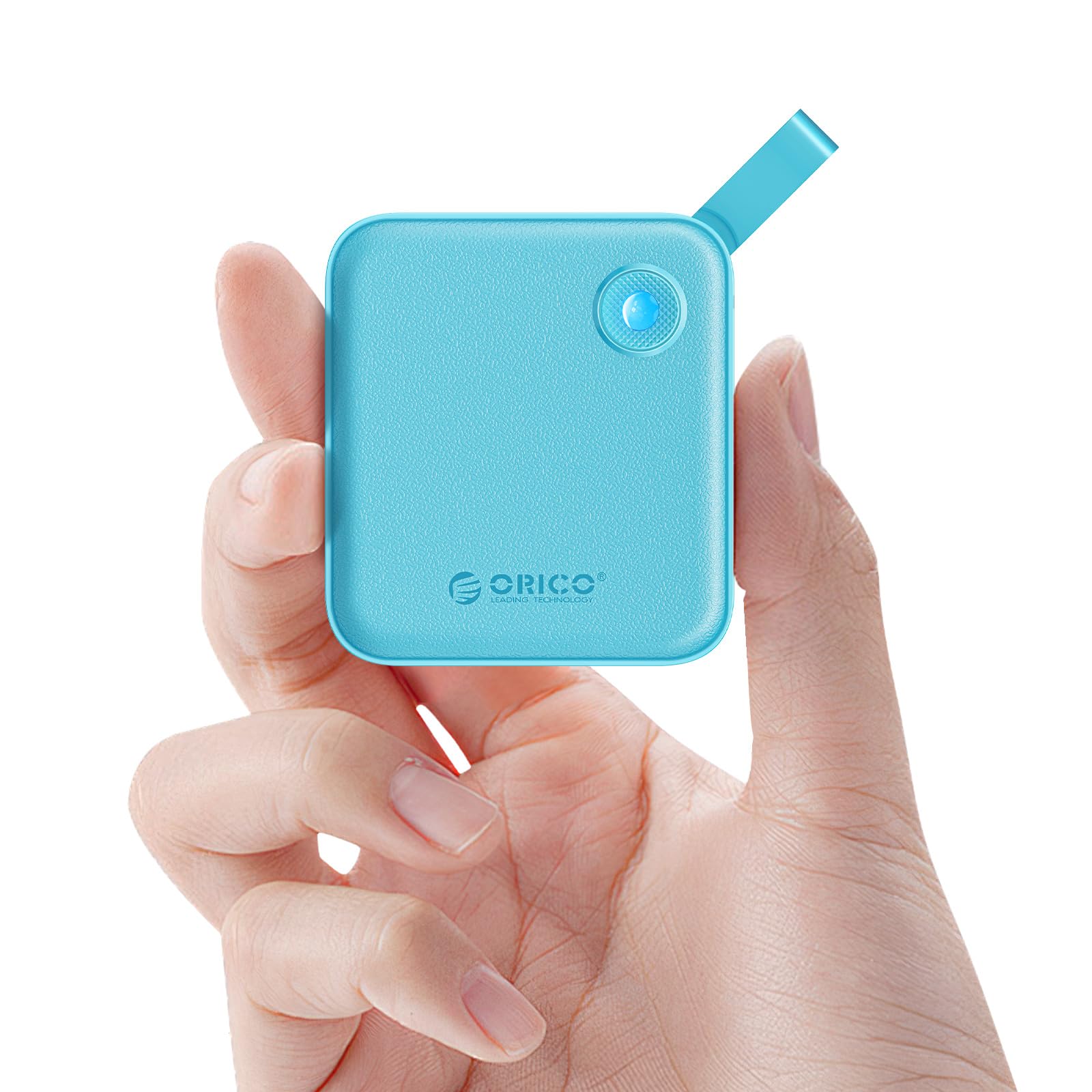
Figure 1: The ORICO B5PLUS Portable SSD in green, showcasing desain kompak na.
Parentah Setup
- Sambungkeun SSD:
Identify the appropriate port on your device (USB-C or USB-A). The included 2-in-1 cable features both connectors. For USB-C, use the USB-C end directly. For USB-A, attach the USB-A adapter to the USB-C end of the cable.

Figure 2: The versatile 2-in-1 USB-C and USB-A cable for broad device compatibility.
- Colokkeun kana Alat:
Insert the connected cable into the corresponding USB port on your computer, smartphone, or tablet. The SSD's status indicator light will illuminate, confirming a successful connection.

Figure 3: The ORICO B5PLUS SSD connected to various devices for storage expansion.
- Pangwanoh awal:
Your operating system (Windows, macOS, Android, iOS) should automatically detect the SSD. If prompted, you may need to format the drive for first-time use, especially if moving between different operating systems. Follow your device's on-screen instructions for formatting.
Parentah Operasi
Mindahkeun Data:
- Niron Files: Séred jeung leupaskeun files or folders from your device to the ORICO SSD, or vice versa.
- Laju: The SSD supports data transfer speeds up to 460MB/s. Actual speeds may vary based on your device's USB port, operating system, and file jenis.

Figure 4: Illustration of the high-speed data transfer capabilities of the ORICO B5PLUS SSD.
Kasaluyuan:
The ORICO B5PLUS is compatible with a wide range of devices, including:
- Laptops (MacBook, Dell XPS, Lenovo Pro, etc.)
- Smartphones (iPhone 15 Series, Samsung S22/S23 Series, Huawei Mate/P Series, etc.)
- Tablets (iPad Pro/Air, etc.)
- Desktop Computers, Routers, TVs, and other devices with USB-A or USB-C ports.

Figure 5: The ORICO B5PLUS SSD demonstrating compatibility with a range of devices.
Indikator Status LED:
The small LED light on the SSD indicates its operational status:
- Lampu padet: Device is connected and idle.
- Lampu kedip-kedip: Data transfer is in progress. Do not disconnect the device during flashing to prevent data corruption.
Pangropéa
- Ngahapus Aman: Always safely eject the SSD from your operating system before physically disconnecting it to prevent data loss or corruption.
- beberesih: Anggo kaén anu lembut sareng garing pikeun ngabersihan bagian luar SSD. Hindarkeun pembersih cair atanapi bahan abrasive.
- Panyimpenan: Simpen SSD di tempat anu tiis, garing, sareng jauh tina sinar panonpoé langsung sareng suhu anu ekstrim.
- Perlindungan fisik: While durable, avoid dropping the SSD or subjecting it to strong impacts.
Pamérésan masalah
- SSD Teu Dideteksi:
- Pastikeun kabelna nyambung pageuh kana SSD sareng alat anjeun.
- Coba port USB anu béda dina alat anjeun.
- Test with another compatible cable if available.
- Balikan deui komputer atanapi alat anjeun.
- Check your device's Disk Management (Windows) or Disk Utility (macOS) to see if the drive is recognized but unformatted.
- Laju Transfer Lambat:
- Ensure you are using a USB 3.0/3.1/3.2 compatible port on your device for optimal speeds. Older USB 2.0 ports will result in significantly slower transfers.
- Verify that your device's drivers are up to date.
- Ulah mindahkeun loba leutik files simultaneously, as this can reduce overall speed compared to large files.
- Korupsi/Karugian Data:
- Always safely eject the SSD before disconnecting.
- Ensure the SSD is not exposed to extreme temperatures or physical shock.
- Regularly back up important data to multiple locations.
spésifikasi
| Fitur | Rincian |
|---|---|
| merek | ORICO |
| Nomer modél | B5PLUS-2TB |
| Kapasitas Panyimpenan Digital | 2 TB |
| Interface hard disk | USB 1.1 (Note: This refers to the internal interface, external connectivity is USB 3.x for high speed) |
| Téhnologi konektipitas | USB (USB-C and USB-A compatible) |
| Kagancangan Maca (Maks) | Nepi ka 460MB/s |
| Item Beurat | 3.17 ons (kira-kira 90g) |
| Ukuran Paket | 5.91 x 4.25 x 0.98 inci |
| Warna | Héjo |
| Fitur husus | Portable, Status Indicator |
| Alat nu cocog | Laptop, Smartphone, Tablet, PC |
Video Produk Resmi
Video 1: Pajabat parantos réngséview of the ORICO External Solid State Drive B5PLUS, highlighting its features and compact design. This video is provided by the manufacturer, ORICO Direct US Store.
Garansi sareng Rojongan
For warranty information, technical support, or further assistance, please refer to the official ORICO websitus atanapi ngahubungan layanan palanggan maranéhanana langsung. Simpen resi pameseran anjeun salaku bukti pameseran pikeun klaim garansi.
Anjeun oge bisa nganjang ka ORICO Store on Amazon pikeun émbaran leuwih produk jeung sumber rojongan.