
1. Bubuka
This manual provides comprehensive instructions for the setup, operation, and maintenance of your LongPlus 2K Battery Powered Wireless Outdoor Security Camera (Model X84). This camera is designed to provide reliable home security with features such as 2K QHD resolution, AI motion detection, two-way talk, and versatile storage options. Please read this manual carefully before using the product to ensure proper functionality and safety.

Image: The LongPlus security camera shown alongside a smartphone displaying its live video feed.
2. Naon dina Box
Pastikeun yén sadaya komponén aya dina pakét anjeun:
- Security Camera with Bracket
- Pakét Sekrup (pikeun dipasang)
- Reset Jarum
- Kabel USB (pikeun ngecas)
- Gancang Mimitian Guide
3. Spésifikasi
| Fitur | Rincian |
|---|---|
| Ngaran modél | Battery Security Camera (X84) |
| Resolusi | 2K QHD (1440p Video Capture, 3 MP Effective Still Resolution) |
| Konektipitas | Wireless (2.4GHz Wi-Fi only) |
| Sumber Daya | Batré Powered (1 batré Litium Ion kaasup) |
| Visi Peuting | Warna Wengi Visi, Infrabeureum Night Vision (nepi ka 33ft) |
| Deteksi gerak | PIR Motion Detection with AI Analysis Recognition (People, Vehicles, Pets, Packages) |
| Audio | Two-Way Talk (Built-in microphone and speaker) |
| Pilihan Panyimpenan | Micro SD Card (up to 128GB, not included), Cloud Storage (3-day rolling free trial) |
| Résistansi Cuaca | IP65 Waterproof |
| Viewdina Angle | 130 darajat |
| Alat nu cocog | Smartphone, Amazon Alexa |
| Diménsi | 4 x 2 x 5 inci |
| Beurat | 12.6 ons |
4. Setup Guide
4.1 Ngecas Awal
Before first use, fully charge the camera using the provided USB cable. Connect the USB cable to the camera's charging port and a standard 5V USB power adapter (not included). The charging indicator light will show the charging status.
4.2 Unduh Aplikasi sareng Nyiptakeun Akun
- Unduh Vicohome app from your smartphone's app store (iOS App Store or Google Play Store).
- Buka aplikasi tur turutan parentah dina layar pikeun nyieun hiji akun anyar atawa asup lamun anjeun geus boga akun.
4.3 Pamasangan Kaméra sareng Sambungan Wi-Fi
- Power on the camera. The indicator light will begin to flash, indicating it's ready for pairing.
- In the Vicohome app, tap the "Add Device" or "+" icon.
- Pilih modél kaméra anjeun tina daptar.
- Follow the app's instructions to connect the camera to your Jaringan Wi-Fi 2.4GHz. Ensure your smartphone is also connected to the same 2.4GHz network during setup. Note: This camera exclusively supports 2.4GHz Wi-Fi.
- Scan the QR code displayed on your phone screen with the camera lens. You will hear a confirmation sound once connected.
4.4 Masang kaméra
The camera can be mounted on a wall, ceiling, or placed freestanding on a flat surface. Choose a location that provides the desired viewing angle and is within range of your Wi-Fi signal.
- Tembok / Ceiling Mount: Use the provided bracket and screws to securely attach the camera to a suitable surface. Adjust the camera angle as needed.
- Nangtung bebas: Simpen kaméra dina tempat anu datar sareng stabil.

Image: Camera mounted on a wall, illustrating installation flexibility.

Image: Camera on a table, showing its compact design for versatile placement.
5. Parentah Operasi
5.1 Hirup View sareng Kualitas Pidéo
Open the Vicohome app to access the live feed from your camera. The camera provides 2K QHD resolution for clear and detailed video monitoring.

Image: Illustrates the 2K+ Full HD image quality captured by the camera.
5.2 Deteksi Gerak sareng Siaga
The camera features advanced PIR motion detection with AI analysis to recognize people, vehicles, pets, and packages. When motion is detected, you will receive real-time notifications on your smartphone via the Vicohome app.

Image: Demonstrates PIR motion detection and real-time alerts.
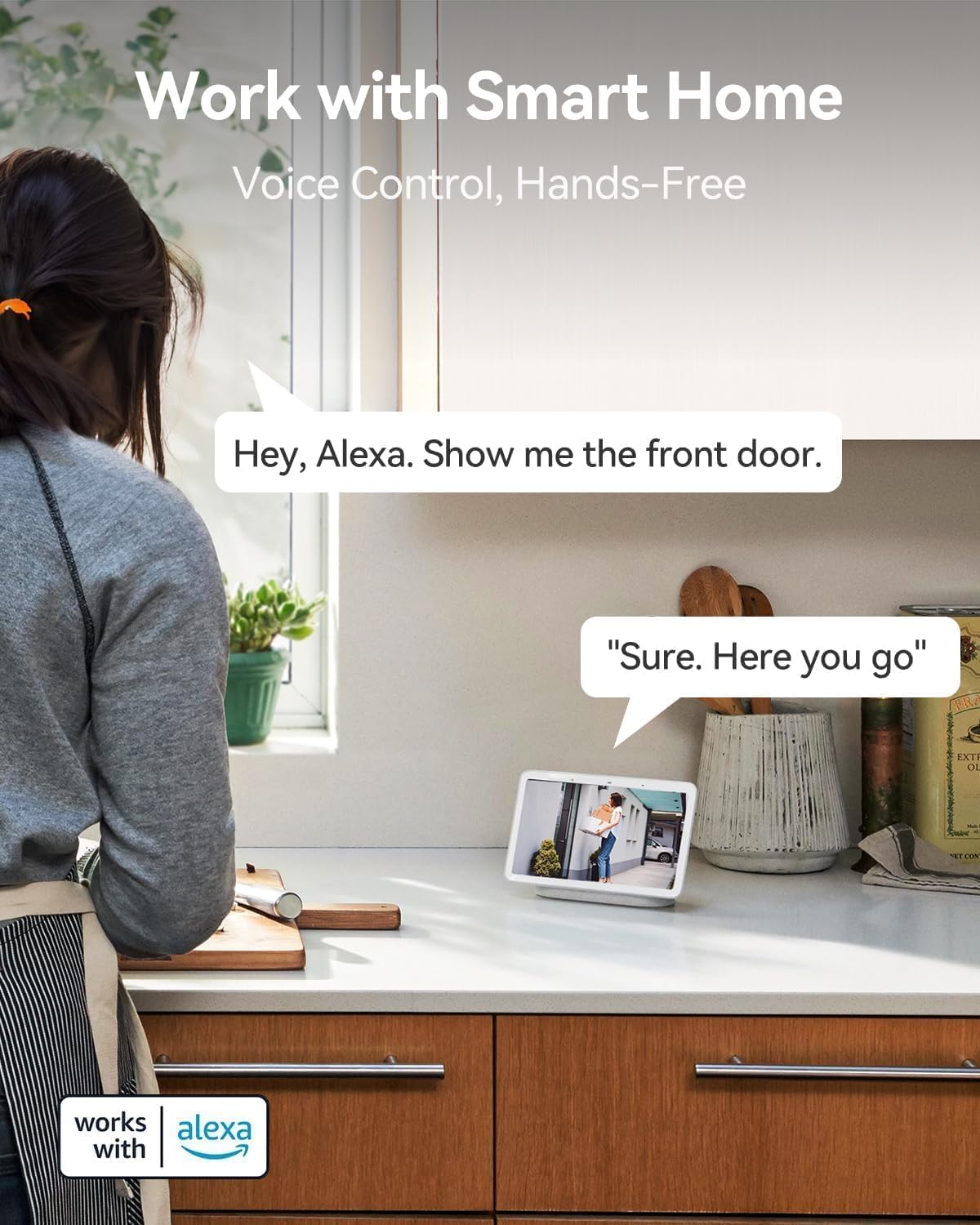
Image: Visual representation of AI detection analysis and intelligent push alerts.
5.3 Obrolan Dua Arah
Utilize the built-in microphone and speaker for real-time two-way communication. This allows you to warn off intruders, speak with visitors, or communicate with family members through the camera.

Image: Demonstrates the two-way talk feature for interacting with visitors.
5.4 Visi Peuting
The camera offers both full-color night vision and infrared night vision options, providing clear visibility up to 33 feet in low-light conditions or complete darkness.

Image: Shows the camera's color night vision capability for enhanced visibility.
5.5 Pilihan Panyimpenan
Recordings can be stored locally on a Micro SD card (up to 128GB, not included) or via cloud storage. A complimentary 3-day rolling cloud storage is included without subscription. Advanced cloud features are available with a subscription after a 30-day free trial.

Image: Illustrates both SD card and cloud storage options for video recordings.
5.6 Smart Home Integration (Works with Alexa)
The LongPlus camera is compatible with Amazon Alexa, allowing for voice control and hands-free monitoring. You can ask Alexa to show you the camera's live feed on compatible smart displays.

Image: Demonstrates voice control with Amazon Alexa for viewngunggahkeun eupan kaméra.
6. Fitur canggih
6.1 Umur Batré Anu Langkung Panjang
The rechargeable battery provides 1 to 5 months of use on a single charge, depending on usage and settings, minimizing the need for frequent recharging.

Image: Highlights the camera's extended battery life for prolonged usage.
6.2 Desain Tahan Cuaca IP65
With an IP65 rating, the camera is designed to withstand various weather conditions, making it suitable for outdoor installation.

Image: Shows the camera's IP65 weatherproof rating, suitable for outdoor use.
6.3 Customizable Alert Zones
Nangtukeun wewengkon husus dina kaméra urang view to focus motion detection and reduce false alerts, ensuring you only receive notifications for relevant activity.

Image: Illustrates the ability to set custom alert zones for targeted monitoring.
7. Pangropéa
- Ngeusi batre: Recharge the camera battery when the app indicates low power. The battery can last 1-5 months depending on usage.
- Ngabersihan lensa: Gently wipe the camera lens with a soft, dry cloth to ensure clear image quality. Avoid abrasive cleaners.
- Pembaruan firmware: Periodically check the Vicohome app for available firmware updates. Keeping your camera's firmware updated ensures optimal performance and security.
- Pertimbangan Lingkungan: While IP65 rated, avoid prolonged exposure to extreme conditions beyond the specified operating temperature range (-20°C to +60°C) to maximize product lifespan.
8. Cara ngungkulan
| Masalah | Mungkin Cukang lantaranana / Solusi |
|---|---|
| Kaméra teu bisa dihurungkeun. | Battery may be depleted. Charge the camera fully. Ensure the USB cable and power adapter are working correctly. |
| Teu bisa nyambung ka Wi-Fi. |
|
| Motion alerts are too frequent/infrequent. |
|
| Kualitas pidéo goréng. |
|
| Two-way talk audio is unclear. |
|
For more detailed troubleshooting, refer to the help section within the Vicohome app or contact customer support.
9. Garansi jeung Rojongan
LongPlus provides a garansi 2 taun for this product. Additionally, lifetime technical support is available to assist you with any inquiries or issues you may encounter.
For technical assistance or warranty claims, please contact LongPlus customer support through the contact information provided in the Vicohome app or on the official LongPlus websitus.