Bubuka
This manual provides essential information for setting up, operating, and maintaining your KTC H25B7 24.5-inch FHD 100Hz IPS Computer Monitor. Please read this manual thoroughly before use to ensure optimal performance and safety.
Naon dina Box
Pastikeun yén sadaya komponén aya dina bungkusan:
- 1 x 24.5 inch FHD 100Hz Monitor
- 1 x Tilt Adjustable Stand
- 1 x Pituduh Mimiti Gancang (QSG)
- 1 x Kabel HDMI
- 1 x adaptor kakuatan
- 1 x Obeng
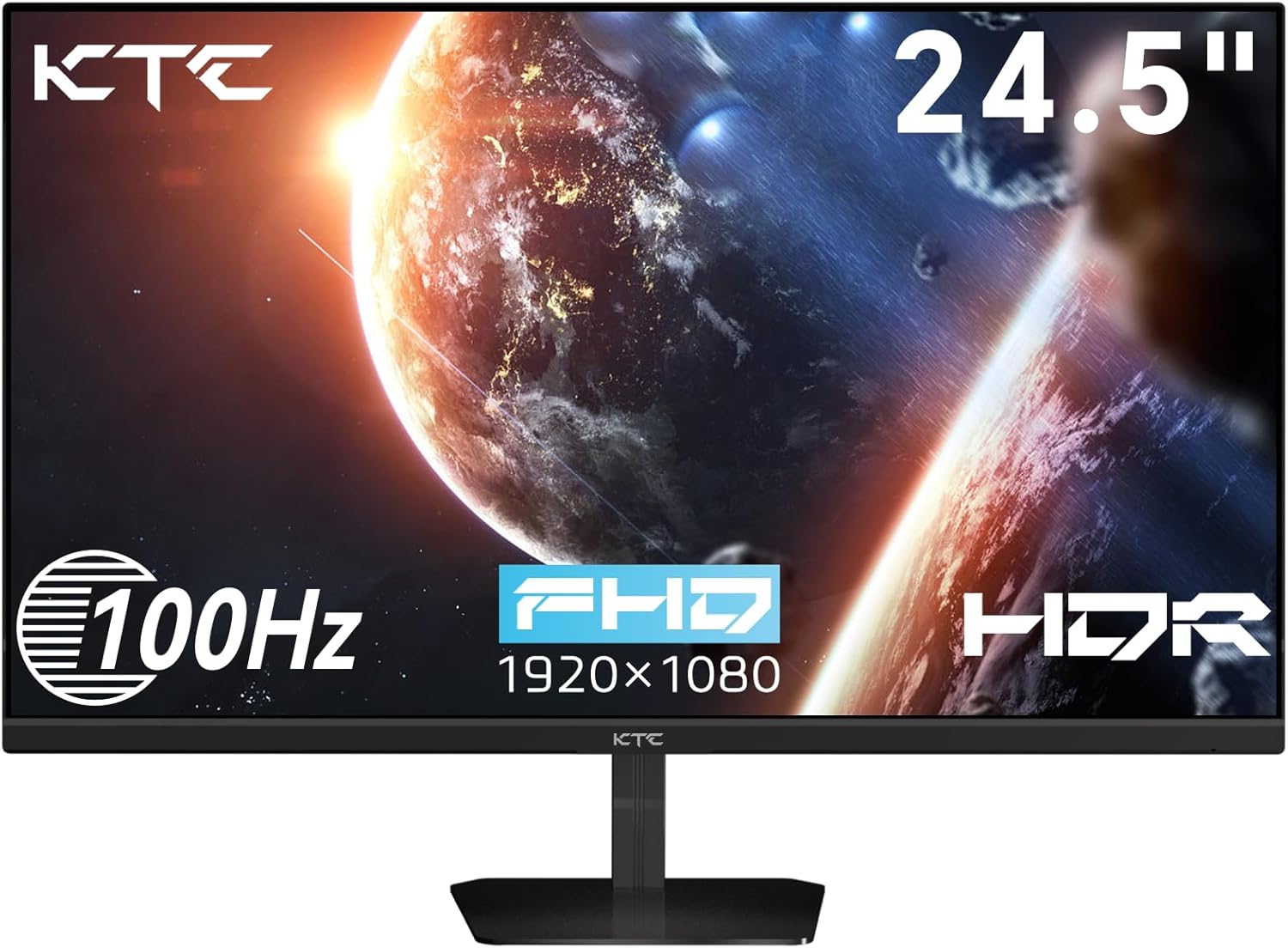
Image: The KTC H25B7 monitor with its stand and various cables, representing the contents of the box.
Disetél
Majelis Monitor
Pikeun ngarakit dudukan monitor:
- Taliti cabut monitor jeung nangtung komponén tina bungkusan.
- Gantelkeun dasar nangtung kana beuheung nangtung.
- Align the stand neck with the mounting slot on the back of the monitor and slide it in until it clicks securely into place.
The monitor also supports VESA 100mm x 100mm mounting for alternative setups, such as wall mounts or monitor arms. To use a VESA mount, remove the pre-attached stand by pressing the release button and then secure your VESA mount to the designated screw holes on the back of the monitor.
Video: Hiji leuwihview of the KTC H25B7 monitor, demonstrating its features including the stand assembly and VESA mount compatibility.

Gambar: Tukangeun view of the monitor highlighting the VESA 100x100mm mounting holes and the tilt adjustment range of -5° to +15°.
Nyambungkeun ka Alat
The KTC H25B7 monitor offers versatile connectivity options:
- HDMI: Connect your computer or gaming console using the provided HDMI cable. The monitor features one HDMI 1.4 port supporting up to 1080p resolution at 100Hz.
- VGA: For older devices, a VGA port is available supporting up to 1080p resolution at 75Hz.
- Jack Earphone: An earphone output port is available for connecting headphones or external speakers.

Image: A close-up of the monitor's rear ports, including DC power input, HDMI 1.4, VGA, and a 3.5mm earphone jack.
Ngoperasikeun
Basic Operation and OSD Navigation
The monitor features a single joystick-style button located on the back for power control and On-Screen Display (OSD) navigation. Press the button to power on/off or to access the OSD menu. Use the joystick to navigate through menu options (up, down, left, right) and press to select.
Video: A demonstration of the monitor's physical controls and the On-Screen Display (OSD) menu, showing navigation and various settings.
Setélan tampilan
Saluyukeun rupa-rupa parameter tampilan ngaliwatan menu OSD:
- Caang: Saluyukeun luminance sakabéh layar.
- Kontras: Kontrol bédana antara daérah gambar anu paling caang sareng anu paling poék.
- Black Equalize: Enhance visibility in dark scenes by adjusting black levels.
- Modeu Sateuacanna: Select from various pre-configured display modes (e.g., Standard, Game, Movie, Reading) for optimized viewpangalaman.
- Rasio Aspék: Choose between Full, 16:9, or 4:3 aspect ratios.
- Seukeutna: Saluyukeun kajelasan detil gambar.
- Modeu Profesional: Access advanced color and display settings for specific professional applications.

Gambar: Acara monitorasing its vivid image capabilities with 126% sRGB wide color gamut, 16.7 million display colors, and HDR technology support.
Fitur kaulinan
The KTC H25B7 is designed to enhance your gaming experience:
- Laju Refresh 100Hz: Provides smoother motion and reduced input lag compared to standard 60Hz monitors.
- Adaptive-Sync (FreeSync/G-Sync Compatible): Nyingkronkeun laju refresh monitor sareng laju pigura kartu grafis anjeun pikeun ngaleungitkeun layar anu robek sareng gagap.
- HDR (Rentang Dinamis Tinggi): Supports HDR content for enhanced contrast and color vibrancy, bringing games and movies to life.
Fitur Perawatan Panon
The monitor incorporates features to reduce eye strain during prolonged use:
- Cahaya Biru Rendah: Reduces harmful blue light emissions to minimize eye fatigue.
- Bebas kedip-kedip: Eliminates screen flickering, which can cause discomfort and headaches.
- Anti sorotan: The matte screen surface reduces reflections from ambient light, improving visibility.

Image: The monitor in an office setting, illustrating its Low Blue Light and Flicker-free technologies designed to reduce visual fatigue.
Pangropéa
Pikeun mastikeun umur panjang sareng kinerja optimal monitor anjeun, turutan tungtunan pangropéa ieu:
- Ngabersihan layar: Ngusap layar nganggo kaén anu lembut sareng teu aya serat. Pikeun tanda nekad, dampBilas lawon saeutik ku cai atanapi larutan pembersih layar. Hindarkeun nganggo bahan kimia anu keras atanapi bahan anu abrasif.
- Ngabersihan Casing: Anggo kaén anu lemes sareng garing pikeun ngusap monitor casing.
- Ventilasi: Ensure proper airflow around the monitor by keeping vents clear of obstructions.
- Pareum listrik: Salawasna mareuman monitor upami teu dianggo kanggo waktos anu panjang.
Pamérésan masalah
If you encounter any issues with your monitor, refer to the following common troubleshooting steps:
| Masalah | Mungkin Cukang lantaranana | Solusi |
|---|---|---|
| Henteu aya gambar dina layar | Power cable disconnected; Video cable disconnected; Incorrect input source. | Pastikeun kabel daya disambungkeun kalayan pageuh. Pariksa sambungan kabel vidéo (HDMI/VGA). Pilih sumber input anu leres ngalangkungan menu OSD. |
| Gambar buram atanapi menyimpang | Résolusi anu salah; kabel vidéo leupas. | Set the display resolution to 1920x1080. Reconnect the video cable securely. |
| Layar kedip-kedip | Refresh rate issue; External interference. | Ensure refresh rate is set to 100Hz. Check for nearby electronic devices causing interference. |
| No sound from earphone jack | Volume too low; Incorrect audio output setting on device. | Increase volume on the connected device. Ensure audio output is set to the monitor on your computer/console. |
spésifikasi
| Fitur | Rincian |
|---|---|
| Ukuran layar | 24.5 inci |
| Resolusi | 1920 x 1080 piksel (FHD 1080p) |
| Refresh Laju | 100Hz |
| Tipe Panel | IPS |
| Rasio Aspék | 16:9 |
| Viewdina Angle | 178° |
| Caang | 300 Candela (cd/m²) |
| Babandingan Kontras | 1300:1 |
| Warna Gamut | 126% sRGB |
| Warna tampilan | 16.7 Million (8-bit) |
| Konektipitas | 1 x HDMI 1.4, 1 x VGA, 1 x Earphone |
| Gunung VESA | 100 mm x 100 mm |
| Adjustment Dengdekkeun | -5 ° ka 15 ° |
| Input kakuatan | 12 volt |
| Dimensi produk | 4 x 24 x 18 inci |
| Item Beurat | 10.28 pon |
Garansi sareng Rojongan
For warranty information and technical support, please refer to the official KTC websitus atanapi ngahubungan layanan palanggan maranéhna. Simpen resi pameseran anjeun pikeun klaim jaminan.


