Bubuka
Thank you for choosing the T'nB CBTONESUPGN On-Ear Bluetooth Headphones. These headphones are designed to provide a comfortable and immersive audio experience with wireless convenience. Featuring Bluetooth 5.3 technology, a built-in microphone, and up to 24 hours of battery life, they are suitable for various activities and devices. This manual provides essential information for setting up, operating, and maintaining your headphones.

Eusi pakét
Mangga cék kotak pikeun item di handap ieu:
- 1 x T'nB TONALITY On-Ear Bluetooth Headphones
- 1 x Manual Pamaké (dokumén ieu)
- 1 x Kabel Ngecas USB-C
- 1 x 3.5mm Audio Jack Cable
Produk Leuwihview
Familiarize yourself with the various parts and controls of your T'nB headphones.
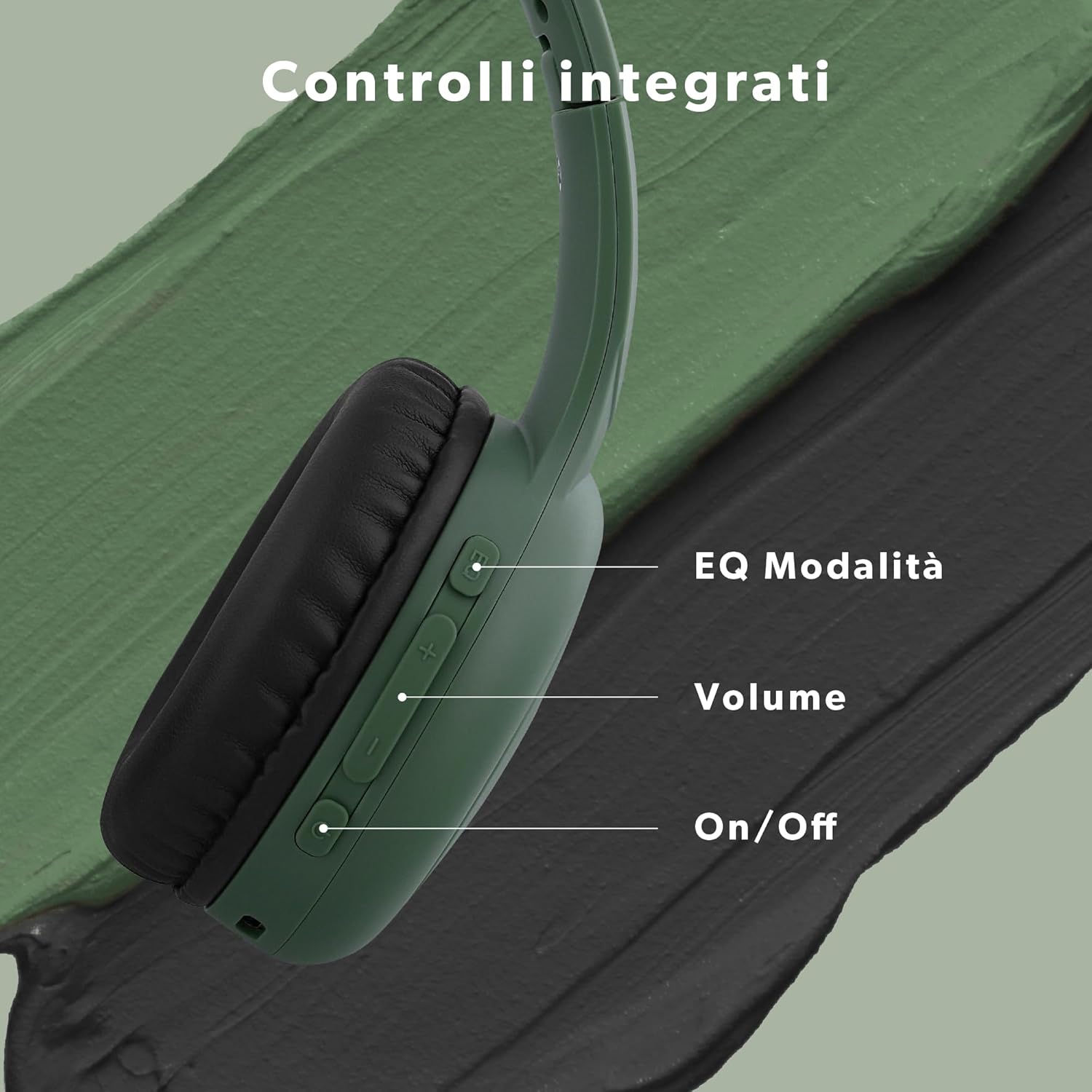
Kadali:
- Tombol Daya (Hidup/Pareum): Pencet jeung tahan pikeun ngahurungkeun atanapi pareuman.
- Volume Naik (+): Pencét pondok pikeun ningkatkeun volume.
- Volume Turun (-): Pencét pondok pikeun ngirangan polumeu.
- Multi-function Button (EQ Mode/Play/Pause/Call):
- Pencét sakeudeung pikeun Maénkeun/Ngareureuhkeun musik.
- Short press to Answer/End calls.
- Double press to switch between EQ modes (Bass Boost, Pop Mode, Voice Focus).
- Palabuhan USB-C: Pikeun ngecas headphone.
- 3.5mm Audio Jack: Pikeun sambungan kabel.
- Mikropon: Pikeun telepon handsfree.
Disetél
1. Ngecas Awal
Before first use, fully charge your headphones. Connect the supplied USB-C cable to the charging port on the headphones and the other end to a USB power source (e.g., computer, wall adapter). The LED indicator will show charging status and turn off or change color when fully charged. A full charge provides up to 24 hours of playback.
2. Papasangan Bluetooth
- Pastikeun headphone dipareuman.
- Pencét jeung tahan tombol Daya nepi ka indikator LED hurung biru jeung beureum silih ganti, nuduhkeun mode papasangan.
- Dina alat anjeun (smartphone, tablet, komputer), aktipkeun Bluetooth sareng milarian alat anu sayogi.
- Select "T'nB CBTONESUPGN" from the list of devices.
- Sakali nyambung, indikator LED biasana bakal némbongkeun lampu biru padet atawa biru kedip-kedip laun.
- The headphones will automatically reconnect to the last paired device when powered on, if Bluetooth is enabled on the device and it is within range (up to 15 meters).
Parentah Operasi
Daya Hurung/Pareuman
- Pikeun Ngahurungkeun: Pencét jeung tahan tombol Daya salila kurang leuwih 3 detik.
- Pikeun mareuman: Pencét jeung tahan tombol Daya salila kurang leuwih 3 detik.
Puterkeun Musik
- Puter / Reureuh: Pencét pondok tombol Multi-fungsi.
- Volume Up: Pencét pondok tombol '+'.
- Volume Turun: Pencét pondok tombol '-'.
Manajemén Telepon
With the built-in microphone, you can manage calls directly from your headphones.
- Ngajawab / mungkas Telepon: Pencét pondok tombol Multi-fungsi.
- Nolak Telepon: Pencét jeung tahan tombol Multi-fungsi salila 2 detik.
Modeu EQ
Customize your listening experience with three distinct EQ modes.

- Ngalihkeun Modeu: Pencét dua kali tombol Multi-fungsi.
- Modeu sadia:
- Nguatkeun Bass: Enhances low-frequency sounds for a richer bass.
- Modeu Pop: Optimized for popular music genres, providing balanced sound.
- Fokus sora: Emphasizes vocal clarity, ideal for podcasts or audiobooks.

Wired Connection (3.5mm Jack)
You can use your headphones with a wired connection, even if the battery is depleted. This is useful for devices without Bluetooth or to conserve battery life.

- Connect one end of the supplied 3.5mm audio jack cable to the headphone's 3.5mm port.
- Sambungkeun tungtung nu sejen ka jack kaluaran audio alat Anjeun.
- In wired mode, the headphone's internal volume controls and EQ modes may not function. Adjust volume directly from your connected device.
Pangropéa
beberesih
- Ngusap headphone ku lawon lemes, garing.
- Ulah make cleaners abrasive, alkohol, atawa pangleyur kimiawi.
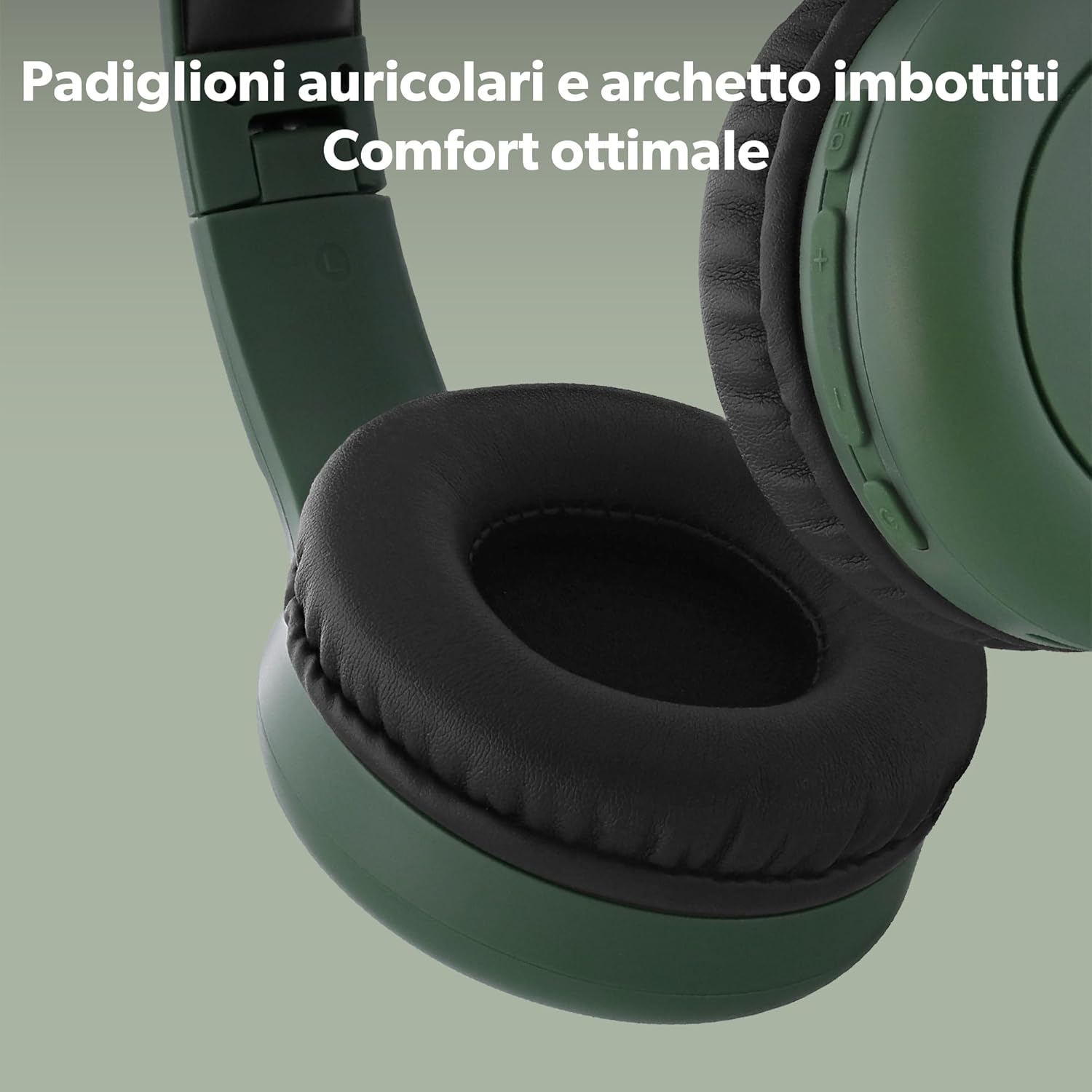
- Gently clean the ear cushions with a slightly damp lawon lamun perlu, sarta ngidinan aranjeunna nepi ka hawa garing sagemblengna saméméh dipaké.
Panyimpenan
- Simpen headphone dina tempat anu tiis sareng garing jauh tina sinar panonpoé langsung sareng suhu anu ekstrim.
- The headphones are foldable for compact storage and transport.
Pamérésan masalah
| Masalah | Mungkin Cukang lantaranana | Solusi |
|---|---|---|
| Headphone teu hurung. | batré lemah. | Ngecas headphone nganggo kabel USB-C. |
| Teu bisa masangkeun via Bluetooth. | Headphone henteu dina mode papasangan; alat Bluetooth pareum; jauh teuing ti alat. | Ensure headphones are in pairing mode (flashing blue/red). Turn on device Bluetooth. Move headphones closer to device (within 15m). |
| Taya sora atawa volume low. | Volume too low on headphones or device; incorrect audio source; wired connection issues. | Increase volume on both headphones and device. Ensure correct audio output is selected on your device. If using wired mode, check cable connection and device volume. |
| Mikropon teu jalan. | Microphone muted on device; app permissions. | Check device settings to ensure microphone is not muted and app has permission to use it. |
spésifikasi
| Ngaran modél | CBTONESUPGN |
| merek | T'nB |
| Téhnologi konektipitas | Nirkabel (Bluetooth), Kabel (Jack 3.5mm) |
| Komunikasi Nirkabel | Bluetooth 5.3 |
| Panempatan Ceuli | Dina Ceuli (Supra-aural) |
| Impedansi | 32 ohm |
| Kontrol bising | Euweuh |
| Mikropon | terpadu |
| Kahirupan batré | Nepi ka 24 Jam |
| Pangecas Interface | USB-C |
| Métode kontrol | Tombol fisik |
| Beurat | 310 g |
| Tingkat Résistansi Cai | Teu tahan cai |
| Alat nu cocog | Phone, Computer, Laptop, Tablet |
Émbaran Kasalametan
- Ulah ngalaan headphone ka suhu ekstrim, kalembaban, atawa cairan.
- Hindarkeun leupaskeun atanapi nahan headphone kana dampak anu kuat.
- Entong nyobian ngabongkar atanapi ngarobih headphone. Ieu bakal ngabatalkeun jaminan.
- Dengekeun dina volume anu sedeng pikeun nyegah karusakan pangrungu. Paparan sora anu tarik anu berkepanjangan tiasa nyababkeun leungitna pangrungu anu teu tiasa dibalikkeun deui.
- Do not use headphones while driving, cycling, or in situations where you need to hear ambient sounds for safety.
- Jauhkeun tina jangkauan barudak.
Garansi sareng Rojongan
T'nB products are designed and manufactured to the highest quality standards. For detailed warranty information, please refer to the warranty card included in your package or visit the official T'nB website. If you encounter any issues or require technical assistance, please contact T'nB customer support through their official channels.
Pikeun pitulung salajengna, mangga buka: www.tnb.com


