Bubuka
Thank you for choosing the T'nB Tonality Bluetooth Supra-aural Headphones. These headphones are designed to provide a versatile audio experience, offering both wireless Bluetooth connectivity and a traditional wired option. With comfortable ear pads, an adjustable headband, and integrated controls, they are suitable for various audio needs.
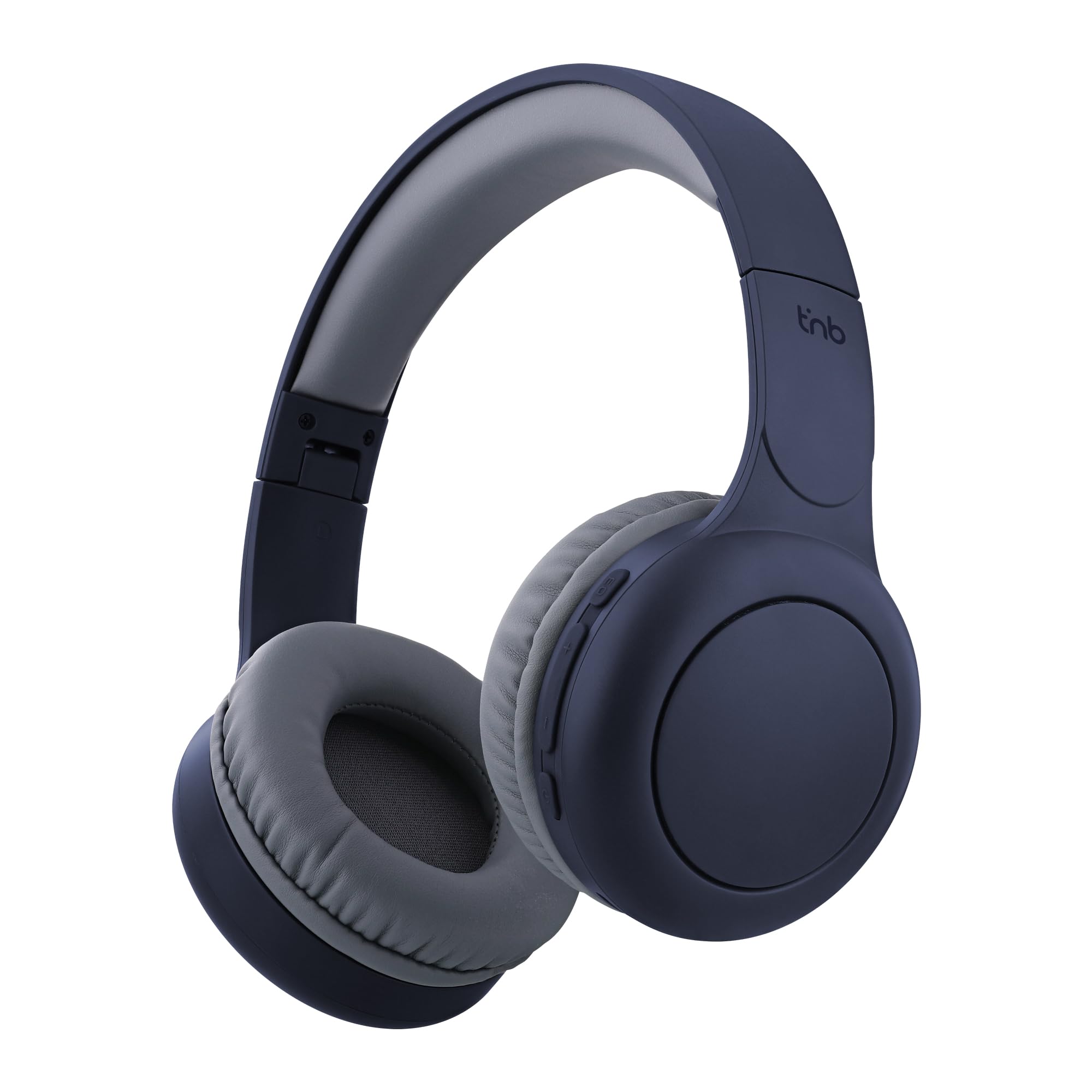
Image: T'nB Tonality Bluetooth Supra-aural Headphones, showcasing rarancang sakabéh.
Eusi pakét
Pastikeun sadaya item aya dina bungkusan:
- 1 x T'nB Tonality Headphones
- 1 x Kabel Ngecas USB-C
- 1 x 3.5mm Jack Audio Cable
- 1 x Manual Pamaké
Produk Leuwihview
The T'nB Tonality headphones are equipped with several features for an enhanced listening experience:
- Desain nyaman: Foam ear pads and a padded headband provide optimal comfort for extended wear.
- Hirup batré anu panjang: Nepi ka 24 jam playback dina hiji muatan.
- Modeu ékualiser: Switch between BASS BOOST, POP MODE, and VOICE FOCUS for tailored audio.
- Kontrol terpadu: Manage music playback, volume, and calls directly from the headphones.
- Mikropon internal: Aktipkeun nelepon hands-free.
- Foldable and Adjustable: The headphones feature a foldable design and an adjustable headband for portability and a secure fit.
- Pilihan kabel: Use the included 3.5mm jack cable for a wired connection when wireless is not preferred or battery is low.
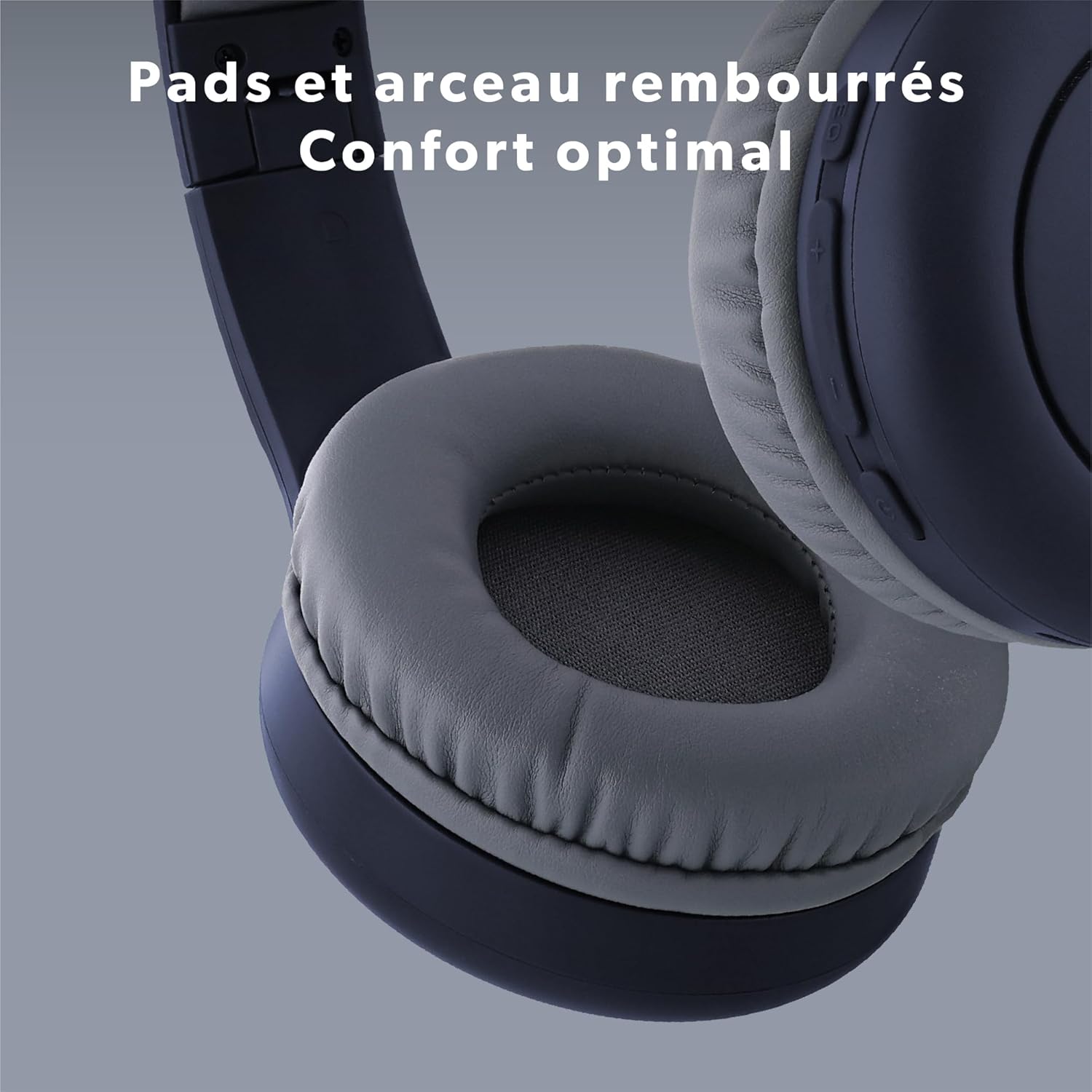
Gambar: Deukeut view of the headphone's ear pads and headband, highlighting the comfortable padding.
Disetél
1. Ngecas Headphone
Saméméh dipaké munggaran, eusian pinuh headphone.
- Sambungkeun kabel USB-C anu disayogikeun kana port ngecas dina headphone.
- Sambungkeun tungtung kabel USB-C anu sanés ka sumber daya USB (contona, port USB komputer, adaptor témbok USB).
- The LED indicator will show the charging status. It typically turns off or changes color when fully charged.
2. Papasangan Bluetooth
Pikeun nyambungkeun headphone anjeun sacara nirkabel:
- Pastikeun headphone dicas sareng dipareuman.
- Press and hold the Power button (On/Off) for approximately 3-5 seconds until the LED indicator flashes blue and red, indicating pairing mode.
- Dina alat anjeun (smartphone, tablet, komputer), aktipkeun Bluetooth sareng milarian alat anu sayogi.
- Select "T'nB TONALITY" from the list of found devices.
- Sakali dipasangkeun, indikator LED biasana bakal kedip-kedip biru laun atanapi tetep biru polos.
3. Sambungan kabel
To use the headphones with the 3.5mm jack cable:
- Plug one end of the included 3.5mm audio cable into the audio input port on the headphones.
- Colokkeun tungtung anu hiji deui kana colokan kaluaran audio 3.5mm alat anjeun.
- The headphones will operate in passive mode, consuming no battery power.

Image: The included 3.5mm jack cable, used for wired audio connection.
Parentah Operasi
1. Daya Hurung / Pareum
- Daya Hurung: Pencét jeung tahan tombol Daya salila kurang leuwih 3 detik nepi ka indikator LED hurung.
- Pareum listrik: Pencét jeung tahan tombol Daya salila kurang leuwih 3 detik nepi ka indikator LED pareum.
2. Puterkeun Musik
- Puter / Reureuh: Pencét tombol Daya sakali.
- Lagu salajengna: Pencét jeung tahan tombol "+".
- Lagu Sateuacanna: Pencét jeung tahan tombol "-".
3. Volume adjustment
- Volume Up: Pencét tombol "+" sakali.
- Volume Turun: Pencét tombol "-" sakali.
4. Manajemén nelepon
- Ngajawab / mungkas Telepon: Press the Power button once during an incoming call or during an active call.
- Nolak Telepon: Press and hold the Power button for approximately 2 seconds during an incoming call.
5. Equalizer Modes
The headphones feature three equalizer modes to optimize your listening experience:
- BASS BOOST: Enhances low frequencies for a richer bass sound.
- POP MODE: Optimized for pop music, providing balanced sound.
- VOICE FOCUS: Emphasizes vocal clarity, ideal for podcasts or audiobooks.
To switch between modes, press the EQ Mode button (usually located near the volume controls). Each press will cycle through the available modes.

Gambar: Detil view of the integrated controls on the headphone, showing buttons for EQ Modes, Volume, and On/Off.

Image: A person listening to music with the headphones, demonstrating the application of EQ modes for different audio experiences.
Pangropéa
To ensure the longevity and optimal performance of your headphones:
- Bersihkeun headphone sacara teratur nganggo kaén anu lembut sareng garing.
- Ulah make cleaners abrasive atawa pangleyur.
- Ulah ngalaan headphone ka suhu ekstrim, kalembaban, atawa sinar panonpoé langsung.
- Simpen headphone dina tempat anu tiis sareng garing upami henteu dianggo. Desain foldable ngamungkinkeun pikeun neundeun kompak.
- Hindarkeun leupaskeun atanapi nahan headphone kana dampak anu kuat.
Pamérésan masalah
Upami anjeun mendakan masalah sareng headphone anjeun, tingal solusi umum ieu:
| Masalah | Solusi |
|---|---|
| Headphone teu hurung. | Pastikeun headphone dicas pinuh. Sambungkeunana ka sumber listrik nganggo kabel USB-C. |
| Teu bisa masangkeun via Bluetooth. | Make sure the headphones are in pairing mode (LED flashing blue and red). Turn off and on your device's Bluetooth. Ensure the headphones are not already connected to another device. Move closer to your device. |
| No sound when connected via Bluetooth. | Check the volume level on both the headphones and your connected device. Ensure the headphones are selected as the audio output device on your phone/computer. |
| No sound when connected via 3.5mm jack. | Ensure the 3.5mm cable is fully inserted into both the headphones and the audio source. Test with a different audio cable if available. Check the volume on your audio source. |
| Mikropon teu jalan. | Ensure the headphones are properly connected via Bluetooth. Check microphone settings on your device to ensure the headphone microphone is selected. |
spésifikasi
| Fitur | Rincian |
|---|---|
| Ngaran modél | CBTONESUPBL |
| merek | T'nB |
| Téhnologi konektipitas | Nirkabel (Bluetooth), Kabel (Jack 3.5mm) |
| Téknologi Komunikasi Nirkabel | Bluetooth |
| Faktor Bentuk | Supra-aural |
| Panempatan Ceuli | Dina Ceuli |
| Impedansi | 32 ohm |
| Métode kontrol | Tactile Buttons |
| Bahan | palastik |
| Tingkat Résistansi Cai | Waterproof (Note: This typically means splash-proof, not submersible) |
| Alat nu cocog | Game Console, Smart Speaker, Laptop, Car Audio System, Tablet, Phone, Mobile Phone, Television, Music Production Equipment |
| Fitur husus | Wired Headphone Functionality |

Image: A person enjoying music with the headphones, symbolizing the 24-hour battery life for extended use.
Émbaran jaminan
T'nB products are covered by a manufacturer's warranty against defects in materials and workmanship. The specific warranty period may vary by region and product. Please retain your proof of purchase for any warranty claims. For detailed warranty terms and conditions, refer to the documentation provided with your purchase or contact T'nB customer support.
Rojongan Palanggan
For further assistance, technical support, or inquiries regarding your T'nB Tonality headphones, please visit the official T'nB websitus atanapi ngahubungi departemén layanan palangganna. Inpormasi kontak biasana tiasa dipendakan dina bungkus produk atanapi mérek resmi websitus.


