1. Bubuka
This manual provides comprehensive instructions for the installation, operation, and maintenance of your AINAVI 10-inch Touchscreen Car Stereo. This unit is designed to upgrade the in-car entertainment and navigation system for compatible Dodge Ram 1500, 2500, and 3500 models from 2009 to 2012. Please read this manual thoroughly before installation and use to ensure proper functionality and safety.
2. Kasaluyuan Kandaraan
This AINAVI 10-inch Touchscreen Car Stereo is specifically designed for:
- Dodge Ram 1500 (2009-2012)
- Dodge Ram 2500 (2009-2012)
- Dodge Ram 3500 (2009-2012)
The unit comes with a customized fit, wiring harness cables, CANbus decoder, and a frame panel to ensure seamless integration with your vehicle's existing systems.
3. Eusi Paket
Punten parios yén sadaya barang anu didaptarkeun di handap kalebet kana pakét anjeun:
- 1x Android Car Stereo (Head Unit)
- 1 x Wiring Harness Power Cable with CANbus Decoder
- 1 x Radio Antenna Adaptor
- 1 x Antena GPS
- USB & Audio Cables
- 1 x Manual Pamaké
- 1 x AHD 1080P Backup Camera
- 1 x Mikropon Éksternal
- Frame Removal Tool
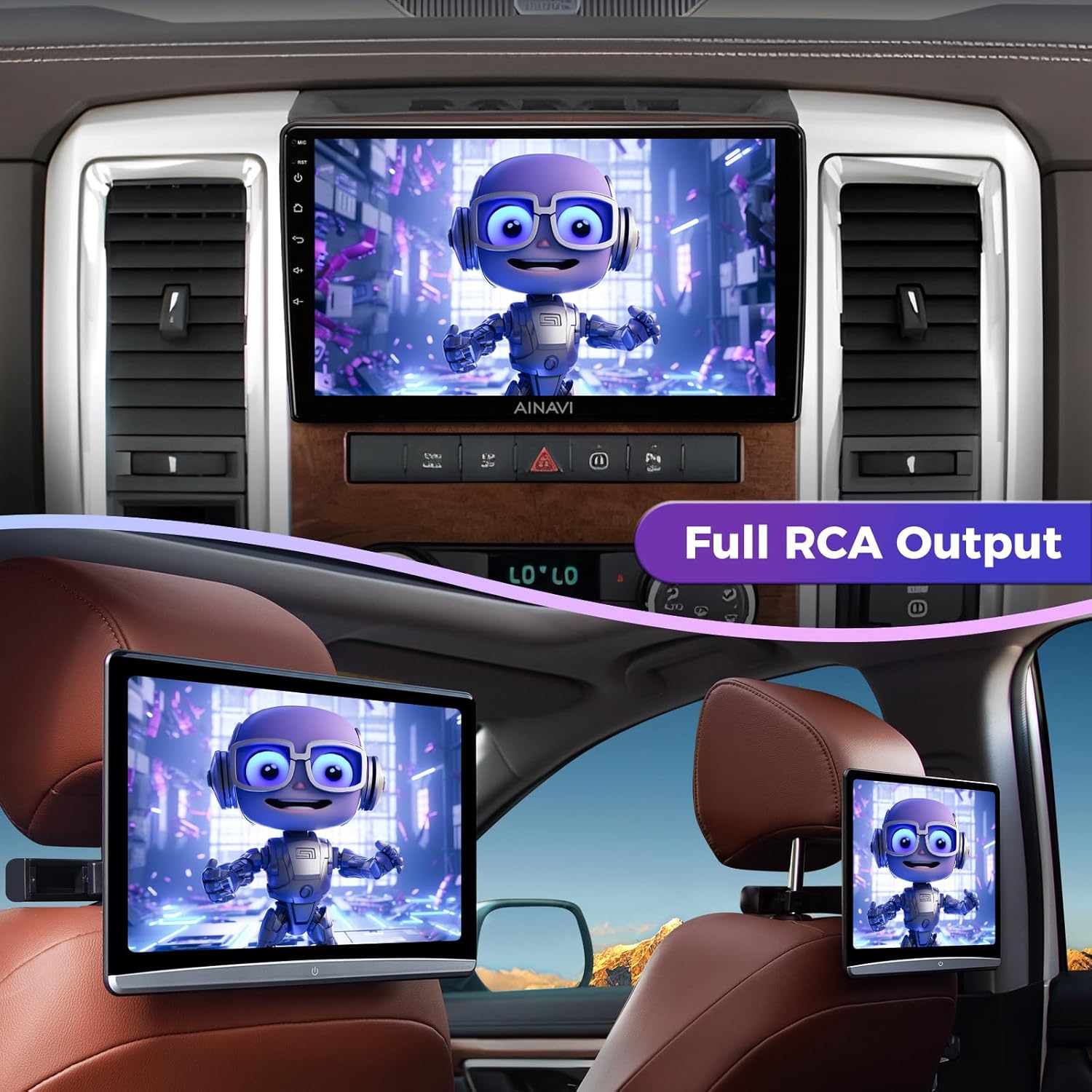
Image: Illustration of all components included in the AINAVI car stereo package, such as the head unit, wiring harnesses, antennas, and accessories.
4. Setup jeung Instalasi
The AINAVI car stereo is designed for a plug-and-play installation, minimizing the need for complex wiring modifications. However, professional installation is recommended if you are unfamiliar with car audio systems.
4.1 Léngkah-léngkah Pra-Pamasangan
- Pegatkeun sambungan batré: Before beginning any electrical work, disconnect the vehicle's negative battery terminal to prevent electrical shorts.
- Cabut Radio Asli: Carefully remove your vehicle's existing radio and dashboard trim. Refer to your vehicle's service manual for specific instructions on trim removal.
4.2 Nyambungkeun Unit
- Kabel Harness: Connect the provided wiring harness and CANbus decoder to the car stereo and your vehicle's factory wiring. Ensure all connections are secure.
- Anteneu GPS: Pasang anteneu GPS dina lokasi anu jelas view of the sky, typically under the dashboard, away from metal obstructions.
- Mikropon Éksternal: Sambungkeun mikropon éksternal pikeun kualitas telepon anu langkung saé.
- Kamera Cadangan: Connect the AHD 1080P backup camera. Ensure proper wiring for reverse signal detection if using the included camera. If retaining the OEM backup camera, a separate harness may be required (not included).
- USB & Audio Cables: Route USB and audio cables to desired locations for easy access.
4.3 Post-Pamasangan
- Sambungan tés: Before fully reassembling the dashboard, reconnect the battery and perform a basic test of the stereo's functions (power, audio, touch screen, steering wheel controls).
- Pasang deui Dashboard: Once confirmed working, carefully reassemble the dashboard trim and secure the new head unit.
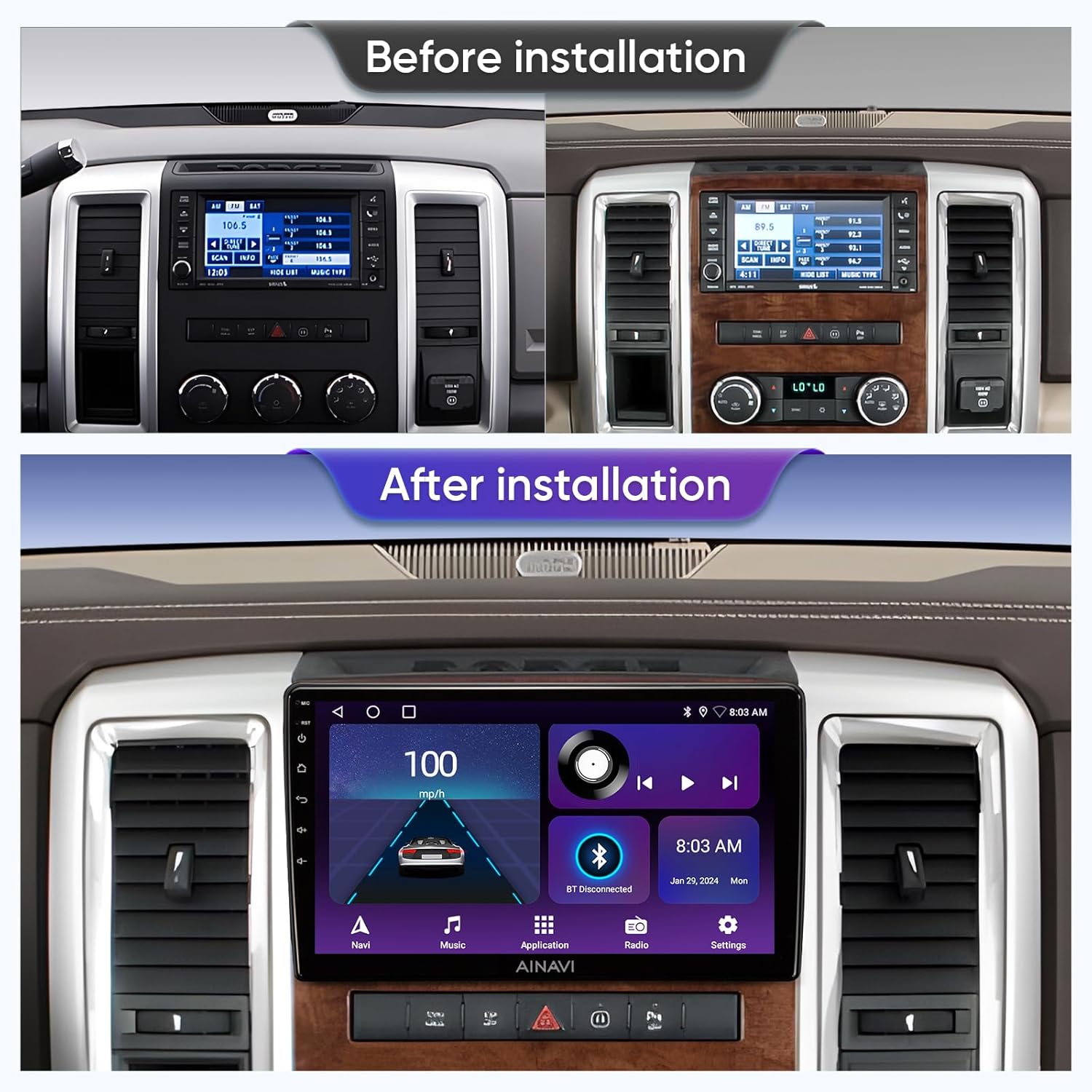
Image: A visual comparison showing the original Dodge Ram dashboard radio and the upgraded AINAVI 10-inch touchscreen car stereo installed.
5. Parentah Operasi
Your AINAVI car stereo runs on Android 12 OS, offering a range of features for an enhanced driving experience.
5.1 Operasi Dasar
- Hurungkeun/Pareuman: The unit typically powers on with the vehicle's ignition. Press and hold the power button for manual power control.
- Antarmuka layar rampa: Navigate through menus and applications using the responsive 10-inch QLED touchscreen (1280x720 resolution, G+G full lamination, 178-degree viewdina sudut).
- Kontrol volume: Adjust audio volume using the physical buttons or on-screen controls.
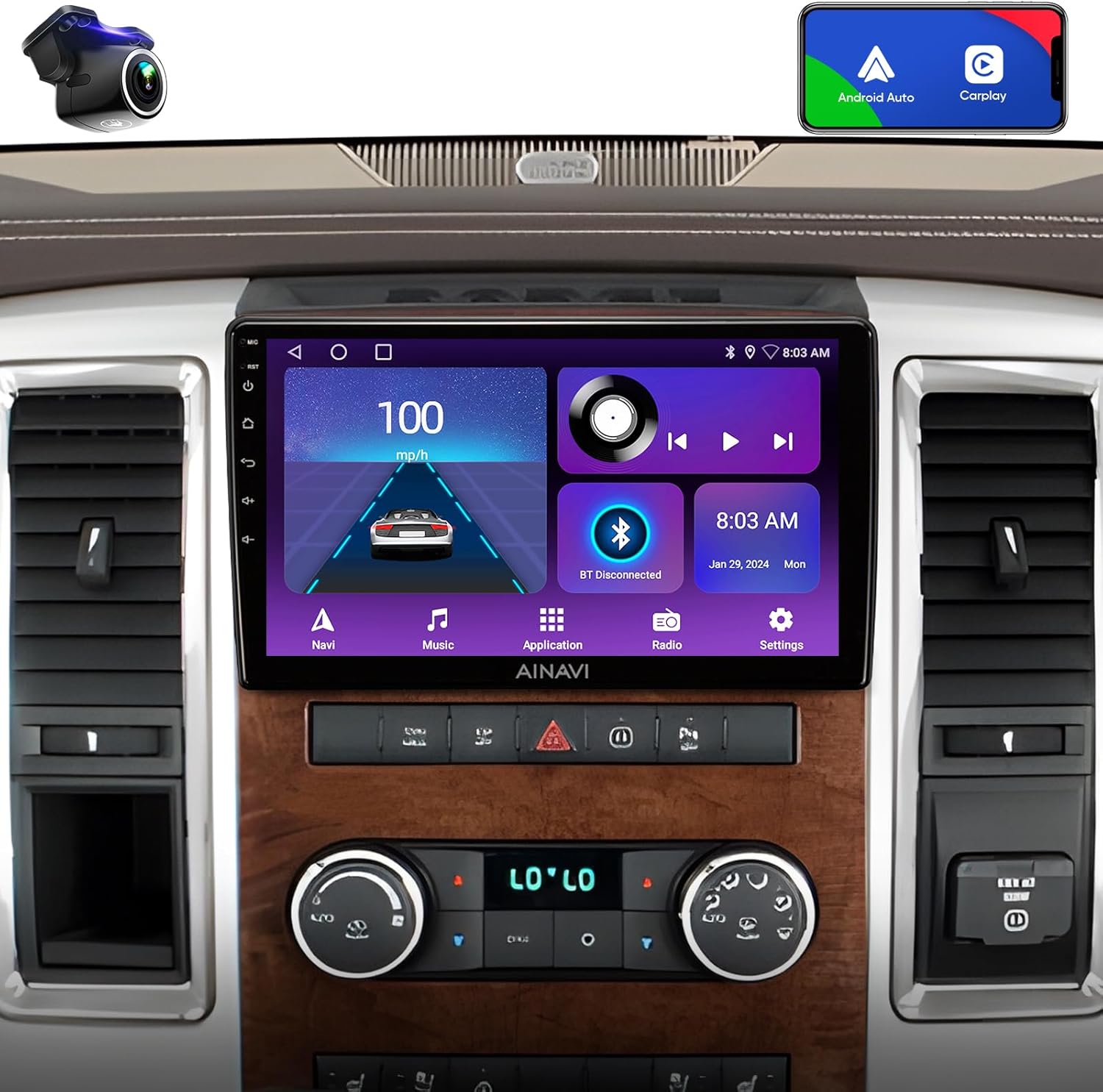
Image: The AINAVI 10-inch car stereo seamlessly integrated into a Dodge Ram dashboard, showcasing its user interface with various functions.
5.2 Wireless CarPlay & Android Auto
Connect your smartphone for seamless integration of navigation, communication, and entertainment apps.
- CarPlay nirkabel: For iPhone users, connect wirelessly via Bluetooth and Wi-Fi.
- CarPlay/Android Auto nu maké kabel: Connect via USB cable for a stable connection.
- Kontrol sora: Access voice commands by saying "Hey Siri" or "Hey Google" directly to the head unit.

Image: The car stereo displaying both Apple CarPlay and Android Auto interfaces, demonstrating smartphone integration.

Image: An infographic detailing the smart voice control capabilities, allowing users to interact with the system using voice commands for navigation, messaging, and music.
5.3 Napigasi GPS
The unit features built-in GPS navigation for reliable guidance.
- Navigasi Online: Access real-time traffic information when connected to a network.
- Peta Offline: Unduh peta offline pikeun navigasi tanpa sambungan internét.
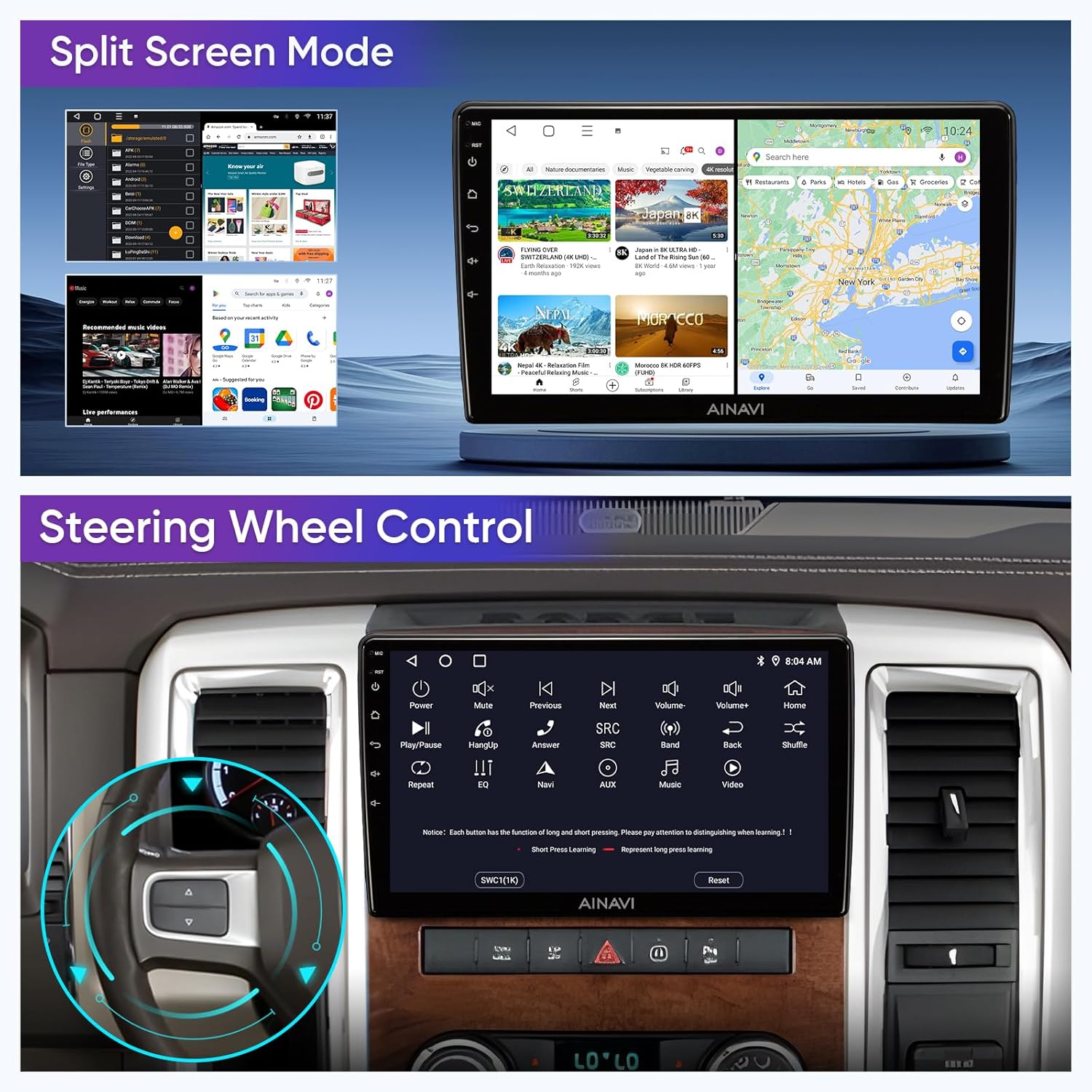
Image: The car stereo screen showing a detailed GPS navigation map, indicating directions and distance to destination.
5.4 5G WiFi & Bluetooth 5.0
Stay connected with high-speed internet and seamless device pairing.
- Konektipitas WiFi: Supports dual-band 2.4Ghz & 5Ghz WiFi for fast internet access and online content streaming.
- Bluetooth 5.0: Enables hands-free calls, music streaming, and phonebook synchronization.

Image: The car stereo displaying options for WiFi connection and Bluetooth music playback, highlighting connectivity features.
5.5 Prosesor Sora Digital (DSP)
Experience enhanced audio quality with the built-in DSP.
- 4*45W Amppanguat: Provides powerful and clear audio output.
- Time Correction & 48-band EQ: Allows precise adjustment of sound timing and equalization for an optimized listening experience.
5.6 Fungsi Layar Pamisah
Multitask efficiently by running two applications simultaneously on the screen.
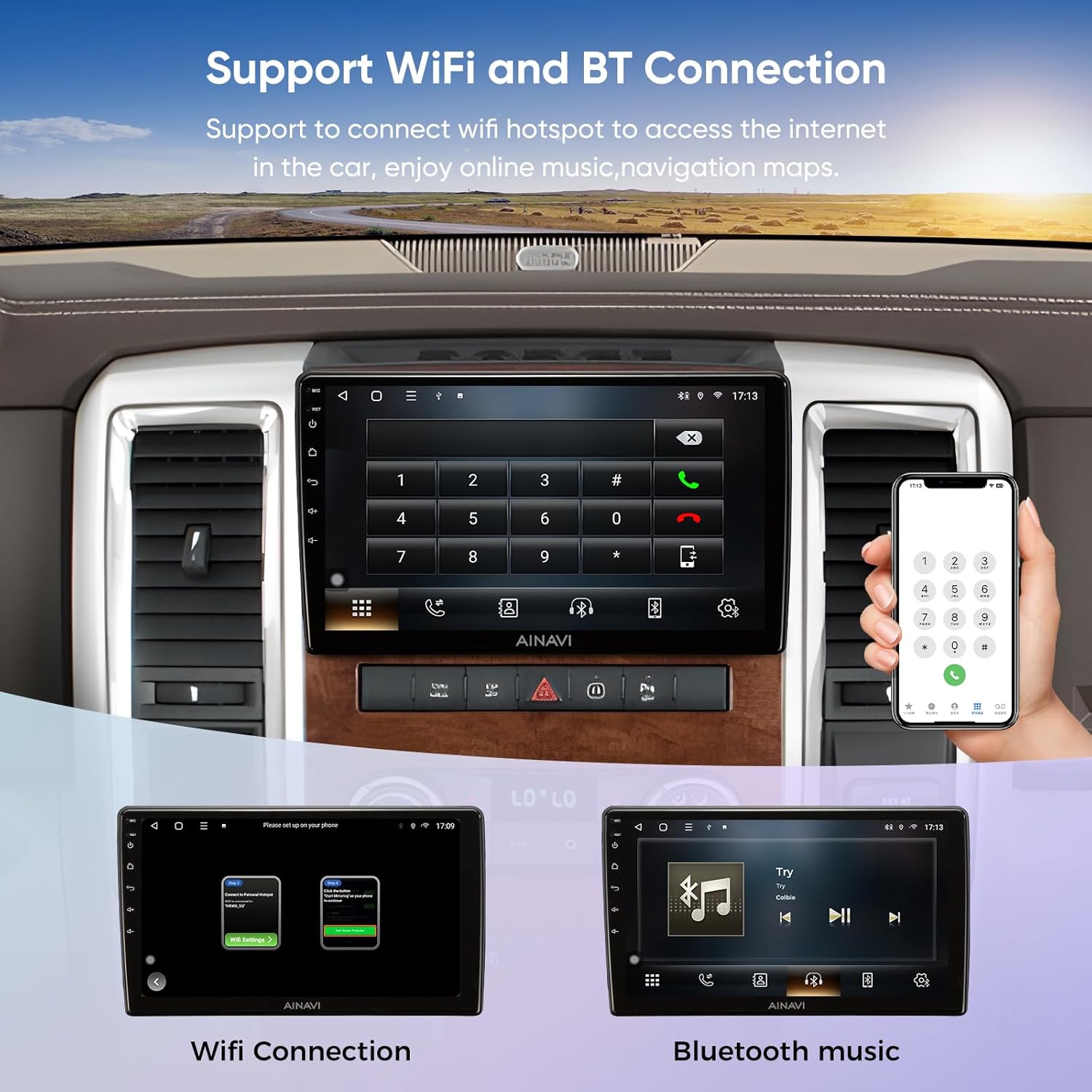
Image: The car stereo displaying split-screen mode with two apps open, and an illustration of how steering wheel controls integrate with the unit.

Image: The car stereo showcasing its split-screen and mirroring features, allowing for simultaneous display of different content.
5.7 Control kabayang steering
The unit supports most of your vehicle's original steering wheel control functions, allowing you to manage audio and calls without taking your hands off the wheel.
5.8 Tukangeun View Kaméra
The included AHD 1080P backup camera provides a clear view of the area behind your vehicle, enhancing safety during reversing maneuvers.

Image: The car stereo screen showing a clear 1080P rearview camera feed with parking assistance lines, improving visibility when backing up.
5.9 Full RCA Output
The unit provides full RCA output, allowing connection to external monitors, such as headrest displays, for passenger entertainment.

Image: The car stereo playing video, with the same video mirrored on rear-seat entertainment screens via full RCA output.
6. Pangropéa
To ensure the longevity and optimal performance of your AINAVI car stereo, follow these maintenance guidelines:
- Ngabersihan layar: Anggo lawon anu lemes sareng henteu lint pikeun ngusap layar rampa. Pikeun smudges nekad, rada dampen lawon jeung cai atawa cleaner aman layar. Hindarkeun bahan kimia anu kasar atanapi bahan abrasive.
- Apdet parangkat lunak: Pariksa sareng pasang apdet parangkat lunak sacara berkala pikeun mastikeun sistem tiasa jalan sacara efisien sareng gaduh fitur sareng patch kaamanan pangénggalna.
- Kaayaan Lingkungan: Hindarkeun ngalaan unit ka suhu anu ekstrim, sinar panonpoé langsung pikeun période anu berkepanjangan, atanapi kalembaban anu kaleuleuwihan.
- Sambungan kabel: Pariksa périodik sadaya sambungan kabel pikeun mastikeun aranjeunna aman tur bebas tina karuksakan.
7. Cara ngungkulan
If you encounter issues with your AINAVI car stereo, refer to the following common problems and solutions:
| Masalah | Mungkin Cukang lantaranana | Solusi |
|---|---|---|
| Unit teu hurung | Sambungan kakuatan leupas, sekering ditiup, kabel salah. | Check power cable connections. Inspect vehicle's fuse box for blown fuses (e.g., 30-amp fuse #12 for some Ram models). Ensure correct wiring during installation. |
| Henteu aya sora atanapi kualitas sora na goréng | Speaker wires disconnected, incorrect audio settings, ampmasalah liifier. | Verify speaker wire connections. Check audio settings (EQ, balance, fader). Ensure external amplifier (if used) is powered and connected correctly. |
| Touchscreen unresponsive or inaccurate | Software glitch, screen calibration needed, physical damage. | Restart the unit. Check for software updates. If available, perform screen calibration in settings. |
| GPS not acquiring signal or inaccurate | GPS antenna obstruction, loose connection, outdated maps. | Pastikeun anteneu GPS boga jelas view of the sky and is securely connected. Download updated maps if necessary. |
| CarPlay/Android Auto teu nyambung | Incorrect settings, faulty USB cable, phone compatibility. | Verify CarPlay/Android Auto settings on both the unit and your phone. Try a different USB cable. Ensure your phone's OS is up to date. |
| Kaméra cadangan teu némbongan | Camera wiring issue, incorrect input selection, CANbus error. | Check camera power and video signal connections. Ensure the unit is set to the correct camera input. Verify CANbus decoder is functioning correctly for reverse signal. |
| System freezes or runs slowly | Too many apps running, low storage, software bug. | Close unnecessary applications. Clear cache or free up storage. Perform a system restart. Check for and install software updates. |
If these solutions do not resolve the issue, please contact AINAVI customer support.
8. Spésifikasi
| Fitur | Rincian |
|---|---|
| Sistem operasi | Android 12 |
| Ukuran tampilan | 10 inci |
| Resolusi tampilan | 1280x720 |
| Ram | 2GB |
| Rom | 64GB |
| Amplifier Kaluaran | 4*45W |
| Vérsi Bluetooth | 5.0 |
| Konéktipitas WiFi | Dual-band 2.4Ghz & 5Ghz |
| Fitur husus | Wireless/Wired CarPlay, Android Auto, Built-In Bluetooth, Touchscreen, RDS, DSP (48-band EQ, Sound Point Control), QLED Display, Split Screen Function, GPS Navigation, FM Tuner, Music Streaming, RCA Output, Screen Mirroring, Subwoofer Support, Rear View Camera Input, Built-In Wi-Fi, Steering Wheel Control Support |
| Téhnologi konektipitas | Bluetooth, USB, Wi-Fi, Wired, Wireless |
| Tipe Peta | Europe, North America, South America, Worldwide |
| Tipe Pamasangan | Dasbor Gunung |
| Item Beurat | 4.24 pon |
| Ukuran Paket | 13.89 x 9.84 x 5.24 inci |
| ASIN | B0DHZF5JCH |
9. Garansi sarta Rojongan Palanggan
9.1 Garansi Produk
The AINAVI 10-inch Touchscreen Car Stereo comes with a garansi produsén sataun ti tanggal beuli. Garansi ieu nyertakeun cacad dina bahan sareng pagawean dina panggunaan normal. Punten tahan bukti pameseran anjeun pikeun klaim garansi.
9.2 Rojongan Téknis
For any technical assistance, installation questions, or troubleshooting not covered in this manual, please contact AINAVI customer support. You can reach us via Amazon email. We are committed to providing professional technical support and will respond as soon as possible.

Gambar: Mantanample of how to access customer support through the Amazon platform, highlighting the 'Ask a question' option for seller contact.


