1. Produk Langkungview
The AUKEY Spark Mini 20000 PB-Y57-GY is a compact, high-capacity portable charger designed to provide reliable power on the go. With a 20000mAh battery, it offers ample power for multiple charges of various electronic devices, including smartphones and wearable tech. It features both USB-C and USB-A output ports, supporting fast charging standards like Power Delivery (PD3.0) and Quick Charge (QC3.0) for efficient power delivery.
This power bank is equipped with a low current mode, ideal for safely charging smaller devices such as wireless earphones that require a lower power input. An integrated LED indicator provides real-time battery status at a glance. Its compact design makes it convenient for travel, business trips, or simply for use at home or in the office, helping to keep your charging setup tidy.
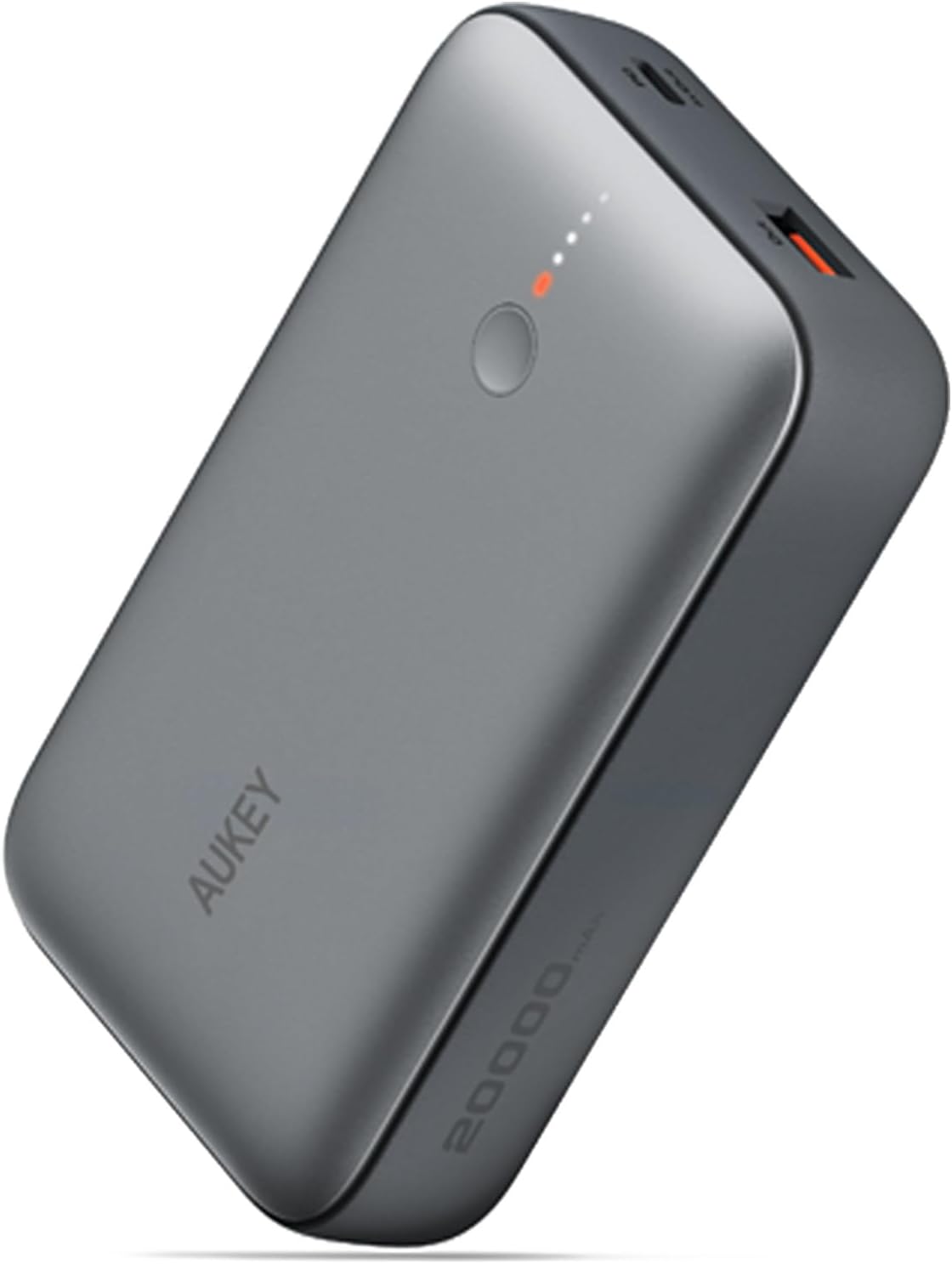
Gambar 1.1: The AUKEY Spark Mini 20000 PB-Y57-GY portable charger, showcasing desainna kompak sareng ramping.
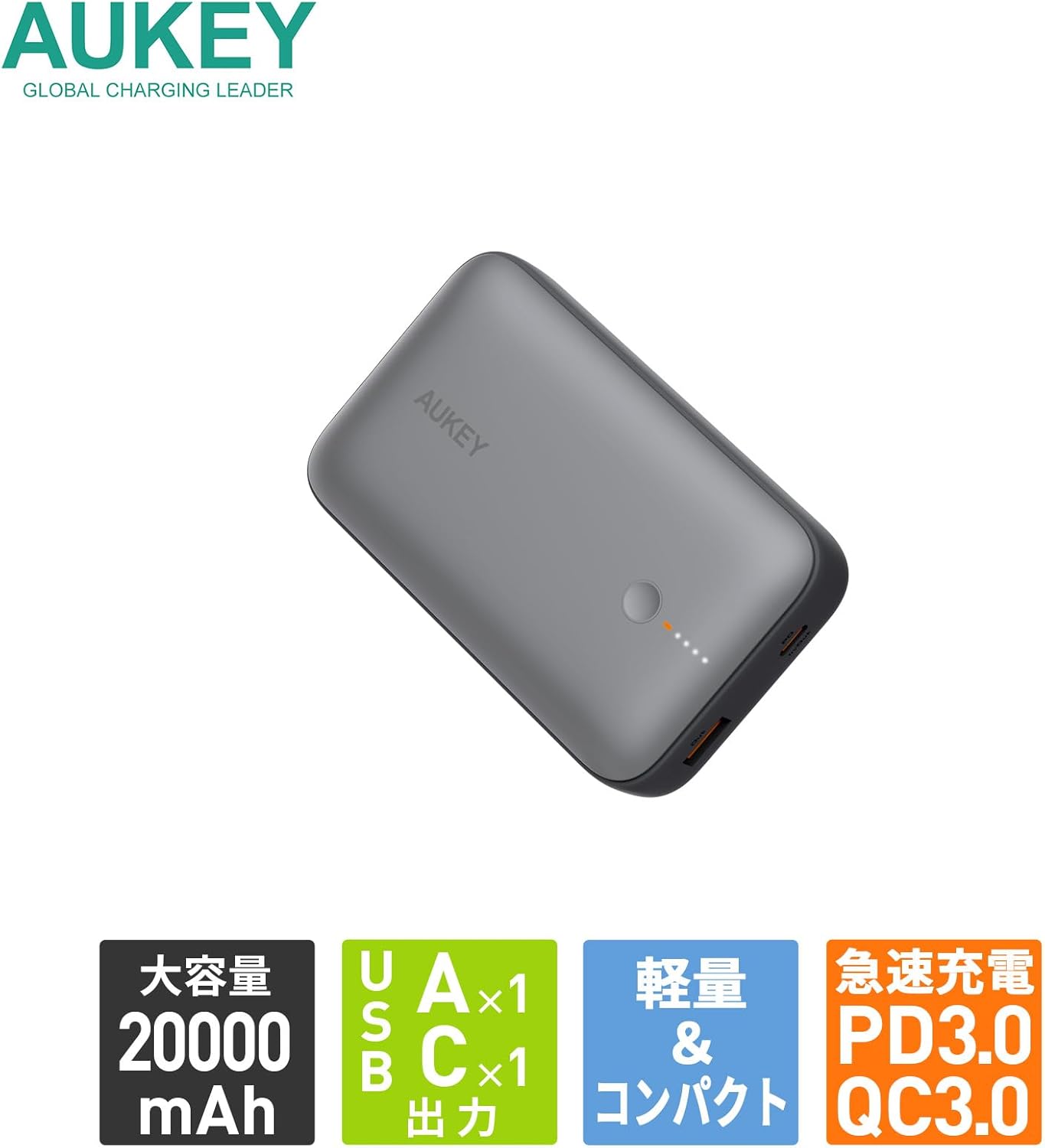
Gambar 1.2: Leuwihview of key features: 20000mAh large capacity, one USB-A and one USB-C output, lightweight and compact design, and support for PD3.0 and QC3.0 fast charging.
2. Setup jeung pamakéan munggaran
2.1. Eusi Paket
Before using your AUKEY Spark Mini 20000, please ensure all items are present in the package:
- AUKEY Spark Mini 20000 Portable Charger (Model: PB-Y57-GY)
- USB-C to C Cable (for charging the power bank)
- Manual pangguna (dokumén ieu)
2.2. Ngecas Mimiti Power Bank
For optimal performance, it is recommended to fully charge the power bank before its first use.
- Connect the provided USB-C to C cable to the USB-C port on the power bank.
- Connect the other end of the USB-C cable to a compatible USB-C wall charger (not included).
- Indikator LED dina power bank bakal hurung pikeun nunjukkeun kamajuan ngecas. Sadaya LED bakal hurung padet nalika dicas pinuh.

Gambar 2.1: The USB-C port functions for both input (charging the power bank) and output (charging devices). The image illustrates charging the power bank itself using a USB-C wall adapter.
3. Operasi
3.1. Ngecas Alat
The Spark Mini 20000 features both USB-C and USB-A output ports for versatile charging.
- Kaluaran USB-C: Supports PD3.0 with a maximum output of 20W. Use a USB-C to USB-C cable or USB-C to Lightning cable (not included) for compatible devices.
- Kaluaran USB-A: Supports QC3.0 with a maximum output of 18W. Use a standard USB-A charging cable (not included) for compatible devices.
- Connect your device's charging cable to the appropriate port (USB-C or USB-A) on the power bank.
- Sambungkeun tungtung kabel anu sanés ka alat anjeun.
- Bank daya bakal otomatis ngecas alat anjeun. Indikator LED bakal nunjukkeun tingkat batré anu sésana.

Gambar 3.1: Diwincik view of the power bank's ports, including the USB-C port (18W input/20W output), USB-A port (18W output), power button, and LED indicator lights.

Gambar 3.2: The power bank can charge two devices simultaneously using both the USB-A and USB-C output ports.
3.2. Low Current Mode
The low current mode is designed for charging small devices that require lower power input, such as wireless earbuds, smartwatches, or fitness trackers. This mode ensures safe and optimal charging for these sensitive devices.
- Press and hold the power button for approximately 2 seconds until the first LED indicator changes color (e.g., from white to green, or a distinct pattern). This indicates that low current mode is activated.
- Connect your low-power device to either the USB-C or USB-A port.
- The power bank will charge your device at a reduced current.
- To exit low current mode, press the power button once. The LED indicator will return to its normal state.
3.3. Ngaliwatan Ngecas
The Spark Mini 20000 supports pass-through charging, allowing you to charge the power bank itself while simultaneously charging a connected device.
- Connect the power bank to a wall charger using the USB-C input port.
- Connect your device to either the USB-C or USB-A output port on the power bank.
- Power bank sareng alat anjeun bakal ngecas sakaligus.
4. Pangropéa
4.1. beberesih
- Wipe the surface of the power bank with a soft, dry cloth.
- Ulah make cleaners abrasive, pangleyur, atawa bahan kimia kasar.
- Jaga port-portna bébas tina lebu sareng runtah.
4.2. Panyimpenan
- Simpen bank daya di tempat anu tiis sareng garing jauh tina sinar panonpoé langsung sareng suhu anu ekstrim.
- For long-term storage, charge the power bank to approximately 50-70% every 3 months to maintain battery health.
4.3. Kaperawatan Umum
- Hindarkeun ngaragragkeun atanapi matuhkeun bank daya kana dampak anu kuat.
- Entong ngabongkar, ngarobih, atanapi nyobian ngalereskeun alat nyalira.
- Jauhkeun tina cai sareng kalembaban anu luhur.
5. Cara ngungkulan
| Masalah | Mungkin Cukang lantaranana | Solusi |
|---|---|---|
| Power bank teu ngecas. | Masalah kabel atanapi adaptor; power bank dicas pinuh; portna rusak. | Try a different USB-C cable and wall adapter. Ensure the adapter meets the power bank's input requirements. Check if the power bank is already fully charged (all LEDs solid). |
| Alat teu ngecas tina power bank. | Power bank battery empty; cable issue; device incompatibility; low current mode not activated for small devices. | Charge the power bank. Try a different charging cable for your device. Ensure your device is compatible with the power bank's output. For small devices, activate low current mode. |
| Ngecas lalaunan. | Cable quality; device not supporting fast charging; multiple devices charging simultaneously. | Use a high-quality cable. Ensure your device supports PD or QC fast charging. Charging multiple devices simultaneously may reduce individual charging speeds. |
| Indikator LED teu jalan. | Power bank off; internal issue. | Press the power button to check battery status. If the issue persists, contact customer support. |
6. Spésifikasi
| Fitur | Rincian |
|---|---|
| Nomer modél | PB-Y57-GY |
| Kapasitas batré | 20000 mah |
| Jenis Batré | Litium Ion |
| Kaluaran USB-C | PD3.0, Max 20W |
| USB-A Kaluaran | QC3.0, Max 18W |
| Input USB-C | Max 18W |
| Ukuran (L x W x H) | 11.22 x 7.04 x 2.63 cm |
| Beurat | 315 g |
| Warna | kulawu |
| Fitur husus | Digital Display, Low Current Mode, Pass-Through Charging |
| Kaasup Cable | USB-C to C Cable (for power bank charging) |

Gambar 6.1: The power bank is approved for carry-on luggage on domestic and international flights (77Wh), providing peace of mind for long journeys.

Gambar 6.2: The compact design makes the power bank easy to carry in small bags, convenient for travel or business trips.
7. Garansi jeung Rojongan
7.1. Émbaran jaminan
The AUKEY Spark Mini 20000 PB-Y57-GY comes with a garansi 2 taun ti tanggal beuli. Garansi ieu nyertakeun cacad manufaktur sareng masalah anu timbul tina panggunaan normal. Punten tahan bukti pameseran anjeun pikeun klaim garansi.
The warranty does not cover damage caused by misuse, accidents, unauthorized modifications, or natural disasters. For detailed warranty terms and conditions, please refer to the official AUKEY websitus atanapi ngahubungan rojongan customer.
7.2. Rojongan Palanggan
If you encounter any issues or have questions regarding your AUKEY Spark Mini 20000, please contact AUKEY customer support. You can typically find contact information on the official AUKEY websitus atawa ngaliwatan pangecér dimana anjeun dibeuli produk.
When contacting support, please be prepared to provide your product model number (PB-Y57-GY) and a detailed description of the issue.