1. Bubuka
Welcome to the Haylou Solar Neo Smartwatch user manual. This guide provides essential information for setting up, operating, maintaining, and troubleshooting your new smartwatch. Please read this manual thoroughly to ensure optimal performance and longevity of your device.
2. Produk Langkungview
The Haylou Solar Neo is a feature-rich smartwatch designed to enhance your daily life with health monitoring, fitness tracking, and communication capabilities. It features a vibrant 1.53-inch HD display and a durable design.
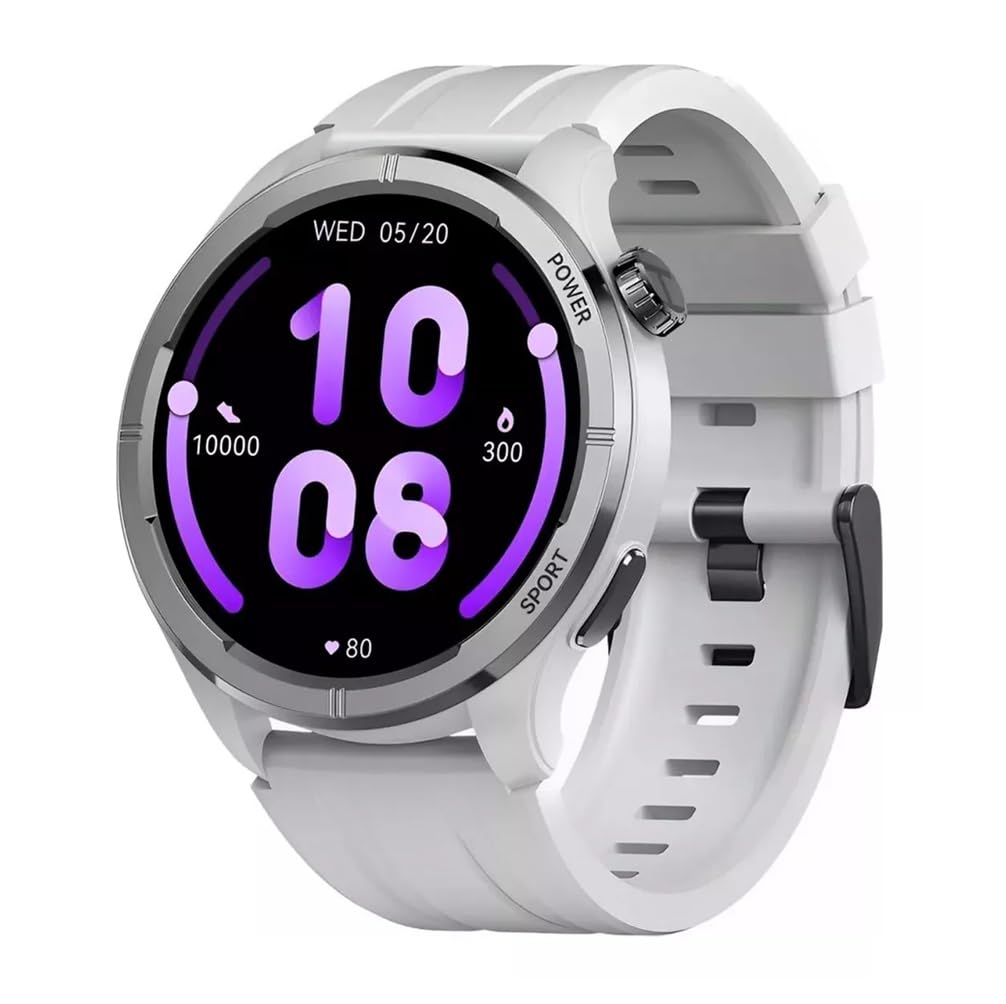
Gambar 2.1: Hareupeun view of the Haylou Solar Neo Smartwatch. This image displays the watch's round face, white strap, and a digital-analog hybrid display with green accents, indicating various metrics.
Fitur konci:
- 1.53-inch HD Display for clear visuals.
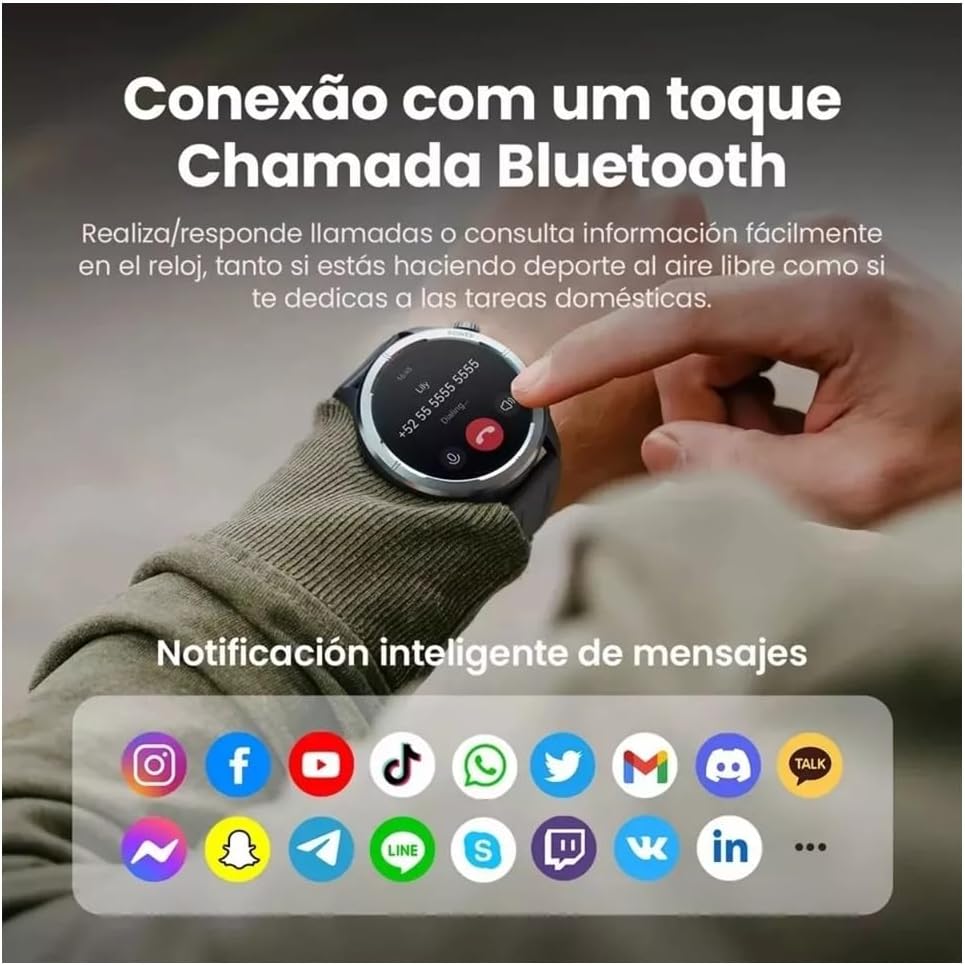
- Up to 30 days battery life in basic mode, 7 days in daily use.
- Bluetooth calling functionality.
- Comprehensive health tracking: heart rate, SpO2, sleep, stress, female health, respiratory training.
- Over 100 sports modes for diverse fitness activities.
- Smart message notifications.
- Beungeut jam tangan anu tiasa disaluyukeun.
3. Setélan
3.1 Ngecas Smartwatch
Before first use, fully charge your Haylou Solar Neo Smartwatch. Connect the magnetic charging cable to the charging contacts on the back of the watch and plug the USB end into a power adapter (5V/1A recommended).
3.2 Pamasangan Aplikasi sareng Papasangan
- Download the official Haylou Fun app from your smartphone's app store (iOS or Android).
- Buka aplikasi sareng jieun akun atanapi log in.
- Pastikeun Bluetooth diaktipkeun dina smartphone Anjeun.
- In the Haylou Fun app, navigate to 'Device' and select 'Add Device'.
- Select 'Haylou Solar Neo' from the list of available devices.
- Follow the on-screen prompts in the app and on your watch to complete the pairing process. Confirm the pairing request on both devices.
4. Parentah Operasi
4.1 Napigasi Dasar
- Gesek ka luhur/handap: Aksés setélan gancang atanapi béwara.
- Gesek Kénca/Katuhu: Navigate through widgets (e.g., heart rate, weather, activity data).
- Pencét Tombol Daya: Wake/sleep screen, return to watch face, or access the app list.
- Press Sport Button: Quickly launch workout modes.
Gambar 4.1: Samping view of the smartwatch highlighting the power button (rotating crown) and the sport shortcut button.
4.2 Ngaropea Watch Faces
The Haylou Solar Neo offers hundreds of watch face options. To change the watch face:
- On the watch face screen, long-press the display.
- Swipe left or right to browse through pre-installed watch faces.
- Tap to select your desired watch face.
- More watch faces can be downloaded and customized via the Haylou Fun app.

Gambar 4.2: A selection of customizable watch faces available for the Haylou Solar Neo Smartwatch.
5. Fitur Pangimeutan Kaséhatan
The smartwatch provides comprehensive health tracking to help you monitor your well-being.
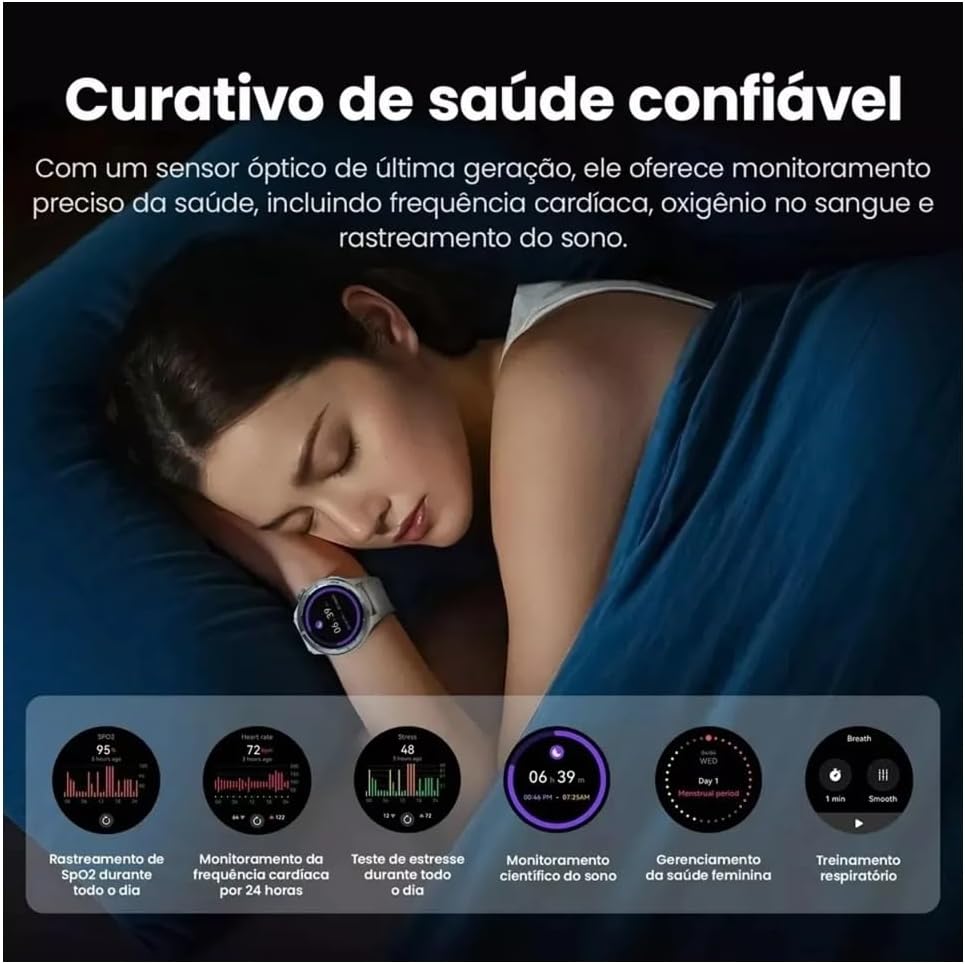
Gambar 5.1: Health monitoring features in action, showing sleep tracking and various health data points.
5.1 Pangimeutan Denyut Jantung
Arloji terus ngawas denyut jantung anjeun. View your real-time heart rate on the watch or detailed historical data in the Haylou Fun app.
5.2 Blood Oxygen (SpO2) Tracking
Measure your blood oxygen saturation levels directly from your wrist. For accurate readings, ensure the watch is snug on your wrist and remain still during measurement.
5.3 Pangimeutan Saré
Wear the watch to bed to track your sleep patterns, including deep sleep, light sleep, and awake times. Detailed analysis is available in the app.
5.4 Stress Monitoring and Respiratory Training
The watch can estimate your stress levels throughout the day. Utilize the guided respiratory training feature to help manage stress.
5.5 Pelacakan Kaséhatan Awéwé
For female users, the watch supports tracking of menstrual cycles and provides predictive reminders when configured in the Haylou Fun app.
6. Kabugaran nyukcruk
The Haylou Solar Neo supports over 100 sports modes to accurately track your workouts.
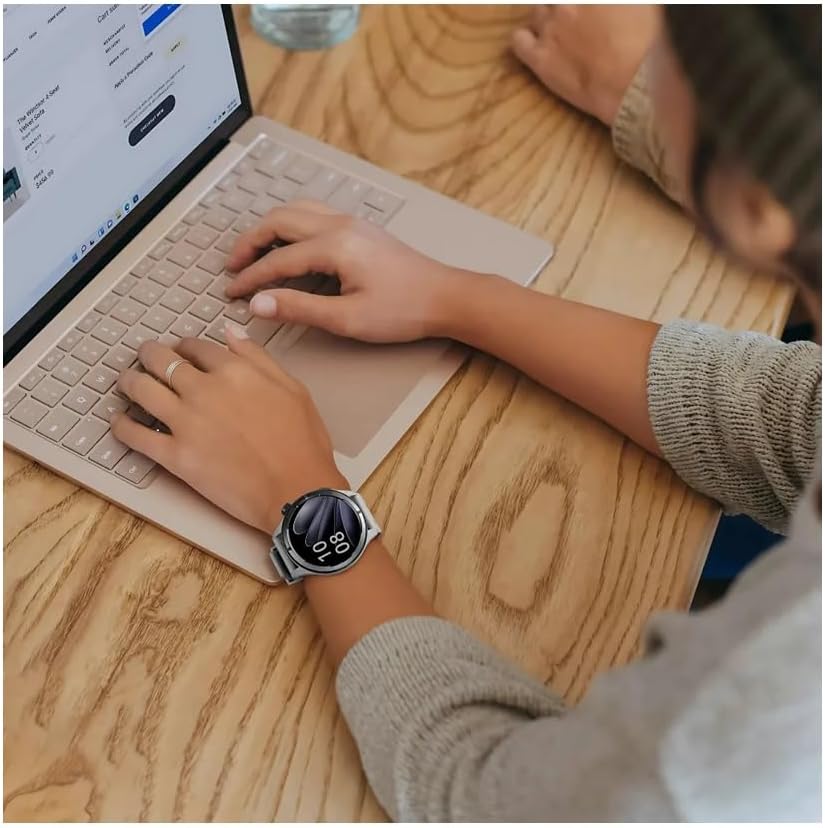
Gambar 6.1: Smartwatch displaying workout data and various sports mode options during physical activity.
6.1 Ngamimitian Latihan
- Press the 'Sport' button on the side of the watch to quickly access the sports mode list.
- Alternatively, navigate to the 'Workout' app from the main menu.
- Select your desired activity (e.g., Outdoor Running, Cycling, Walking).
- Tap to start the workout. The watch will begin recording data such as duration, calories burned, and heart rate.
6.2 Ngeureunkeun Latihan
During a workout, swipe right to pause or end the activity. Confirm your choice on the screen.
7. Telepon Bluetooth sareng Bewara
With its built-in microphone and speaker, the Haylou Solar Neo allows you to make and receive calls directly from your wrist when connected to your smartphone.

Gambar 7.1: Smartwatch displaying a Bluetooth call and various app notification icons.
7.1 Nelepon jeung Narima Telepon
- Pikeun nelepon: Access the 'Phone' app on your watch, dial a number, or select a contact from your synced phonebook.
- Pikeun nampi telepon: Nalika telepon asup, jam tangan bakal ningalikeun ID panelepon. Ketok ikon héjo pikeun ngajawab atawa ikon beureum pikeun nolak.
7.2 Bewara pinter
Once paired with your smartphone, the watch will display notifications from various apps (e.g., messages, social media, emails). Ensure notification permissions are enabled in both your phone's settings and the Haylou Fun app.
8. Pangropéa
8.1 Ngabersihan Smartwatch Anjeun
Regularly clean your watch and strap to prevent skin irritation and maintain device hygiene. Use a soft, lint-free cloth. For stubborn dirt, dampen lawon rada ku cai. Ulah make bahan kimia kasar atawa bahan abrasive.
8.2 Tahan cai
The Haylou Solar Neo is designed with a certain level of water resistance. Refer to the specifications for details (e.g., IP68). Avoid prolonged exposure to water, hot water, or steam, and do not press buttons underwater.
8.3 Perawatan Batré
To prolong battery life, avoid extreme temperatures. Charge the watch fully before long periods of inactivity. Do not let the battery completely drain frequently.
9. Cara ngungkulan
9.1 Lalajo Henteu Hurungkeun
- Pastikeun arloji dicas pinuh. Sambungkeun ka carjer sahenteuna 30 menit.
- Pencét jeung tahan tombol daya pikeun 10-15 detik pikeun maksa balikan deui.
9.2 Teu Bisa Dipasangkeun jeung Telepon
- Pastikeun Bluetooth diaktipkeun dina telepon anjeun sareng jam tangan.
- Pastikeun arlojina aya dina jangkauan telepon anjeun.
- Balikan deui telepon anjeun sareng jam tangan.
- Hapuskeun cache Bluetooth dina telepon anjeun (Android) atanapi hilapkeun alatna teras cobian pasangkeun deui.
- Ensure the Haylou Fun app is updated to the latest version.
9.3 Data Kaséhatan teu akurat
- Pastikeun arloji dipaké pas dina pigeulang anjeun, ngeunaan rubak hiji ramo luhureun tulang pigeulang.
- Keep the sensor clean and free from sweat or dirt.
- Hindarkeun gerakan kaleuleuwihan salami pangukuran.
9.4 Bewara Teu Nembongan
- Check if notification permissions are granted for the Haylou Fun app in your phone's settings.
- Ensure the Haylou Fun app is running in the background and not being closed by your phone's power-saving features.
- Verify that 'Do Not Disturb' mode is not active on either your watch or phone.
10. Spésifikasi
| Produsén | haylou |
| Nomer modél | NEOS |
| Ukuran tampilan | 1.53 inci |
| Téhnologi konektipitas | Bluetooth |
| Standar Komunikasi Nirkabel | Bluetooth |
| Fitur husus | Telepon sora |
| Komposisi sél batré | Litium Polimér |
| GPS | Diwangun-di GPS |
| Wangun Item | Buleud |
| Kapasitas Panyimpenan | 32 GB |
| Ukuran Pangiriman | 17.5 x 9.9 x 3.2 cm |
| Item Beurat | 30 gram |
11. Émbaran Kasalametan
- Ulah nyobian ngabongkar atawa ngaropéa alat.
- Jauhkeun alat tina suhu ekstrim, sinar panonpoé langsung, sareng seuneu kabuka.
- Hindarkeun alat ka tabrakan atanapi tetes anu kuat.
- Taroskeun ka ahli médis sateuacan ngamimitian regimen latihan énggal, khususna upami anjeun ngagaduhan kaayaan kaséhatan anu tos aya.
- Upami anjeun ngalaman iritasi kulit atanapi teu ngarareunah kusabab nganggo jam tangan, eureunkeun panggunaan sareng konsultasi ka dokter.
12. Garansi jeung Rojongan
Your Haylou Solar Neo Smartwatch comes with a standard manufacturer's warranty. For detailed warranty terms and conditions, please refer to the warranty card included in the product packaging or visit the official Haylou website. For technical support or service inquiries, please contact Haylou customer service through their official channels.


