
1. Bubuka
This manual provides comprehensive instructions for the Newmen BK66 Foldable Bluetooth Keyboard with Touchpad. The BK66 is a portable, compact, and rechargeable wireless keyboard designed for multi-device compatibility across various operating systems. It features a three-fold design, an integrated touchpad with multi-touch gestures, and a numeric keypad.
fitur konci ngawengku:
- Pamasangan Multi-Alat: Connects to up to three devices simultaneously via Bluetooth.
- Touchpad terpadu: Supports multi-touch gestures for enhanced navigation.
- Papan tombol angka: Full-size layout for efficient data entry.
- Kompak sareng Portabel: Three-fold design for easy transport.
- Batré anu tiasa dicas deui: Batré litium internal kalayan ngecas USB-C.
- Silent Scissor Switches: Nyayogikeun pangalaman ngetik anu nyaman sareng sepi.
- Kasaluyuan lega: Supports Windows, Mac, Android, and iOS operating systems.
2. Eusi Paket
Punten parios yén sadaya barang aya dina pakét anjeun:
- 1 x Newmen BK66 Foldable Bluetooth Keyboard
- 2 x Keyboard Cover (one pre-installed, one spare)
- 1 x Kabel Ngecas USB-C
- 1 x Kantong Panyimpenan
- 1 x Tempat HP
- 1 x Manual Pamaké
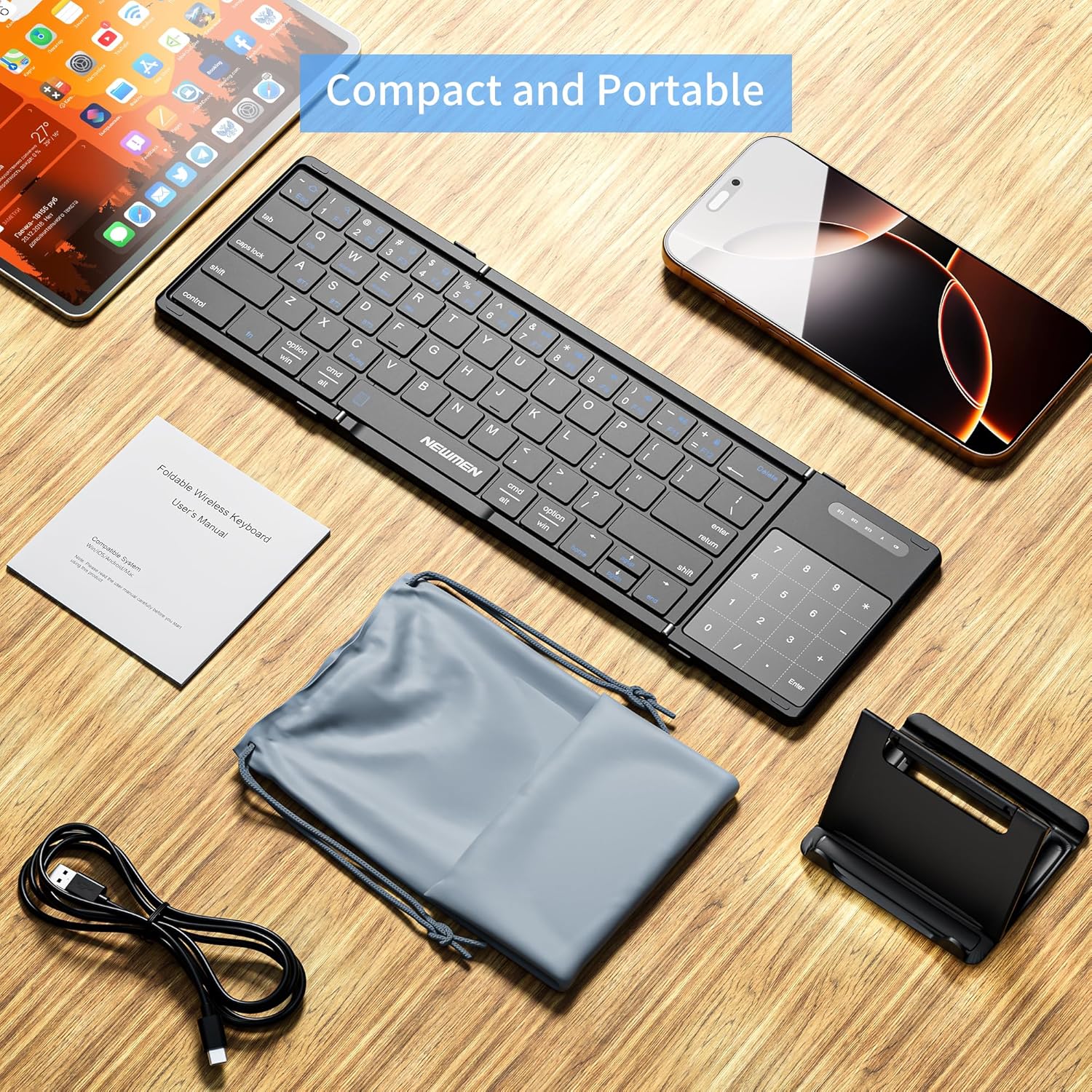
Image: The Newmen BK66 Foldable Bluetooth Keyboard shown with its included accessories: a USB-C charging cable, a storage bag, a mobile phone holder, and the user manual.

Image: The Newmen BK66 Foldable Bluetooth Keyboard in both its compact, folded state and its fully unfolded, operational state, showcasing desain na.
3. Setélan
3.1 Ngecas kibor
Before initial use, fully charge the keyboard. Connect the provided USB-C charging cable to the keyboard's charging port and the other end to a USB power source (e.g., computer, wall adapter). The charging indicator light will illuminate during charging and turn off when fully charged.

Gambar: A close-up view of the Newmen BK66 keyboard showing the USB-C charging cable connected to its port, indicating the charging process.
3.2 Powering on / Pareum
Locate the power switch on the side of the keyboard. Slide it to the 'ON' position to power on the device. Slide it to the 'OFF' position to power off.

Image: A composite image highlighting the charging port, the power switch, and the scissor switch key mechanism of the Newmen BK66 keyboard.
3.3 Nyapasangkeun Bluetooth
The Newmen BK66 keyboard supports pairing with up to three devices simultaneously. Follow these steps to pair your device:
- Pastikeun kibor tos dieusi sareng diaktipkeun.
- Pencét jeung tahan tombol Fn konci sareng salah sahiji konci saluran Bluetooth (A pikeun BT1, S pikeun BT2, atawa D for BT3) for 3-5 seconds until the corresponding indicator light flashes, indicating pairing mode.
- On your device (smartphone, tablet, laptop), navigate to its Bluetooth settings.
- Milarian pikeun available devices and select "Newmen BK66" from the list.
- If prompted, enter the pairing code displayed on your screen using the keyboard and press Lebetkeun.
- Sakali dipasangkeun, lampu indikator bakal eureun kedip-kedip sareng tetep hurung salami sababaraha detik sateuacan pareum.
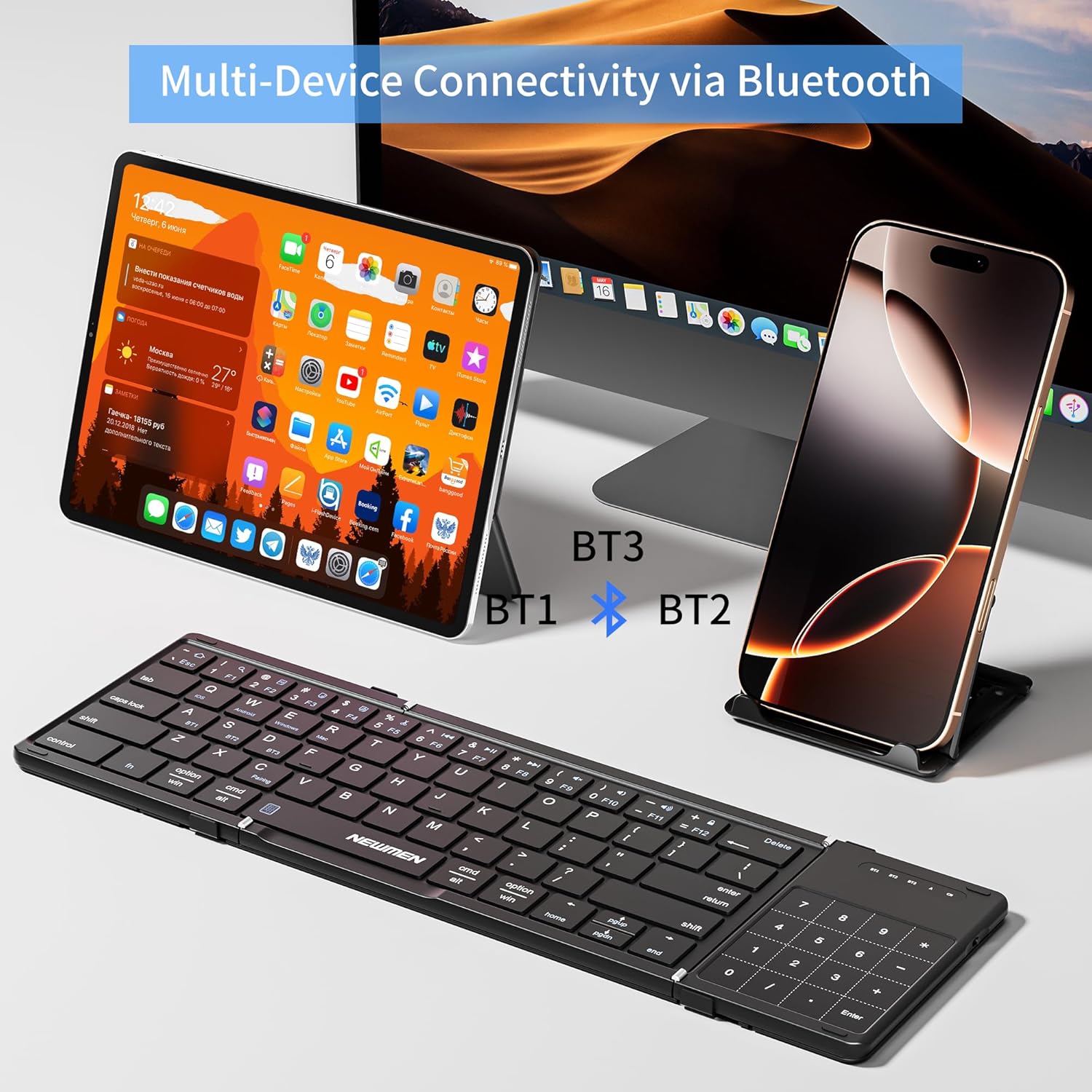
Image: The Newmen BK66 keyboard positioned in front of a tablet and a smartphone, illustrating its multi-device Bluetooth connectivity capabilities (BT1, BT2, BT3).

Image: A close-up of the Newmen BK66 keyboard highlighting the 'Fn' key and the 'A', 'S', 'D' keys, which are used in combination to switch between three paired Bluetooth devices (BT1, BT2, BT3).
3.4 Operating System Selection
The keyboard is compatible with various operating systems. To optimize key functions for your specific OS, use the following combinations:
- Fn + Q: ios
- Fn + W: Android
- Fn + E: Windows
- Fn + R: Mac

Image: The Newmen BK66 keyboard surrounded by icons representing iOS, Android, Windows, and Mac operating systems, indicating its broad compatibility.
4. Parentah Operasi
4.1 Ngaganti Antara Alat Anu Dipasangkeun
Pikeun pindah antara alat anu dipasangkeun, pencét waé Fn key along with the corresponding Bluetooth channel key:
- Fn + A: Switch to Device 1 (BT1)
- Fn + S: Switch to Device 2 (BT2)
- Fn + D: Switch to Device 3 (BT3)
4.2 Fungsi Touchpad
The integrated touchpad supports various gestures for navigation and control:
- Ketuk Tunggal: Pencét beurit kénca.
- Ketok Dua Jari: Klik mouse katuhu.
- Two-Finger Slide (Vertical): Gulung ka luhur/ka handap.
- Two-Finger Slide (Horizontal): Scroll left/right.
- Pinch In/Out: Zum in/out.
- Three-Finger Tap: Search function (may vary by OS).

Image: The Newmen BK66 keyboard with its touchpad being used, demonstrating its 2-in-1 keyboard and mouse functionality alongside a tablet and a smartphone.

Image: A visual guide illustrating various touchpad gestures for the Newmen BK66 keyboard, including single tap, two-finger vertical/horizontal slides, three-finger tap, and two-finger pinch for zoom.
4.3 Tilepan jeung Unfolding
The keyboard features a three-fold design. To unfold, gently extend the two side panels outwards until they lock into place, forming a full-size keyboard. To fold, gently collapse the side panels inwards until the keyboard is compact for storage.

Image: A diagram showing the unfolded dimensions of the Newmen BK66 keyboard (13.39in x 4.13in x 0.31in) and its compact folded dimensions (7.09in x 4.13in x 0.39in).
5. Pangropéa
To ensure the longevity and optimal performance of your Newmen BK66 keyboard, follow these maintenance guidelines:
- beberesih: Anggo lawon anu lemes, garing, sareng henteu ngaganggu pikeun ngusap permukaan kibor. Pikeun kokotor anu bandel, radaampen lawon ku cai atawa solusi beberesih hampang. Hindarkeun Uap kaleuleuwihan.
- Panyimpenan: When not in use, fold the keyboard and place it in the provided storage bag. The included PU cover also offers protection against daily wear and scratches. Store in a cool, dry place away from direct sunlight and extreme temperatures.
- Hindarkeun Cairan: Do not expose the keyboard to liquids. In case of accidental spills, power off the keyboard immediately and allow it to dry completely before reuse.
- Nanganan kalayan ati-ati: Ulah nepi ka ngalungkeun kibor atawa ngagebugan kibor kalawan tarik.
6. Cara ngungkulan
If you encounter issues with your Newmen BK66 keyboard, please refer to the following common solutions:
- Keyboard does not power on:
- Pastikeun kibor tos dicas pinuh.
- Pastikeun saklar daya aya dina posisi 'ON'.
- Teu bisa masangkeun via Bluetooth:
- Ensure the keyboard is in pairing mode (indicator light flashing after pressing Fn + A/S/D).
- Pariksa yen Bluetooth diaktipkeun dina alat Anjeun.
- Pindahkeun keyboard ngadeukeutan ka alat Anjeun.
- Forget the device from your device's Bluetooth list and attempt to re-pair.
- Ensure the correct operating system mode is selected (Fn + Q/W/E/R).
- Keyboard disconnects frequently:
- Pastikeun kibor aya dina jangkauan Bluetooth efektif (biasana 10 méter).
- Pariksa gangguan tina alat nirkabel séjén.
- Pastikeun kibor boga muatan batre cukup.
- Touchpad or numeric keypad not responding:
- Ensure the keyboard is fully unfolded and locked into position.
- Verify that the touchpad is not accidentally disabled (if such a function exists, refer to the quick start guide for specific key combinations).
- Keys are not typing correctly or are unresponsive:
- Ensure the correct operating system mode is selected (Fn + Q/W/E/R).
- Re-pair the keyboard with your device.
- Bersihkeun kokotor-kokotor anu aya di sabudeureun konci.
Upami léngkah-léngkah ieu henteu ngabéréskeun masalah, mangga ngahubungi dukungan palanggan pikeun bantosan salajengna.
7. Spésifikasi
| merek | Newmen |
| Modél | BK66 |
| Téhnologi konektipitas | Bluetooth |
| Katerangan kibor | Membrane (Scissor Switch) |
| Alat nu cocog | Laptop, PC, Smartphone, Tablet (iOS, Android, Windows, Mac) |
| Fitur husus | Foldable, Portable, Rechargeable, Silent, Touchpad, Numeric Keypad |
| Sumber Daya | Battery Powered (Built-in 150mAh Rechargeable Lithium Battery) |
| Bahan | palastik |
| Item Beurat | 14 ons (kira-kira 397 gram) |
| Ukuran Paket | 12.36 x 4.72 x 1.02 inci |
8. Garansi jeung Rojongan
For warranty information and customer support, please refer to the documentation included with your purchase or contact the seller directly. Newmen typically provides support for their products, and details can often be found on their official websitus atawa ngaliwatan pangecér mana produk ieu dibeuli.