DIERYA DK98SE Gaming Keyboard User Manual
Model: DK98SE
1. Bubuka
This manual provides detailed instructions for the setup, operation, maintenance, and troubleshooting of your DIERYA DK98SE 98-key mechanical gaming keyboard. Please read this manual thoroughly before using the product to ensure optimal performance and longevity.

Figure 1: DIERYA DK98SE Gaming Keyboard (White Red Switch model)
2. Eusi Paket
Pastikeun yén sadaya item anu didaptarkeun di handap kalebet kana pakét produk anjeun:
- Mechanical keyboard x 1
- Kabel Tipe-C x 1
- Keycap pliers x 1
- Buku pituduh x 1

Figure 2: Included items in the DK98SE package
3. Produk Langkungview
The DIERYA DK98SE is a compact 98-key mechanical keyboard designed for both gaming and typing, featuring durable switches and ergonomic considerations.
3.1. Compact 98-Key Layout
The DK98SE features a compact yet practical 98-key layout, which includes a numeric keypad and a separate arrow key area. This design optimizes desktop space while retaining essential functionality.
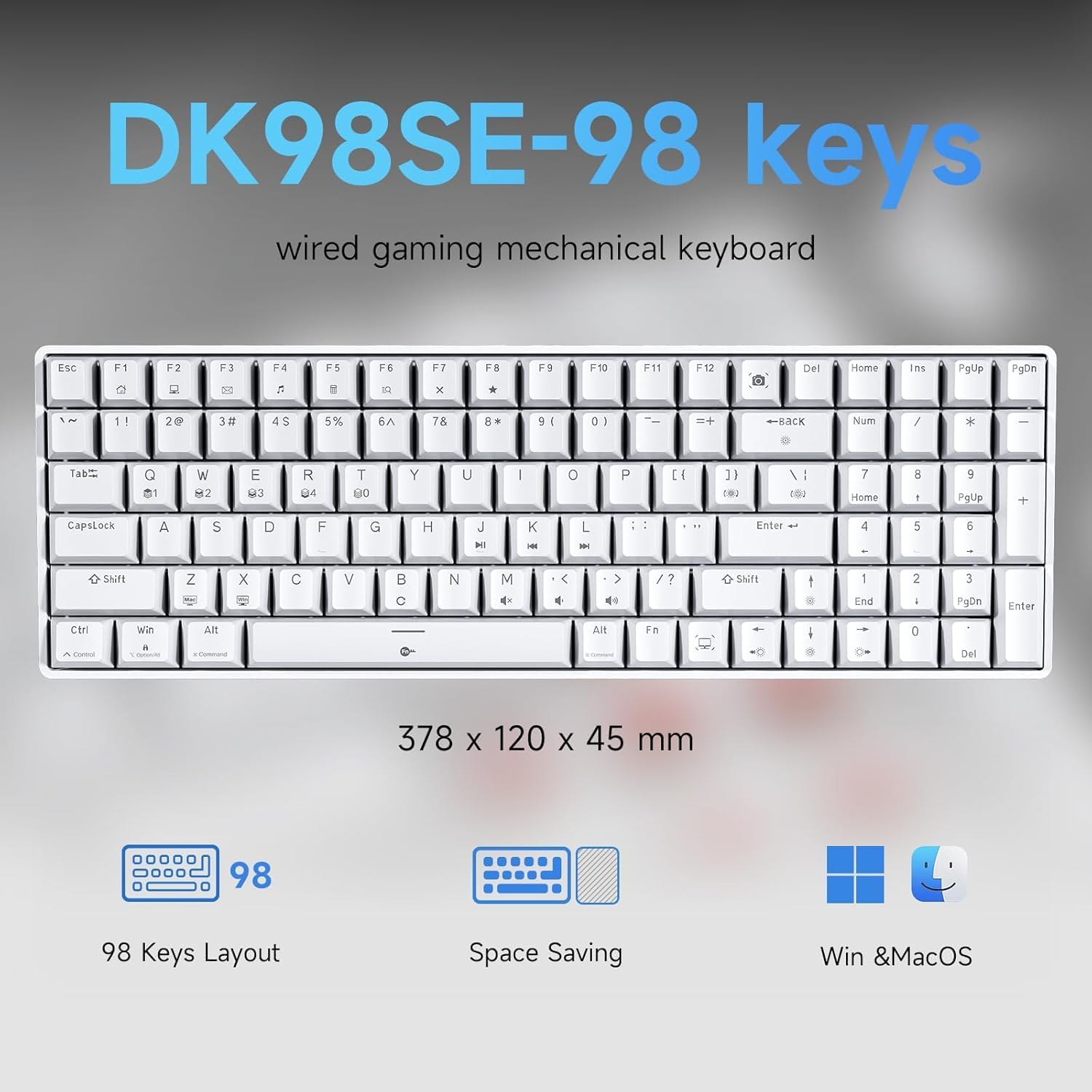
Figure 3: DK98SE 98-key layout and dimensions (378 x 120 x 45 mm)
3.2. Genuine Mechanical Switches
Equipped with independently developed mechanical switches, the DK98SE offers a consistent and durable typing experience. The Red Switches provide a linear quiet sound with fast action and minimal resistance, ideal for gaming performance. These switches are rated for a lifespan of 60 million keystrokes.
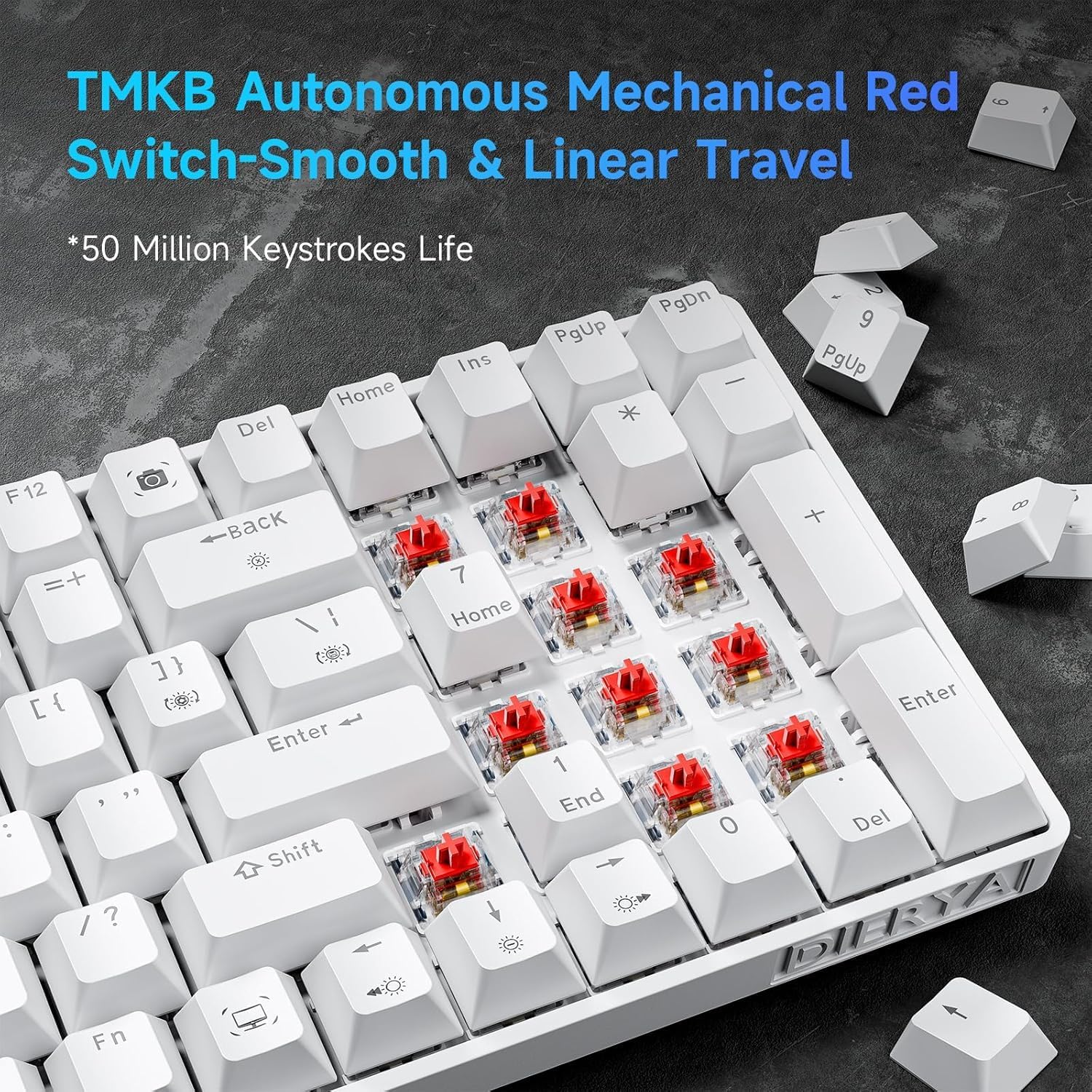
Figure 4: TMBK Autonomous Mechanical Red Switches

Figure 5: Mechanical Red Switches detail with actuation force and travel
3.3. Desain ergonomis
The keyboard features an ergonomic design with anti-slip pads and two-level adjustable tilt supports, allowing users to find a comfortable typing angle. The scientific stepped keycap design further enhances comfort and minimizes hand fatigue during extended use.

Figure 6: Ergonomic design and adjustable rear feet
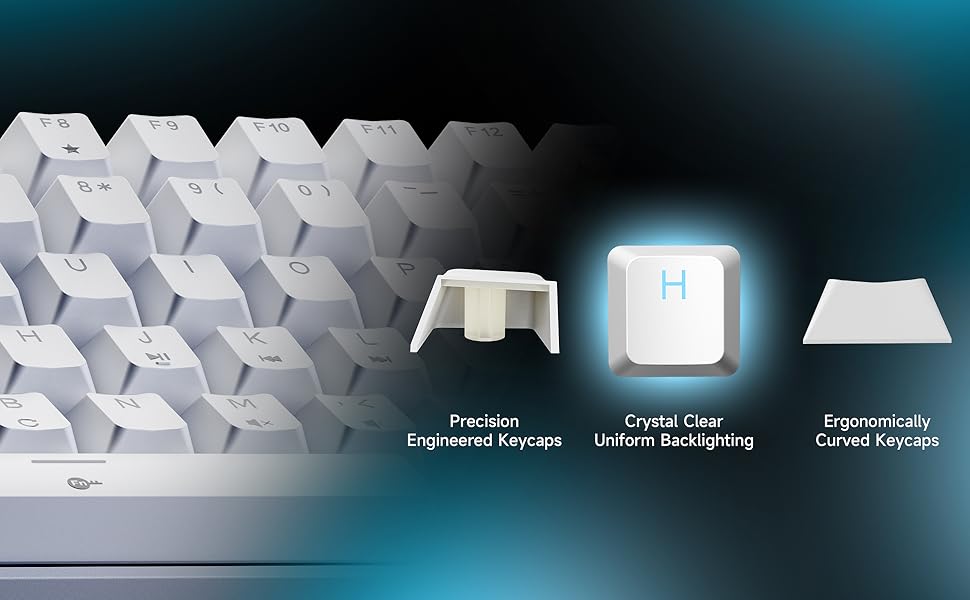
Figure 7: Keycap design for comfort and uniform backlighting
3.4. Full Anti-Ghosting
The DK98SE supports full anti-ghosting, ensuring that all key presses are registered accurately, even during rapid and simultaneous inputs. This feature is crucial for a smooth gaming and typing experience, complemented by a 1000Hz polling rate for zero delay.

Figure 8: Full Key Anti-Ghosting capability
4. Setélan
The DIERYA DK98SE keyboard is a plug-and-play device, requiring minimal setup.
- Sambungkeun Kabel USB-C: Selapkeun tungtung USB-C kabel anu disayogikeun kana port dina kibor.
- Nyambung ka Komputer: Insert the USB-A end of the cable into an available USB port on your computer (Desktop/Laptop).
- Pamasangan supir: The keyboard is plug-and-play. Your operating system (Windows 11/10/8/7/XP, Mac OS, Vista, Linux) will automatically detect and install the necessary drivers. No additional software installation is required for basic functionality.
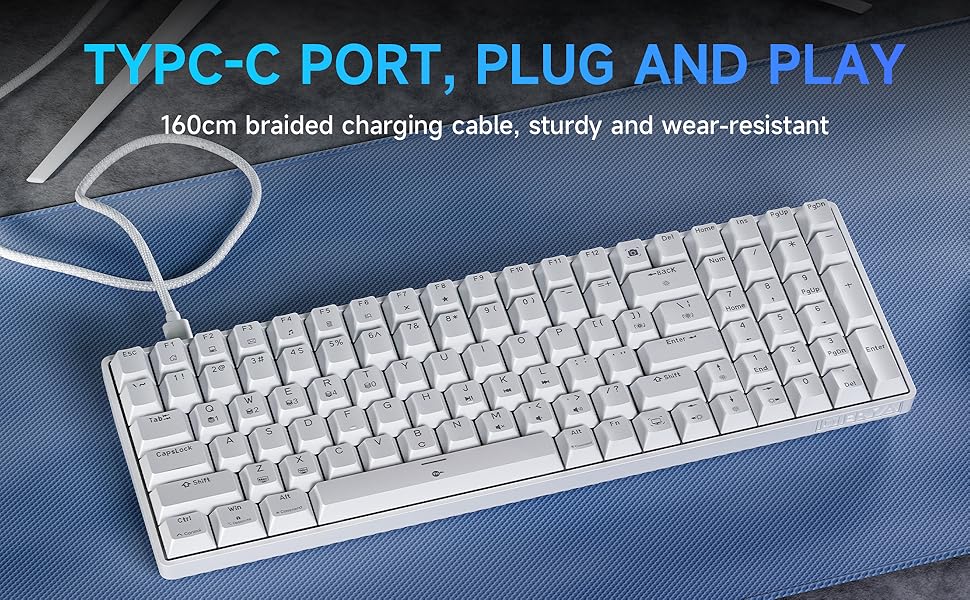
Figure 9: USB-C Port for plug and play connectivity
5. Parentah Operasi
5.1. Pamakéan Dasar
Once connected, the keyboard is ready for immediate use for typing and general computer navigation. The 98-key layout provides a full set of alphanumeric keys, a numeric keypad, and dedicated arrow keys.
5.2. Kontrol Lampu Latar
The DK98SE features a single color ice blue backlight with 15 different backlight modes. Use the following key combinations to control the backlight:
- FN + Backspace: Hurungkeun atawa pareumkeun lampu tukang.
- FN + | (Pipe/Backslash key): Switch between the 15 different backlight modes.
- FN + ↑ (Panah Kaluhur): Ningkatkeun kacaangan lampu latar.
- FN + ↓ (Panah Ka handap): Turunkeun kacaangan lampu latar.
- FN + ← (Panah Kénca): Turunkeun laju lampu tukang.
- FN + → (Panah Katuhu): Ningkatkeun kecepatan lampu latar.
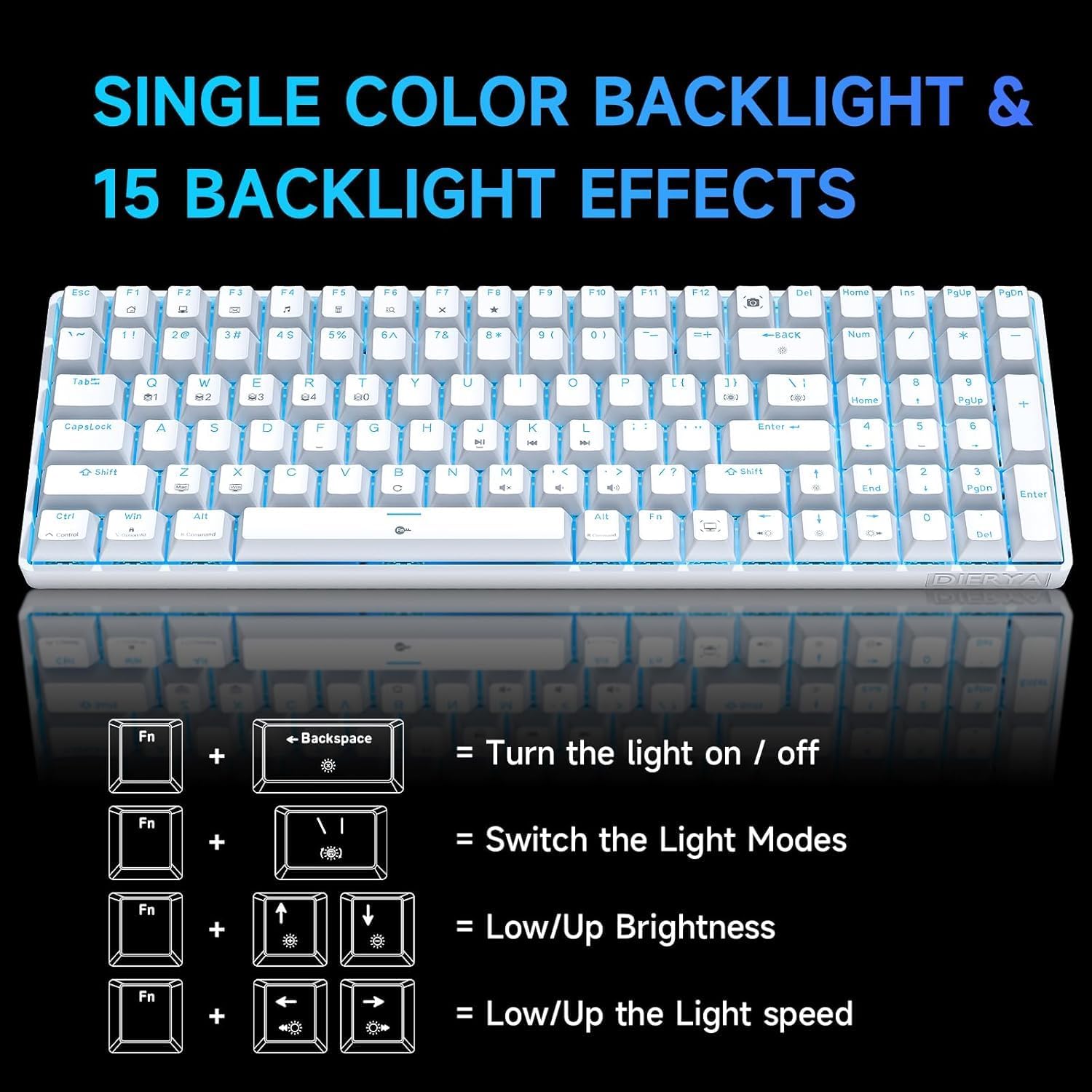
Figure 10: Backlight control key combinations
5.3. Konci Fungsi Husus
The keyboard includes dedicated function keys for enhanced productivity:
- FN + F1-F12: Access multimedia controls and other system functions. Refer to the keycap legends for specific functions.
- Dedicated Macro Keys: The keyboard features specific keys that act as macros. For example, the Print Screen key is replaced by a Snipping Tool macro, and the Right Control key is replaced by a Show Desktop macro. Users should be aware of these changes from standard keyboard layouts.
6. Pangropéa
Pangropéa anu leres mastikeun umur panjang sareng kinerja optimal keyboard anjeun.
- beberesih: Use a soft, dry cloth to wipe down the keyboard surface. For deeper cleaning, use a can of compressed air to remove dust and debris from between the keycaps. For stubborn dirt, a slightly damp lawon jeung sabun hampang bisa dipaké, mastikeun euweuh cairan asup kana keyboard.
- Ngahapus Keycap: Use the provided keycap puller to carefully remove keycaps for cleaning or switch access. Avoid excessive force to prevent damage.
- Panyimpenan: Upami teu dianggo, simpen kibor di tempat anu bersih sareng garing, jauh tina sinar panonpoé langsung sareng suhu anu ekstrim.
- Perawatan kabel: Avoid bending or kinking the USB-C cable excessively to prevent internal wire damage.
7. Cara ngungkulan
If you encounter issues with your DIERYA DK98SE keyboard, refer to the following common troubleshooting steps:
| Masalah | Mungkin Cukang lantaranana | Solusi |
|---|---|---|
| Keyboard not responding / No input | Loose USB connection, faulty cable, driver issue, or USB port problem. |
|
| Lampu latar teu jalan atanapi macét | Backlight turned off, mode selected, or software glitch. |
|
| Konci teu kadaptar sacara konsisten | Dust/debris under keycap, switch malfunction, or anti-ghosting issue. |
|
| Keyboard recognized but not typing on Mac/Linux | Limited compatibility for certain OS features. |
The keyboard is compatible with Mac OS, Vista, and Linux for typing and office use only. Advanced features or specific key mappings may not function as they do on Windows. |
If the problem persists after trying these solutions, please contact DIERYA customer support for further assistance.
8. Spésifikasi
| Fitur | Rincian |
|---|---|
| Nomer modél | DK98SE |
| Tata perenah | 98-key mechanical keyboard |
| Saklar | Linear Red Switches (60 million keystrokes lifespan) |
| Konektipitas | USB-C (wired) |
| Lampu tukang | Single Color Ice Blue (15 modes) |
| Anti Ghosting | Pinuh Anti Ghosting |
| Laju Polling | 1000Hz |
| Kasaluyuan | Windows 11/10/8/7/XP; Mac OS, Vista, Linux (typing/office use only) |
| Diménsi | 15.24 x 6.22 x 2.28 inci (kira-kira 38.7 x 15.8 x 5.8 cm) |
| Item Beurat | 2.12 pon (kira-kira 0.96 kg) |
| Bahan | palastik |
| Produsén | Dierya |
| Negara asal | Cina |
9. Garansi jeung Rojongan
DIERYA is committed to providing quality products and customer satisfaction.
- Garansi: This product supports a one-year quality warranty from the date of purchase.
- Kawijakan ngagantian: A 30-day replacement policy is available.
- Rojongan Palanggan: If you have any questions, concerns, or require assistance, please feel free to contact DIERYA customer support. We aim to provide a satisfactory response within 24 hours.

Figure 11: DIERYA Customer Support and Warranty Information
Thank you for choosing DIERYA.


