Bubuka
The MAONO PD100X is a versatile dynamic microphone designed for high-quality audio capture in various applications, including gaming, streaming, podcasting, and vocal recording. It offers both USB and XLR connectivity, customizable RGB lighting, and advanced noise cancellation features to ensure clear and rich sound reproduction. This manual provides detailed instructions for setting up, operating, and maintaining your PD100X microphone.
Eusi pakét
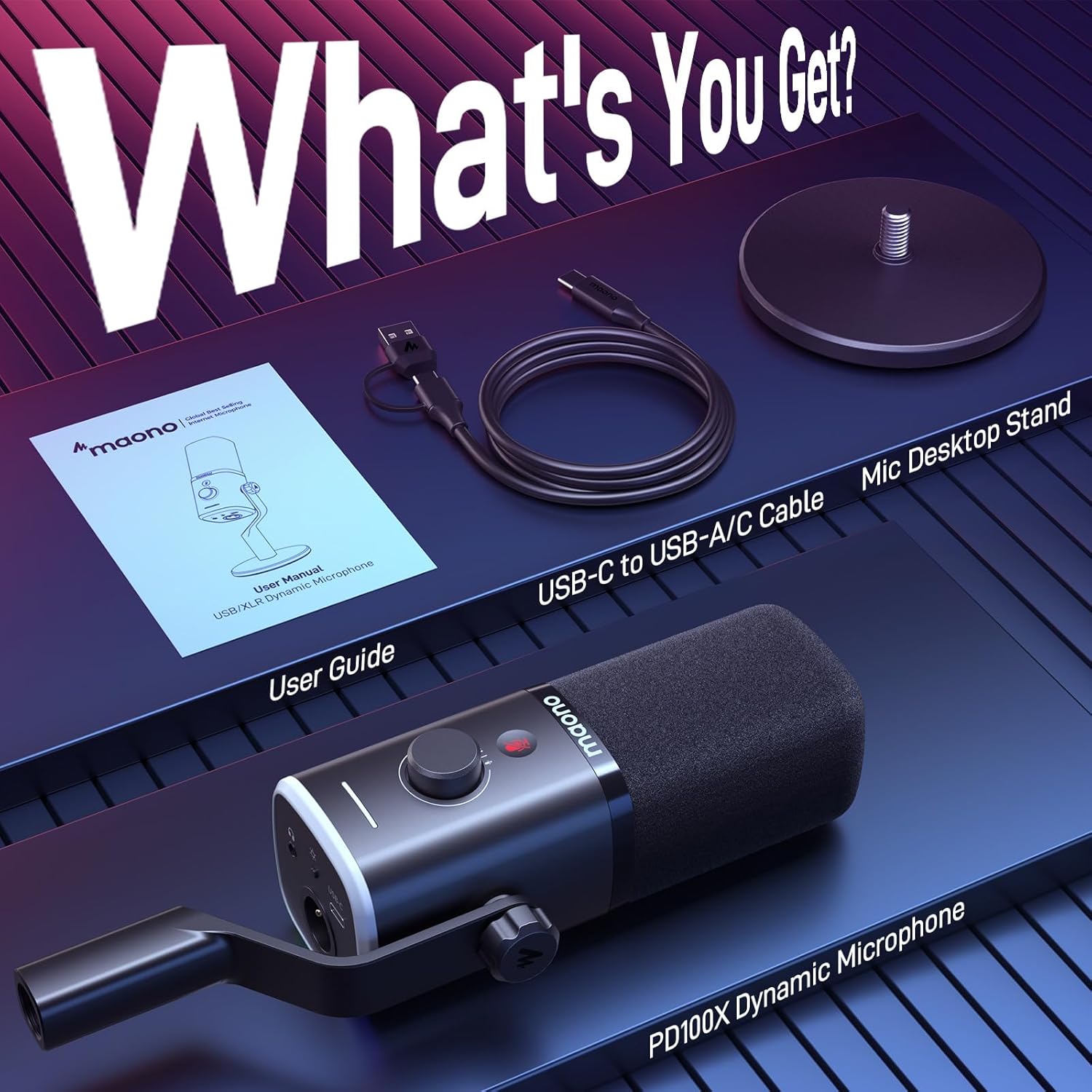
Pastikeun yén sadaya item anu didaptarkeun di handap kalebet kana pakét anjeun:
- Dynamic Gaming Microphone with Windscreen (x1)
- Mic Based Stand (x1)
- Kabel USB-C ka USB-A (x1)
- Buku Panduan Pamaké (x1)
Note: XLR cable and mic boom arm are NOT included.
Disetél
1. Rakitan Mikropon
- Attach the microphone to the included desktop stand by screwing it into the base.
- Ensure the windscreen is securely placed over the microphone capsule.
2. Pilihan Konéktipitas
The PD100X offers flexible connectivity via USB or XLR.
- Sambungan USB: For direct connection to a computer (PC, Mac), PS4/PS5, or smartphone/tablet. Use the provided USB-C to USB-A cable. This mode enables Maono Link software features.
- Sambungan XLR: For professional setups, connect the microphone to a gaming audio interface or mixer using an XLR cable (not included). This provides a clean, stable, and noise-free signal transmission.


Kadali sarta Fitur
1. 2-in-1 Smart Knob
The microphone features a convenient 2-in-1 smart knob that controls both microphone gain and monitoring volume. Different colored LED indicators provide visual feedback for each function. This knob is active in USB mode.
2. Tap-to-Mute Button
A soft-touch mute button is located on the microphone for instant audio silencing. This helps prevent unwanted sounds from being transmitted during live sessions. This feature is active in USB mode.

3. Customizable RGB Lighting
The microphone features a unique RGB design with 3 modes and 9 color options. You can customize static and dynamic RGB lighting effects to match your setup. Adjust color, brightness, or turn off the lights using the Maono Link software or the bottom RGB button. This feature is active in USB mode.

Maono Link Software (USB Mode Only)
The Maono Link software provides advanced control over your PD100X microphone when connected via USB. Key features include:
- Double Noise Cancellation: Utilize the latest self-developed algorithm to minimize ambient noise. Adjust noise reduction levels to suit various environments.
- EQ anu tiasa disaluyukeun: Access 4 preset EQ modes and 7 adjustable EQ bands to tailor your audio output.
- Kontrol Lampu RGB: Fine-tune RGB colors, brightness, and dynamic effects.


Parentah Operasi
1. Optimal Microphone Placement
For the best sound quality, position the microphone 2-6 inches (5-15 cm) from your mouth. This distance helps capture your voice clearly while minimizing ambient noise.
2. Sound Quality Enhancement
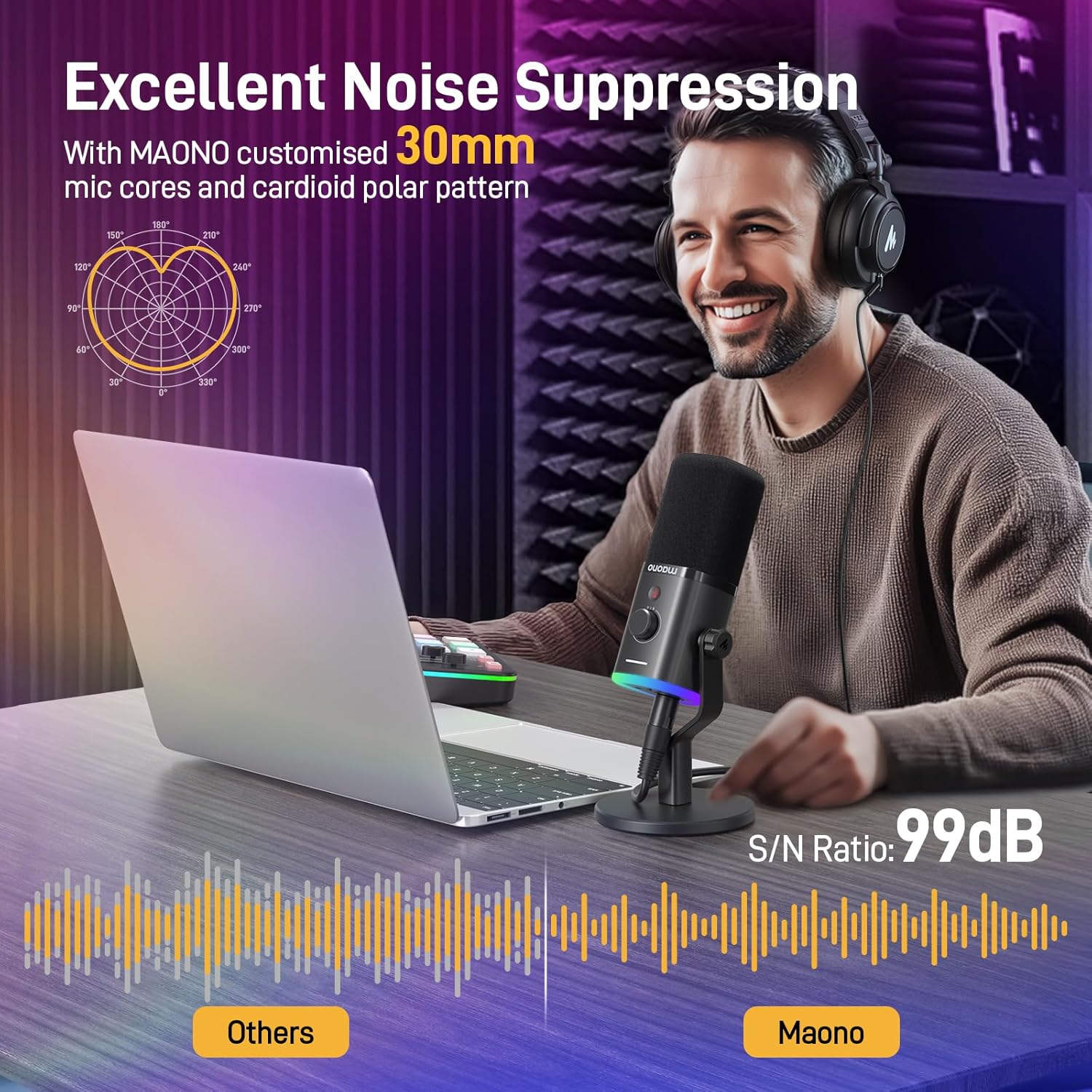
The PD100X features a 24-bit/48kHz sampling rate and a frequency response of 40Hz-16KHz, delivering richer and clearer audio with 50% improved sound details compared to standard 16-bit/48kHz microphones. The customized cardioid capsule ensures accurate audio capture with excellent ambient noise rejection.


Pamérésan masalah
If you encounter issues with your MAONO PD100X microphone, consider the following:
- Taya Sora/Polumeu Lemah: Check all cable connections (USB or XLR). Ensure the microphone is not muted (red indicator on the mute button). Adjust the gain knob on the microphone or within the Maono Link software. Verify input device selection in your computer's sound settings.
- Noise Latar: Utilize the noise cancellation feature in the Maono Link software (USB mode). Ensure optimal microphone placement to reduce ambient sound pickup.
- Lampu RGB Teu Gawé: Ensure the microphone is connected via USB. Check RGB settings in the Maono Link software or press the RGB button on the microphone.
- Masalah parangkat lunak: Ensure your Maono Link software is up-to-date. Restart the software and/or your computer.
spésifikasi
| Fitur | Rincian |
|---|---|
| Item Beurat | 0.68 Kilogram (1.5 pon) |
| Faktor Bentuk Mikropon | Handheld (with desktop stand) |
| Ukuran (L x W x H) | 7.12 x 7.01 x 3.42 inci |
| Sumber Daya | Kabel Listrik |
| Bahan | ABS Plastik, Logam |
| Rasio Signal-to-Noise | 99 dB |
| Platform hardware | Laptop, PC, PS4/PS5, Mixer, Sound Card, Audio Interface |
| Réspon Frékuénsi | 40Hz-16KHz |
| Téhnologi konektipitas | USB, XLR |
| Pola Polar | Saarah (Cardioid) |
| Fitur husus | Maono Link Software, Mute Function, Headphones Jack, Monitoring Volume Control, Built-in 3/8" and 5/8” Threads, RGB Lights, Noise Reduction, Volume Control |
Garansi sareng Rojongan
For warranty information, technical support, or further assistance, please refer to the official MAONO websitus atanapi hubungi layanan palanggan MAONO sacara langsung. Simpen resi pameseran anjeun kanggo klaim garansi.


