Bubuka
Thank you for choosing the Akicon Bathroom Exhaust Fan with Humidity Switch and 3CCT LED Light. This manual provides essential information for the safe installation, operation, and maintenance of your new exhaust fan. Please read these instructions thoroughly before installation and retain them for future reference.

Image: The Akicon Bathroom Exhaust Fan with its integrated LED light and the accompanying humidity sensor switch.
Émbaran Kasalametan
PERHATOSAN: Pikeun ngurangan résiko kahuruan, shock listrik, atawa tatu pikeun jalma, perhatikeun ieu di handap:
- Always disconnect power at the service panel before wiring or servicing this unit. Ensure the main power supply is turned off.
- Installation and electrical wiring must be done by qualified person(s) in accordance with all applicable codes and standards, including fire-rated construction codes.
- A neutral wire is required for the humidity switch to function correctly.
- Unit ieu dimaksudkeun pikeun pamakéan ventilasi umum wungkul. Entong dianggo pikeun ngaleungitkeun bahan sareng uap anu ngabahayakeun atanapi ngabeledug.
- Duct work must be installed to the outside.
- Pernah nempatkeun saklar dimana eta bisa ngahontal tina bak atawa pancuran.
Fitur produk
- Aliran hawa anu tiasa diatur: Selectable airflow settings of 50, 80, or 100 Cubic Feet per Minute (CFM) to suit various bathroom sizes and ventilation needs.
- Operasi sepi: Operates at a low sound level, below 1.2 sones, ensuring a quiet bathroom environment.
- Motor DC Hemat Énergi: Equipped with a DC motor for powerful performance and reduced energy consumption. Features a soft start and stop mechanism for motor protection.
- Integrated 3CCT LED Light: Features a 15W main LED light with three color temperature options (2700K Warm White, 4000K Natural White, 5500K Day White).
- Fungsi Lampu Peuting: Includes a 7W 2700K night light for soft illumination.
- Humidity Sensor Switch: Automatically detects room humidity levels and activates the fan when humidity exceeds a preset threshold, turning off once levels normalize.
- Adjustable Humidity and Timer Settings: The humidity sensor and timer offer 5 levels each (Humidity: 90%, 80%, 70%, 60%, 50%; Timer: 5, 15, 30, 45, 60 minutes) for customized ventilation control.
- Manual Override: Allows for manual operation of the fan and light, bypassing the humidity sensor if desired.
Visual Features Overview

Image: Illustration showing the three selectable color temperatures for the LED light: 2700K Warm White, 4000K Natural White, and 5500K Day White.

Image: Diagrams illustrating recommended room sizes (Small, Medium, Large) for 50, 80, and 100 CFM airflow settings, with a detail of the CFM selection switch.
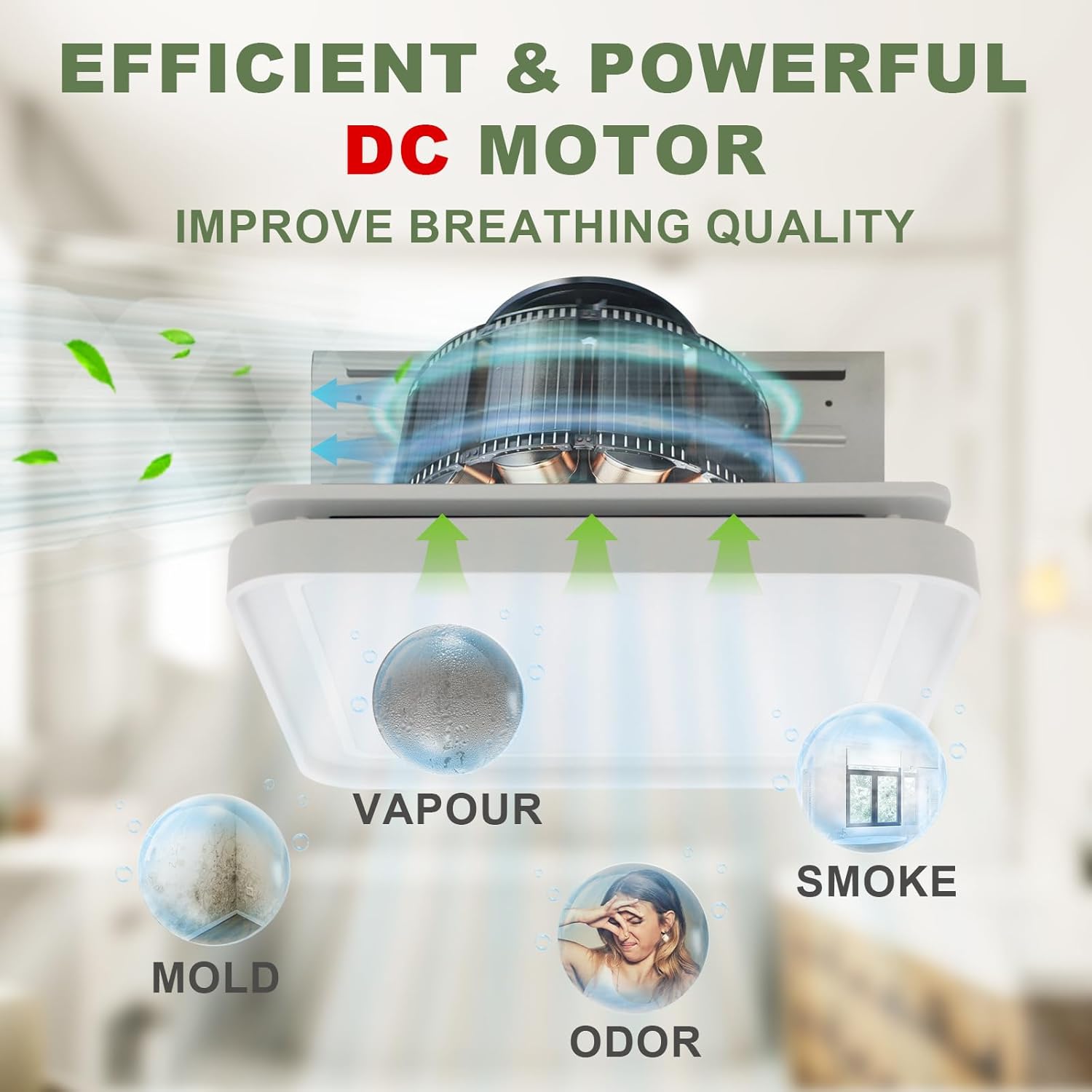
Image: Graphic depicting the exhaust fan's DC motor effectively removing vapor, mold, odor, and smoke from the bathroom environment.

Gambar: Detil view of the humidity switch, highlighting its LED indicator, humidity sensor, fan switch, LED light switch, and night light switch.
Pamasangan
Installation should be performed by a qualified electrician in compliance with all local and national electrical codes. Ensure power is disconnected at the circuit breaker before beginning installation.
Diagram Wiring

Image: A detailed wiring diagram showing connections for the humidity switch to the junction box, including lines for night lamp, lighting LED, fan, and neutral wire. Grounding instructions for plastic and metal junction boxes are also provided.
- Pegatkeun daya: Always cut off power at the main circuit breaker before attempting any wiring.
- Kawat nétral: A neutral wire is essential for the proper operation of the humidity switch.
- Grounding: Ensure proper grounding. If the junction box is plastic, follow the dashed green line for grounding. If metal, follow the solid green line.
- Saluran: Connect the fan's exhaust port to appropriate ductwork leading to the outside.
- Pamasangan: The fan is designed for flush mount installation. Secure the fan housing firmly to the ceiling joists or suitable support structure.
Humidity Switch Dimensions

Image: Technical drawing displaying the dimensions of the humidity switch, including its height (4-1/8"), width (3-1/4"), and depth (1-3/4" and 1/3"-1/10").
Parentah Operasi
The Akicon exhaust fan and light are controlled by the included humidity sensor switch. This switch offers both automatic and manual modes for optimal control.
Humidity Switch Functions
- Saklar kipas: Press the fan button to manually turn the fan ON or OFF.
- Saklar Lampu LED: Press the light bulb button to cycle through the 3 CCT options (2700K, 4000K, 5500K) within 2 seconds.
- Saklar Lampu Peuting: Press the crescent moon button to turn the night light ON or OFF.
- Sénsor asor: The switch automatically detects humidity. When humidity exceeds the set level, the fan will activate.
- Timer: The fan can be set to run for a specific duration (5, 15, 30, 45, 60 minutes) after manual activation or humidity-triggered operation.
Modeu Otomatis vs. Modeu Manual

Image: Diagram explaining the Auto Mode and Manual Mode operations of the humidity sensor switch, including how the fan responds to humidity levels and manual button presses.
- Modeu Otomatis: When the switch is in auto mode, the fan will operate when the humidity level exceeds the set value. It will stop approximately 5 minutes after the humidity drops below the set value.
- Modeu Manual: Pressing the fan button switches the fan to manual operation. If the fan is turned ON manually, it will switch to auto mode after running for a specified timer duration. If turned OFF manually, it will switch to auto mode after 10 minutes.
- Catetan: If the timer is set to OFF, the fan will not switch to auto mode after manual light operation. If the humidity condition is set to OFF, the device will not enter auto mode.
Pangropéa
Regular maintenance ensures optimal performance and longevity of your exhaust fan. Always disconnect power before performing any maintenance.
- Ngabersihan Grille: Periodically remove the grille and wash it with mild soap and water. Rinse thoroughly and dry before reattaching.
- Ngabersihkeun bilah kipas: With power disconnected, gently wipe the fan blades with a damp lawon pikeun miceun lebu sareng kokotor. Ulah ngabengkokkeun bilahna.
- Inspeksi Saluran: Annually inspect the ductwork for any obstructions or damage. Ensure proper airflow.
- Panutup Lampu: Clean the light cover with a soft, damp lawon. Ulah make cleaners abrasive.
Pamérésan masalah
If you experience issues with your Akicon exhaust fan, refer to the following common problems and solutions:
| Masalah | Mungkin Cukang lantaranana | Solusi |
|---|---|---|
| Kipas angin teu hurung | Taya catu daya kabel leupas Humidity sensor not triggered | Pariksa circuit breaker Verify wiring connections (ensure power is off) Manually activate fan or adjust humidity threshold |
| Kipas angin ribut | Pamasangan leupas Kotor bilah kipas Halangan dina ductwork | Ensure fan housing is securely mounted Clean fan blades (power off) Check and clear ductwork |
| Lampu teu jalan | Taya catu daya kabel leupas gagalna lampu LED | Pariksa circuit breaker Pariksa sambungan kabel (pareumkeun listrik) Kontak rojongan customer pikeun ngagantian |
| Sénsor asor teu jalan | Sensor ditumpurkeun Setélan salah Gangguan sénsor | Ensure humidity condition is not set to OFF Adjust humidity threshold settings Kontak rojongan customer |
If the problem persists after attempting these solutions, please contact Akicon customer support.
spésifikasi
| Fitur | Rincian |
|---|---|
| merek | Akicon |
| Gaya Modél | Akicon Bathroom Exhaust Fan with Humidity Switch |
| Aliran Udara (CFM) | 50-80-100 (Selectable) |
| Sones | Di handap 1.2 |
| Tipe Motor | Motor DC |
| Main LED Light Power | 15W |
| LED Color Temperature (CCT) | 2700K / 4000K / 5500K (Selectable) |
| Kakuatan Lampu Peuting | 7W |
| Night Light Color Temperature | 2700K |
| Métode kontrol | Touch (via Humidity Switch) |
| Tipe Pamasangan | siram Gunung |
| Tipe Kamar | Kamar mandi |
Garansi sareng Rojongan
Akicon products are manufactured to high-quality standards and are backed by a limited warranty. For specific warranty details, please refer to the warranty card included with your product or visit the official Akicon websitus.
For technical assistance, troubleshooting, or to inquire about replacement parts, please contact Akicon customer support:
- Websitus: Akicon Official Store
- Surélék: Tingali kana bungkus produk atanapi websitus pikeun inpo kontak.
- Telepon: Tingali kana bungkus produk atanapi websitus pikeun inpo kontak.


