
Brilluxa P30
Brilluxa P30 Inspection Borescope Camera
Manual pamaké
1. Bubuka jeung Leuwihview
The Brilluxa P30 Inspection Borescope Camera is a versatile tool designed for detailed visual inspection in hard-to-reach areas. It features a high-resolution camera and a clear display, making it ideal for various applications.
- Equipped with a 4.3-inch LCD screen for clear observation and detection.
- Features 6 adjustable LED lights to illuminate dark environments.
- 1920x1080P camera provides high-definition images and videos with a focal length of approximately 4-500cm.
- Built-in 2600mAh rechargeable battery offers 5-7 hours of working time.
- Widely used for automobile inspection, pipeline inspection, air conditioning inspection, and other general equipment inspections.
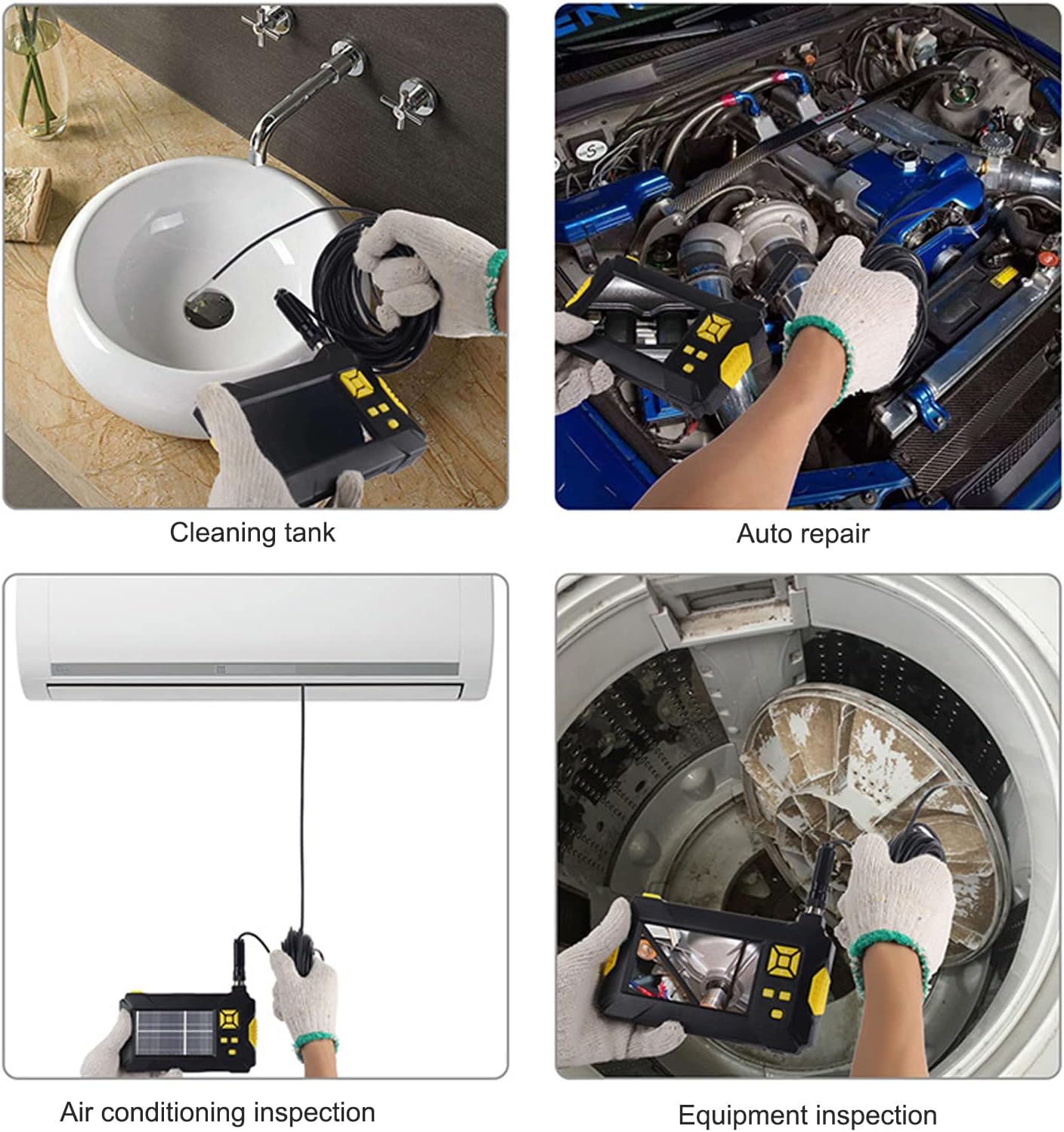
Image: The Brilluxa P30 Borescope Camera being used for cleaning tank inspection, auto repair, air conditioning inspection, and general equipment inspection, demonstrating its wide range of applications.
2. Komponén produk
Punten parios eusi bungkusan nalika unboxing pikeun mastikeun yén sadaya barang aya:
- 1 x Endoscope Unit (main display and control unit)
- 1 x Camera Cable (probe with lens)
- 1 x Kabel Ngecas USB
- 1 x Hook Accessory
- 1 x Side Mirror Accessory
- 1 x Magnet Accessory
- 2 x Terminal Accessories
- 1 x Manual Pamaké

Image: The complete package contents of the Brilluxa P30 Borescope Camera, including the main unit, camera cable, USB cable, and various accessories like the hook, side mirror, and magnet.
3. Setélan
Follow these steps to set up your borescope camera for first use:
- Ngeusi batre alat: Before first use, fully charge the built-in 2600mAh battery using the provided USB cable. Connect the USB cable to the charging port (13) on the side of the device and to a standard USB power adapter. The charging indicator will show the status.
- Connect the Camera Probe: Align the camera cable connector with the camera interface (3) on the top of the main unit. Gently push and twist to secure the connection. Ensure it is firmly attached.
- Daya Hurung: Press and hold the Power On/Off button (11) located on the control panel to turn on the device. The 4.3-inch LCD screen will light up.
- Gantelkeun Asesoris (Opsional): If needed, attach the hook, side mirror, or magnet accessory to the tip of the camera probe for specific inspection tasks.

Image: A detailed diagram illustrating the various parts and control buttons of the Brilluxa P30 Borescope Camera, including the auxiliary light switch, camera interface, navigation buttons, and charging port.

Image: The 4.3-inch LCD screen of the borescope camera and an illustration of its 2600mAh battery, indicating its power source and display capabilities.
4. Parentah Operasi
Familiarize yourself with the controls and functions for effective operation:
- Hurungkeun/Pareuman: Press and hold the Power button (11) to turn the device on or off.
- Nyaluyukeun Lampu LED: Press the light adjustment button (10) to cycle through the 6 adjustable LED brightness levels on the camera probe. This helps illuminate dark inspection areas.
- Nyokot Poto/Video: Press the photo/video button (9) to capture images or start/stop video recording. The captured media will be saved to the inserted memory card (if applicable).
- Napigasi: Use the Up (4), Down (5), Menu (6), Return (7), and Confirm (8) buttons to navigate through the device's menu options and settings.
- Cahaya Bantuan: The device also features an auxiliary light (2) which can be toggled using the auxiliary light switch (1) for general illumination of the working area.
- Fitur waterproof: The camera lens and probe are IP67 waterproof, allowing for inspection in wet or submerged environments. The main unit is NOT waterproof.

Image: The Brilluxa P30 Borescope Camera highlighting its embedded lighting feature, which helps expand visibility in dim environments.

Image: The borescope camera probe submerged in water, illustrating its IP67 waterproof lens capability for inspections in liquid environments.

Gambar: A close-up view of the borescope camera's 3.9mm diameter lens, showing the arrangement of its 6 highlight adjustable LED lights around the camera for optimal illumination.
5. Pangropéa
Proper maintenance ensures the longevity and optimal performance of your borescope camera:
- Ngabersihan lensa: After each use, especially in dirty or wet environments, gently wipe the camera lens with a soft, dry cloth. For stubborn dirt, use a lens cleaning solution on the cloth.
- Ngabersihan Probe: Wipe down the camera probe with a damp lawon. Pastikeun éta sagemblengna garing saméméh neundeun.
- Awak alat: Clean the main unit with a soft, dry cloth. Avoid using harsh chemicals or abrasive materials.
- Perawatan batré: To preserve battery life, avoid fully discharging the battery frequently. If storing for an extended period, charge the battery to about 50% and recharge every few months.
- Panyimpenan: Simpen alat sareng asesorisna di tempat anu tiis sareng garing, jauh tina sinar panonpoé langsung sareng suhu anu ekstrim.
6. Cara ngungkulan
If you encounter issues with your borescope camera, refer to the following common problems and solutions:
| Masalah | Mungkin Cukang lantaranana | Solusi |
|---|---|---|
| Alat teu hurung | batré lemah; Tombol daya teu tahan cukup lila | Charge the device fully; Press and hold the power button for 3-5 seconds |
| Henteu aya gambar dina layar | Camera cable not connected properly; Damaged camera cable | Ensure camera cable is securely connected; Contact support if cable is damaged |
| Gambarna burem atanapi teu jelas | Lens is dirty; Object is outside focal range | Clean the camera lens; Adjust distance to object (optimal focal length: 4-500cm) |
| Lampu LED teu jalan | Lampu dipareuman; Karusakan | Press the light adjustment button (10) to turn on/adjust brightness; Contact support if lights remain off |
| Device freezes or is unresponsive | Software glitch | Press and hold the power button to force a shutdown, then restart the device. |
7. Spésifikasi
Detailed technical specifications for the Brilluxa P30 Inspection Borescope Camera:
| Fitur | Spésifikasi |
|---|---|
| Modél | P30 (Brilluxa0tr1h6o3dp-11) |
| tampilan | 4.3 inci Warna LCD |
| Resolusi kaméra | 1920x1080P |
| Piksel | 2MP |
| Caang | 6 Lampu LED anu tiasa diatur |
| Horizontal Viewdina Angle | 70° |
| Basa Dirojong | English, Russian, French, German, Korean, and 11 other languages |
| Panjang fokus | Approx. 4-500cm (1.57-196.85in) |
| Peunteun waterproof | IP67 (Lens only) |
| Kapasitas batré | 2600 mah |
| Waktos Gawé | 5-7 Jam |
| Diaméter kaméra | Approx. 3.9mm (0.2in) |
| Item Beurat | 1.06 pon |
| Ukuran Paket | 8.27 x 5.91 x 2.36 inci |
8. Garansi jeung Rojongan
While specific warranty details are not provided in this manual, Brilluxa is committed to product quality. For any technical assistance, troubleshooting beyond this guide, or inquiries regarding warranty and returns, please contact Brilluxa customer support.
You can find more information and contact details by visiting the official Brilluxa store on Amazon: Brilluxa Store
Ask a question about this manual
Ask about setup, troubleshooting, compatibility, parts, safety, or missing instructions. Manuals+ will review the question and use this page’s manual context to help answer it.