1. Bubuka
This manual provides essential instructions for the safe and efficient operation, maintenance, and care of your Nuwave Brio Plus 8 Quart Air Fryer. Please read this manual thoroughly before first use and retain it for future reference. The Nuwave Brio Plus Air Fryer is designed to prepare a variety of foods using rapid air circulation technology, offering an alternative to traditional frying methods.
2. Parentah Kasalametan penting
Nalika nganggo alat-alat listrik, pancegahan kaamanan dasar kedah diturutan pikeun ngirangan résiko kahuruan, kejutan listrik, sareng tatu pikeun jalma.
- Baca sadaya pitunjuk sateuacan ngaoperasikeun alat.
- Ulah noél surfaces panas. Paké handles atanapi knobs.
- Pikeun ngajaga tina shock listrik, ulah neuleumkeun ari, colokan, atawa unit utama dina cai atawa cairan séjén.
- Pengawasan anu ketat diperyogikeun nalika alat naon waé dianggo ku atanapi caket barudak.
- Cabut colokan tina stop kontak nalika henteu dianggo sareng sateuacan beberesih. Ngidinan pikeun niiskeun sateuacan dipasang atanapi nyabut bagian.
- Entong ngoperasikeun alat naon waé nganggo kabel atanapi colokan anu ruksak, atanapi saatos alatna teu tiasa dianggo atanapi parantos ruksak dina cara naon waé.
- Pamakéan kantétan aksésori anu henteu disarankeun ku produsén alat tiasa nyababkeun tatu.
- Ulah make di luar.
- Entong ngantepkeun kabel ngagantung dina ujung méja atanapi konter, atanapi nyabak permukaan anu panas.
- Ulah nempatkeun dina atawa deukeut gas panas atawa burner listrik, atawa dina oven dipanaskeun.
- Awas pisan kedah dianggo nalika mindahkeun alat anu ngandung minyak panas atanapi cairan panas sanés.
- Sok pasangkeun heula colokan kana alat, teras colokkeun kabel kana stop kontak témbok. Pikeun megatkeun sambungan, balikkeun sagala kadali kana "off", teras cabut colokan tina stop kontak témbok.
- Ulah make alat pikeun lian ti pamakéan dimaksudkeun.
- The appliance features an Otomatis Pareum function for safety. When the basket is pulled out, cooking pauses, and resumes when pushed back in.
- The cooking surfaces are made with a PFAS-Free ceramic non-stick coating for healthier cooking.

Image: The Nuwave Brio Plus Air Fryer in a kitchen setting, illustrating its PFAS-Free coating and automatic shut-off safety feature.
3. Komponén produk
Your Nuwave Brio Plus Air Fryer includes the following main components:
- Main Air Fryer Unit with Digital Touch Screen Control Panel
- PFAS Free Ceramic Non-Stick Air Fry Base Tray
- PFAS Free Ceramic Non-Stick Circulation Riser (for frying and grilling)
- Manual Pamilik
The control panel features a Crystal-Clear LED Display for easy readability and precise control over cooking settings.

Image: The Nuwave Brio Plus Air Fryer, highlighting its digital interface and sleek design.
4. Setup awal jeung pamakéan munggaran
4.1 Ngabongkar bungkusan
- Cabut sadaya bahan bungkusan, stiker, sareng labél tina alat.
- Pastikeun sadaya komponén anu didaptarkeun dina Bagéan 3 aya.
- Remove any protective card stock or inserts from inside the cooking basket, especially between the heating element and the food drawer. Failure to do so may result in unusual odors during initial use.
4.2 Beberesih Méméh pamakéan munggaran
- Ngusap bagian luar tina fryer hawa kalawan iklanamp lawon.
- Wash the air fry base tray and circulation riser with hot, soapy water. Rinse thoroughly and dry completely. These parts are also dishwasher safe.
4.3 Nempatkeun
- Teundeun fryer hawa dina permukaan stabil, tahan panas.
- Ensure there is adequate space (at least 6 inches) around the appliance for proper air circulation.
4.4 Initial Burn-Off (Recommended)
It is recommended to run the air fryer empty for 4-5 cycles before cooking food to eliminate any manufacturing odors. Set the temperature to 400°F and time for 10-15 minutes per cycle. Ensure good ventilation during this process.
5. Parentah Operasi
5.1 Powering on / Pareum
- Colokkeun kabel listrik kana stop kontak listrik grounded. tampilan bakal caang.
- Pencét éta Tombol daya (circular icon with a vertical line) to turn the unit on. Press again to turn off.
5.2 Selecting Cooking Functions
The Nuwave Brio Plus offers 7 one-touch cooking functions:
- Goreng hawa: Pikeun hasil anu renyah kalayan minyak anu minimal.
- Panggang: Idéal pikeun daging jeung sayuran.
- Panggang: Pikeun kue, pastry, sareng barang-barang panggang anu sanésna.
- Dehidrasi: To remove moisture from foods like fruits and jerky.
- Roti bakar: For bread and similar items.
- Panaskeun deui: Pikeun manaskeun sésa kadaharan.
- Preheat: To bring the air fryer to the desired temperature before adding food.
Select your desired function by tapping the corresponding icon on the digital touch screen.
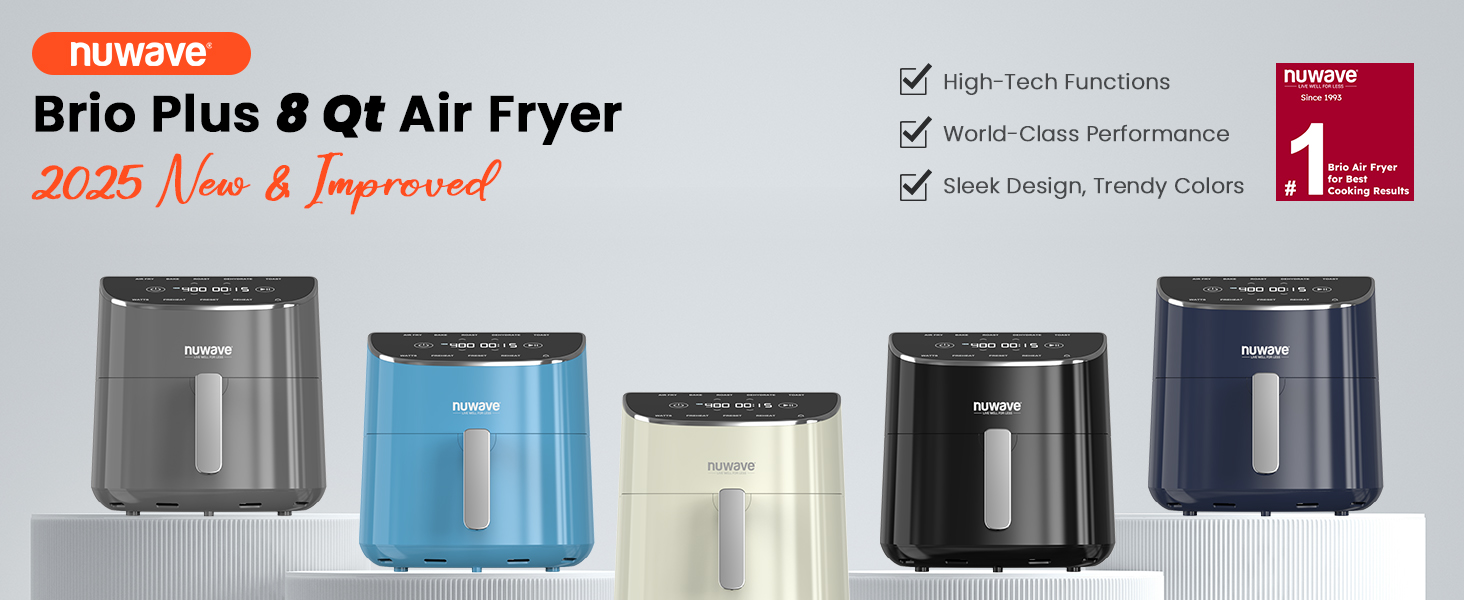
Image: The digital control panel displaying the seven cooking functions and preset options.
5.3 Nyetel Suhu jeung Waktu
- After selecting a function, the default temperature and time will appear.
- Ngagunakeun éta Panah Ka Luhur/Ka handap Suhu to adjust the temperature from 50°F to 400°F in 5°F increments.
- Ngagunakeun éta Time Up/Down arrows pikeun nyaluyukeun waktos masak.
- Pencét éta Tombol ngamimitian / Reureuh (vertical bars icon) to begin cooking.
5.4 Using Presets and DIY Slots
- The air fryer includes 100 Preprogrammed Presets for common dishes. Select the "Preset" option and navigate through the available options.
- You can also create and save up to 50 DIY (Do-It-Yourself) Slots for your favorite custom recipes. Refer to the full owner's manual for detailed instructions on programming DIY slots.
5.5 On-the-Fly Adjustments
You can adjust the temperature and time at any point during the cooking cycle without interrupting the process. Simply use the Up/Down arrows for temperature and time. The appliance will automatically adapt.
5.6 Panginget Goyang
For certain foods, the air fryer may provide a "Shake Reminder" notification during the cooking cycle. This prompts you to shake or flip the food in the basket to ensure even cooking and crispiness.

Image: Illustration of the shake reminder feature for even cooking of items like French fries.
6. Pituduh masak
The 8-quart capacity of the Nuwave Brio Plus Air Fryer allows for cooking various meal sizes. Here are some general guidelines:
- It can accommodate approximately 3 lbs or 18 pieces of chicken wings.
- Suitable for a pizza 9 inci.
- Can cook up to 4 lbs of French fries.
- Capable of preparing up to 4 lbs of steak.
For optimal results, avoid overcrowding the basket. Cook in batches if necessary to ensure even air circulation and crispiness. The Advanced Turbo Convection Technology with a 6-blade 4.5-inch heating fan and adjustable wattage (700W/1500W/1800W) promotes efficient cyclonic convection circulation for faster and more even cooking.

Image: The air fryer demonstrating its capacity with examples of food items it can cook.

Image: Visual representation of the Turbo Convection Technology for efficient cooking.
7. Pangropéa jeung beberesih
Beberesih teratur mastikeun kinerja optimal sareng manjangkeun umur panggoreng hawa anjeun.
7.1 Cleaning the Basket and Riser
- Salawasna cabut colokan fryer hawa sarta ngidinan pikeun niiskeun sagemblengna saméméh beberesih.
- The air fry base tray and circulation riser are dishwasher-aman.
- Alternatively, wash them with hot, soapy water and a non-abrasive sponge. Rinse thoroughly and dry.
- Do not use metal scouring pads or harsh abrasive cleaners, as these can damage the non-stick coating.

Image: The air fryer basket and parts being cleaned in a dishwasher.
7.2 Ngabersihan Unit Utama
- Ngusap bagian luar tina fryer hawa kalawan iklanamp lawon.
- Pernah neuleumkeun unit utama dina cai atanapi cairan sanés.
- Clean the heating element gently with a soft brush if necessary, ensuring the unit is unplugged and cool.
8. Cara ngungkulan
| Masalah | Mungkin Cukang lantaranana | Solusi |
|---|---|---|
| Alat henteu hurung. | Teu plugged di; Tombol daya teu dipencet. | Ensure the power cord is securely plugged into a grounded outlet. Press the Power button. |
| Unusual odor during first few uses. | Residual manufacturing oils or protective packaging not removed. | Perform initial burn-off cycles as described in Section 4.4. Ensure all internal packaging, especially any laminated card stock, has been removed from the basket area. |
| Dahareun teu asak rata. | Basket is overcrowded; Food not shaken/flipped. | Cook in smaller batches. Utilize the shake reminder and manually shake or flip food during cooking. |
| Dahareun teu garing. | Not enough cooking time/high enough temperature; Basket overcrowded. | Increase cooking time or temperature. Ensure food is not overcrowded. Lightly misting with oil can also help. |
| tampilan digital teu ngabales. | Temporary software glitch; Power interruption. | Unplug the unit from the wall outlet, wait 1 minute, then plug it back in. If the issue persists, contact customer support. |
9. Spésifikasi produk
- Ngaran modél: Brio Plus Air Fryer 8qt
- merek: Nuwave
- Kapasitas: 8 Kwartir
- Ukuran produk: 11.5 "D x 12.75" W x 11.25" H
- Beurat barang: 15.5 pon
- Bahan: PFAS Free Ceramic (Outer Material)
- Kaluaran Wattage: 1800 Watts (Adjustable: 700W/1500W/1800W)
- Voltage: 120 volt
- Métode kontrol: Toél
- Setélan Suhu Min: 50 darajat Fahrenheit
- Setélan Suhu Max: 400 darajat Fahrenheit
- Lapisan nonstick: Yes (PFAS Free Ceramic)
- Bagian Aman Mesin Pencuci Piring: Yes (Basket and Riser)
- UPC: 652185902350
10. Garansi sarta Rojongan Palanggan
For detailed warranty information, please refer to the warranty card included with your product packaging or the full owner's manual. Nuwave is committed to providing quality products and customer satisfaction.
If you encounter any issues or have questions not covered in this manual, please contact Nuwave Customer Support. Contact details are typically found in your full owner's manual or on the official Nuwave websitus.


