
1. Bubuka
The Cuifati Smart Ring is a health and fitness tracker designed to monitor various physiological data points. This device features a compact design, 50M water resistance, and Bluetooth Low Energy (BLE 5.1) connectivity. It is equipped with an 18mAh rechargeable lithium-ion battery, providing 5-7 days of operation on a single charge. The ring is constructed from 304 stainless steel, ensuring durability and hypoallergenic properties.
Key functionalities include sleep cycle analysis, comprehensive exercise monitoring (steps, distance, pace), and general health data analysis to support a balanced lifestyle. This manual provides instructions for setup, operation, and maintenance of your smart ring.

Image: The Cuifati Smart Ring, silver in color, highlighting its sleek design and internal sensor components.
2. Setélan
2.1 Eusi pakét
- 1 x Cuifati Smart Ring
- 1 x Kabel Ngecas USB
- 1 x Manual Instruksi (Dokumén ieu)
2.2 Ngecas Awal
Before first use, fully charge the smart ring. Connect the provided USB cable to a compatible power source and attach the charging end to the ring's charging contacts. A full charge typically takes approximately 1-2 hours.
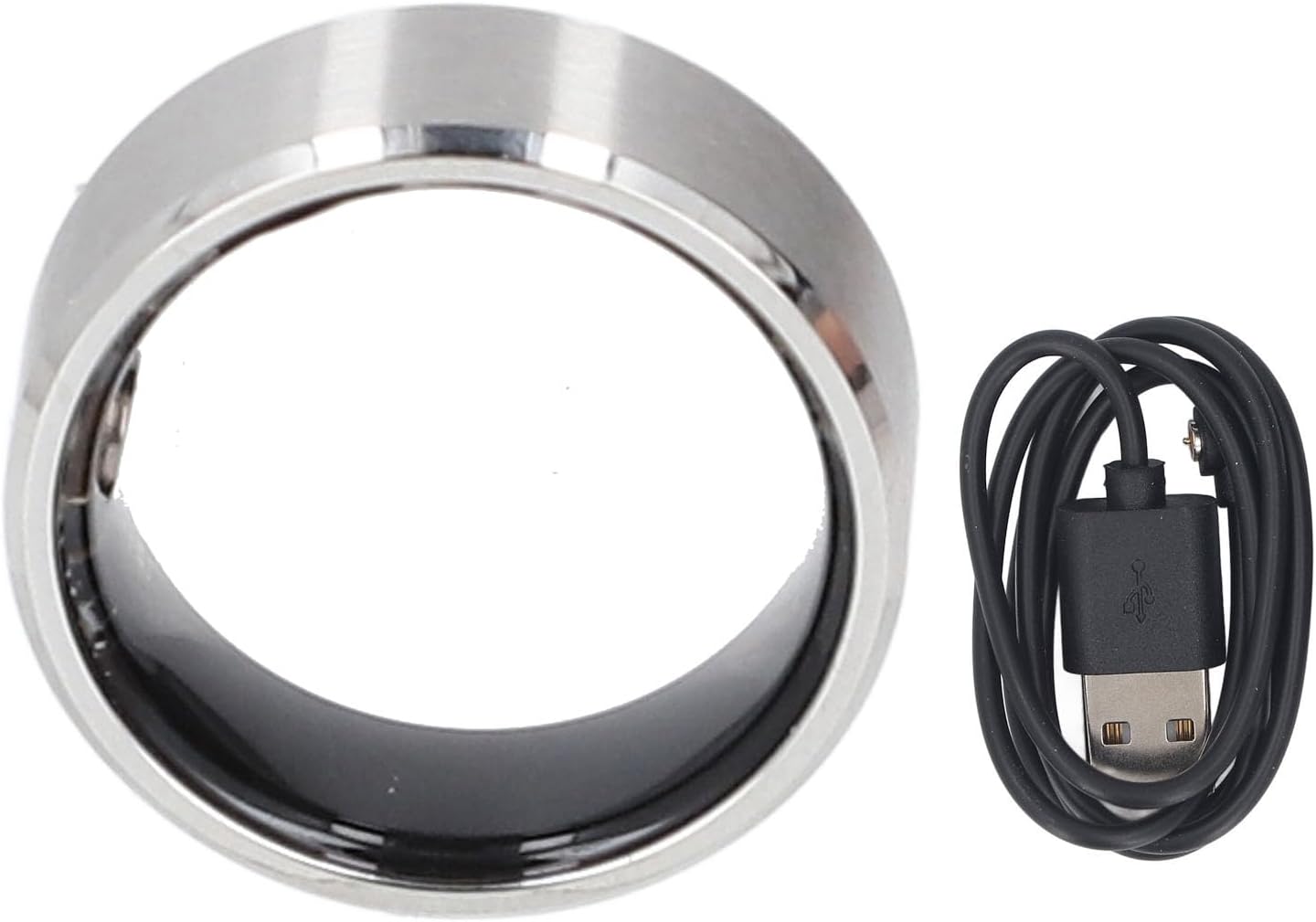
Image: The Cuifati Smart Ring shown with its accompanying USB charging cable.
2.3 Pamasangan Aplikasi
To utilize all features of the smart ring, download the 'CyFit' application. The app is available for both iOS and Android devices. You can find it in the respective app stores (for iOS Store or Google Play Store) or by scanning the QR code provided in the physical instruction manual.
- Milarian pikeun 'CyFit' in your device's app store.
- Unduh sareng pasang aplikasina.
- Follow the on-screen instructions within the app to pair your smart ring via Bluetooth. Ensure Bluetooth is enabled on your smartphone.
3. Pitunjuk Nganggo
Proper fit is crucial for accurate data monitoring. Follow these steps to determine your correct ring size:
- Lengkah 1: When measuring, use a non-elastic thin line or strip of paper to wrap around your finger.
- Lengkah 2: After straightening the thin line, measure its length with a ruler. Compare this measurement to the perimeter in the specifications table below to find your appropriate ring size.
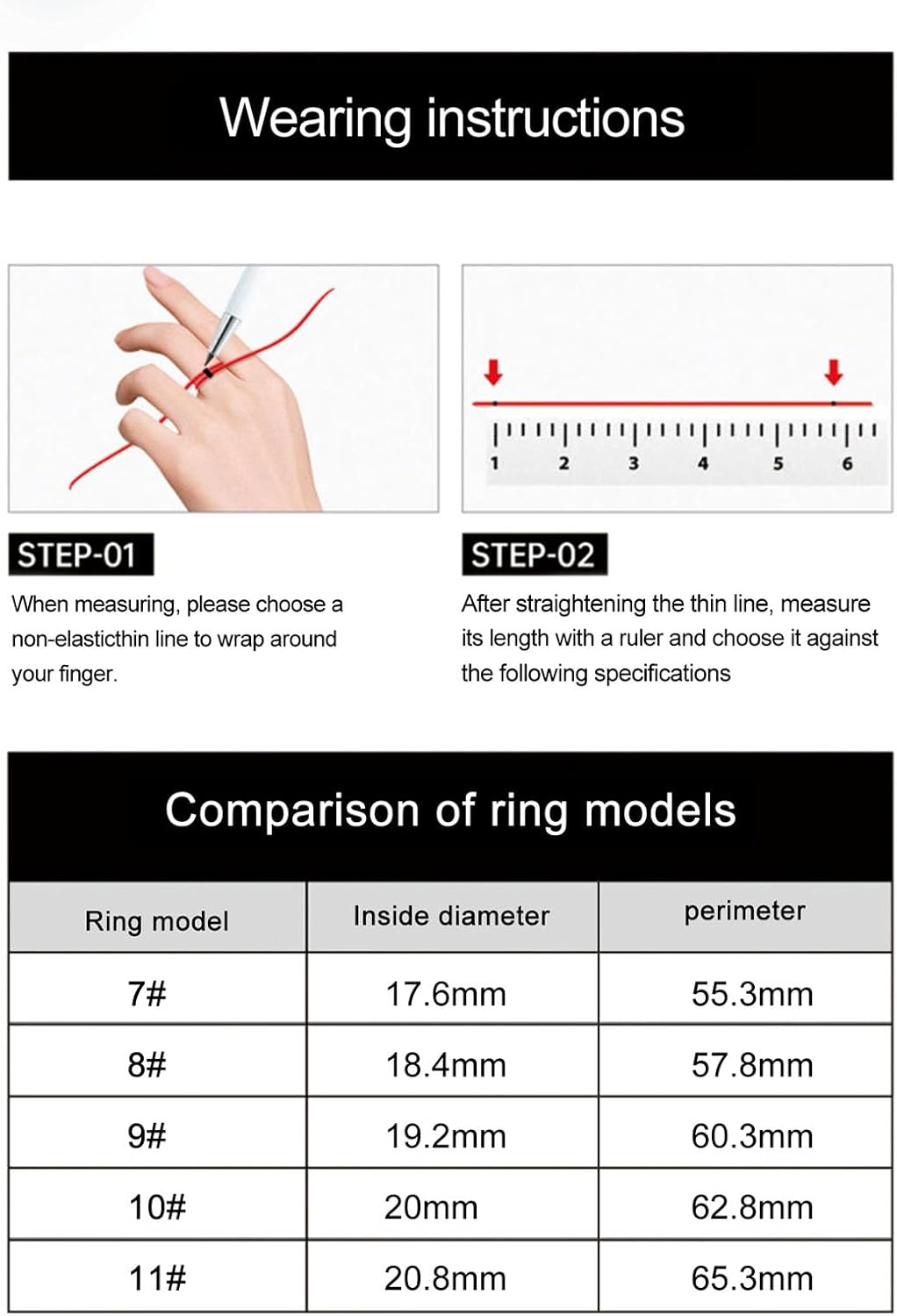
Image: Visual guide for measuring finger size and a comparison table for ring models.
Ring Size Comparison
| Ring Model | Diaméterna jero | Perimeter |
|---|---|---|
| 7# | 17.6 mm | 55.3 mm |
| 8# | 18.4 mm | 57.8 mm |
| 9# | 19.2 mm | 60.3 mm |
| 10# | 20 mm | 62.8 mm |
| 11# | 20.8 mm | 65.3 mm |

Image: The Cuifati Smart Ring worn on a finger, demonstrating its discreet profile.
4. Parentah Operasi
Once paired with the CyFit app, your smart ring continuously monitors various health and fitness metrics. Data is synchronized with the app for detailed analysis.

Image: Two smart rings illustrating their multi-dimensional health monitoring capabilities, comfortable wear, exercise tracking, and water resistance.
4.1 Analisis Saré
The ring tracks your sleep patterns, identifying different sleep stages such as deep sleep, light sleep, and wakefulness. This data helps in understanding your body's restorative processes and can inform adjustments for improved sleep quality.
4.2 Pangimeutan Latihan
Track your physical activity with the smart ring. It monitors steps taken, distance covered, and pace for various indoor and outdoor exercises. Detailed workout data is available in the CyFit app, allowing you to review performance and set new goals.
4.3 General Health Monitoring
Beyond sleep and exercise, the smart ring collects other health-related data. By analyzing this information, the device aims to provide insights that can assist in making informed choices for a balanced and healthy lifestyle.

Image: A display of the smart ring in various colors, highlighting its design and internal technology for data processing.
5. Spésifikasi
| Fitur | Rincian |
|---|---|
| Bahan Produk | Baja tahan karat (kelas 304) |
| Batré ring | 18mAh Lithium Ion Battery (built-in) |
| Ring Thickness | 2.6 mm |
| Water Resistance Grade | 50M (5ATM) |
| Vérsi Bluetooth | BLE 5.1 |
| Waktos Gawé | 5-7 Dinten (panggunaan has) |
| Kasaluyuan Aplikasi | for CyFit (iOS and Android) |
| Dimensi produk | 3.15 x 3.15 x 1.97 inci (bungkus) |
| Item Beurat | 2.82 ons (bungkusan) |
| Nomer modél | CUIFATIb1sp8v3gnk-18 |
6. Pangropéa
6.1 Tahan cai
The Cuifati Smart Ring has a 50M (5ATM) water resistance rating. This means it is suitable for activities such as walking in the rain, bathing, and swimming. It is not recommended for high-pressure water activities or diving beyond specified depths.

Image: Illustration of the smart ring's 50M water resistance, suitable for various water-related activities.
6.2 Perawatan Bahan
The ring is made of 304 stainless steel, which is designed to resist wear and rust. To maintain its appearance, clean the ring periodically with a soft, damp cloth. Avoid contact with harsh chemicals or abrasive materials that could scratch the surface.
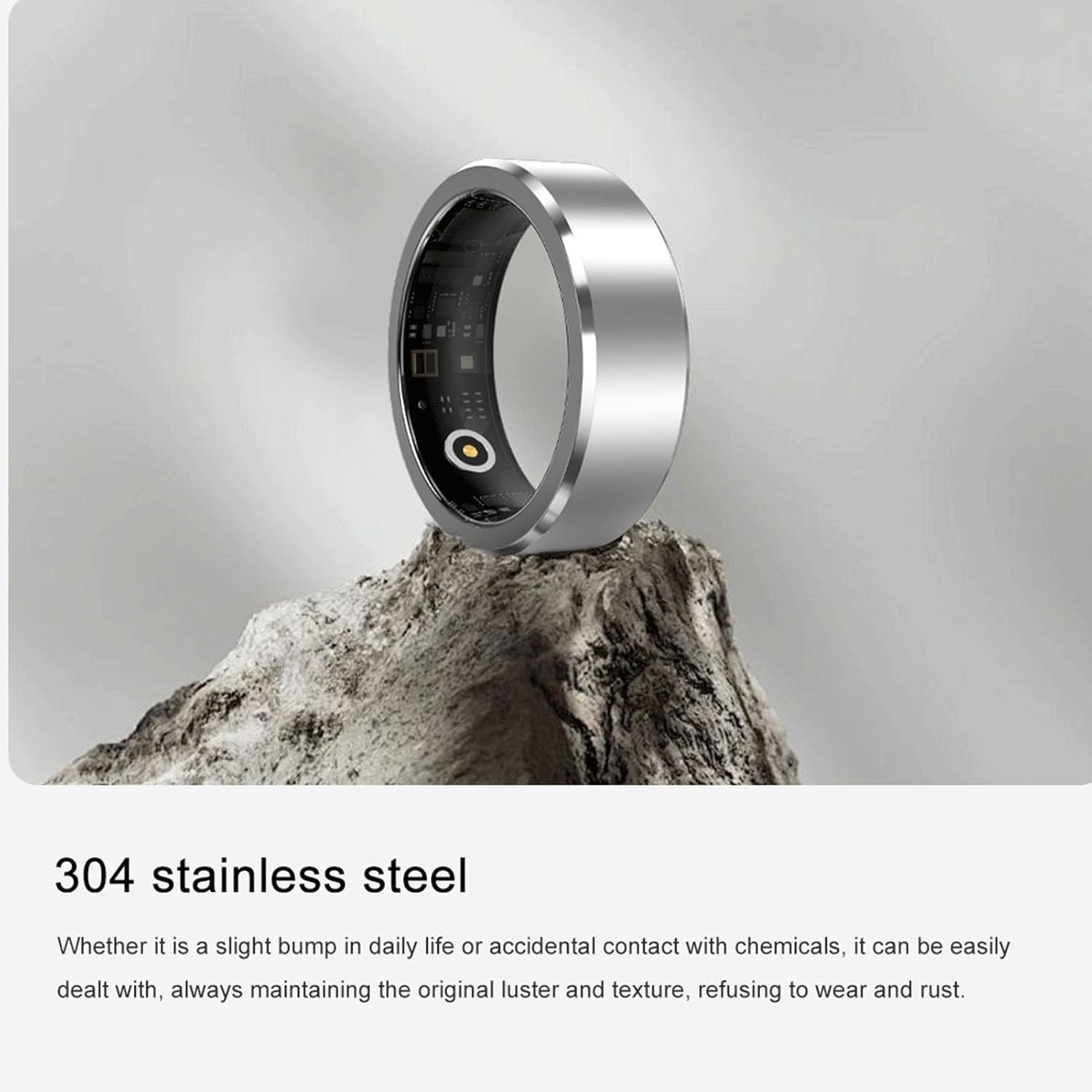
Image: The smart ring made from 304 stainless steel, emphasizing its durable and resistant properties.
7. Cara ngungkulan
If you encounter issues with your Cuifati Smart Ring, consider the following general troubleshooting steps:
- Masalah konektipitas: Ensure Bluetooth is enabled on your smartphone and the ring is within range. Try restarting both the ring (if applicable) and your smartphone.
- Masalah Sinkronisasi Data: Verify that the CyFit app is updated to the latest version. Ensure a stable internet connection for data synchronization.
- Kahirupan batré: If battery life is shorter than expected, ensure the ring is fully charged. Excessive background app usage or frequent data synchronization may affect battery performance.
- Bacaan teu akurat: Confirm the ring is worn correctly and fits snugly. Ensure the sensors are clean and free from debris.
For persistent issues, refer to the 'Help' section within the CyFit app or contact customer support.
8. Garansi jeung Rojongan
This product comes with a standard manufacturer's warranty. Please refer to the warranty card included in your product packaging for specific terms and conditions, including warranty duration and coverage details.
For technical support, product inquiries, or warranty claims, please contact Cuifati customer service through the contact information provided in your product documentation or via the official Cuifati websitus.