1. Bubuka
Hatur nuhun pikeun meuliasing the SIMREX X300C Mini Drone. This manual provides essential information for the safe operation, setup, and maintenance of your drone. Please read it thoroughly before first use to ensure optimal performance and to prevent damage or injury. The X300C is a compact, foldable RC quadcopter featuring a 720P HD FPV camera, Altitude Hold, 3D Flip, Headless Mode, and Gravity Control, designed for beginners, kids, and adults.

Image: The SIMREX X300C Mini Drone, its remote controller, and two modular batteries.
2. Pancegahan Kasalametan
- Pangawasan Dewasa: Always ensure adult supervision, especially when children are operating the drone.
- Lingkungan hiber: Hiber di tempat anu kabuka sareng bersih, jauh ti jalma, sasatoan, gedong, sareng halangan. Hindarkeun hiber dina angin kenceng atanapi kaayaan cuaca anu goréng.
- Kasalametan Baling-baling: Keep hands, face, and hair away from rotating propellers. Always turn off the drone and controller before handling the propellers.
- Kasalametan batré: Use only the provided charging cable and batteries. Do not overcharge or short-circuit batteries. Discontinue use if batteries show signs of swelling or damage.
- Cai sareng Uap: Keep the drone and its components away from water and moisture to prevent damage to electronic parts.
- Stopan Darurat: Biasakeun diri anjeun sareng fungsi eureun darurat pikeun mareuman langsung upami diperyogikeun.

Image: The SIMREX X300C drone equipped with propeller guards, emphasizing safe operation.
3. Naon dina Box
- SIMREX X300C Mini Drone
- Jauh Controller
- Batré Modular (x2)
- Baling-balik cadang
- Kabel Ngecas USB
- Obeng
- Manual pangguna (dokumén ieu)
4. Produk Langkungview
Komponén Drone
- Foldable Arms with Motors and Propellers
- 720P HD FPV Camera (front)
- Optical Flow Positioning Sensor (bottom)
- Kompartemen batré
- Tombol Daya
Remote Controller Layout

Image: Detailed diagram of the remote controller, showing buttons for gravity sensor switch, one key takeoff/ascend, 3 speeds mode, gyro calibration, left/right sliders, one key descend, headless mode, one key return, 3D flip, fine tuning controls, power switch, and charging interface.
- Joystick kénca: Ngatur luhurna (naék/handap) sareng rotasi (kénca/katuhu).
- Joystick katuhu: Ngadalikeun gerakan maju / mundur sareng kénca / katuhu.
- One Key Takeoff/Landing Button: Ngamimitian lepas landas atanapi badarat otomatis.
- Tombol Pindah Laju: Toggles between different flight speeds (low, medium, high).
- Tombol Mode Headless: Ngaktipkeun/nonaktipkeun modeu tanpa sirah.
- Tombol Balik 3D: Performs 360-degree flips.
- Tombol-tombol pikeun Ngalereskeun: Adjusts drone drift for stable flight.
- Tombol Daya: Ngahurungkeun/mareuman controller.
5. Setélan
5.1 Ngeusi batre jeung Pamasangan
Charge both drone batteries and the remote controller battery using the provided USB charging cable. The indicator light will turn off when fully charged. Insert the charged modular batteries into the drone's battery compartment until they click into place. The remote controller has a built-in rechargeable battery.
5.2 Pamasangan propeller
Ensure propellers are installed correctly according to the markings (A1, A2, B1, B2) on the drone arms and propellers. Incorrect installation will prevent the drone from taking off.
5.3 App Installation (SIMREX Zoomy)
Download the "SIMREX Zoomy" app from your smartphone's app store (iOS App Store or Google Play Store). This app is required for FPV viewing, photo/video recording, and advanced flight features like Waypoints and Gravity Control. You can also scan the QR code on the product packaging or visit simrex.com.cn/download_zoomy.html pikeun ngundeur aplikasi.
5.4 Ngapasangkeun Drone sareng Kontroler
- Tempatkeun drone dina permukaan anu rata, rata.
- Press and hold the power button on the drone for a long time until the color light flashes.
- Turn on the switch button at the bottom of the remote controller.
- Push the left joystick up and then down. The drone's indicator lights will become solid, indicating successful pairing.

Image: Visual guide for initial setup, showing propeller installation, powering on the drone, and turning on the remote controller for adaptation.
6. Parentah Operasi
6.1 Kontrol hiber dasar
- Hiji konci lepas landas/pendaratan: Press the dedicated button on the controller for automatic takeoff or landing.
- Naek/Turun: Pencét joystick kénca ka luhur pikeun naék, ka handap pikeun turun.
- Maju / Mundur: Push the right joystick up for forward flight, down for backward flight.
- Belok Kénca/Katuhu: Push the left joystick left or right to rotate the drone.
- Fly Left/Right: Push the right joystick left or right to fly sideways.
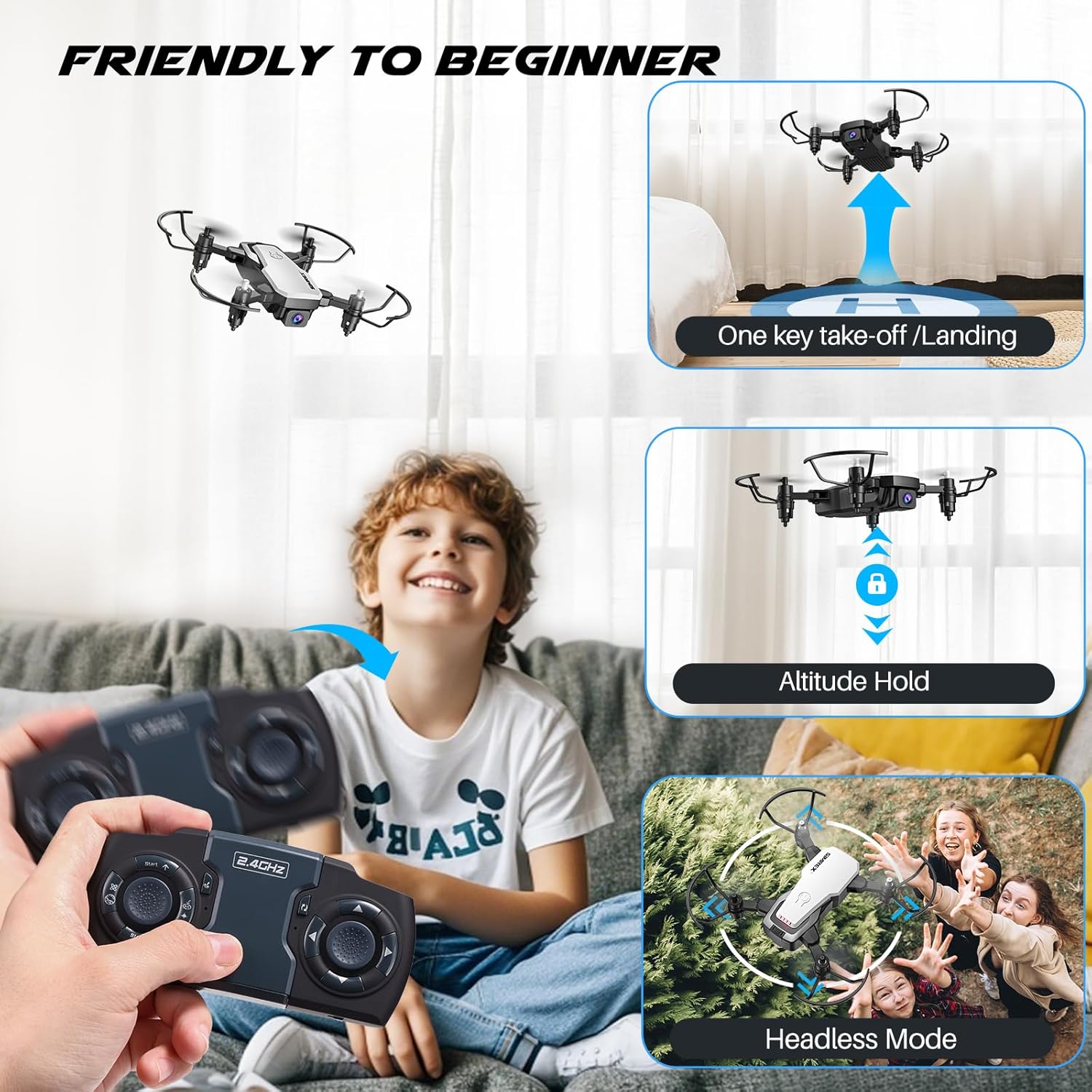
Image: A child operating the SIMREX X300C drone, illustrating features like one-key takeoff/landing, altitude hold, and headless mode for beginner-friendly flight.
6.2 Fitur husus
- Ketinggian Tahan: The drone maintains a consistent altitude, making it easier to control and capture stable photos/videos. This is supported by optical flow positioning.
- Mode tanpa sirah: Dina modeu ieu, orientasi drone relatif ka pilot, ngaleungitkeun kabutuhan pikeun nyaluyukeun posisina sateuacan ngapung.
- Balikkeun 3D: Press the 3D Flip button and move the right joystick in any direction to perform a 360-degree flip.
- Kontrol gravitasi: Using the SIMREX Zoomy app, you can control the drone's direction by tilting your smartphone.
- Waypoints Fly: Draw a flight path on the app screen, and the drone will automatically follow the designated route.
- 3 Modeu Speed: Adjust the drone's speed to suit your skill level or flying environment.

Image: A child observing the SIMREX X300C drone as it hovers stably, demonstrating its optical flow positioning capability.
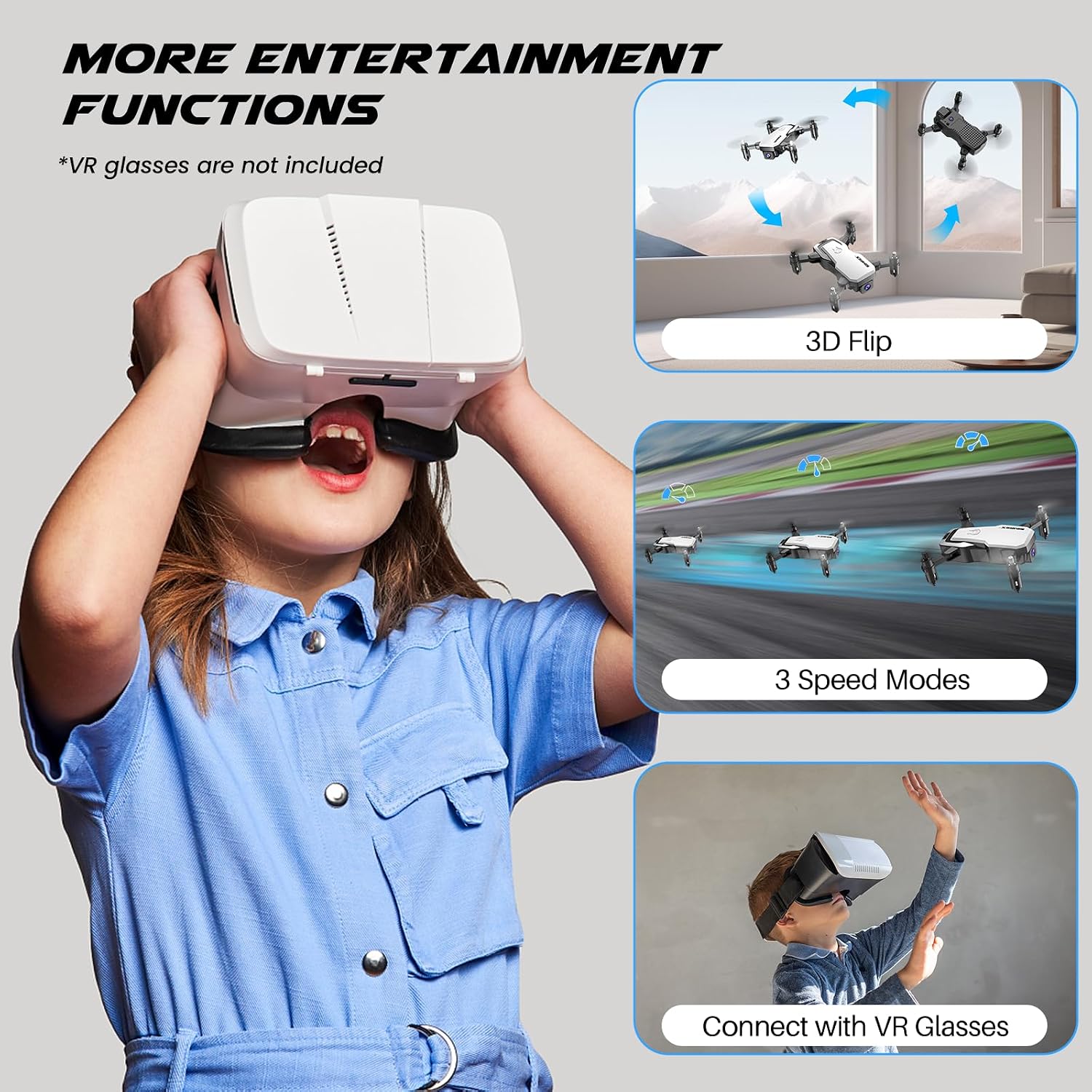
Image: A child wearing VR glasses, with illustrations of the SIMREX X300C performing 3D flips and operating in different speed modes, highlighting entertainment functions.
6.3 Camera Operation (FPV)
Connect your smartphone to the drone's Wi-Fi network (usually named "SIMREX-X300C-XXXX"). Open the SIMREX Zoomy app to view the live FPV feed. From the app, you can capture 720P HD photos and videos directly to your phone's gallery.

Image: Close-up of the SIMREX X300C drone's 720P WiFi FPV camera, with examples of photos and videos it can capture.
6.4 Video Produk Resmi
Video: An official demonstration of the SIMREX mini drone, showcasing its features and flight capabilities for kids and beginners.
7. Pangropéa
- beberesih: Use a soft, dry cloth to clean the drone and controller. Do not use harsh chemicals or solvents.
- Inspeksi Baling-Baling: Regularly check propellers for damage. Replace any bent or broken propellers immediately using the spare parts provided.
- Perawatan batré: Store batteries in a cool, dry place. If not used for an extended period, charge them to about 50% capacity every three months to prolong battery life.
- Panyimpenan: Simpen drone sareng komponénna di tempat anu aman, jauh tina sinar panonpoé langsung sareng suhu anu ekstrim.
8. Cara ngungkulan
| Masalah | Mungkin Cukang lantaranana | Solusi |
|---|---|---|
| Drone teu ngaréspon ka controller | Not paired; Low battery (drone/controller); Out of range | Re-pair drone and controller; Charge batteries; Fly within range (18 meters) |
| Drone cannot take off or flies unstable | Propellers installed incorrectly; Damaged propellers; Not calibrated; Uneven surface | Check propeller installation (A/B markings); Replace damaged propellers; Perform gyro calibration; Place on a flat surface for takeoff |
| Eupan FPV laggy atanapi teu nyambung | Weak Wi-Fi signal; Too far from drone; Interference | Ensure strong Wi-Fi connection; Fly closer to the drone; Avoid areas with strong Wi-Fi interference |
| waktos hiber pondok | Battery not fully charged; Old battery; Aggressive flying | Fully charge batteries; Consider replacing old batteries; Fly more gently |
9. Spésifikasi
| Fitur | Rincian |
|---|---|
| Ngaran modél | X300C |
| merek | SIMREX |
| Warna | Bodas |
| Resolusi Capture Video | 720 p |
| Téhnologi konektipitas | USB (charging) |
| Tipe Kontrol | Remote Control, App Control (Wi-Fi FPV) |
| Rentang maksimum | 18 méter |
| Item Beurat | 237 Gram (8.4 ons) |
| Dimensi produk | 1.9"L x 4.5"W x 1.3"H (Folded) |
| Jenis Batré | Lithium Ion (Modular) |
| Waktos hiber | Nepi ka 18 menit (kalayan 2 batré) |
| Fitur husus | 360 Degree Flip, Speed Adjustment, Anti-Fall, Foldable, First Person View (FPV), Optical Flow Positioning, Altitude Hold, Headless Mode, Gravity Control |

Image: The SIMREX X300C drone resting in a hand, illustrating its compact and portable dimensions.
10. Garansi jeung Rojongan
For warranty information or technical support, please contact SIMREX customer service. Keep your purchase receipt as proof of purchase.
Surélék: simrex.com@outlook.com
Website for App Download: simrex.com.cn/download_zoomy.html


