Imagebon Android Carplay Screen
Manual pamaké
1. Bubuka
Welcome to the user manual for your new Imagebon 7-inch Android Carplay Screen. This device is designed to enhance your in-car entertainment and navigation experience with its powerful Android system, wireless connectivity, and multimedia capabilities. Please read this manual carefully to ensure proper installation, operation, and maintenance of your device.
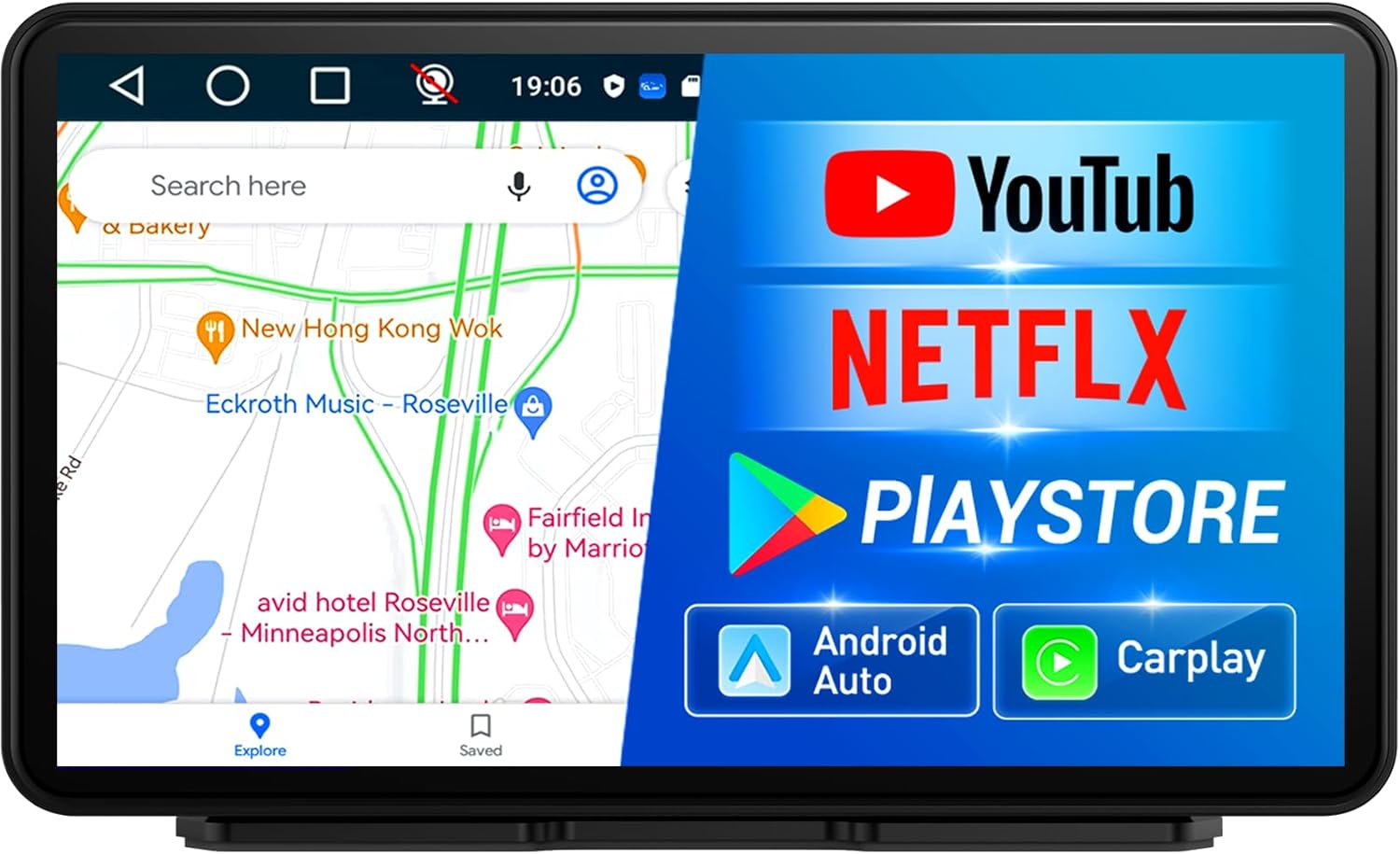
Gambar 1: Utama view of the Imagebon Android Carplay Screen.
2. Fitur Produk
- Portable Display Audio with Android System: Equipped with a 4-Core CPU, 2GB RAM, and 32GB ROM for smooth performance and ample gudang.
- Powerful Android System: Access online browsing and the Google Play Store for app downloads and content streaming. Supports offline maps for reliable navigation.
- Konektipitas Seamless: Supports wireless CarPlay and Android Auto via Bluetooth or Wi-Fi for hands-free calls and app control.
- Customizable and Convenience: Multiple audio outputs (AUX, FM, Bluetooth, built-in speaker) and SD card playback. AirPlay and Miracast support for screen mirroring.
- Enhanced Audio and Display Experience: Superior sound quality with various audio output options including Bluetooth, USB, AUX, FM, and USB flash drives.

Figure 2: The Imagebon model supports a wider range of applications compared to other carplay screens.
3. Setélan
3.1 Mimiti Power-Up
Before first use, ensure the device is charged for at least 10 minutes or more. Use the original car charger or a charging head that provides at least 5V/3A to ensure stable power supply.

Figure 3: The device powers on, displaying its Android system and memory specifications.
3.2 Sambungan Jaringan
To access online features such as maps, Netflix, and YouTube, connect the device to a Wi-Fi network or your smartphone's hotspot. Navigate to the 'Settings' menu on the device to configure your network connection.
4. Parentah Operasi
4.1 CarPlay Nirkabel sareng Android Auto
The Imagebon Carplay Screen supports both wireless Apple CarPlay and Android Auto. Connect your smartphone via Bluetooth or Wi-Fi to enable seamless integration. This allows for voice calls, hands-free control, and access to your favorite navigation and music apps directly on the screen.
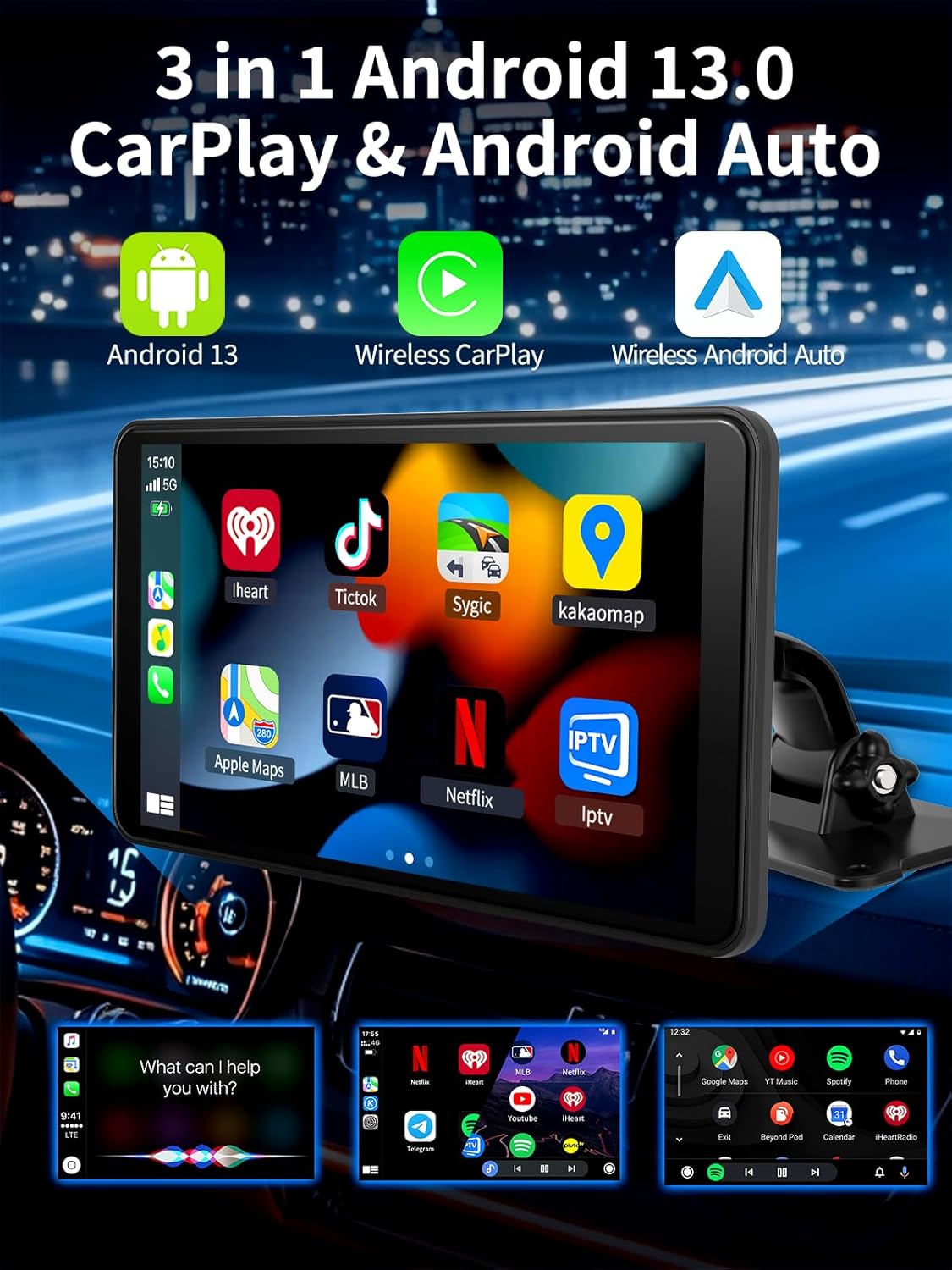
Figure 4: The device supports Android 13, Wireless CarPlay, and Wireless Android Auto for comprehensive smartphone integration.
4.2 Napigasi GPS
The device features built-in GPS navigation. Connect to Wi-Fi or your phone's hotspot to access real-time navigation apps like Google Maps and Waze. It also supports offline map downloads, ensuring navigation even without an internet connection.

Figure 5: The screen provides clear GPS navigation, supporting various mapping applications.
4.3 Putereun Multimedia
Enjoy a wide range of entertainment options. The powerful Android system allows you to download and stream content from apps like YouTube and Netflix. You can also play music, videos, and images directly from an SD card.

Figure 6: The device supports multiple settings and applications for enhanced user experience.
4.4 Bluetooth Music and Calls
Connect your phone via Bluetooth to stream music and make/receive calls directly through the Carplay screen. The device offers superior sound quality through various audio output options.

Figure 7: Seamless Bluetooth connectivity for music streaming and hands-free calling.
4.5 Mirror Link (AirPlay & Miracast)
Utilize AirPlay and Miracast features to mirror your device's screen onto the Carplay display. This allows you to easily access maps, YouTube, Netflix videos, and your favorite music from your smartphone.
4.6 Kontrol Sora AI
The device supports AI voice control, primarily available when using CarPlay or Android Auto mode. This feature allows for convenient, hands-free operation of various functions.
5. Pangropéa
To ensure the longevity and optimal performance of your Imagebon Carplay Screen, follow these maintenance guidelines:
- beberesih: Anggo lawon anu lemes sareng henteu lint pikeun ngabersihan layar. Pikeun smudges nekad, rada dampen lawon jeung cai atawa cleaner aman layar. Hindarkeun bahan kimia anu kasar.
- Panyimpenan: Lamun teu dipaké pikeun période nambahan, nyimpen alat dina tiis, tempat garing jauh ti sinar panonpoé langsung jeung hawa ekstrim.
- Apdet parangkat lunak: The device supports Over-The-Air (OTA) upgrades. Regularly check for and install software updates to ensure you have the latest features and performance improvements.

Figure 8: The device supports OTA (Over-The-Air) software upgrades for continuous improvement.
6. Cara ngungkulan
If you encounter issues with your Imagebon Carplay Screen, refer to the table below for common problems and their solutions:
| Masalah | Mungkin Cukang lantaranana | Solusi |
|---|---|---|
| Alat teu hurung. | Insufficient power supply or not charged. | Ensure the device is connected to a 5V/3A power source. Charge for at least 10 minutes before attempting to power on. |
| Cannot connect to Wi-Fi/Hotspot. | Incorrect password, out of range, or 5Ghz hotspot incompatibility. | Verify Wi-Fi password. Move closer to the Wi-Fi source. Ensure your hotspot is 2.4Ghz if the device does not support 5Ghz. |
| CarPlay/Android Auto teu nyambung sacara nirkabel. | Bluetooth not paired or Wi-Fi connection unstable. | Ensure Bluetooth is enabled on both devices and paired. Check Wi-Fi signal strength. Restart both the phone and the Carplay screen. |
| Taya kaluaran audio. | Incorrect audio output mode selected or volume too low. | Check the selected audio output (AUX, FM, Bluetooth). Increase volume on both the device and your car stereo. |
| Aplikasi ngalambatkeun atanapi ngadat. | Too many apps running in the background or low storage. | Close unnecessary background apps. Clear cache or uninstall unused apps to free up storage. Consider a factory reset if issues persist. |
7. Spésifikasi
| Fitur | Rincian |
|---|---|
| Nomer modél | 7''(2+32G) |
| Diagonal layar | 7 inci / 18 cm |
| Prosesor | CPU 4 Inti |
| Ram | 2GB |
| ROM (Panyimpenan Internal) | 32GB |
| Sistem operasi | Android |
| Konektipitas | CarPlay nirkabel, Android Auto, Bluetooth, Wi-Fi |
| Napigasi | Built-in GPS, Supports offline maps |
| Modeu Kaluaran Audio | AUX, FM, Bluetooth, Built-in Speaker, USB |
| Média anu Dirojong | SD card for music, videos, images |
| Ngeunteung | AirPlay, Miracast |
| Item Beurat | 2.05 pon |
| Ukuran Paket | 8.7 x 6.38 x 4.88 inci |
8. Naon dina Box
Your Imagebon Android Carplay Screen package includes the following items:
- Imagebon Carplay Screen Unit
- Kabel AUX
- Carjer mobil
- 3M Sticky Mount

Gambar 9: Eusi anu kalebet dina pakét produk.
9. Garansi jeung Rojongan
Imagebon products are designed for reliability and performance. For information regarding warranty coverage, technical support, or service inquiries, please refer to the warranty card included in your product packaging or visit the official Imagebon support websitus. Simpen resi pameseran anjeun salaku bukti pameseran pikeun klaim garansi.


