
1. Bubuka
This manual provides detailed instructions for the installation, operation, and maintenance of your Cuifati Wired Video Intercom System. This system enhances home security by allowing visual and audio communication with visitors at your door. It features a 7-inch indoor monitor and an outdoor camera with HD night vision and a 120-degree wide-angle view.
2. Eusi Paket
Mangga parios heula sadaya barang anu didaptarkeun di handap ieu kalebet kana pakét anjeun. Upami aya barang anu leungit atanapi ruksak, mangga ngahubungi layanan palanggan.
- 1 x Indoor Monitor Unit
- 1 x Outdoor Camera Unit
- 1 x Rain Cover for Outdoor Unit
- 3 x Kabel Koneksi
- 6 x Sekrup Ékspansi
- 7 x Metal Screws
- 1 x Colokkeun Screw
- 1 x adaptor kakuatan
- 1 x Mounting Bracket (for indoor unit)
3. Produk Langkungview
The Cuifati Wired Video Intercom System consists of an indoor monitor and an outdoor camera unit. Familiarize yourself with the components and controls before installation.

Gambar 3.1: Leuwihview of the Indoor Monitor and Outdoor Camera Unit.
Indoor Monitor Unit

Figure 3.2: Indoor Monitor Unit Controls.
- Indikator kakuatan: Caang nalika unit dihurungkeun.
- Konci Menu: Accesses system settings for brightness, volume, and contrast.
- Konci Monitor: Activates the outdoor camera view.
- Unlock Key: Remotely unlocks an electronic door lock (if connected).
- Answer and Hang Up Keys: Initiates and ends communication with the outdoor unit.
- Speaker: Nyadiakeun kaluaran audio.
- Adjustment Dials (Side): Controls for brightness, color contrast, and sound volume.
Outdoor Camera Unit

Figure 3.3: Outdoor Camera Unit.
- Lensa kaméra: 1/4 HD CMOS camera with 120-degree wide-angle view.
- Lampu Infrabeureum: 6 IR lights for night vision.
- Mikropon: Pikeun komunikasi audio dua arah.
- Speaker: Pikeun kaluaran audio.
- Tombol Telepon: Initiates a call to the indoor monitor.
- Panutup Hujan: Provides protection against weather elements.
4. Setup jeung Instalasi
Proper installation is crucial for optimal performance. This system uses a 4-wire connection method.
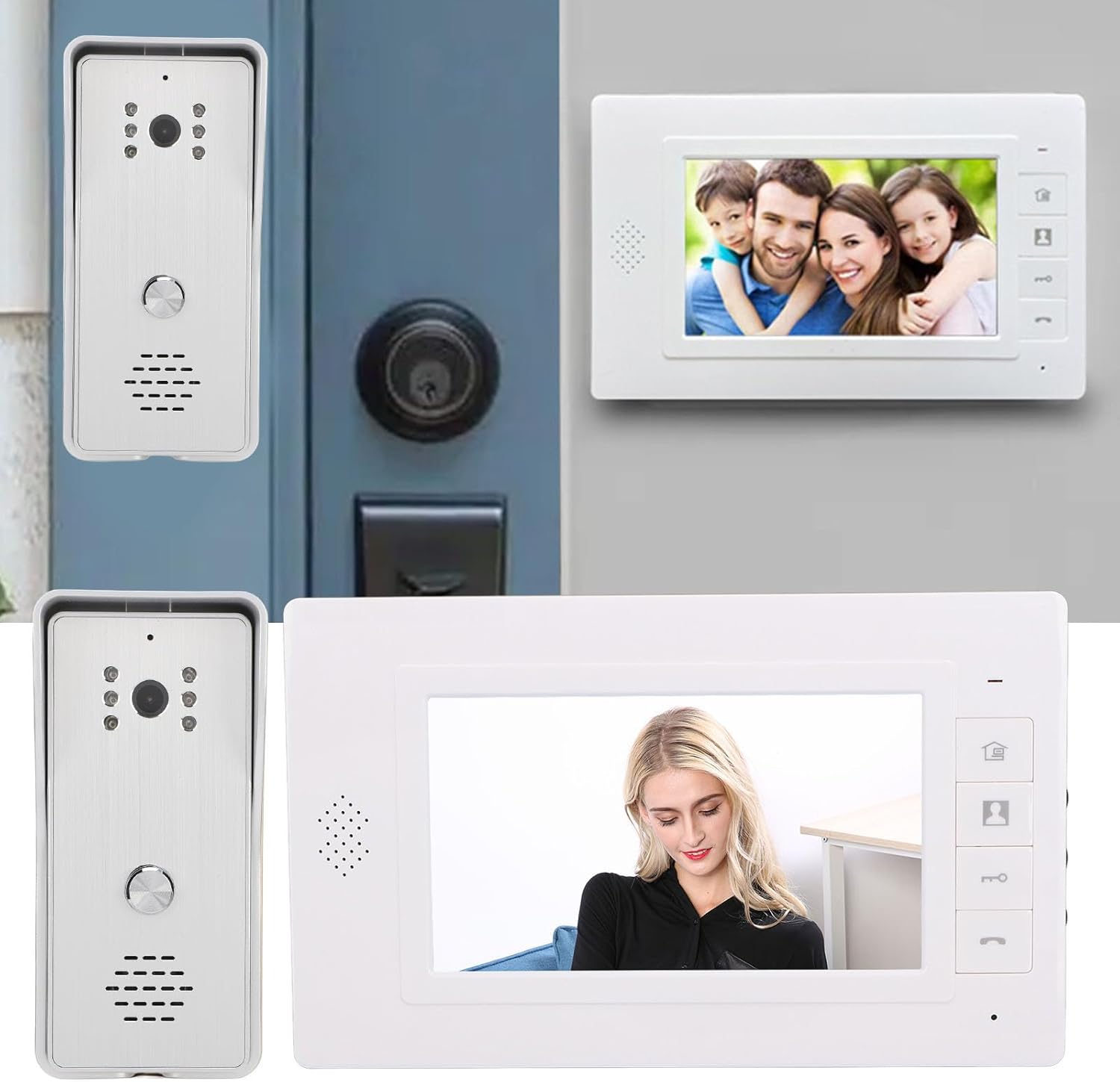
Gambar 4.1: Kelample Pamasangan.
4.1 Pamasangan Unit outdoor
- Pilih lokasi anu cocog caket lawang anjeun, pastikeun kaméra gaduh gambar anu jelas view and is protected from direct heavy rain (the included rain cover provides additional protection).
- Mount the rain cover to the wall using the expansion screws.
- Secure the outdoor camera unit inside the rain cover using the metal screws.
- Ensure the unit is at an appropriate height for visitors to easily reach the call button and for the camera to capture faces clearly.
4.2 Pamasangan Unit jero rohangan
- Select a convenient indoor location, such as a hallway or living room, where the monitor is easily accessible.
- Mount the provided mounting bracket to the wall using screws.
- Hang the indoor monitor unit onto the mounting bracket.
4.3 Sambungan Wiring
Connect the indoor and outdoor units using the provided 4-wire connection cables. Ensure all connections are secure and follow the wiring diagram provided in the detailed installation guide (not included in this general manual, refer to product packaging for specific diagrams).
- Connect one end of the 4-wire cable to the outdoor unit's wiring terminals.
- Route the cable to the indoor unit's location.
- Connect the other end of the 4-wire cable to the indoor unit's wiring terminals.
- If connecting an electronic door lock, connect the lock's wires to the designated terminals on the indoor unit (refer to specific wiring diagram).
- Plug the power adapter into the indoor monitor unit and then into a standard electrical outlet.
Catetan: Always ensure power is disconnected before making any wiring connections to prevent electrical shock or damage to the system.
5. Parentah Operasi
5.1 Ngajawab Telepon
- Nalika aya nu datang mencét tombol nelepon dina unit luar ruangan, monitor jero ruangan bakal disada sareng nampilkeun gambar nu datang.
- Pencét éta Kunci Jawaban (phone icon) on the indoor monitor to establish two-way audio communication.
- Pikeun ngeureunkeun paguneman, pencét tombol Gantung konci (phone icon again).
5.2 Ngawaskeun Area Luar Ruangan
Anjeun tiasa view the outdoor area at any time without a visitor pressing the call button.
- Pencét éta Konci Monitor (camera icon) on the indoor monitor.
- The screen will display the live feed from the outdoor camera.
- Pencét éta Konci Monitor deui atawa teh Gantung konci to exit monitoring mode.
5.3 Muka konci Panto
If an electronic door lock is connected to the system, you can unlock it remotely.
- Salila nelepon atanapi nalika ngawaskeun, pencét Konci konci (key icon) on the indoor monitor.
- The connected door lock will activate, allowing the visitor entry.
5.4 Nyaluyukeun Setélan
The indoor monitor allows adjustment of display and audio settings.
- Pencét éta Tombol ménu (house icon) to access the settings menu.
- Use the side adjustment dials to modify Caang, Color Contrast, jeung Volume Sora.
- The system also offers different ringtone choices, which can be selected via the menu.
5.5 Konéktivitas Multi-Alat
This system supports multiple indoor monitors. All connected monitors can view, listen, and communicate with the outdoor unit, and unlock the door.
6. Pangropéa
Pangropéa rutin ngajamin umur panjang sareng kinerja optimal tina sistem interkom anjeun.
- beberesih: Use a soft, dry cloth to clean the indoor monitor screen and outdoor camera lens. Avoid abrasive cleaners or solvents.
- Unit outdoor: Periodically check the outdoor unit and its rain cover for any debris, dirt, or spiderwebs that might obstruct the camera view or microphone.
- Wiring: Ensure all wiring connections remain secure and free from damage.
- kakuatan: Do not expose the power adapter to moisture or extreme temperatures.
7. Cara ngungkulan
Upami anjeun ngalaman masalah sareng sistem interkom anjeun, tingali masalah sareng solusi umum ieu:
| Masalah | Mungkin Cukang lantaranana | Solusi |
|---|---|---|
| Taya gambar dina monitor indoor | Loose wiring connection; Power issue; Damaged camera/monitor. | Check all 4-wire connections; Ensure power adapter is plugged in and functional; Contact support if units are damaged. |
| No audio during communication | Volume too low; Loose wiring; Damaged speaker/microphone. | Adjust volume using side dial; Check 4-wire connections; Contact support. |
| Door lock not activating | Incorrect wiring to lock; Lock malfunction; Power issue to lock. | Verify lock wiring according to diagram; Test the lock independently; Ensure adequate power supply to the lock. |
| Kualitas visi wengi goréng | Obstructed IR lights; Dirty camera lens. | Clean the camera lens and ensure IR lights are clear of obstructions. |
Lamun masalah persists sanggeus nyobian solusi ieu, mangga ngahubungan rojongan customer pikeun pitulung salajengna.
8. Spésifikasi
Technical specifications for the Cuifati Wired Video Intercom System (Model Cuifatisw45mt1g7g-14):

Gambar 8.1: Dimensi Produk.
- Tipe barang: Smart Video Intercom System
- Bahan: ABS
- Métode Wiring: 4-kawat
Outdoor Camera Unit
- Kaméra sensor: 1/4 HD CMOS
- Sumber cahaya: 6 Lampu Infrabeureum
- Resolusi: 800 x 600 piksel
- Viewdina Angle: 120 derajat
- ukuran: Kira-kira 134mm (T) x 59mm (L) x 39mm (J)
Indoor Monitor Unit
- layar: 7-inci TFT LCD
- Resolusi: 800 x 480 piksel
- Setélan adjustable: Brightness, Volume, Contrast
- ukuran: Kira-kira 150mm (T) x 245mm (L) x 23mm (J)
Umum
- Diménsi Produk (Sacara Umum): 26 x 16 x 10 cm
- Beurat produk: 874 gram
- Pabrikan: Cuifati
- ASIN: B0DD1HJCQS
- Negara asal: Cina
9. Garansi jeung Rojongan
For warranty information, please refer to the documentation provided at the time of purchase or contact your retailer. For technical support or further assistance, please reach out to Cuifati customer service through the contact information provided with your product or on the official Cuifati websitus.