Bubuka
This manual provides detailed instructions for the installation, operation, maintenance, and troubleshooting of your Thermalright Royal Knight 120 SE CPU Cooler. Designed for optimal thermal performance, this dual-tower cooler features six 6mm pure copper heat pipes and dual PWM fans to ensure efficient cooling for your CPU. It is compatible with a wide range of AMD and Intel platforms.
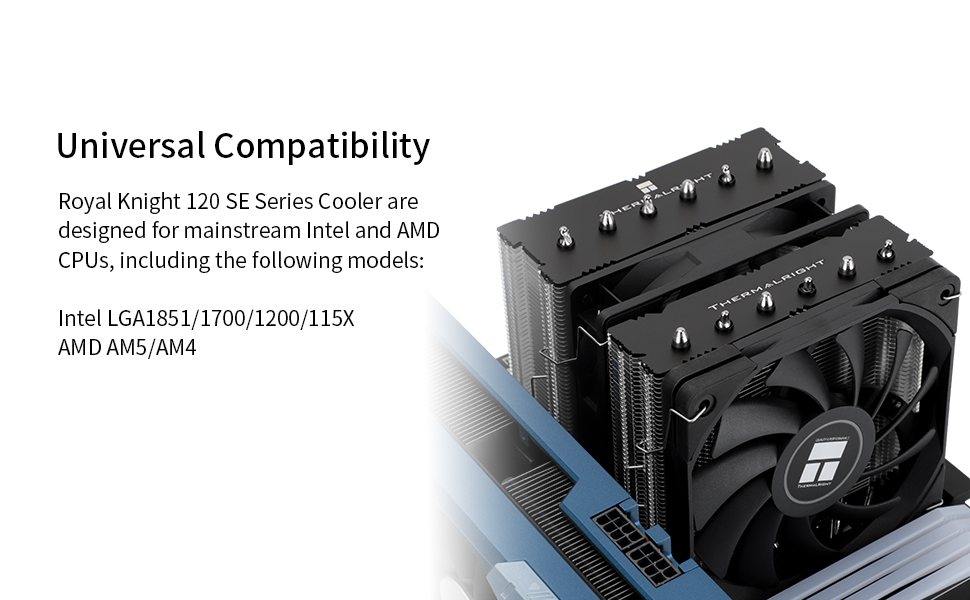
Gambar 1: Leuwihview of the Thermalright Royal Knight 120 SE CPU Cooler. This image showcases the dual-tower design with two fans installed, highlighting its robust construction for efficient heat dissipation.
Setup sareng Instalasi
Proper installation is crucial for optimal performance. Please follow these steps carefully. An installation video is provided below for visual guidance.
Video 1: Thermalright RK120 SE CPU Cooler Installation Guide. This video provides a step-by-step guide for installing the Thermalright RK120 SE CPU Cooler on both AMD AM5/AM4 and Intel LGA1700 platforms. It covers component identification, bracket installation, thermal paste application, heatsink mounting, fan attachment, and cable connection.
1. Eusi Paket
Sateuacan ngamimitian pamasangan, pastikeun sadaya komponén aya:
- Thermalright Royal Knight 120 SE CPU Cooler (Heatsink with pre-installed fans)
- Intel Mounting Brackets (x2)
- AMD Mounting Brackets (x2)
- Thermal Compound (x1 tube)
- LGA115X/1200 Plastic Standoffs (black, x4)
- LGA1851/1700 Plastic Standoffs (blue, x4)
- AMD Plastic Standoffs (red, x4)
- Intel Mounting Screws (x4)
- AM4/AM5 Mounting Screws (x4)
- Fan Y-Cable (x1)
- Intel LGA1700 Backplate (x1)
- Slim Fan Clips (x2)
- Standard Fan Clips (x2)
2. Prepare Motherboard
Pikeun Motherboard AMD AM5/AM4:
- Remove the existing plastic retention brackets from the motherboard around the CPU socket. Keep the original motherboard backplate as it will be reused.
- Install the four red AMD plastic standoffs onto the motherboard's CPU socket screw holes.
- Place the two AMD metal mounting brackets onto the standoffs, aligning the screw holes. Secure them using the AM4/AM5 mounting screws with a screwdriver. Ensure they are tightened evenly.

Figure 2: AMD motherboard with plastic brackets removed and red standoffs installed, ready for the cooler's mounting brackets.
For Intel LGA1700/1851/115X/1200 Motherboards:
- Adjust the Intel backplate to the correct mounting hole position for your CPU socket (e.g., LGA1700).
- Install the backplate from the back side of the motherboard, aligning the holes with the CPU socket.
- Install the four appropriate Intel plastic standoffs (blue for LGA1700/1851, black for LGA115X/1200) onto the motherboard's CPU socket screw holes.
- Place the two Intel metal mounting brackets onto the standoffs. Ensure the Intel screws pass through the correct LGA1700 holes on the brackets. Secure them with the Intel mounting screws using a screwdriver. Tighten evenly to ensure proper contact.

Figure 3: Intel LGA1700 motherboard with backplate and blue standoffs installed, showing the metal mounting brackets secured.
3. Apply Thermal Compound
Apply a small amount of thermal compound (included) to the center of the CPU's Integrated Heat Spreader (IHS). A pea-sized dot or a thin line is generally sufficient. The pressure from the heatsink will spread it evenly.
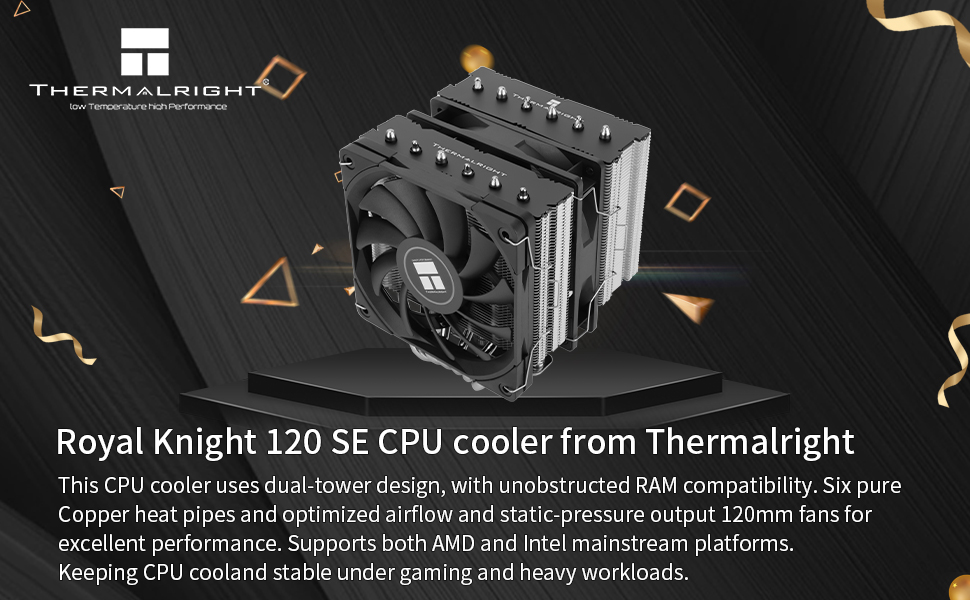
Figure 4: Illustrates the application of thermal compound onto the CPU's surface, ensuring good thermal contact with the cooler.
4. Mount Heatsink
- Remove the protective sticker from the heatsink's coldplate.
- Carefully place the heatsink onto the CPU, ensuring the heatsink's bracket nuts align with the screws on the installed mounting brackets.
- Using a screwdriver, alternately tighten the nuts on the heatsink bracket to apply even mounting pressure. Tighten until snug, but do not overtighten.

Figure 5: The heatsink is shown securely mounted onto the CPU, with the mounting nuts tightened to ensure proper contact.
5. Install Fans
The Royal Knight 120 SE includes two fans: a standard 120mm fan and a slim 120mm fan for RAM compatibility.
- Attach the slim fan clips to the slim fan and the standard fan clips to the standard fan.
- Carefully clip the fans onto the heatsink, ensuring they are oriented to pull air through the heatsink fins (typically towards the rear of the case).
- Connect the 4-pin connectors from both fans to the included Y-cable.
- Connect the Y-cable to your motherboard's CPU_FAN header. This allows both fans to be controlled synchronously by the motherboard.
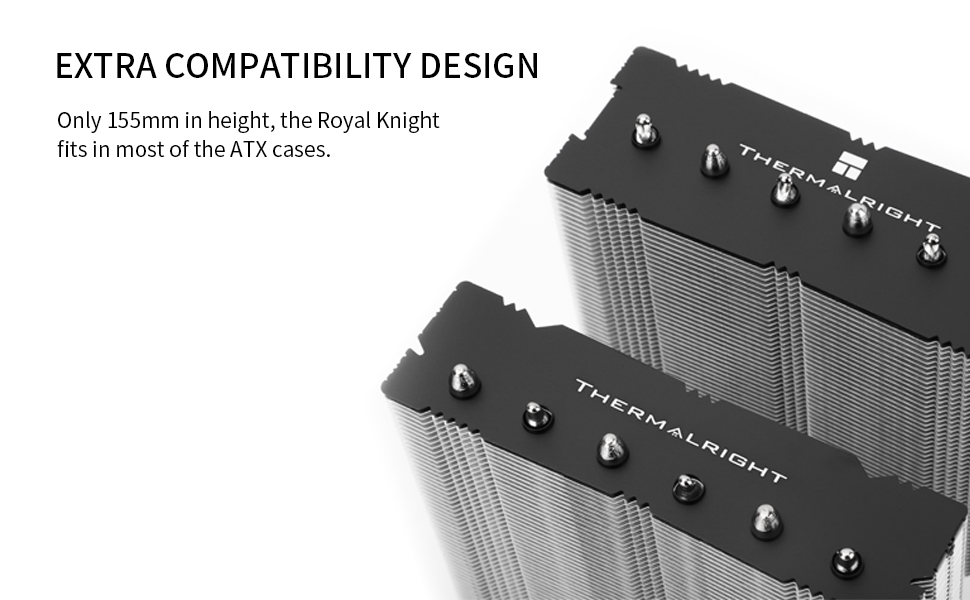
Figure 6: The two included fans, TL-C12B V2 and TL-C12015B, designed for optimal airflow and compatibility.
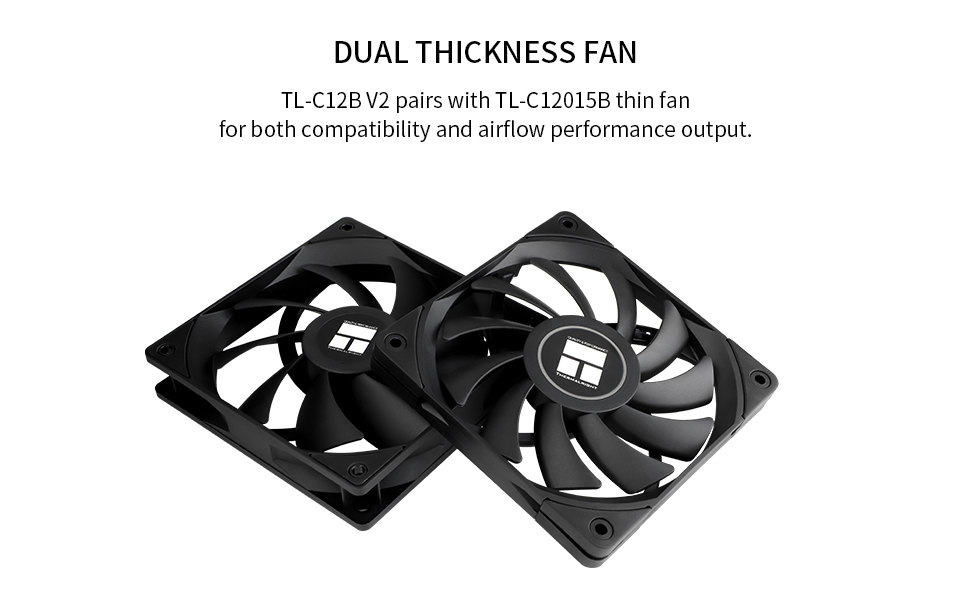
Figure 7: Demonstrates the cooler's RAM compatibility, achieved through an offset fin stack design and the use of a slim 15mm fan on the RAM module side.
Parentah Operasi
Once installed, the Thermalright Royal Knight 120 SE CPU Cooler operates automatically, controlled by your motherboard's fan headers. The PWM (Pulse Width Modulation) fans adjust their speed based on CPU temperature, providing efficient cooling when needed and quieter operation during lighter loads.
- Daya mimiti Hurung: After installation, power on your system. Verify that both fans on the cooler are spinning.
- Setélan BIOS/UEFI: Access your motherboard's BIOS/UEFI settings to ensure the CPU fan header is configured for PWM control and to set a fan curve if desired. This allows you to customize fan speed behavior based on temperature.
- Ngawaskeun: Use system monitoring software (e.g., HWMonitor, CPU-Z) to check CPU temperatures and fan speeds to confirm proper operation.
Pangropéa
Pangropéa rutin ngabantosan mastikeun umur panjang sareng kinerja optimal tina pendingin CPU anjeun.
- Ngaleungitkeun lebu: Periodically (every 3-6 months, depending on environment) clean dust from the heatsink fins and fan blades using compressed air or a soft brush. Ensure the fans are not spinning during cleaning to prevent damage.
- Témpél termal: The thermal paste typically lasts for several years. If you notice a significant increase in CPU temperatures, consider reapplying fresh thermal paste. This involves carefully removing the heatsink, cleaning off old paste from both the CPU and coldplate, and applying new paste.
- Pamariksaan kipas: Pariksa bilah kipas naha aya halangan atanapi karusakan. Pastikeun kabel kipas disambungkeun kalayan pageuh.
Pamérésan masalah
Upami anjeun ngalaman masalah sareng pendingin CPU anjeun, tingali masalah sareng solusi umum ieu:
| Masalah | Mungkin Cukang lantaranana | Solusi |
|---|---|---|
| Suhu CPU luhur |
|
|
| Kipas Angin Teu Muter |
|
|
| Kaleuleuwihan Fan Noise |
|
|
spésifikasi
Below are the technical specifications for the Thermalright Royal Knight 120 SE CPU Cooler:
| Fitur | Rincian |
|---|---|
| Modél | Royal Knight 120 SE |
| Ukuran (L x W x H) | 122mm x 114mm x 155mm (4.8 "L x 4.49" W x 6.1" H) |
| Téhnologi Pipa Panas | 6 x 6mm pure copper AGHP 5.0 heat pipes |
| Métode Cooling | Air Cooling (Dual Tower Radiator) |
| Modél kipas | TL-C12B V2 and TL-C12015B |
| Laju rotasi maksimum | 1500 rpm |
| Kapasitas Aliran Udara | 62.59 Kaki Kubik Per Menit (CFM) |
| Tingkat Noise | 25.6 Desibel (dB) |
| Tipe Panyambung Daya | 4-Pin PWM |
| Voltage | 12 Volt (DC) |
| Wattage | 2.4 watt |
| Bahan | Aluminum, Copper (Heatsink), PBT+PC (Fans) |
| Alat nu cocog | CPU Desktop |
| Stop kontak kasaluyuan | AMD: AM4, AM5; Intel: LGA1851, LGA1700, LGA1150, LGA1151, LGA1155, LGA1156, LGA1200 |
| Item Beurat | 3.1 pon |

Figure 8: Detailed dimensions of the Royal Knight 120 SE cooler, including height, width, and fan thicknesses, crucial for case and RAM clearance.
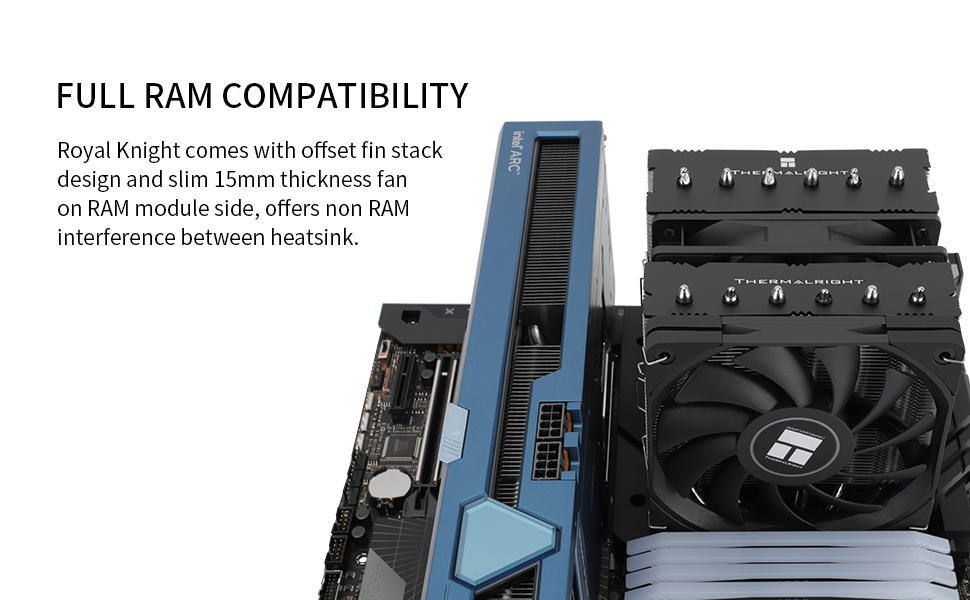
Figure 9: Illustrates the CPU socket compatibility for the Royal Knight 120 SE, supporting Intel LGA1851/1700/115X/1200 and AMD AM5/AM4 platforms.
Émbaran jaminan
Thermalright products are manufactured to the highest quality standards. This product is covered by a limited warranty against defects in materials and workmanship. Please refer to the official Thermalright website or your retailer for specific warranty terms and conditions, including duration and claim procedures. Keep your proof of purchase for warranty claims.
Ngarojong
For technical assistance, product inquiries, or warranty support, please contact Thermalright customer service through their official website. You may also find additional resources, FAQs, and updated drivers on their support pages.
Resmi Websitus: www.thermalright.com


