Wilujeng sumping
This manual provides essential information for using your new OPPO F27 5G smartphone. Please read it carefully to ensure proper operation and to maximize your device's capabilities.
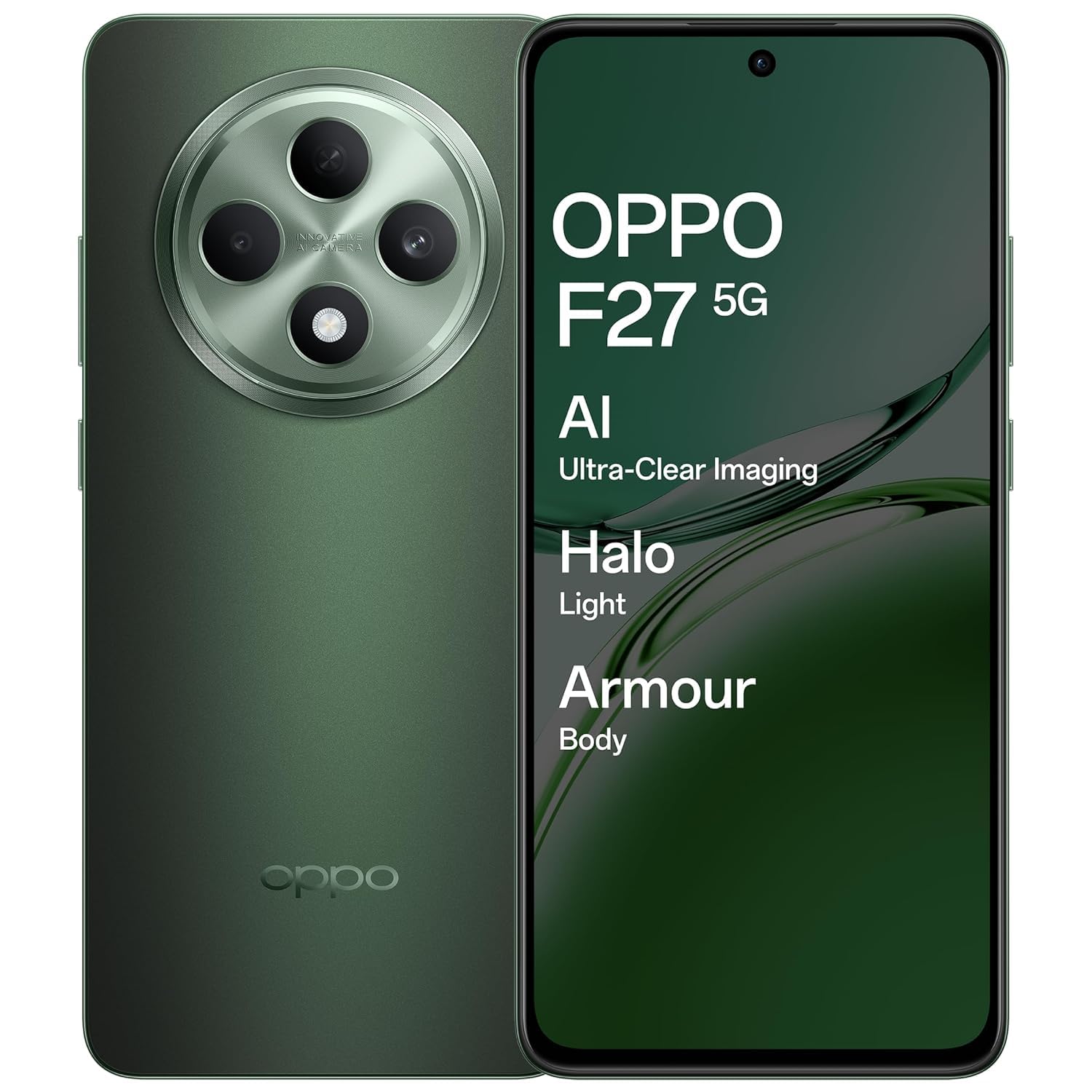
An image showing the OPPO F27 5G smartphone, highlighting its sleek design and display.
Eusi pakét
Pastikeun yén sadaya item aya dina pakét produk anjeun:
- OPPO F27 5G Smartphone
- Kasus Telepon
- Adaptor kakuatan
- Kabel USB
- SIM Dulang Ejector
Setup Awal
1. Selapkeun Kartu SIM
Locate the SIM card tray on the side of your device. Use the provided SIM tray ejector tool to open the tray. Insert your Nano-SIM card(s) and/or microSD card into the tray, ensuring correct orientation. Close the tray securely.
2. Daya Hurungkeun
Press and hold the Power button (usually on the right side) until the OPPO logo appears. Follow the on-screen instructions to complete the initial setup, including language selection, Wi-Fi connection, and Google account login.
3. Ngeusi Batre
Before first use, it is recommended to fully charge your device. Connect the USB cable to the power adapter and then to your phone's USB-C port. Plug the power adapter into a wall outlet.
Operasi Dasar
Power On/Off/Restart
To power on, press and hold the Power button. To power off or restart, press and hold the Power button and Volume Up button simultaneously, then select the desired option from the menu.
Sapuan layar rampa
- Ketok: Pilih hiji item atawa buka aplikasi.
- Toel jeung tahan: Aksés menu kontekstual atanapi pindahkeun item.
- Gesek: Navigate through screens or scroll lists.
- Ciwit: Ngazum gede atawa leutik dina gambar na web kaca.
Nelepon
Open the Phone app, enter the number, and tap the call icon. To answer an incoming call, swipe up on the screen. To reject, swipe down.
Ngirim Pesen
Buka aplikasi Talatah, ketok ikon pesen anyar, lebetkeun nomer panarima atanapi pilih tina kontak, ketik pesen anjeun, teras ketok kirim.
Nyambungkeun ka Wi-Fi
Pindah ka Setelan > Wi-Fi, Hurungkeun Wi-Fi, tur pilih jaringan nu dipikahoyong. Lebetkeun kecap akses upami dipenta.
Nyambung kana Alat Bluetooth
Pindah ka Setelan > Bluetooth, turn Bluetooth on, and select the device you wish to pair with from the list of available devices.
Pamakéan kaméra
The OPPO F27 5G features a versatile camera system:
- Kaméra tukang: 50MP main sensor + 2MP depth sensor for clear photos.
- Kaméra hareup: 32MP kanggo selfie résolusi luhur.
AI Portrait Retouching
Utilize AI Portrait Retouching for enhanced portrait photos, automatically optimizing facial features and skin tones.
Ngarékam pidéo
Switch to video mode in the camera app to record high-quality videos.
Témbongkeun Émbaran
Your device is equipped with a 6.67-inch FHD+ AMOLED 120Hz Ultra Bright Display.
- Laju Refresh 120Hz: Provides smoother scrolling and improved responsiveness.
- Tampilan Ultra Caang: Mastikeun pisibilitas jelas sanajan dina kondisi outdoor caang.
- Screen-to-body ratio of 92.2%: Nawarkeun hiji immersive viewpangalaman.
Setélan tampilan
Adjust brightness, color temperature, and dark mode settings via Setelan > Tampilan & Caang.
Manajemén batré
The OPPO F27 5G is powered by a 5000mAh Hyper Energy Battery, designed for extended usage.
Ngecas Kilat SUPERVOOC 45W
Use the provided 45W SUPERVOOC charger for rapid charging. This technology allows for quick power replenishment.
Ngecas Smart
The device features Smart Charging to optimize battery health and longevity over time.
Tip Optimasi Batré
- Ngurangan kacaangan layar.
- Pareuman Wi-Fi, Bluetooth, sareng GPS upami teu dianggo.
- Tutup aplikasi latar tukang.
- Enable power saving modes.
Perawatan Alat
Ngabersihan Alat Anjeun
Anggo lawon anu lemes sareng henteu lint pikeun ngabersihan layar sareng awak telepon anjeun. Ulah make bahan kimia kasar atawa bahan abrasive.
Software Apdet
Regularly check for and install system updates via Setélan > Ngeunaan alat > Apdet pikeun mastikeun kinerja sareng kaamanan anu optimal.
Manajemén gudang
Périodik mupus teu perlu files, cache data, and uninstall unused applications to free up storage space. Go to Setelan > Panyimpenan pikeun detil.
Data Cadangan
Regularly back up your important data to a cloud service or computer to prevent data loss.
Isu umum jeung Solusi
Alat Teu Hurung
Ensure the battery is charged. Connect the charger and wait a few minutes before attempting to power on again. If unresponsive, try a force restart by holding the Power button and Volume Up button for about 10 seconds.
Masalah Ngecas
Pariksa kabel ngecas sareng adaptorna naha aya karusakan. Pastikeun port USB-C bersih sareng bébas tina kokotor. Cobi nganggo carjer anu béda upami sayogi.
Masalah Konektipitas Jaringan
Toggle Airplane Mode on and off. Restart your device. Check SIM card insertion. Verify network settings in Setelan > Jaringan seluler.
Applications Crashing/Freezing
Close and reopen the application. Clear the app's cache (Settings > Apps > [App Name] > Storage usage > Clear cache). Upami masalahna masih aya, copot teras pasang deui aplikasi éta.
Reset pabrik
Awas: Reset pabrik bakal ngahapus sadaya data dina telepon anjeun. Jieun cadangan data penting sateuacan neraskeun. Pindah ka Setélan > Setélan sistem > Cadangan sareng reset > Reset telepon > Hapus sadaya data.
Spésifikasi teknis
| Fitur | Spésifikasi |
|---|---|
| Nomer modél | CPH2637 |
| Sistem operasi | MediaTek Dimensity 6300 |
| Ram | 8 GB |
| tampilan | 6.67-inch FHD+ AMOLED, 120Hz Refresh Rate |
| Kaméra tukang | 50MP + 2MP |
| Kaméra hareup | 32MP |
| Kapasitas batré | 5000 mAh |
| Ngecas | Ngecas Kilat SUPERVOOC 45W |
| Ukuran (L x W x H) | 16.3 x 7.6 x 0.8 cm |
| Beurat | 187 g |
| Konektipitas | Bluetooth, Cellular, Wi-Fi, NFC |
| Audio Jack | USB Tipe-C |
| Fitur husus | Built-In GPS, Dual SIM, Fast Charging Support, Mobile Hotspot Capability, Stereo Speakers |
Garansi sarta Rojongan Palanggan
Émbaran jaminan
Your OPPO F27 5G device comes with a standard manufacturer's warranty. Please refer to the warranty card included in your package for specific terms and conditions, including coverage period and limitations.
Rojongan Palanggan
Kanggo bantosan téknis, layanan, atanapi klaim garansi, mangga ngahubungi layanan palanggan OPPO:
- Telepon: 18001032777
- Alamat Pabrikan: OPPO Mobiles India Pvt Ltd, 5th FLOOR, Tower B, BUILDING, N-8, DLF Cyber City, DLF Phase 2, Gurugram, Haryana 122002
Sumberdaya Online
Mangga sumping ka OPPO resmi website for additional support, FAQs, and software downloads.


