Bubuka
The Flic Twist is a smart home controller designed to provide intuitive control over various smart devices. It allows users to execute commands through physical interactions such as pushing, twisting, and combining these actions. This manual provides essential information for setting up, operating, maintaining, and troubleshooting your Flic Twist device.
Important: A Flic Hub (sold separately) is required for the Flic Twist to function.
Naon dina Box
Pastikeun yén sadaya komponén aya dina bungkusan:
- 1x Flic Twist Smart Home Controller
- 1x Adhesive pad
- 2 x batré AAA
Disetél
Papasangan Awal
- Ensure your Flic Hub is powered on and connected to your network.
- Download and open the Flic app on your smartphone or tablet.
- Follow the in-app instructions to add a new Flic Twist device. The app will guide you through the pairing process.
- Once paired, you can begin configuring actions for your Flic Twist.
Pamasangan fisik
The Flic Twist can be mounted on a wall or other flat surface using the included adhesive pad.
- Select a clean, dry, and flat surface for mounting.
- Remove the protective backing from one side of the adhesive pad and apply it to the back of the Flic Twist.
- Remove the remaining protective backing from the adhesive pad.
- Press the Flic Twist firmly onto the desired surface for at least 30 seconds to ensure secure adhesion.

Image: A user installing the Flic Twist on a wall.
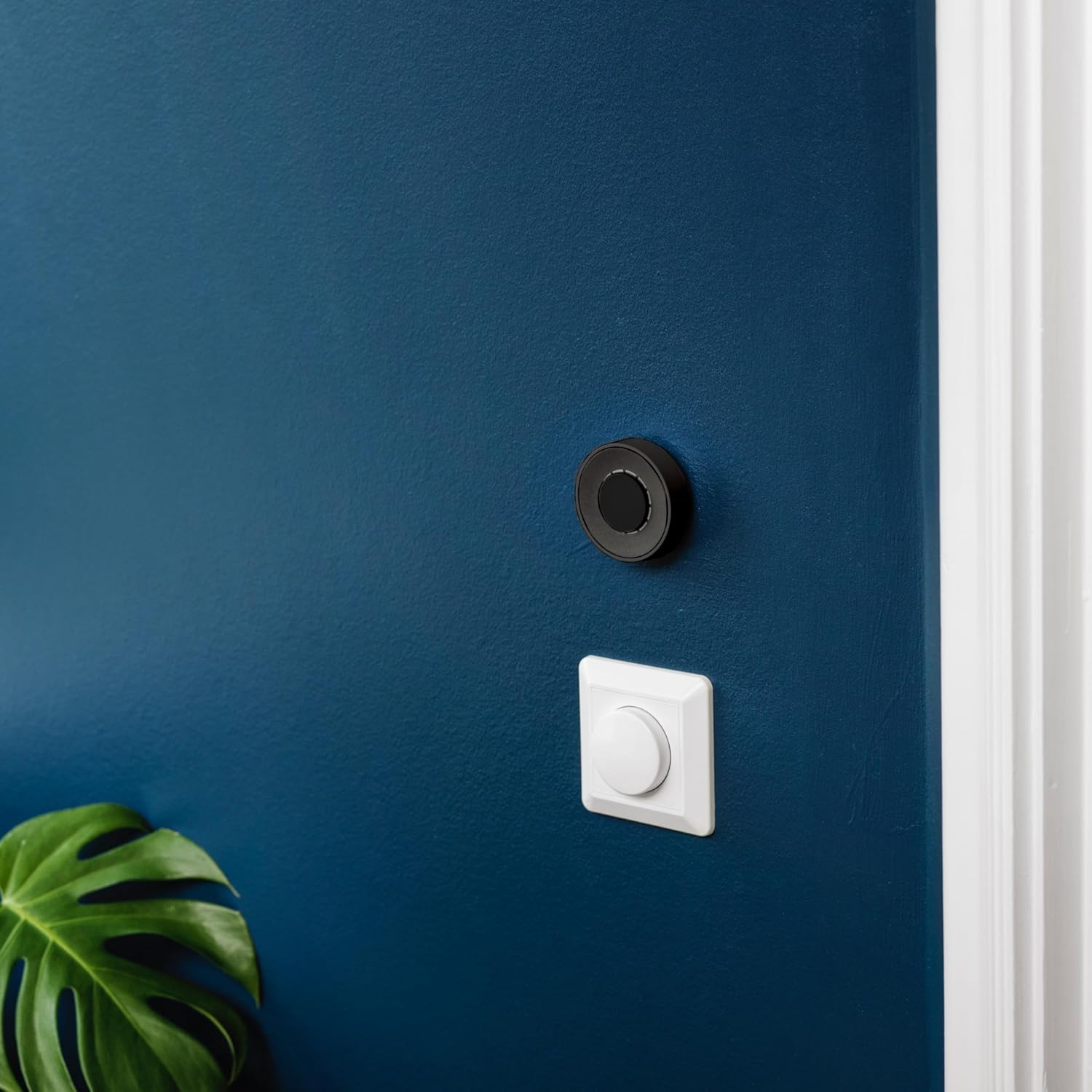
Image: The Flic Twist mounted on a wall, demonstrating its compact size next to a traditional light switch.
Operating the Flic Twist
Interaksi Dasar
The Flic Twist supports multiple interaction types, each customizable to control different smart home functions:
- Teken: A single press of the central button.
- Double Push: Two quick presses of the central button.
- Pulas: Rotating the outer ring clockwise or counter-clockwise.
- Push & Twist: Pressing the central button and then rotating the outer ring.
Each interaction can be assigned to control lights, music, blinds, or other connected devices through the Flic app.

Image: A hand interacting with the Flic Twist controller.

Image: The Flic Twist in a home environment, demonstrating its integration into daily life.
Konfigurasi App
Use the Flic app to customize the actions for each interaction type. The app provides an interface to link your Flic Twist to various smart home platforms and devices, including Matter, Alexa, and SmartThings (via a Flic Hub).
- Open the Flic app and select your paired Flic Twist.
- Choose an interaction type (e.g., Push, Twist).
- Select the desired smart home device or service to control.
- Assign a specific action (e.g., turn lights on/off, adjust brightness, change music volume).
Pangropéa
Ngagantian batré
The Flic Twist is powered by two AAA batteries. When the batteries are low, the device's indicator light may signal a low power state, or its responsiveness may decrease.
- Gently twist the back cover of the Flic Twist counter-clockwise to remove it.
- Leupaskeun batré AAA heubeul.
- Pasangkeun dua batré AAA anyar, pastikeun polaritasna bener (+/-).
- Replace the back cover and twist clockwise until it clicks into place.
beberesih
To clean your Flic Twist, use a soft, dry cloth. Avoid using abrasive cleaners, solvents, or excessive moisture, as these can damage the device.
Pamérésan masalah
If you encounter issues with your Flic Twist, refer to the following common solutions:
- Alat teu ngabales: Check the battery level. Replace batteries if necessary. Ensure the Flic Twist is within range of your Flic Hub.
- Masalah pasangan: Confirm your Flic Hub is online and the Flic app is updated. Try restarting both the Flic Hub and your Flic Twist (by removing and reinserting batteries).
- Actions not executing: Verify that the actions are correctly configured in the Flic app. Ensure the target smart devices are online and accessible through your Flic Hub.
- Masalah konektipitas: Ensure your Flic Hub has a stable internet connection.
For further assistance, consult the Flic support websitus atanapi ngahubungan layanan palanggan.
spésifikasi
| Fitur | Rincian |
|---|---|
| Dimensi produk | 2.51 x 2.51 x 0.82 inci |
| Item Beurat | 2.01 ons |
| Produsén | Shortcut Labs |
| Nomer Modél Item | 1.0 |
| Kahiji Sadia | 6 Agustus 2024 |
Émbaran jaminan
Flic products are covered by a limited manufacturer's warranty. For specific details regarding warranty coverage, duration, and terms, please refer to the official Flic websitus atanapi dokuméntasi jaminan anu kalebet dina pameseran anjeun. Simpen bukti pameseran anjeun pikeun klaim garansi.
Ngarojong
For technical support, frequently asked questions, or additional resources, please visit the official Flic support page at flic.io/support. You may also contact Flic customer service directly for personalized assistance.


