1. Bubuka
The CHERRY XTRFY M64 Wireless Gaming Mouse is engineered for competitive gaming, offering ultra-fast 8000 Hz polling rate technology for extremely low click latency and precise cursor movements. This ergonomic mouse features a reinvented design for enhanced grip and control, combined with a lightweight construction for swift and accurate gameplay. It utilizes a high-performance Pixart 3395 sensor and refined wireless technology to ensure uncompromised speed and responsiveness.
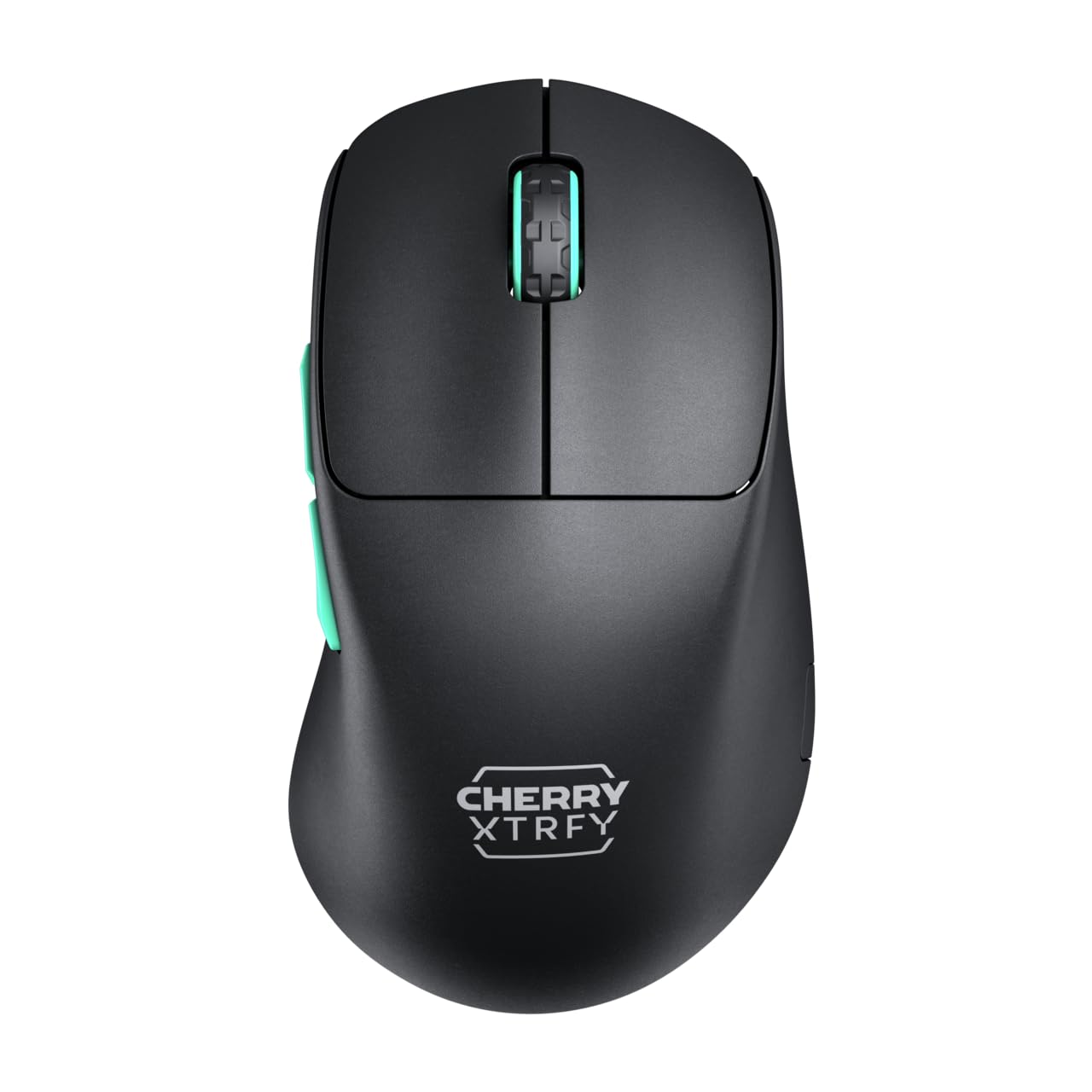
Image 1: CHERRY XTRFY M64 Wireless Gaming Mouse. This image shows the ergonomic design of the mouse, highlighting its black body and distinctive teal scroll wheel and side buttons.
2. Eusi Paket
Pastikeun yén sadaya item aya dina bungkusan:
- CHERRY XTRFY M64 Wireless kaulinan Mouse
- USB-C Charging Cable (flexible CHERRY XTRFY EZcord)
- USB-A Wireless panarima
- USB-A to USB-C Adapter (for receiver extension)
- Manual pangguna (dokumén ieu)

Image 2: Included accessories. This image displays the USB-C charging cable, the USB-A wireless receiver, and an adapter, which are essential for connecting and charging the mouse.
3. Setélan
- Sambungkeun Panarima Nirkabel: Insert the USB-A wireless receiver into an available USB port on your computer. For optimal signal strength and reduced latency, use the provided USB-A to USB-C adapter and charging cable to position the receiver closer to the mouse.
- Daya dina Mouse: Locate the power switch on the underside of the mouse and slide it to the "ON" position. The mouse should automatically connect to the receiver.
- Muatan Awal: For first-time use, it is recommended to fully charge the mouse. Connect the USB-C end of the charging cable to the mouse and the USB-A end to your computer or a USB power adapter. The mouse can be used while charging.
4. Parentah Operasi
4.1. Fungsi Tombol
- Tombol Klik Kénca: Peta primér.
- Tombol Klik katuhu: Tindakan sekundér.
- Gulung kabayang: Gulung ka luhur/ka handap, klik tengah.
- Kancing samping: Typically configured for forward/backward navigation in web browsers or custom functions in games.
4.2. Adjustment DPI
The M64 Wireless mouse allows for on-the-fly DPI (Dots Per Inch) adjustment without requiring software. The DPI button is located on the underside of the mouse. Press this button to cycle through preset DPI levels. An indicator light will typically change color to show the current DPI setting.

Image 3: Underside of the mouse. This view highlights the various switches and buttons on the bottom of the mouse, including the DPI adjustment button and polling rate switch.
4.3. Pangaluyuan Laju Polling
The M64 Pro Wireless supports up to an 8000 Hz polling rate, providing extremely fast response times. A switch on the underside of the mouse allows you to select between different polling rates (e.g., 1000 Hz, 8000 Hz) to suit your preference and system capabilities. Refer to the markings on the mouse for specific settings.
4.4. Batré jeung Ngecas
The mouse is equipped with a rechargeable Lithium Ion battery. A full charge can provide up to 90 hours of playtime in Standard Gaming Mode. When the battery is low, the indicator light on the mouse will signal this condition. Connect the mouse using the provided USB-C cable to charge. You can continue using the mouse while it is connected via cable.
5. Pangropéa
- beberesih: Anggo lawon anu garing sareng lemes pikeun ngabersihan permukaan beurit. Pikeun kokotor nekad, a rada damp lawon bisa dipaké, pikeun mastikeun euweuh cairan anu asup kana beurit. Hindarkeun bahan kimia anu kasar atanapi bahan anu kasar.
- Panyimpenan: Simpen beurit di tempat anu tiis sareng garing jauh tina sinar panonpoé langsung sareng suhu anu ekstrim.
- Perawatan batré: Pikeun manjangkeun umur batréna, ulah sering-sering ngosongkeun batré beurit. Cas beurit nalika indikator batré lemah némbongan.
6. Cara ngungkulan
- Beurit Teu Ngabales:
- Pastikeun beurit diaktipkeun.
- Check if the wireless receiver is securely plugged into a USB port.
- Pastikeun batré beurit tos cekap dicas.
- Coba colokkeun panarima kana port USB anu béda.
- Pastikeun teu aya alat nirkabel sanés anu nyababkeun gangguan.
- Lag or Disconnects:
- Move the wireless receiver closer to the mouse, using the extension cable if necessary.
- Ensure there are no large metal objects or other strong wireless signals between the mouse and receiver.
- Reduce the polling rate if your system struggles to maintain 8000 Hz.
- Masalah ngecas:
- Ensure the USB-C cable is properly connected to both the mouse and the power source.
- Coba port USB atawa adaptor kakuatan béda.
7. Spésifikasi
| Modél | M64 Wireless |
| Téhnologi konektipitas | Wireless (2.4 GHz), USB (for charging/wired use) |
| Sénsor | Pixelart 3395 |
| Laju Polling | Up to 8000 Hz (Pro models) |
| Beurat | Approx. 55 grams (Pro Wireless) |
| Jenis Batré | 1 batré Litium Ion (kaasup) |
| Kahirupan batré | Up to 90 hours (Standard Gaming Mode) |
| Dimensi (Pakét) | 4.7 x 2.5 x 1.5 inci |
| Item Beurat | 1.94 ons |
| Produsén | Cherry Xtrfy |
8. Garansi jeung Rojongan
CHERRY XTRFY products are covered by a manufacturer's warranty. For detailed warranty information, technical support, or service inquiries, please visit the official CHERRY XTRFY websitus atanapi ngahubungan rojongan customer maranéhanana langsung.
Resmi Websitus: cherryxtrfy.com, cherry.de


