1. Bubuka
This manual provides instructions for the SMATAR RC813 Replacement Remote Control, designed for use with various TCL Google Smart TV models. This remote offers a direct replacement solution without the need for complex programming or pairing.
Compatible TCL Google Smart TV Models include:
- QM8, QM7, S5, S4, S3, Q7, Q6, Q5 Series
- Specific models: 55Q550G, 50Q550G, 65Q550G, 50S45G, 98S550G, 55S470G, 55Q670G, 65Q670G, 75Q670G, 85Q670G, 65QM850G, 75QM850G, 85QM850G, 98QM850G, 85Q650G, 75Q650G, 65Q650G, 55Q650G, 55Q750G, 65Q750G, 75Q750G, 85Q750G, 32S370G, 40S370G, 43S370G, 43S470G, 50S470G, 58S470G, 65S470G, 70S470G, 75S470G, 85S470G, 43S450G, 50S450G, 55S450G, 58S450G, 65S450G, 75S450G, 85S450G.
2. Setélan
The SMATAR RC813 remote control requires no programming or pairing. Simply insert batteries, and it will be ready for immediate use with your compatible TCL Google Smart TV.
2.1 Pamasangan batré
- Panggihan kompartemen batré dina tonggong kadali jauh.
- Geser panutup kompartemen batré ka handap pikeun mukakeunana.
- Selapkeun dua (2) batré AAA, mastikeun terminal positip (+) jeung négatif (-) align bener jeung markings jero kompartemen nu.
- Geser panutup kompartemen batré deui kana tempatna nepi ka klik aman.
Catetan: Batteries are not included with the remote control.

Figure 1: Battery installation in the SMATAR RC813 remote control.
3. Parentah Operasi
Once batteries are installed, the remote is ready to control your TCL Google Smart TV. Point the remote directly at your television for optimal performance.
3.1 Operasi Umum
- The remote operates effectively within a range of up to 50 feet (approximately 15 meters).
- It features 360-degree multi-angle signal transmission for reliable control.
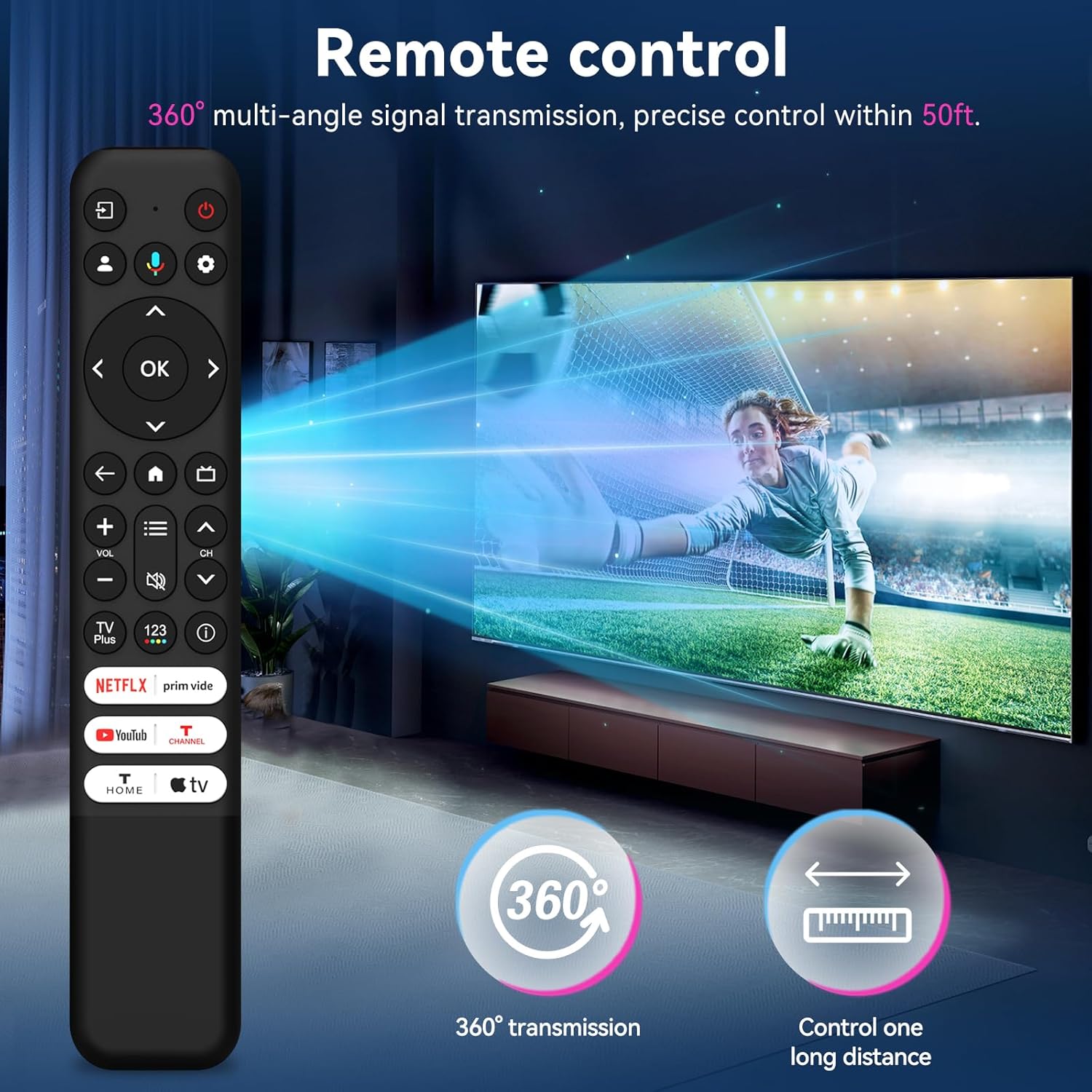
Figure 2: The remote control offers 360-degree signal transmission and a control range of up to 50 feet.
3.2 Tombol Aksés Gancang
The remote includes dedicated shortcut keys for popular streaming channels, allowing quick access to your favorite content.
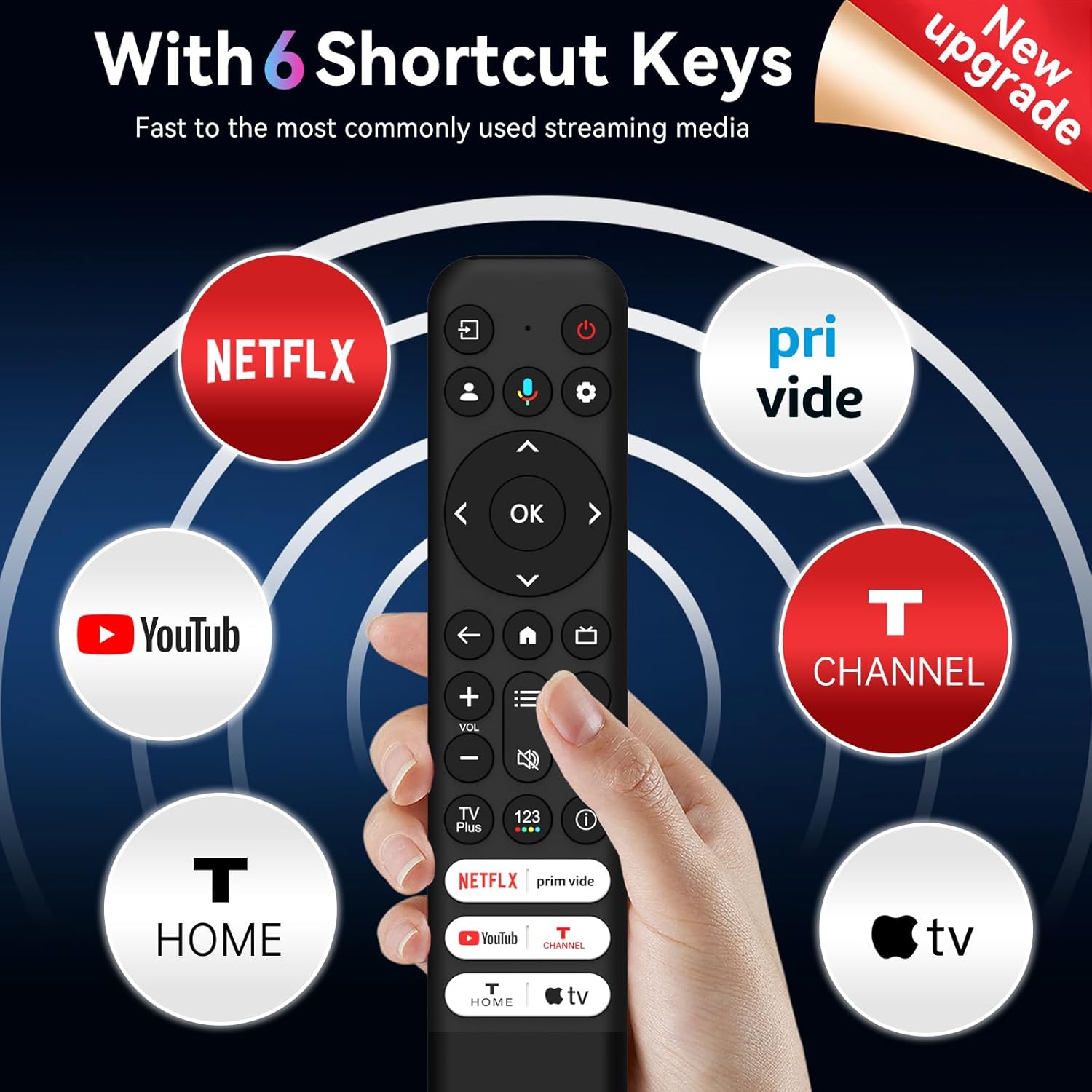
Figure 3: Six dedicated shortcut keys for popular streaming services.
4. Fungsi Tombol
Familiarize yourself with the functions of each button on your SMATAR RC813 remote control:

Figure 4: Detailed button layout and functions.
- input: Select input source and display the quick panel.
- kakuatan: Hurungkeun sareng pareumkeun TV.
- PROFILE PILIH: Switch user profiles.
- SETTING: Display the dashboard menu.
- CIRCULAR D-PAD: Navigation direction buttons (Up / Down / Left / Right).
- TOMBOL OKÉ: Konfirmasi entri atawa pilihan.
- Balik deui: Balik deui ka layar saméméhna.
- BANDUNG: Access the TV homepage.
- PANDUAN LANGSUNG: Open the TV EPG (Electronic Program Guide).
- +/- VOLUME: Raise and lower volume.
- ^/v CHANNEL: Robah saluran.
- QUICK SETTINGS: Open the quick menu.
- Bisu: Pencét tombol pikeun ngajempékeun sora.
- TV Plus: Access to network Live Channel.
- 123 VIRTUAL KEYBOARD: Open virtual keyboard on screen.
- INFORMASI: Dina sumber TV, pencét pikeun view inpormasi program.
- NETFLIX, Prime Video, YouTube, T-CHANNEL, T-HOME, Apple TV: Aksés langsung ka layanan streaming ieu.
5. Pangropéa
Pikeun mastikeun umur panjang sareng kinerja optimal tina kadali jauh anjeun, turutan tungtunan pangropéa ieu:
- beberesih: Ngusap rémot ku kaén anu lemes sareng garing. Ulah make cleaners cair atawa bahan abrasive.
- Ngagantian batré: Ganti batréna nalika réspon remot janten laun atanapi eureun jalan. Salawasna ganti kadua batré dina waktos anu sami ku anu énggal tina jinis anu sami (AAA).
- Panyimpenan: Nyimpen remote di tempat anu tiis sareng garing jauh tina sinar panonpoé langsung sareng suhu anu ekstrim. Upami teu dianggo kanggo waktos anu panjang, cabut batréna pikeun nyegah bocor.
- Hindarkeun tetes: Jaga jarak jauh tina dampak fisik, sabab tetes tiasa ngaruksak komponén internal.
6. Cara ngungkulan
If you encounter issues with your SMATAR RC813 remote control, refer to the following common solutions:
- Jauh teu ngabales:
- Pariksa naha batréna diselapkeun leres kalayan polaritasna anu leres.
- Ganti batré anu lami ku batré AAA anu énggal.
- Pastikeun teu aya halangan antara remot kontrol sareng panarima infrabeureum TV.
- Acungkeun remote langsung ka TV.
- Buttons are stiff or unresponsive:
- Ensure the remote is clean and free of debris around the buttons.
- Press buttons firmly.
- No voice function:
- Catetan penting: This SMATAR RC813 remote control does henteu include a voice control function. This is a standard feature of this replacement model.
- rentang kawates:
- Pastikeun batré seger dipasang.
- Remove any potential interference sources (e.g., bright lights, other electronic devices).
If problems persist after attempting these troubleshooting steps, please contact customer support for further assistance.
7. Spésifikasi
| merek | SMATAR |
| Nomer modél | RC813 |
| Alat nu cocog | TCL Google Smart Televisions |
| Jumlah Max Alat Dirojong | 1 |
| Fitur husus | Panggantian Universal |
| Warna | Hideung |
| Item Beurat | 2.08 ons (kira-kira 59 gram) |
| Ukuran Paket | 8.23 x 1.65 x 0.67 inci (kira-kira 20.9 x 4.2 x 1.7 cm) |
8. Rojongan
For any questions, concerns, or issues not covered in this manual, please contact SMATAR customer support. Refer to your product packaging or retailer's websitus kanggo inpormasi kontak khusus.


