1. Bubuka
The GardePro SP300 Solar Panel is designed to provide continuous power to compatible GardePro trail cameras, reducing the need for frequent battery changes. This manual provides detailed instructions for the proper setup, operation, and maintenance of your SP300 solar panel to ensure optimal performance.
This solar panel is compatible with GardePro trail camera models including E6P, E6PCF, E8P, E8PWF, X50P, X60P, X60PMB, and X60PLMB.
2. Eusi Paket
Punten parios yén sadaya barang aya dina pakét anjeun:
- GardePro SP300 Solar Panel
- Ningkatna Kurung
- Pamasangan screws
- 13-foot DC Power Cable (integrated)
3. Fitur Produk
- Efisiensi Tinggi: Designed for effective solar energy conversion.
- Daya kaluaran: Maximum 3.5 Watts.
- Kaluaran Voltage: 6.6 volt.
- Kaluaran Ayeuna: Maksimum 0.53 Amps.
- Colokan DC: Standard 5.5 x 2.1mm connector for camera compatibility.
- Panjang kabel: 13 feet (approximately 3.96 meters) for flexible placement.
- Rating waterproof: IP65 for outdoor durability against dust and water jets.
- Suhu operasi: -4 ° F dugi ka 140 ° F (-20 ° C dugi ka 60 ° C).
- Pamasangan: Features a 1/4-20 tripod base for versatile installation.
- Bahan: Constructed from durable ABS.
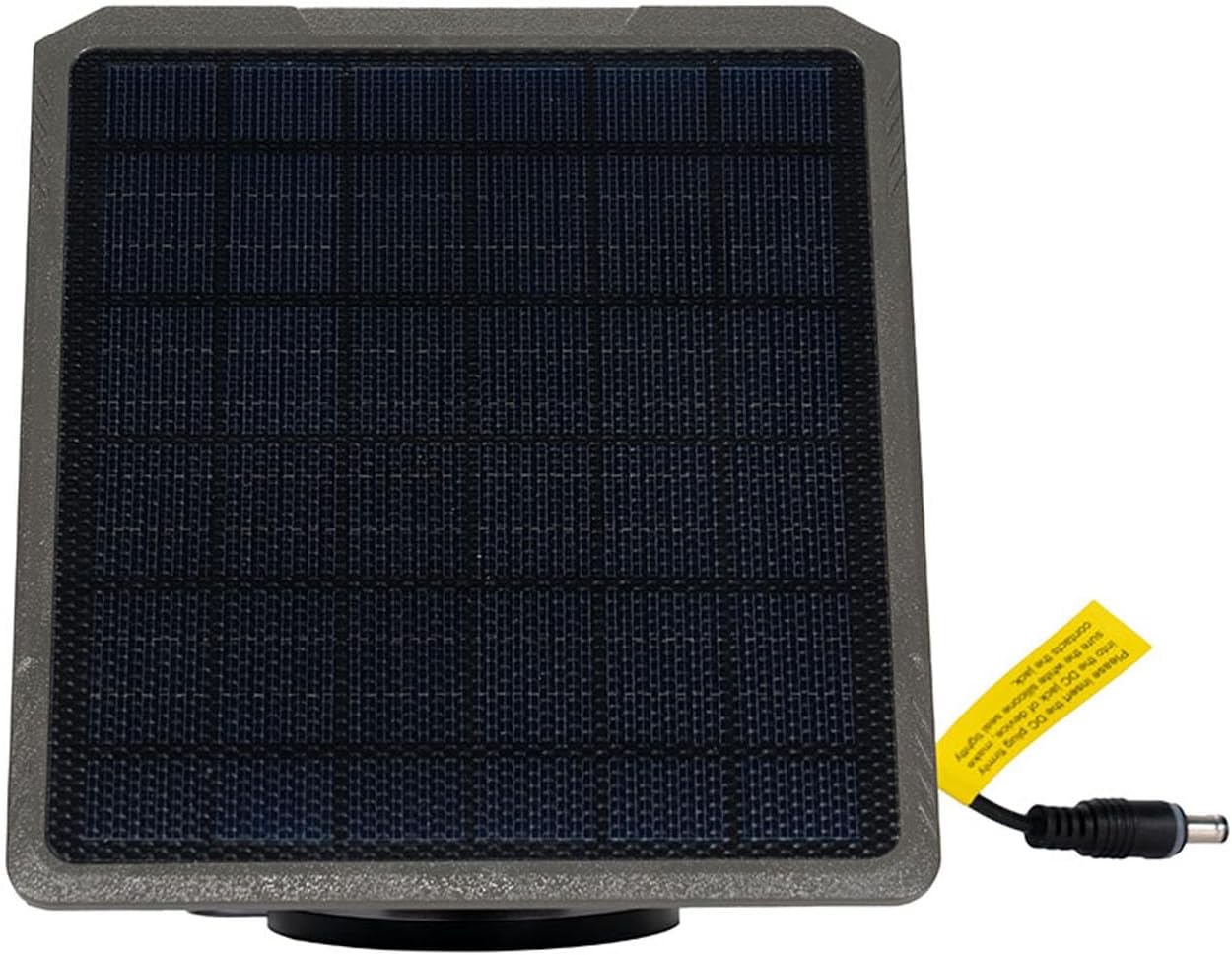
Gambar 1: Hareupeun view of the GardePro SP300 Solar Panel, showing the solar cells and the attached DC power cable with its plug.
4. Setup jeung Instalasi
Proper installation ensures maximum charging efficiency and longevity of your solar panel.
4.1 Milih Lokasi Pamasangan
Select a location that receives direct sunlight for the majority of the day. Avoid areas with heavy shade from trees, buildings, or other obstructions. The solar panel should be positioned to face the sun's path, typically south in the Northern Hemisphere, for optimal exposure.
4.2 Pasang Panel Surya
The SP300 solar panel comes with a mounting bracket and screws, utilizing a 1/4-20 tripod base for attachment.
- Pasang Bracket Pemasangan: Secure the mounting bracket to a stable surface such as a tree, post, or wall using the provided screws. Ensure the bracket is firmly attached.
- Posisi Panel Surya: Connect the solar panel to the mounting bracket. Adjust the angle of the panel to maximize direct sunlight exposure. The bracket allows for rotation and tilt adjustments.
- Amankeun Panel: Tighten any adjustment screws on the bracket to lock the solar panel in its desired position.

Image 2: The GardePro SP300 Solar Panel installed on a tree, positioned above a compatible GardePro trail camera, both secured with straps.
4.3 Connecting to the Trail Camera
The solar panel features a 13-foot DC power cable with a 5.5 x 2.1mm plug.
- Locate the external power input port on your compatible GardePro trail camera. This port is typically a circular DC jack.
- Insert the DC plug from the solar panel's cable firmly into the camera's power input port. Ensure a secure connection.
- Route the cable neatly to prevent tripping hazards or damage from wildlife. Use cable clips or ties if necessary.

Image 3: A GardePro SP300 Solar Panel and a GardePro trail camera are shown mounted on a tree trunk in a wooded environment, demonstrating a typical outdoor setup.
5. Operasi
Once installed and connected, the GardePro SP300 Solar Panel will automatically begin charging the internal battery of your compatible trail camera whenever sufficient sunlight is available. The camera's battery status can typically be monitored through the camera's display or mobile application, depending on the model.
The solar panel is designed to provide a trickle charge, maintaining the camera's battery level and extending its operational time significantly.
6. Pangropéa
Regular maintenance helps ensure the optimal performance and longevity of your solar panel.
- beberesih: Periodically inspect the solar panel surface for dirt, dust, leaves, or other debris. Clean the surface gently with a soft, damp cloth. Avoid abrasive cleaners or harsh chemicals that could damage the panel.
- Pariksa sambungan: Ensure the DC plug connection to the camera remains secure and free from corrosion.
- Pamariksaan kabel: Check the power cable for any signs of wear, cuts, or damage. Replace if necessary to prevent power loss or short circuits.
- Stabilitas dipasang: Verify that the mounting bracket and solar panel are still securely attached and have not shifted due to wind or other environmental factors.
7. Cara ngungkulan
If your GardePro SP300 Solar Panel is not performing as expected, consider the following:
- Camera Battery Not Charging:
- Paparan sinar panonpoé: Is the solar panel receiving sufficient direct sunlight? Adjust its position if necessary to avoid shade.
- Panel Cleanliness: Is the solar panel surface clean? Dirt or debris can significantly reduce charging efficiency.
- Sambungan kabel: Is the DC plug securely connected to the camera's power input port?
- Karusakan kabel: Inspect the power cable for any visible damage. A damaged cable may prevent power transfer.
- Kasaluyuan kaméra: Ensure your trail camera model is compatible with the SP300 solar panel.
- Ngecas intermittent:
- This can occur in areas with partial shade or rapidly changing light conditions. Try to relocate the panel to a more consistently sunny spot.
8. Spésifikasi
| Fitur | Spésifikasi |
|---|---|
| Modél | SP300 |
| merek | GardePro |
| Daya Kaluaran Maksimum | 3.5 Watt |
| Kaluaran Voltage | 6.6 volt |
| Maksimum Output Ayeuna | 0.53 Amps |
| Ukuran Colokan DC | 5.5 x 2.1 mm |
| Panjang kabel | 13 suku (kira-kira 3.96 méter) |
| Peunteun waterproof | IP65 |
| Suhu Operasi | -4°F nepi ka 140°F (-20°C nepi ka 60°C) |
| Dasar Pamasangan | Tripod Base (1/4-20) |
| Dimensi produk | 6.22 "L x 5.28" W x 0.59 "H (15.8cm x 13.4cm x 1.5cm) |
| Bahan | ABS |
9. Garansi jeung Rojongan
GardePro products are manufactured to high-quality standards. For warranty information, technical support, or any questions regarding your SP300 Solar Panel, please contact GardePro customer service. Refer to the official GardePro websitus atanapi dokuméntasi pameseran anjeun pikeun detil kontak.
Anjeun biasana tiasa mendakan inpormasi dukungan dina GardePro Store on Amazon atawa resmi maranéhanana websitus.


