1. Bubuka
Thank you for choosing the PRUNUS J-128 Pocket Radio. This compact and versatile device offers excellent AM/FM reception, a built-in flashlight, alarm and sleep timer functions, and is powered by easily replaceable AA batteries. This manual provides detailed instructions to help you get the most out of your new radio.

Figure 1: PRUNUS J-128 Pocket Radio
2. Fitur Produk
- Resepsi anu saé: Equipped with an advanced noise reduction DSP chip and a 16.5-inch long antenna for stable AM (520-1710KHZ) and FM (87-108MHZ) reception.
- Batré Powered: Operates on 2 AA batteries (not included) for up to 12 hours of playback.
- Alarm & Timer Saré: Set alarms to wake to your favorite station and use the sleep timer (10-90 minutes) for automatic shut-off.
- Desain portabel: Lightweight (4.5 oz) and compact (5.1 x 2.7 x 1.3 in) with a back clip and lanyard for easy carrying.
- Sora Superior: Features a built-in internal magnet speaker and a 3.5mm headphone jack for immersive listening.
- Senter Diwangun-di: Provides convenient illumination.
- Tombol konci: Nyegah mencét tombol anu teu dihaja.
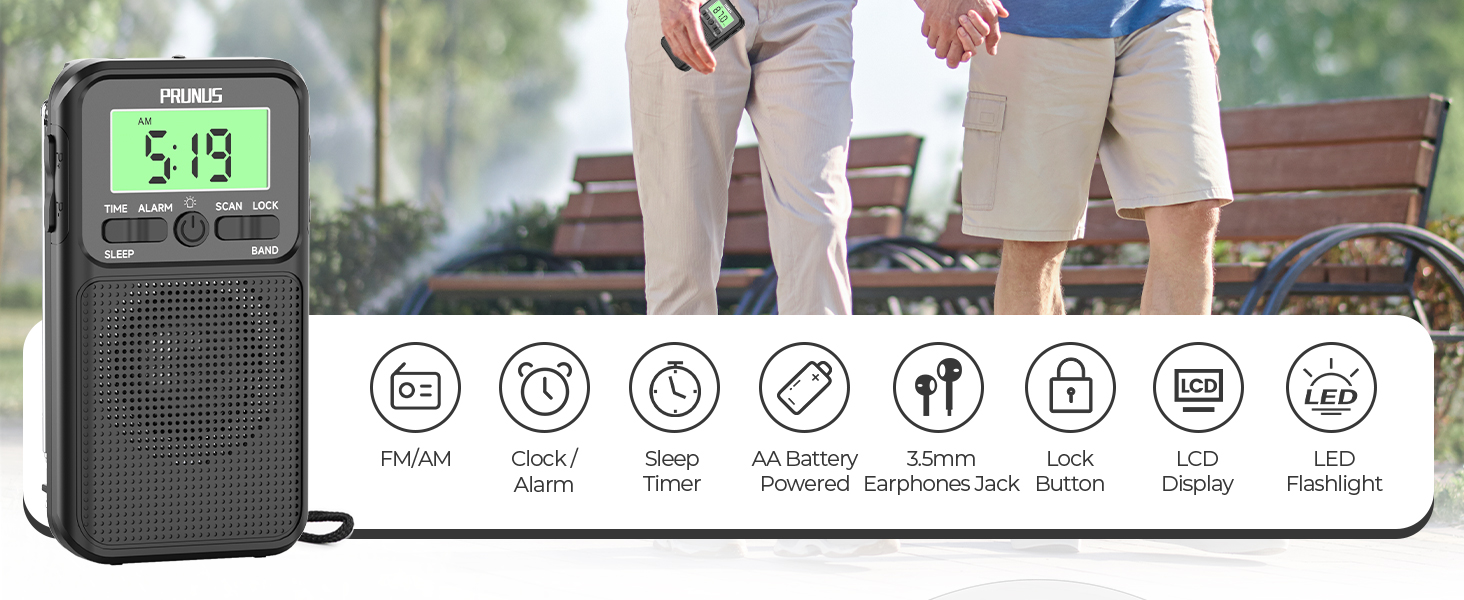
Gambar 2: Fitur konci Leuwihview
3. Eusi Paket
- PRUNUS J-128 Pocket Radio
- Manual Pamilik
4. Produk Langkungview
Familiarize yourself with the various parts and controls of your PRUNUS J-128 radio:
- Panel hareup: Digital display, TIME, ALARM, SCAN, LOCK buttons, Power button, BAND button, Speaker.
- luhur: Telescopic antenna, Flashlight LED, 3.5mm Headphone Jack.
- Samping: Volume dial, UP/DOWN tuning buttons.
- Balik: Battery compartment, Belt clip.
5. Setélan
5.1 Pamasangan batré
The PRUNUS J-128 radio requires 2 AA batteries (not included) for operation.
- Tangtukeun lokasi kompartemen batré dina tonggong radio.
- Buka panutup kompartemen batré.
- Pasangkeun 2 batré AA, pastikeun polaritasna (+ sareng -) leres sapertos anu dituduhkeun di jero kompartemen.
- Tutup panutup kompartemen batré aman.

Figure 3: Battery Powered Operation
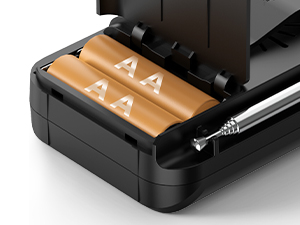
Figure 4: AA Battery Compartment
5.2 Éksténsi Antena
For optimal FM reception, fully extend the telescopic antenna located on the top of the radio. For AM reception, the internal antenna is typically sufficient, but adjusting the radio's orientation may improve signal quality.

Figure 5: Extending the Telescopic Antenna
6. Parentah Operasi
Watch this official product video for a visual guide on operating your PRUNUS J-128 radio:
Video 1: PRUNUS J-128 Radio Overview jeung Operasi
6.1 Daya Hurung/Pareuman
Pencét éta Kakuatan button (center button below the display) to turn the radio on or off.
6.2 Tuning (AM/FM)
The radio supports both FM and AM bands.
- Pilihan Band: Pencét éta BAND button to switch between FM and AM modes.
- Scan Stasion Otomatis: Dina modeu FM atawa AM, pencét tombol SCAN button. The radio will automatically scan and store available stations.
- Tuning Manual: Ngagunakeun éta UP jeung TURUN buttons on the side of the radio to manually adjust the frequency.
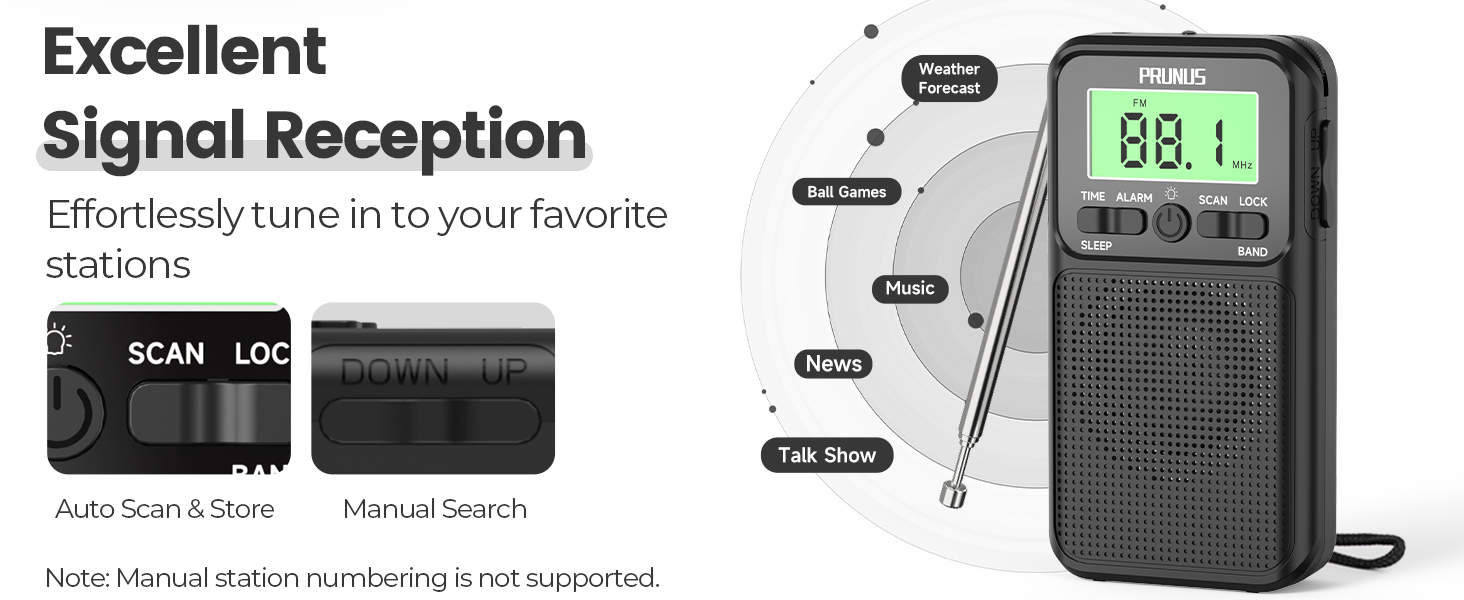
Figure 6: Tuning Controls
6.3 Volume Control
Adjust the volume by rotating the volume dial located on the side of the radio.
6.4 Time, Alarm, and Sleep Timer Settings
The radio features a clock, alarm, and sleep timer for added convenience.
- Setélan waktos: Pencét panjang WAKTU kancing. Ngagunakeun éta luhur/handap buttons to adjust the hours and minutes. Short press WAKTU pikeun mastikeun unggal setélan.
- Format 12/24 Jam: While setting the time, you can switch between 12-hour and 24-hour formats.
- Setélan Alarm: Pencét panjang alarem kancing. Ngagunakeun éta luhur/handap buttons to set the alarm time. The alarm will play the last station you were listening to.
- Nyetél Timer Saré: Pencét pondok SARE button repeatedly to cycle through sleep timer options (10-90 minutes) or turn it off. The radio will automatically shut off after the selected time.
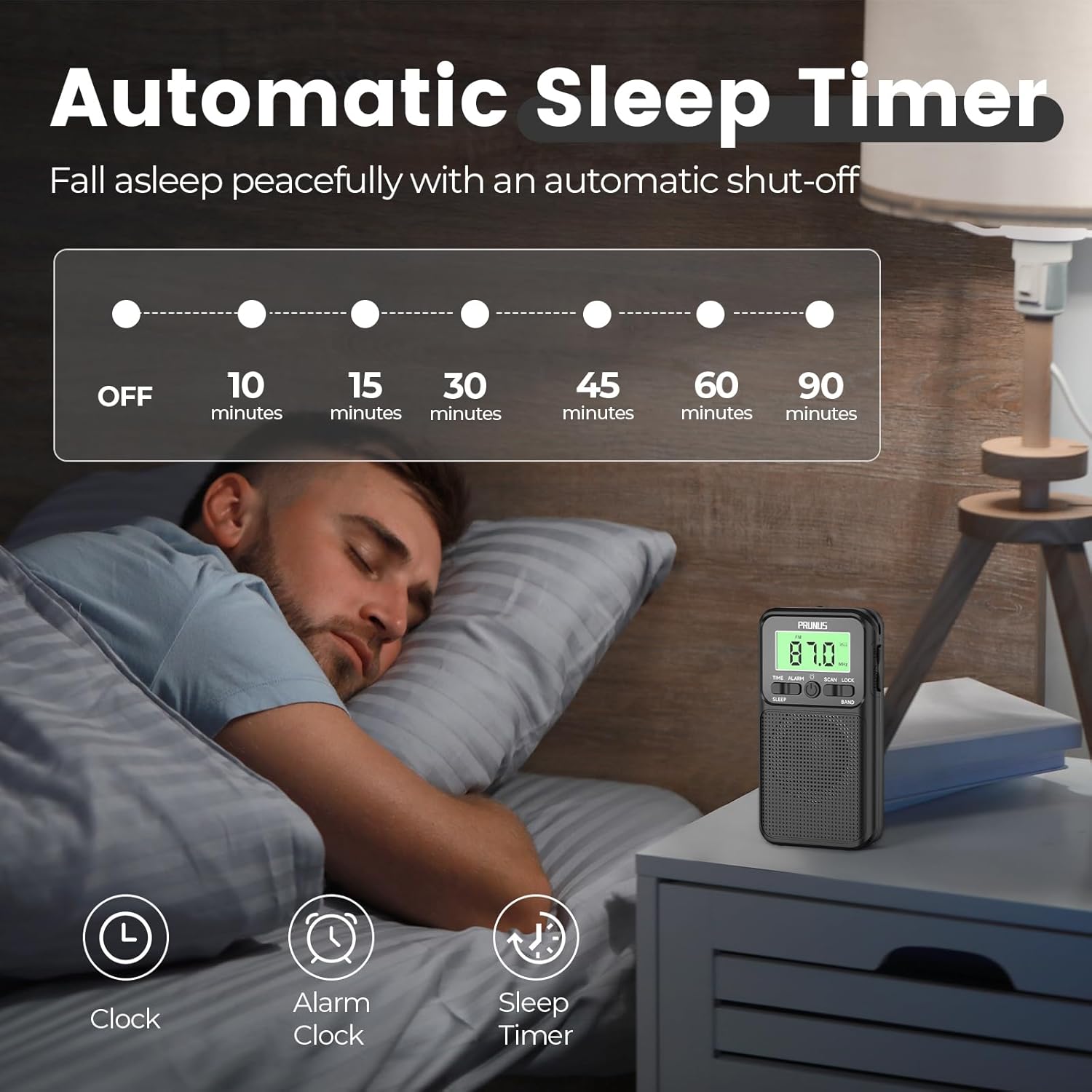
Figure 7: Automatic Sleep Timer

Figure 8: 12/24 Hour Format Setting
6.5 Fungsi senter
Pencét éta Bohlam button (next to the Power button) to turn the built-in LED flashlight on or off.
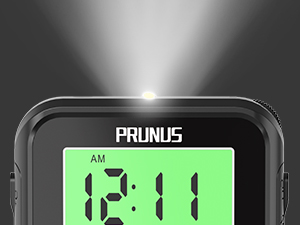
Figure 9: Built-in Flashlight
6.6 Fungsi konci
To prevent accidental button presses, slide the KUNCI switch on the side of the radio to the 'Lock' position. The display will show a key icon when locked. Slide it back to unlock.
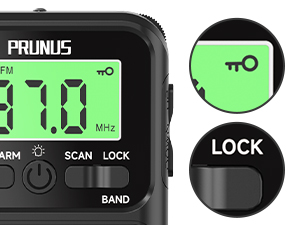
Figure 10: Lock Key Function
6.7 Paké headphone
For private listening, plug any standard 3.5mm headphones into the headphone jack located on the top of the radio. The internal speaker will automatically mute.

Figure 11: Versatile Audio Experience

angka 12: 3.5mm Headphone Jack
6.8 Portability
The PRUNUS J-128 is designed for on-the-go use. It includes a sturdy back clip and a lanyard for secure attachment to your belt, bag, or pocket.
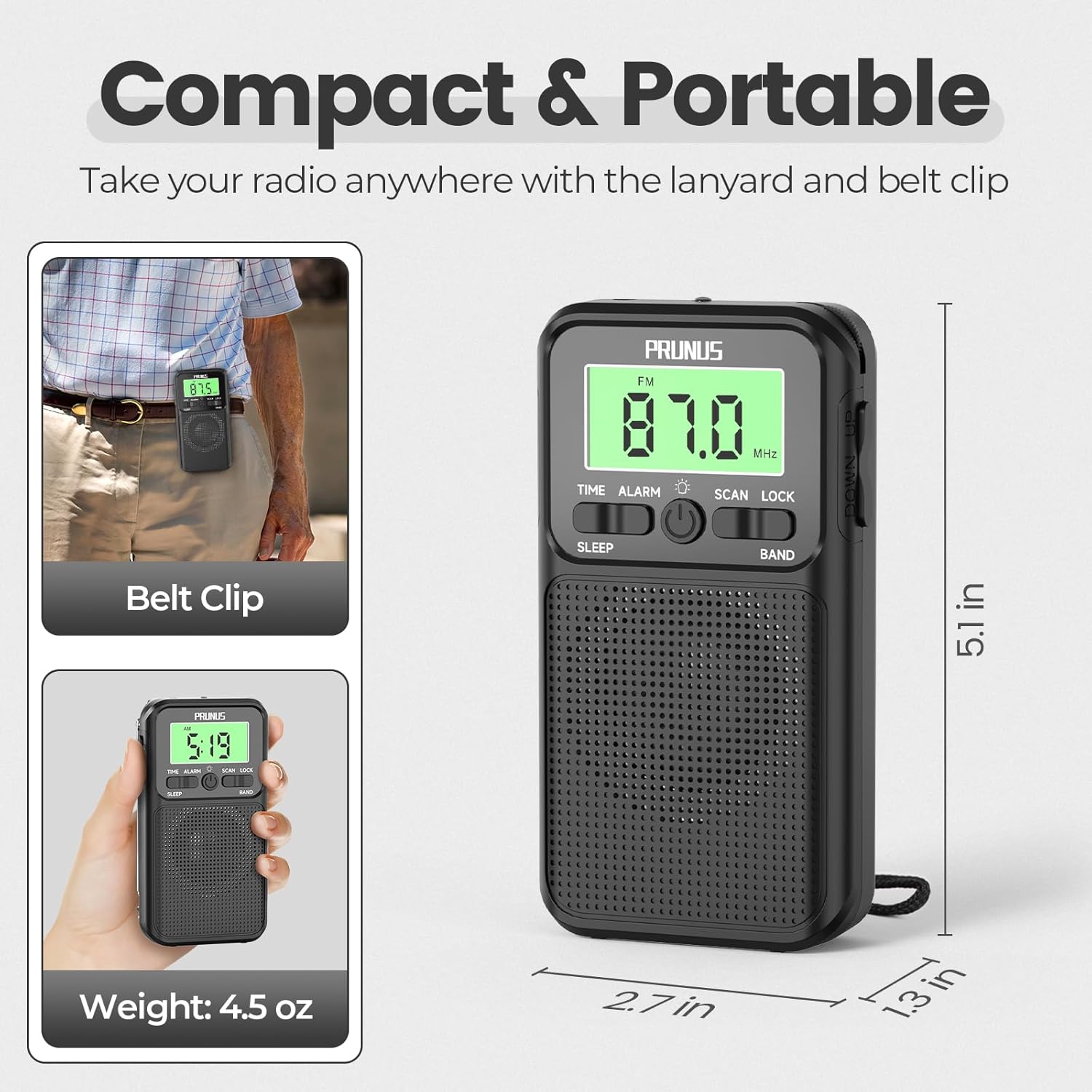
Figure 13: Compact & Portable Design
7. Pangropéa
- beberesih: Ngusap radio ku lawon lemes, garing. Ulah make cleaners abrasive atawa pangleyur.
- Panyimpenan: When not in use for extended periods, remove the batteries to prevent leakage. Store the radio in a cool, dry place away from direct sunlight and extreme temperatures.
- Perawatan Antenna: Nanganan anteneu teleskopik gently pikeun nyegah bending atawa megatkeun.
8. Cara ngungkulan
If you encounter issues with your PRUNUS J-128 radio, please refer to the following common problems and solutions:
| Masalah | Mungkin Cukang lantaranana | Solusi |
|---|---|---|
| Teu aya listrik / Radio teu hurung | Batré paéh atanapi teu leres diselapkeun. | Ganti batré ku batré AA anyar, mastikeun polaritasna bener. |
| Panarimaan goréng / Statis | Sinyal lemah, anteneu teu dipanjangkeun, gangguan. | Fully extend the telescopic antenna. Try repositioning the radio. Move away from electronic devices that may cause interference. |
| Cannot program channels easily | Incorrect tuning method or weak signal. | Use the automatic scan function for convenience. For manual tuning, slowly adjust using the UP/DOWN buttons. Ensure strong signal for desired station. |
| Radio turns off unexpectedly | Low battery, sleep timer activated. | Replace batteries. Check if the sleep timer is set and adjust or disable it. |
| Jack headphone teu jalan | Headphones not fully inserted, faulty headphones. | Ensure headphones are fully plugged in. Test with another pair of headphones. |
Lamun masalah persists sanggeus nyobian solusi ieu, mangga ngahubungan rojongan customer.
9. Spésifikasi
| Fitur | Spésifikasi |
|---|---|
| merek | PRUNUS |
| Nomer modél | J-128 |
| Dimensi produk | 5.71 x 3.27 x 1.57 inci (14.5 x 8.3 x 4 cm) |
| Item Beurat | 5.3 ons (150 gram) |
| Warna | Hideung |
| Sumber Daya | 2 x Batré AA (teu kalebet) |
| Pita Radio Dirojong | FM (87-108 MHz), AM (520-1710 KHz) |
| anteneu | Telescopic (16.5 inches / 42 cm) |
| Jack headphone | 3.5 mm |
| Fitur husus | Digital Radio with Sleep Timer, Alarm Clock, Time Display, Flashlight, Lock Key, Large Screen, Back Clip |
10. Garansi jeung Rojongan
PRUNUS products are designed for reliability and performance. This product comes with a standard manufacturer's warranty. For specific warranty details, technical support, or any inquiries, please refer to the contact information provided on the product packaging or the official PRUNUS websitus. Punten nahan resi pameseran anjeun salaku bukti pameseran.


