1. Bubuka
This manual provides essential instructions for setting up, operating, and maintaining your iTouch Smart Watch Fitness Tracker, Model Active 4. Please read this manual thoroughly to ensure proper use and to maximize the device's features.
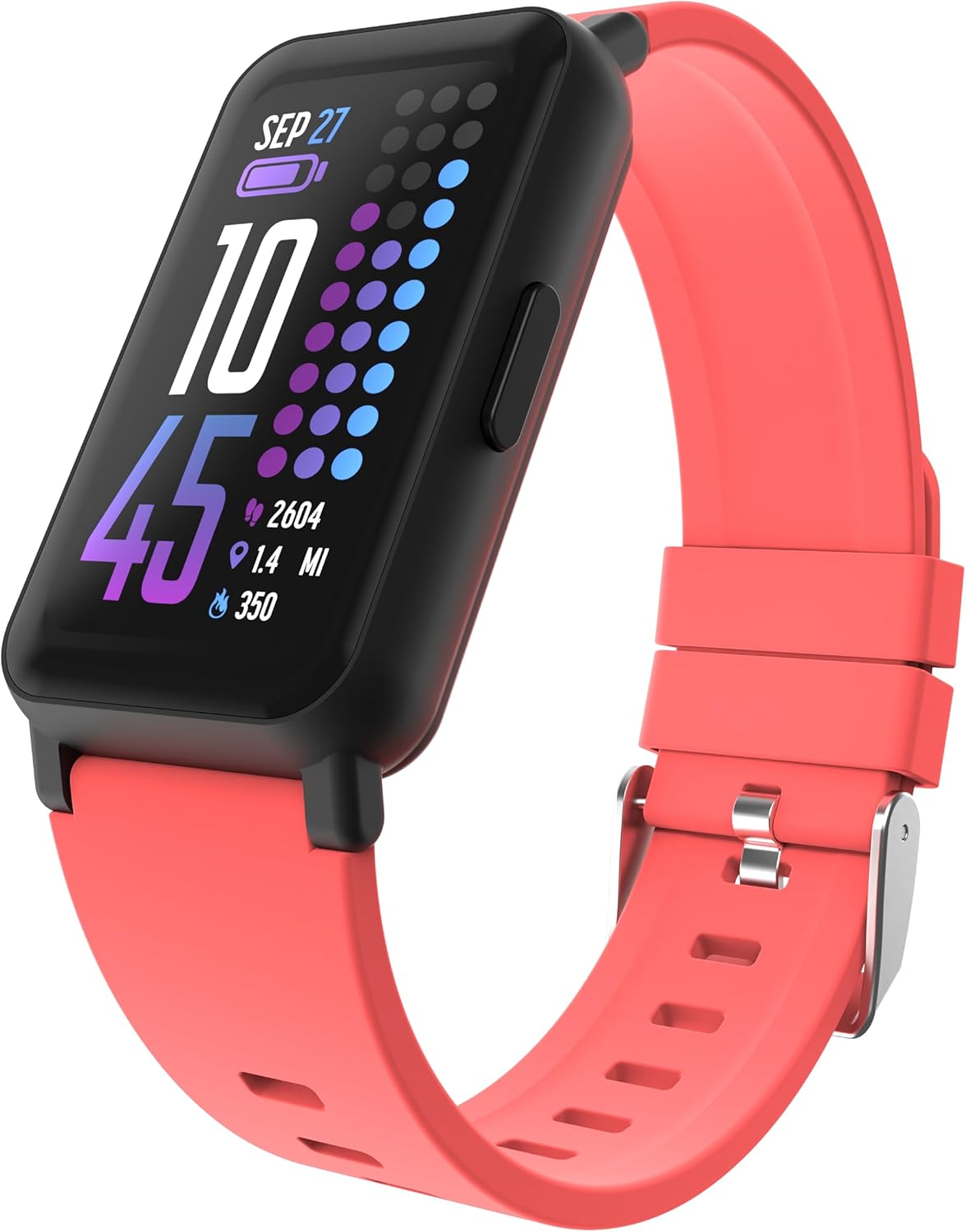
Image: The iTouch Smart Watch Fitness Tracker in Coral, displaying time, date, battery, steps, distance, and calories.
2. Naon dina Box
Your iTouch Smart Watch Fitness Tracker package includes:
- iTouch Smart Watch (Model Active 4)
- Kabel Ngecas
3. Setélan
3.1 Ngecas Alat
Before first use, fully charge your iTouch Smart Watch. Connect the provided charging cable to the charging pins on the back of the watch and to a USB power source.

Image: The iTouch Smart Watch connected to its magnetic charging cable, showing a 100% battery indicator on the screen.
3.2 Installing the iTouch Wearables App
To access all features and synchronize data, download the iTouch Wearables app from your smartphone's app store (compatible with Android and iOS).
3.3 Pairing Your Smart Watch
- Pastikeun jam tangan pinter anjeun dicas sareng dihurungkeun.
- Aktipkeun Bluetooth dina smartphone Anjeun.
- Open the iTouch Wearables app and follow the on-screen instructions to create an account or log in.
- Pilih 'Tambahkeun Alat' atanapi 'Sambungkeun Alat Anyar' dina aplikasi.
- Select your iTouch Smart Watch from the list of available devices.
- Konfirmasi pamundut papasangan dina jam tangan sareng smartphone anjeun.
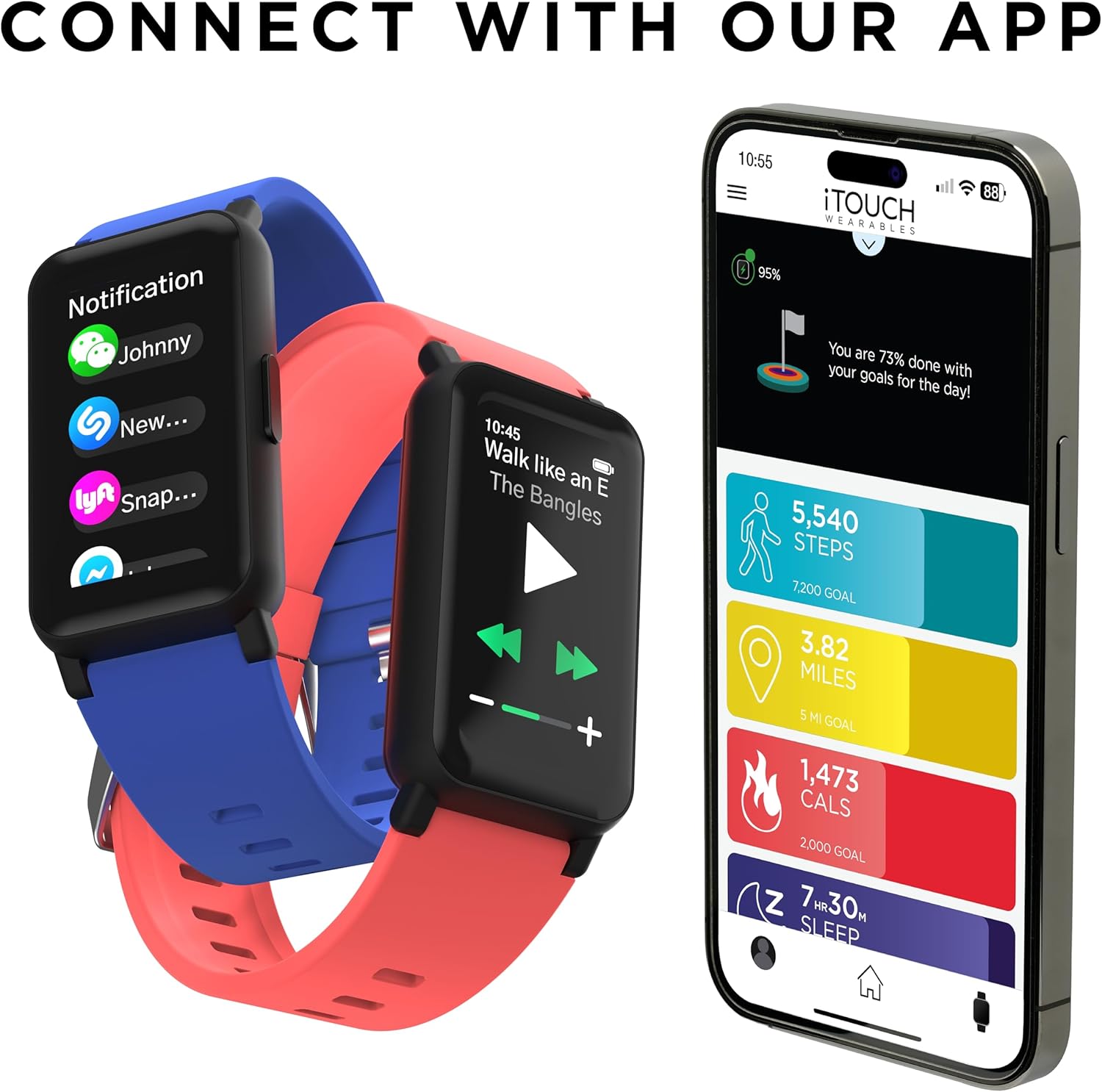
Image: Two iTouch Smart Watches (blue and coral) next to a smartphone displaying the iTouch Wearables app interface, showing daily goals for steps, miles, calories, and sleep.
4. Operating Your iTouch Smart Watch
4.1 Napigasi Dasar
- Layar cabak: Gesek ka kenca, ka katuhu, ka luhur, atawa ka handap pikeun napigasi ngaliwatan ménu jeung fitur. Ketok pikeun milih.
- Tombol samping: Pencét pikeun mulang ka layar utama atanapi hudangkeun alat.
4.2 Pangimeutan Kaséhatan
The iTouch Smart Watch provides various health tracking features:
- Monitor Detak Jantung: Continuously monitors heart rate at 30-minute intervals. You can also take on-demand measurements.
- Pelacakan SpO2: Measures blood oxygen levels. On-demand measurements are available.
- Monitor Saré: Tracks sleep patterns and duration.
- Stress Tracking & Breathing Exercises: Helps manage stress and promotes relaxation.
- Nyukcruk siklus: Monitors menstrual cycles.
- Coffee Intake Monitoring: Helps track daily caffeine consumption.

Image: The iTouch Smart Watch screen showing a heart icon and '120 BPM' (beats per minute), indicating a heart rate measurement.

Image: A person sleeping, with an iTouch Smart Watch on their wrist displaying a sleep tracking interface showing sleep duration and a goal.
4.3 Nyukcruk Kagiatan
The watch tracks your daily activity and supports various sports modes:
- Pedometer: Ngitung léngkah anjeun sadidinten.
- 96 Modeu Olahraga: Select from a wide range of workout modes to track specific activities.
- GPS disambungkeun: Utilizes your smartphone's GPS for accurate distance and route tracking during outdoor activities.

Image: A person wearing an iTouch Smart Watch, with text indicating "100+ Workout Modes" and icons for various sports like running, cycling, and weightlifting.

Image: An iTouch Smart Watch on a wrist and a smartphone displaying the iTouch Wearables app, showing tracked steps, miles, and calories.
4.4 Fitur pinter
Stay connected and control your phone remotely:
- Bewara: Nampi telepon, pesen, sareng bewara aplikasi langsung dina pigeulang anjeun.
- Musik Jauh: Kontrol playback musik dina smartphone Anjeun.
- Jauh Kaméra: Jarak jauh memicu jepret kaméra smartphone anjeun.
- Milarian Watch: Locate your watch if misplaced.
- Pembaruan Cuaca: View current weather and a 4-day forecast.

Image: An iTouch Smart Watch showing incoming notifications from various apps, alongside a smartphone screen displaying the app's notification settings.
4.5 Kustomisasi
Personalize your watch to match your style:
- Nyanghareupan: Choose from over 100+ watch faces or create custom ones via the app.

Image: A collection of iTouch Smart Watches in various colors, each displaying a different watch face, with a smartphone showing the watch face library in the iTouch Wearables app.
4.6 Tahan cai
The device is IP68 water resistant, suitable for swimming and other water activities. Avoid hot water or steam.

Image: An iTouch Smart Watch with water droplets on its screen, set against a dark, textured background, illustrating its water-resistant feature.
5. Pangropéa
5.1 Ngabersihan Smart Watch Anjeun
Regularly clean your watch and band to prevent skin irritation and maintain functionality. Use a soft, lint-free cloth. If necessary, dampen lawon jeung cai. Ulah make bahan kimia kasar atawa bahan abrasive.
5.2 Perawatan Batré
Pikeun manjangkeun umur batre:
- Hindarkeun suhu anu ekstrim.
- Charge the device fully before it completely drains.
- Utilize battery-saving modes if available in the settings.
6. Cara ngungkulan
If you encounter issues with your iTouch Smart Watch, refer to the following common solutions:
- Alat teu hurung: Pastikeun arloji dicas pinuh. Sambungkeun ka carjer sahenteuna 30 menit.
- Masalah pasangan:
- Pastikeun Bluetooth diaktipkeun dina smartphone Anjeun.
- Balikan deui smartphone anjeun sareng jam tangan pinter.
- Pastikeun arlojina aya dina jangkauan Bluetooth telepon anjeun.
- If the app requires email verification for sync, ensure you receive and enter the code. Check your spam/junk folder if not received.
- Bewara Teu Nembongan:
- Check app settings to ensure notifications are enabled for desired applications.
- Verify that your phone's notification permissions are granted to the iTouch Wearables app.
- Pastikeun arloji disambungkeun via Bluetooth.
- Jumlah Léngkah Anu Teu Akurat:
- Pastikeun yén arloji dipaké pas dina pigeulang anjeun.
- Calibrate your stride length in the app settings if available.
- Movement of your arm during activities like typing may sometimes be registered as steps.
- Iritasi kulit: If you experience skin irritation, ensure the band is not too tight and clean the watch and band regularly. If irritation persists, discontinue use and consult a doctor.
7. Spésifikasi
| Fitur | Rincian |
|---|---|
| Ngaran modél | Aktif 4 |
| Ukuran layar | 1.47 inci |
| Tipe tampilan | Full Touch Screen, 172 x 320 pixels |
| Tahan cai | IP68 (up to 1 meter) |
| Konektipitas | Bluetooth |
| GPS | Ngaliwatan Smartphone |
| Pangimeutan Kaséhatan | Heart Rate, SpO2, Sleep, Stress, Cycle Tracking, Coffee Intake |
| Modeu Kagiatan | 96 Sports Modes, Pedometer |
| Jenis Batré | 1 Litium Ion (kaasup) |
| Waktu sayaga | Nepi ka 10 dinten |
| Waktos Gawé | Nepi ka 7 dinten |
| Ukuran Kasus | 42.7 x 25 x 10.7 mm |
| Item Beurat | 28 Gram (0.988 ons) |
| Wrist Size (Min/Max) | 130mm (5.12") / 215mm (8.46") |
| Kasaluyuan | Android & ios |
8. Garansi jeung Rojongan
For warranty information, please refer to the documentation included with your purchase or visit the official iTouch Wearables website. If you require technical assistance or have questions not covered in this manual, please contact iTouch customer support through their official channels.