Bubuka
This manual provides comprehensive instructions for the ATK RS7 Pro RGB eSports Edition Hall Effect Keyboard. It covers setup, operation, maintenance, and troubleshooting to ensure optimal performance and longevity of your device. The ATK RS7 Pro features a Hall Effect design with adjustable 0 dead zone, an 8000Hz polling rate, and ultra-low 0.3ms latency, utilizing Gateron Magnetic Jade Switches (Amethyst Limited Edition).
Fitur konci
- Hall Effect Keyboard: Utilizes magnetic sensors for key actuation, offering precise and customizable actuation points.
- Adjustable 0 Dead Zone: Allows for fine-tuning of key sensitivity and responsiveness.
- Laju Polling 8000Hz: Provides extremely fast communication between the keyboard and your computer, reducing input lag.
- 0.3ms Ultra-low Latency: Engineered for competitive gaming, minimizing delay from key press to in-game action.
- Gateron Magnetic Jade Switches: Features Amethyst Limited Edition switches for a unique tactile and auditory experience.
- Tata Letak 75%: Compact design retaining essential keys for gaming and productivity.
- Aluminum Alloy Top Case: Durable and premium construction.
- Resilient GAS Structure: Enhances typing feel and sound.
- Adjustable Sensitivity Levels: Customize key actuation to your preference.
- Rapid Trigger/Reset (RT): Advanced feature for competitive play, allowing keys to re-actuate instantly upon reset.
- ATK V HUB Compatibility: Software support for advanced customization.
- NKRO (N-Key Rollover): Ensures all simultaneous key presses are registered.
- Dye-Sub Keycaps: Durable keycap legends that resist fading.
- Advanced Key Functions: Programmable keys and macros for enhanced control.
- Lampu tukang: Equipped with RGB backlighting for customizable aesthetics.
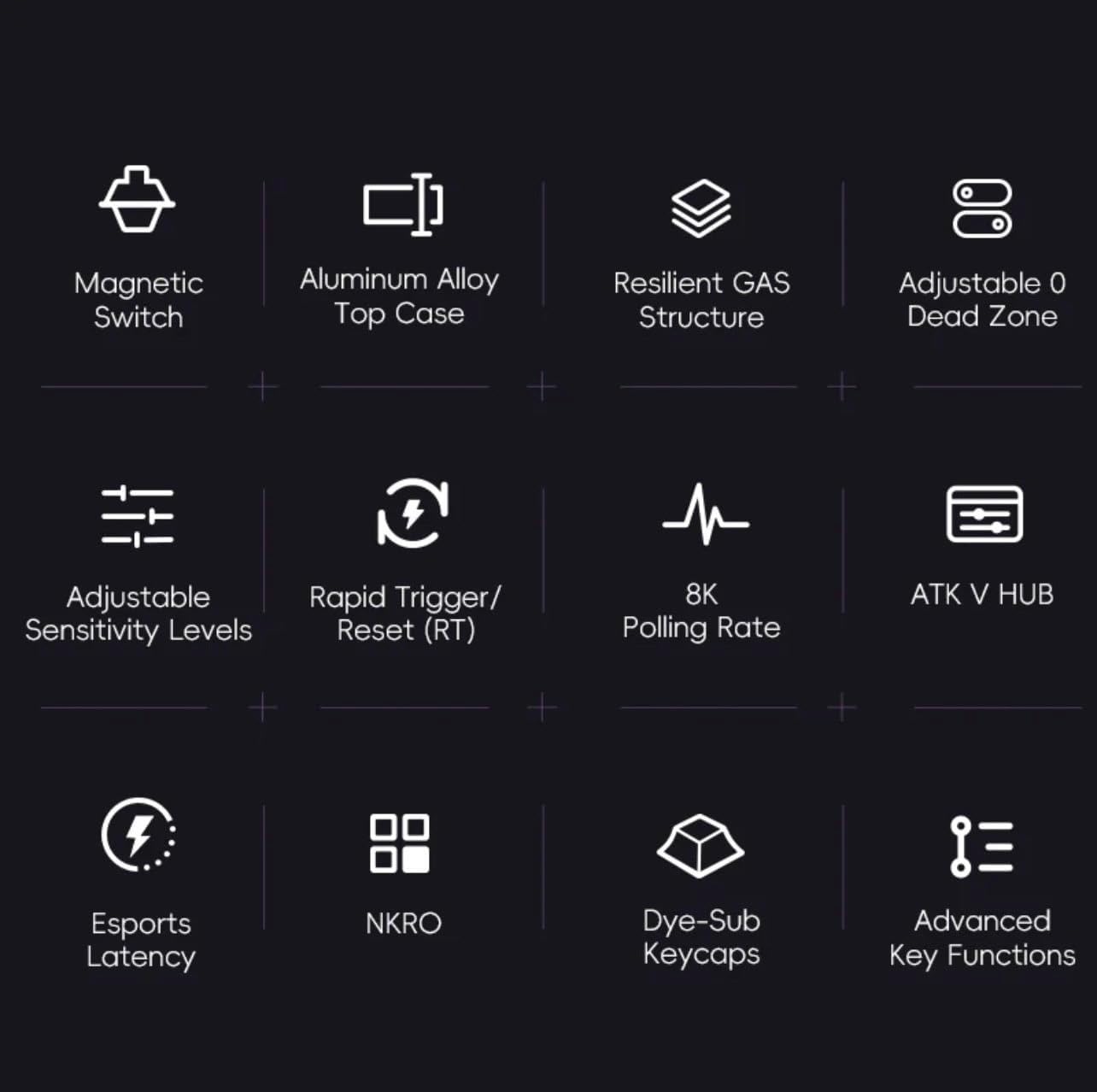
Gambar 1: Leuwihview of ATK RS7 Pro's advanced features.
Eusi pakét
Mangga parios pakét kanggo barang-barang ieu:
- ATK RS7 Pro RGB eSports Edition Hall Effect Keyboard
- USB Cable (USB-A connection)
- Manual pangguna (dokumén ieu)
Disetél
- Sambungkeun kibor: Locate an available USB-A port on your computer. Insert the USB-A end of the provided cable into your computer's USB port and the other end into the keyboard's USB port.
- Pamasangan supir: The keyboard is typically plug-and-play. Your operating system should automatically detect and install the necessary drivers.
- Pamasangan parangkat lunak (Opsional): For advanced customization, such as adjusting actuation points, rapid trigger settings, RGB lighting, and macros, download and install the ATK V HUB software from the official VGN websitus.

Figure 2: ATK RS7 Pro Keyboard connected via USB-A.
Parentah Operasi
Pamakéan Dasar
The ATK RS7 Pro functions as a standard QWERTY keyboard for typing and general computer use. All keys are fully functional upon connection.
Advanced Features and Customization
The ATK RS7 Pro offers several advanced features for enhanced performance, particularly in gaming. These features are primarily configured via the ATK V HUB software.
- Actuation Point Adjustment: Customize the distance a key needs to travel before registering a press. This can be set individually for each key.
- Pemicu Gancang (RT): This feature allows a key to re-actuate immediately upon reset, without needing to return to its full resting position. This is highly beneficial for rapid inputs in games. Configure the activation and deactivation points within the software.
- 0 Dead Zone: Ensure that there is no unresponsive travel distance at the beginning or end of a key press, providing maximum responsiveness.
- Laju Polling: The keyboard operates at an 8000Hz polling rate by default, providing 0.3ms latency. This setting is fixed for optimal performance.
- Lampu RGB: Customize lighting effects, colors, and brightness through the ATK V HUB software.
- Macros and Key Remapping: Assign complex sequences of commands to a single key or remap keys to different functions using the software.

Figure 3: The ATK RS7 Pro features ultra-low 0.3ms latency with an 8000Hz polling rate.
Pangropéa
- beberesih: Use a soft, dry cloth to wipe down the keyboard surface. For deeper cleaning, use compressed air to remove dust and debris from between keycaps. Avoid using harsh chemicals or abrasive materials.
- Ngahapus Keycap: Upami diperyogikeun, tutup konci tiasa dicabut sacara ati-ati nganggo panarik tutup konci (henteu kalebet) pikeun beberesih anu tuntas. Pasang deui ku cara ngajajarkeun teras pencét lalaunan dugi ka ngaklik dina tempatna.
- Panyimpenan: Upami teu dianggo, simpen kibor di tempat anu bersih sareng garing, jauh tina sinar panonpoé langsung sareng suhu anu ekstrim.

Figure 4: Internal components of the ATK RS7 Pro, illustrating its layered construction for durability and sound.
Pamérésan masalah
| Masalah | Mungkin Cukang lantaranana | Solusi |
|---|---|---|
| Keyboard teu ngabales | Sambungan USB leupas, port USB lepat, masalah supir. | Pastikeun kabel USB disambungkeun aman. Coba port USB anu béda. Balikan deui komputer anjeun. Pariksa Manajer Alat pikeun masalah supir. |
| Keys not registering correctly | Dust/debris under keycap, software settings, switch malfunction. | Clean under the keycap with compressed air. Check ATK V HUB software for actuation point settings. If issue persists, contact support. |
| Lampu RGB teu jalan | Setélan parangkat lunak, masalah daya. | Ensure ATK V HUB software is running and lighting is enabled. Check USB connection for sufficient power delivery. |
| Software (ATK V HUB) not detecting keyboard | Software not updated, driver conflict, background processes. | Ensure you have the latest version of ATK V HUB. Reinstall keyboard drivers. Close other background applications that might interfere. |
spésifikasi
| Fitur | Rincian |
|---|---|
| merek | VGN |
| Nomer modél | ATK RS7 PRO |
| Katerangan kibor | Keyboard kaulinan |
| Dianjurkeun Paké | Kaulinan |
| Téhnologi konektipitas | USB-A |
| Alat nu cocog | Komputer Pribadi |
| Fitur husus | Lampu tukang |
| Komponén Kaasup | Kabel USB |
| Pindah Tipe | Tactile (Gateron Magnetic Jade) |
| Tata perenah kibor | QWERTY (75% layout) |
| Orientasi leungeun | Ambidextrous |
| Laju Polling | 8000Hz |
| Latén | 0.3 ms |
| Zona Paéh | adjustable 0 Zona maot |
Garansi sareng Rojongan
The ATK RS7 Pro RGB eSports Edition Hall Effect Keyboard comes with a standard manufacturer's warranty. Please refer to the warranty card included in your package or visit the official VGN websitus pikeun istilah jeung kaayaan jaminan lengkep.
For technical support, troubleshooting assistance, or inquiries regarding your product, please contact VGN customer service through their official website or the contact information provided with your purchase. Ensure you have your product model number (ATK RS7 PRO) and purchase details ready when contacting support.


