Bubuka
This manual provides instructions for the VIVO Electric Standing Desk, Model DESK-KIT-1B6C-30. This desk is designed to offer a versatile and ergonomic workspace, allowing users to easily switch between sitting and standing positions.
- Active Standing: Transition smoothly from sitting to standing for comfortable viewsudut sareng jangkungna pangguna anu disaluyukeun.
- Spacious 3-Piece 59” Top: A 59” x 29.5” surface with extra depth for monitors, accessories, and supplies. The desktop is made of particle board for a scratch-resistant surface.
- Motor listrik anu kuat: Enjoy a height range of 29.2” to 48.4” with precise telescopic height adjustment.
- Pangrojong Pigura Méja anu Kuat: All-steel construction supports up to 220 lbs, ensuring stability for various setups.
- Pangontrol Mémori: Easy-to-use push-button controller with 4 memory presets to save desired heights.
Émbaran Kasalametan
Please read and understand all instructions before use. Failure to follow these instructions may result in injury or damage to the product.
- Do not exceed the weight capacity of 220 lbs to ensure stability and safety.
- Ensure all cables are managed to prevent pinching or entanglement during height adjustments.
- Keep children and pets away from the desk during operation to avoid injury from moving parts.
- Ensure there are no obstructions above or below the desk when adjusting height.
Eusi pakét
The VIVO Electric Standing Desk (Model DESK-KIT-1B6C-30) includes the following components:
- Bingkai Méja Motor Éléktrik Hideung Hideung
- Light Wood 60" x 30" Table Top (3-piece design)
- Controller mémori
- Assembly Hardware and Tools (as specified in the included manual)
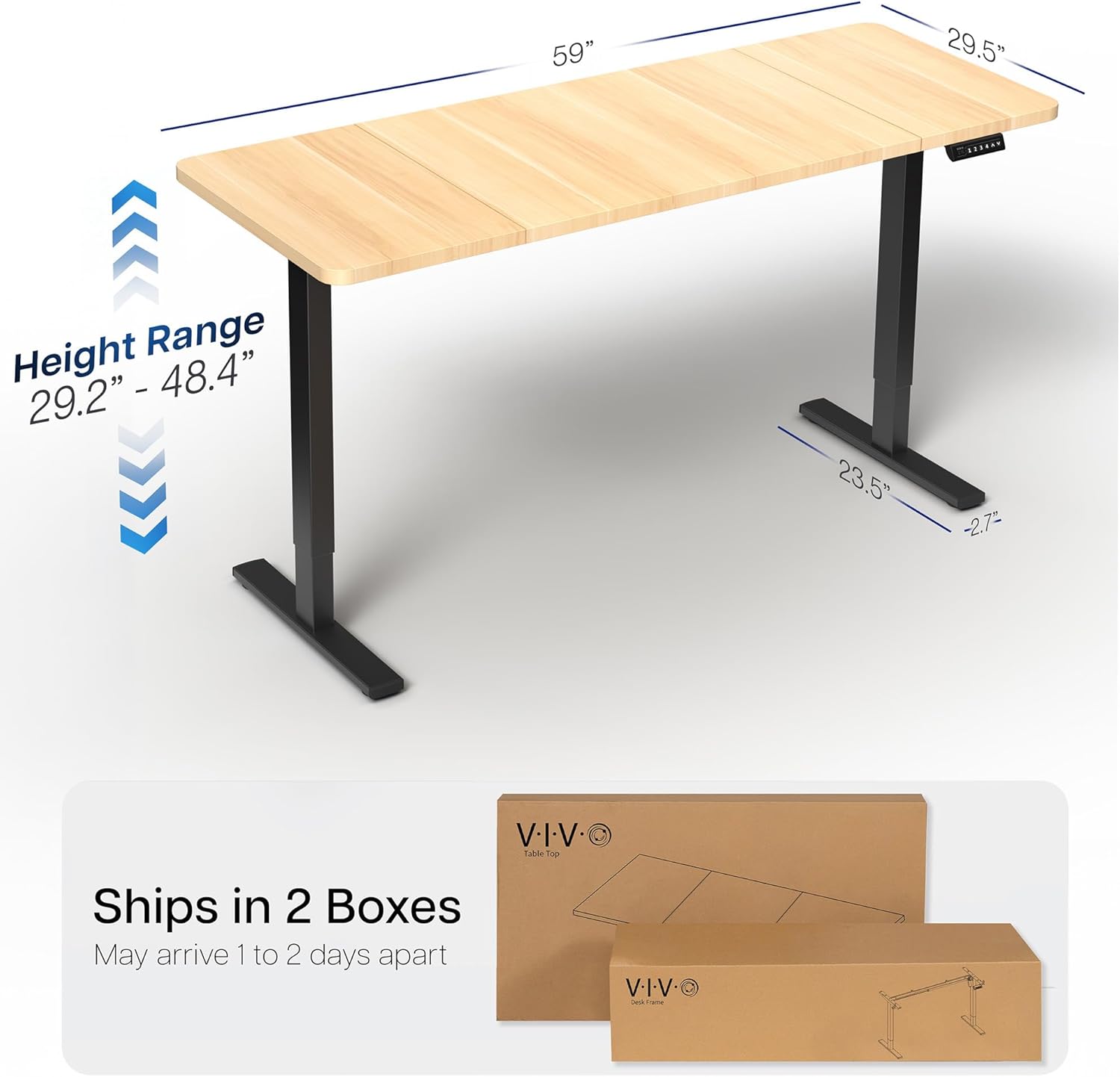
Figure 1: The VIVO Electric Standing Desk ships in two separate boxes, typically containing the table top and the frame components.
Setup sareng Majelis
Assembly of the VIVO Electric Standing Desk is required. It is recommended to follow the detailed instructions provided in the included physical manual. Key steps involve:
- Buka bungkus sadaya komponén sareng pariksa kana daptar bagian.
- Assemble the desk frame, ensuring all screws are securely tightened.
- Attach the three-piece table top to the assembled frame. Ensure proper alignment for a seamless surface.
- Install the memory controller to the underside of the desk.
- Connect all necessary cables for the electric motor and controller.
- Colokkeun méja kana stop kontak.
Video 1: Official VIVO Brand Video demonstrating the assembly process and features of a VIVO standing desk. This video provides a visual guide to setting up your new desk.
Parentah Operasi
The VIVO Electric Standing Desk features an intuitive memory controller for easy height adjustment.
Pangaluyuan Jangkungna Dasar
- Ngagunakeun éta Ka luhur (^) jeung Handap (v) arrow buttons on the controller to manually adjust the desk height.
- Jangkungna ayeuna bakal ditingalikeun dina layar LED.
- The desk offers a height range of 29.2 inches (minimum) to 48.4 inches (maximum).
Mémori prasetél
The controller allows you to save up to 4 preferred height settings:
- Atur méja kana jangkungna anu dipikahoyong nganggo tombol Luhur/Turun.
- Pencét éta "M" button (Memory) once. The LED display will flash.
- Pencét langsung salah sahiji tombol anu tos dinomeran (1, 2, 3, atawa 4) pikeun nyimpen jangkungna ayeuna kana prasetél éta.
- Pikeun nginget jangkungna anu disimpen, cukup pencét tombol anu tos disetel nganggo nomer anu saluyu. Méja bakal otomatis ngalih ka posisi anu disimpen.

Figure 2: The memory controller with LED display and preset buttons for convenient height adjustment.
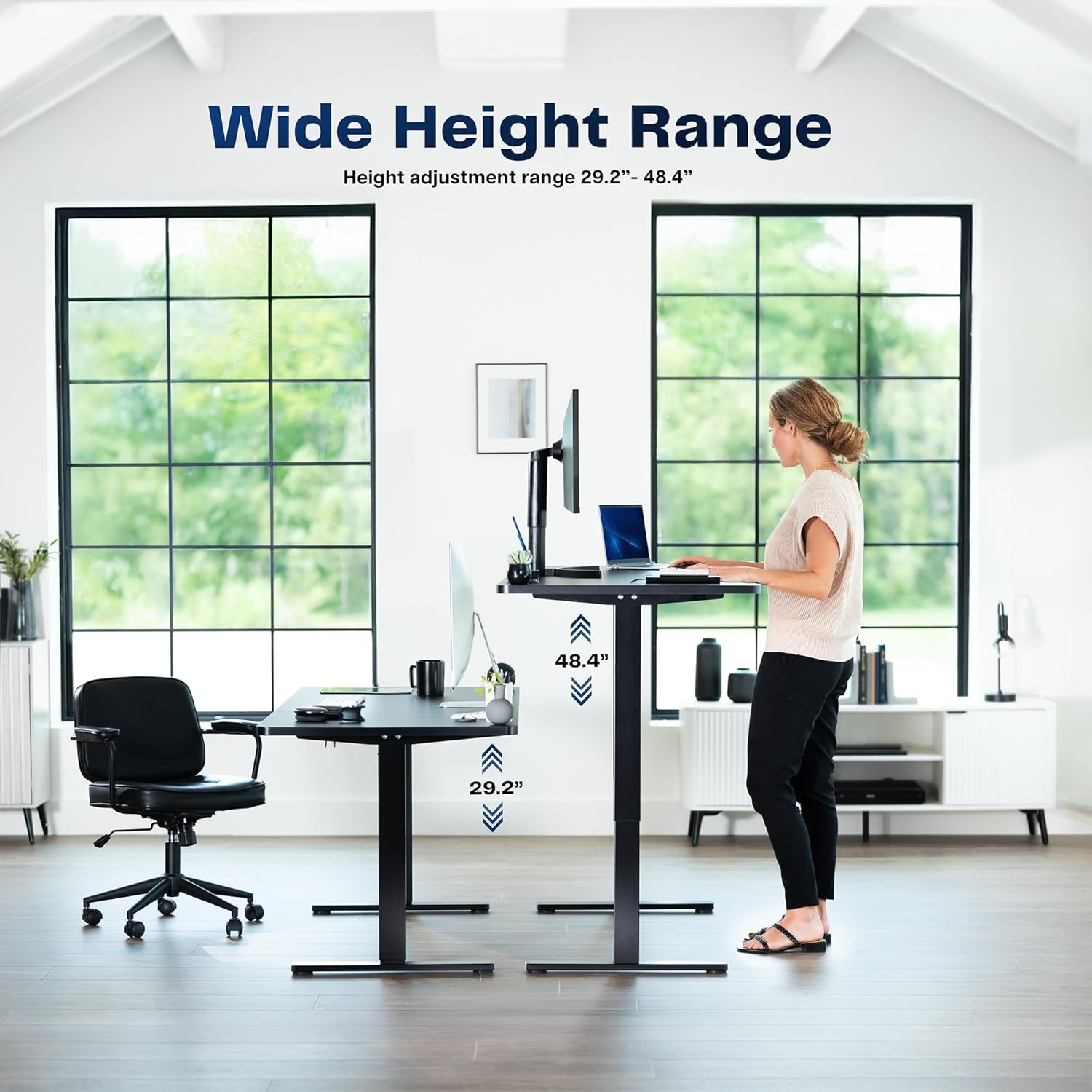
Figure 3: The VIVO Electric Standing Desk offers a wide height range to accommodate both sitting and standing preferences.
Pangropéa
Pangropéa rutin mastikeun umur panjang sareng kinerja optimal VIVO Electric Standing Desk anjeun.
- beberesih: Ngusap beungeut desktop ku lemes, damp cloth. Avoid abrasive cleaners that may damage the laminated finish.
- Manajemén Kabel: Periodically check and organize cables to prevent tangling or damage, especially around moving parts of the desk frame.
- Pariksa Fastener: Occasionally inspect all screws and bolts to ensure they remain tight. Retighten if necessary.
- Kapasitas beurat: Adhere to the maximum weight recommendation of 220 lbs to prevent strain on the motor and frame.
Pamérésan masalah
If you encounter issues with your VIVO Electric Standing Desk, refer to the following common troubleshooting steps:
- Meja teu gerak:
- Pariksa naha kabel listrik parantos dipasang pageuh kana méja sareng stop kontak témbok.
- Pastikeun teu aya halangan anu ngahalangan méja pikeun gerak ka luhur atanapi ka handap.
- If the controller displays an error code, consult the full manual for specific error resolution.
- Jangkungna teu rata:
- Perform a reset procedure (refer to your full manual for specific steps).
- Ensure the desk is on a level surface. Adjust the leveling feet if necessary.
- Sora anu teu biasa:
- Minor motor sounds are normal during operation.
- If noises are loud or unusual, check for loose fasteners or obstructions.
For persistent issues, please contact VIVO Customer Support.
spésifikasi
| Fitur | Rincian |
|---|---|
| merek | VIVO |
| Nomer modél | DESK-KIT-1B6C-30 |
| Desain méja | Méja Komputer |
| Dimensi produk | 29.5 "D x 59" W x 29.2" H |
| Warna | Puncak Kai Enteng / Pigura Hideung |
| Tipe Bahan Top | Kayu Rekayasa (Laminasi) |
| Bahan Dasar | Alloy Steel |
| Fitur husus | Adjustable Height, Memory Presets |
| Jangkungna Minimum | 29.2 inci |
| Jangkungna maksimum | 48.4 inci |
| Rekomendasi beurat maksimum | 220 pon |
| Majelis Diperlukeun | Sumuhun |
| UL Didaptarkeun | Sumuhun |
Garansi sareng Rojongan
VIVO offers a Limited Warranty for this product. For detailed warranty information, please refer to the documentation included with your purchase or visit the official VIVO websitus.
For any questions, technical assistance, or support, please contact VIVO Customer Support. Our US-based team is available to assist you.
- Kabijakan pamulangan: Pangembalian anu gampang dina 30 dinten.
- Rojongan Palanggan: Available for assistance with product inquiries and troubleshooting.

Figure 4: VIVO provides dedicated US-based customer support for all products.