Émbaran Kasalametan penting
Before using this machine, please read this user manual carefully and operate the device according to these instructions. Keep the conveyor wheels clean to ensure smooth operation and prevent card jams.
Ulah make alat bari keur ngecas.
Produk Leuwihview
The KPAW Automatic Card Dealer MAX III is designed to efficiently distribute cards for various card games. It supports up to 8 players and includes wireless remote controls for convenient card drawing. The device features a built-in 5000mAh rechargeable battery for extended use.
This device is a card dealer and not a card shuffler. It distributes cards in a randomized or continuous order based on settings, but it does not physically shuffle the deck.
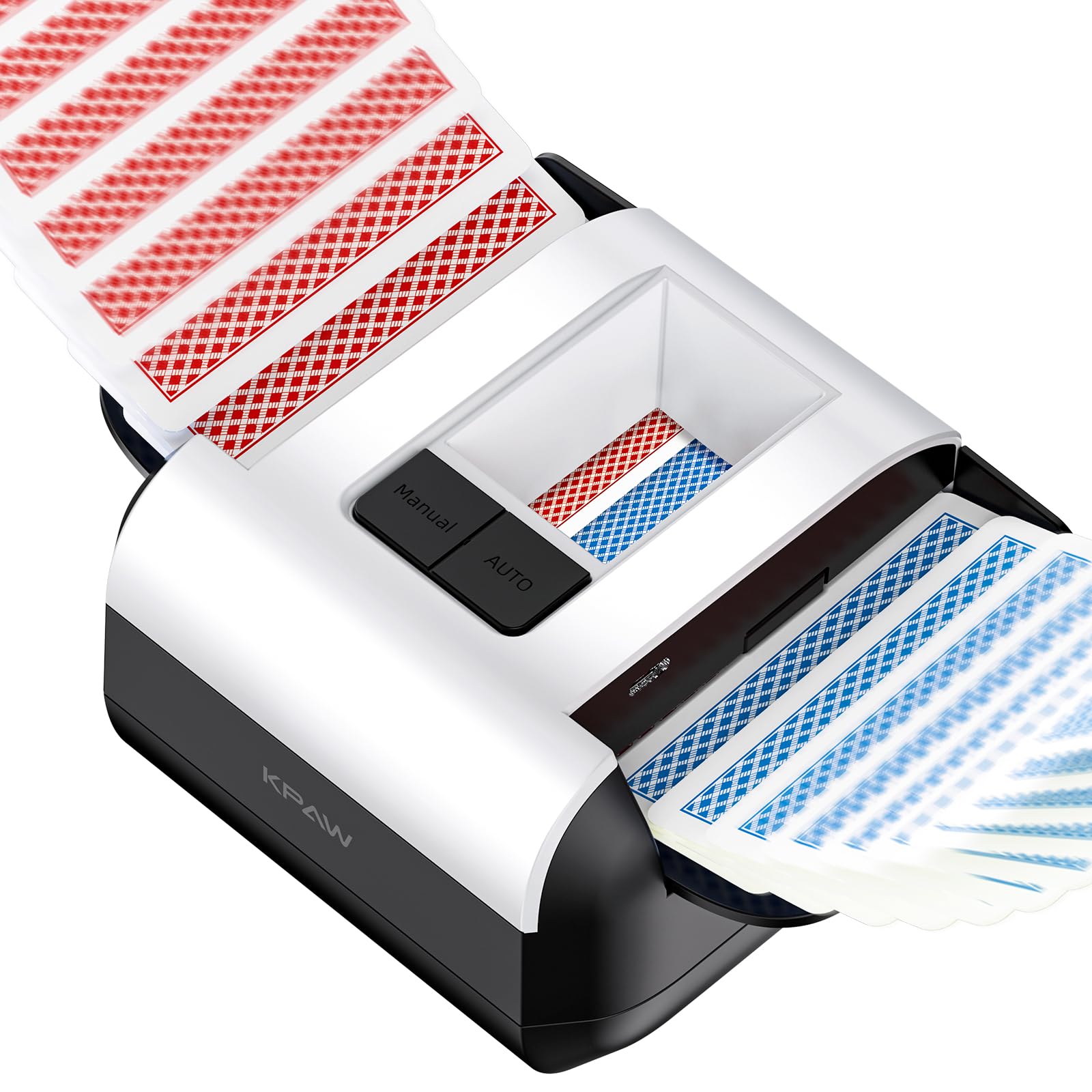
The KPAW Automatic Card Dealer MAX III, shown with its compact design and included wireless remote controls, ready for use.
Naon dina Box
- 1 KPAW Automatic Card Dealer (Black)
- 4 Wireless Drawing Remote Controls (Black)
- 1 Kabel Ngecas USB-C
- 1 Buku Panduan Pamaké
- 1 Packaging Box
Disetél
- Ngabongkar: Carefully remove all components from the packaging box.
- Ngeusi batre alat: Connect the provided USB-C charging cable to the card dealer and a suitable power source. The device should be fully charged before first use. An indicator light will show charging status. Do not operate the device while charging.
- Daya Hurung: Press the power button to turn on the card dealer.
- Nyiapkeun Kartu: Ensure your deck of cards is clean and free from bends or tears to prevent jamming. Place the cards into the designated card input tray.
Parentah Operasi
1. Basic Card Distribution
- Kartu Tempat: Load the shuffled deck of cards into the card input tray of the dealer.
- Select Players: Use the control panel on the device to set the number of players (1 to 8).
- Start Dealing: Press the 'Deal' button on the device or one of the wireless remote controls to begin distributing cards. The device will distribute cards to the selected number of players.
2. Using Wireless Remote Controls
- Each remote control corresponds to a player position. Players can press their remote's button to draw cards to their position.
- Ensure remotes are within range of the main unit.
- The remotes are powered by CR2032 batteries. Replace when necessary.
3. Ngaropea Setélan
The KPAW Automatic Card Dealer MAX III offers various customizable settings to adapt to different game requirements. Access these settings via the device's control panel:
- Card Order: Choose between 'First Out' or 'Last Out' for the bottom card.
- Dealing Mode: Select from '360° Rotation', 'Swing', or 'Diagonal' dealing patterns.
- Dealing Form: Choose 'Random' for varied distribution or 'Continuous' for sequential distribution.
- Arah Urusan: Set the distribution to 'Clockwise' or 'Anti-clockwise'.
Refer to the on-screen prompts or indicators on the device for specific button functions related to these settings.
Pangropéa
- Cleaning Conveyor Wheels: Regularly inspect and clean the card conveyor wheels to prevent dust or debris buildup, which can cause card jams. Use a soft, dry cloth.
- Perawatan batré: Charge the device using the provided USB-C cable. Avoid overcharging. Store the device in a cool, dry place when not in use for extended periods.
- Card Condition: Use clean, undamaged cards. Worn, bent, or dirty cards can affect dealing performance and potentially damage the device.
Pamérésan masalah
| Masalah | Mungkin Cukang lantaranana | Solusi |
|---|---|---|
| Cards are jamming or not dealing smoothly. | Dirty conveyor wheels, damaged cards, incorrect card placement. | Clean conveyor wheels. Use new, undamaged cards. Ensure cards are placed correctly in the tray. |
| Alat teu hurung. | Low battery, faulty charging cable, device malfunction. | Charge the device fully. Try a different USB-C cable and power adapter. If problem persists, contact support. |
| Wireless remote controls are not responding. | Low battery in remote, remote out of range, interference. | Replace the CR2032 battery in the remote. Ensure remotes are close to the main unit. |
| Cards are not distributed evenly. | Incorrect settings, card condition. | Check and adjust dealing settings (e.g., dealing form, direction). Ensure cards are in good condition. |
spésifikasi
- merek: KPAW
- Jumlah modél: MAX III
- warna: Hideung
- Tipe Bahan: Stainless steel, Silicone, ABS (Acrylonitrile Butadiene Styrene), POM (Polyoxymethylene)
- Ukuran produk (L x W x H): 11.94 x 12.45 x 8.38 cm (4.7 x 4.9 x 3.3 inci)
- beurat: 635.03 grams (1.4 Pounds)
- Handedness: Ambidextrous
- Battery (Main Unit): 5000 mAh rechargeable (internal)
- Battery (Remotes): 4 x CR2032 (kaasup)
- Max Players Supported: 8
- Fitur: 4 wireless drawing remotes, 2 tray capacity, compact and portable, dealing only (no shuffling).
Garansi sareng Rojongan
For warranty information or technical support, please refer to the contact details provided on the product packaging or the official KPAW websitus. Simpen resi pameseran anjeun pikeun klaim jaminan.


