1. Bubuka
The MAIMEIMI G13-HUD GPS Speedometer is designed to enhance driving safety and convenience by displaying essential vehicle information directly in your line of sight. Utilizing GPS technology, it provides real-time speed, direction, time, and satellite count, helping you avoid distractions from looking down at your car's dashboard. This device is compatible with all 5V vehicles equipped with a USB port.

Image 1.1: MAIMEIMI G13-HUD GPS Speedometer with suction cup mount.
2. Produk Langkungview
2.1 Fitur konci
- Real-time GPS Data: Displays driving speed and direction via GPS.
- Multi-data Display: Shows current speed, travel direction (compass), time, and number of satellites.
- tampilan customizable: Switch between MPH or KM/H units and choose from 6 display colors.
- Penyesuaian Kacaangan Otomatis: Built-in light sensor adjusts display brightness based on ambient light.
- Alarm kaamanan: Includes Overspeed and Fatigue Driving alarm functions.
- Kasaluyuan Universal: Works with any 5V vehicle via a USB port.
- Nyolok sareng Puter: Automatic power on/off with vehicle ignition.
2.2 Eusi pakét
- 1 x MAIMEIMI G13-HUD GPS Speedometer
- 1 x Kabel Micro USB
- 1 x Tikar Non-slip
- 1 x Panyekel Piala Nyeuseup Rotary
- 1 x Manual Pamaké

Image 2.1: Package contents of the G13-HUD GPS Speedometer.
3. Setélan
3.1 Pamasangan
- Pilih Penempatan: Select a suitable location on your dashboard that does not obstruct your view of the road. The non-slip mat or rotary suction cup holder can be used for secure placement.
- Sambungkeun Kakuatan: Connect the Micro USB cable to the device and then to a 5V USB port in your vehicle. The device will automatically power on with the car ignition and power off when the car is turned off.

Image 3.1: Plug and Play installation via USB port.
3.2 Daya Awal Hurung
Upon connecting the device, it will power on and begin searching for GPS signals. Ensure the vehicle is in an open area for optimal signal acquisition. The display will show relevant data once a stable GPS connection is established.
Video 3.1: Demonstration of the MAIMEIMI G13-HUD GPS Speedometer in operation, showing speed, time, and direction changes during driving, and the simple USB connection process.
4. Parentah Operasi
4.1 Modeu Paparan
The G13-HUD can display various data combinations. Use the dial button on the device to cycle through different display modes:
- Laju wungkul
- Waktos hungkul
- Speed + Time
- Speed + Driving Direction (Compass)
- Satellite Time + Driving Direction (Compass)
- Number of Satellites + Driving Direction (Compass)
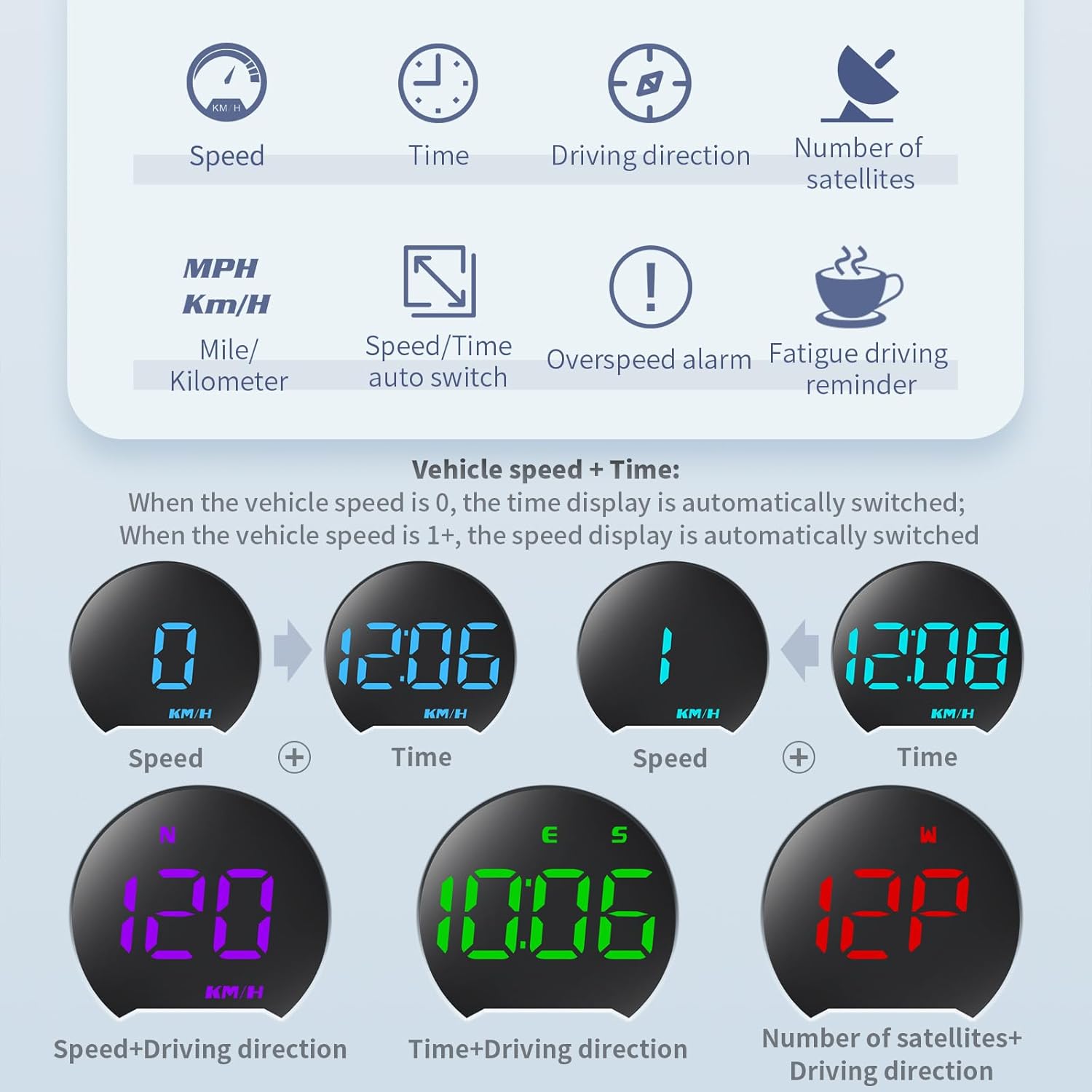
Image 4.1: Multiple data display options.

Image 4.2: Multiple display options on dashboard.
4.2 Automatic Photosensitive Adjustment
The device features a built-in light sensor that automatically adjusts the display brightness to suit the external environment, ensuring optimal visibility during both daytime and nighttime driving.

Image 4.3: Automatic photosensitive adjustment for day and night.
5. Setélan jeung Kustomisasi
5.1 Speed Unit Selection (MPH/KM/H)
The G13-HUD allows you to switch between Miles Per Hour (MPH) and Kilometers Per Hour (KM/H). Refer to the detailed instructions in the included manual for accessing the setting menu and changing the speed unit (typically Setting Mode 5).
5.2 Display Color Options
The digital speedometer offers 6 display colors (green, yellow-green, light blue, cyan, blue, red, purple) that can be switched to match your preference or driving environment. Use the dial button to navigate through color options within the settings.

Image 5.1: Multiple display colors available.
6. Fungsi Alarm
The G13-HUD is equipped with two important alarm functions to promote safer driving:
- Alarm Overspeed: Alerts you when your speed exceeds a preset limit. The initial default warning is set for speeds over 150 KM/H.
- Alarm nyetir kacapean: Reminds you to take a break after continuous driving for a set duration. The initial default warning is for more than 8 hours of continuous driving.
It is recommended to adjust these alarm values according to local traffic rules and your personal needs. Consult the full user manual for instructions on how to adjust these settings.
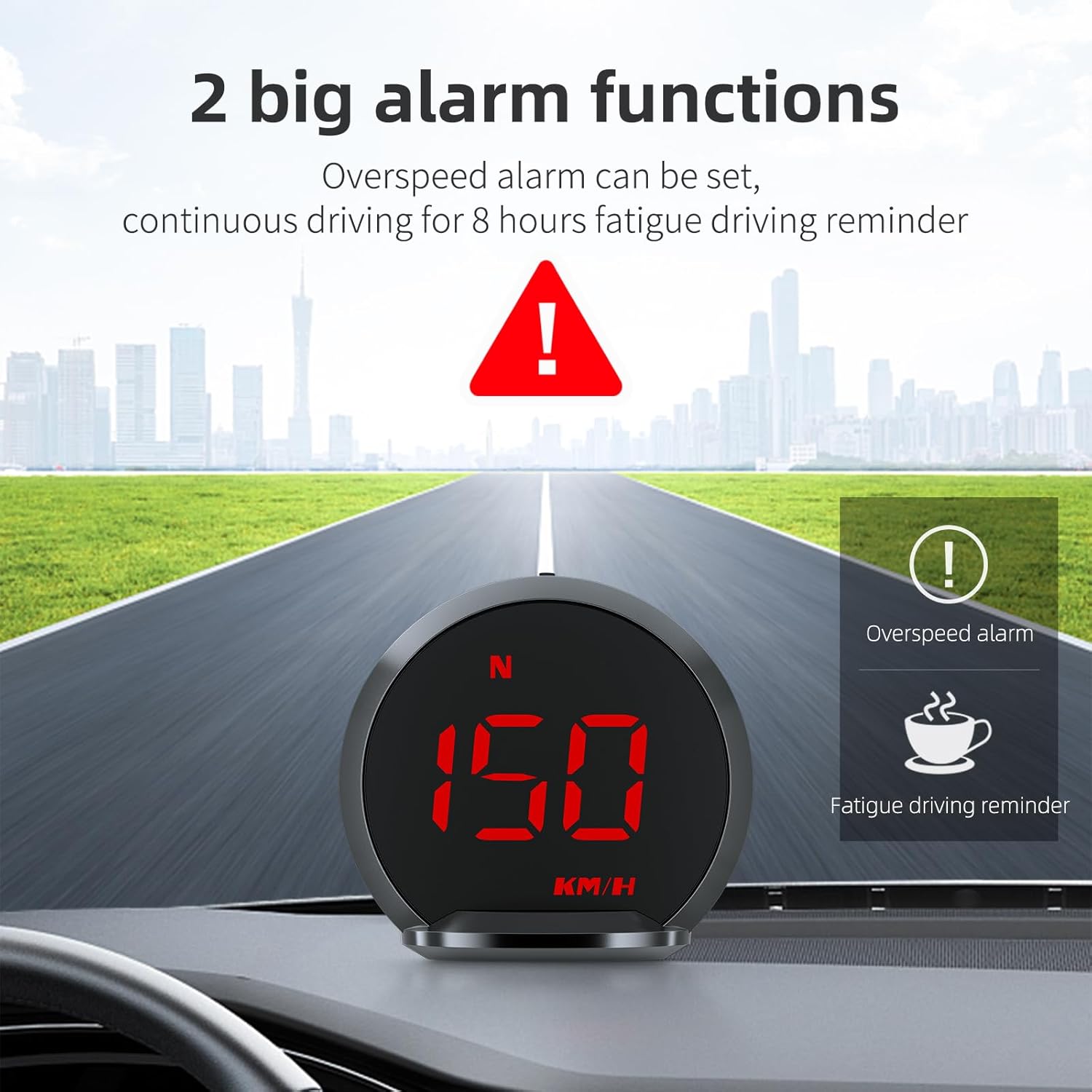
Image 6.1: Overspeed and Fatigue Driving alarm indicators.
7. Manual Speed Correction
If you observe a discrepancy between the speed displayed on the G13-HUD and your vehicle's speedometer, you can manually fine-tune the device's speed reading. Follow these steps:
- Confirm Speed Unit: Ensure your speed unit is set to MPH. If not, enter Setting Mode 5 (refer to the user manual for menu access) to switch it.
- Speed Fine-tuning: Enter Setting Mode 1. You will see an initial value, for example, 107. If your car's meter reads 100 MPH and the HUD reads 105 MPH (meaning the HUD is 5 MPH faster), subtract 5 from the initial value (107 - 5 = 102). Adjust the initial value to 102. This adjustment method involves adding or subtracting the difference between your car's meter and the HUD's reading from the initial value.
- Pilihan Reset Pabrik: If the speed discrepancy persists after the above steps, consider entering Setting Mode 7 to restore factory settings. Then, re-measure and repeat the adjustment process.
- Rojongan: If you encounter any difficulties during the adjustment process or if the HUD does not meet your expectations, please contact customer support for assistance.

Image 7.1: Manual speed correction guide.
8. Pangropéa
- beberesih: Anggo kaén anu lemes sareng garing pikeun ngabersihan alat. Ulah make cleaners abrasive atawa pangleyur.
- Panyimpenan: Lamun teu dipaké pikeun période nambahan, nyimpen alat dina tiis, tempat garing jauh ti sinar panonpoé langsung jeung hawa ekstrim.
- Penanganan: Nanganan alat kalawan ati-ati pikeun nyegah karuksakan tina tetes atawa tabrakan.
9. Cara ngungkulan
- Témbongkeun Speed teu akurat: If the speed display shows a deviation, especially in areas with unstable GPS signals (e.g., underground parking lots), drive to an open road for normal operation. If the deviation persists, perform manual speed correction as described in Section 7.
- Taya Daya/Tampilan: Ensure the USB cable is securely connected to a functional 5V USB port. The device is designed to power on/off with the vehicle ignition.
- Henteu aya sinyal GPS: Pastikeun alat boga jelas view of the sky. Obstructions like tunnels or dense urban areas can temporarily affect GPS signal reception.
- Voltage Perhatosan: The device operates at 5V. Do not use a voltage higher than 5V to prevent damage.
10. Spésifikasi
| Fitur | Spésifikasi |
|---|---|
| Ukuran produk (L x W x H) | 2.6 x 0.97 x 2.39 inci (66 x 24 x 60 mm) |
| Item Beurat | 0.33 pon (5.28 ons) |
| Bahan | Logam, Plastik |
| Input kakuatan | 5V (ngalangkungan USB) |
| Tipe tampilan | High-definition LED with automatic photosensitive adjustment |
| Unit laju | MPH / KM/H (switchable) |
| Warna tampilan | 6 kelir customizable |

Image 10.1: Product dimensions and interface details.
11. Garansi jeung Rojongan
For warranty information, technical support, or any inquiries regarding your MAIMEIMI G13-HUD GPS Speedometer, please refer to the contact details provided with your purchase documentation or visit the official MAIMEIMI store on Amazon. Customer satisfaction is a priority, and assistance is available for product setup, operation, and troubleshooting.
Dukungan Online: Visit the MAIMEIMI Store on Amazon


