1. Langkungview
The Hisense 32A4NR is a 32-inch Class A4 Series FHD 1080p Smart Roku TV. It features built-in Wi-Fi and Roku TV for streaming content. The television provides a Full HD high-definition picture and Dolby Audio for enhanced sound. Its slim bezel design offers a larger viewaréa layar sanggup.
fitur konci ngawengku:
- Roku TV: Integrated streaming platform for access to various apps and channels.
- Asisten Google & Alexa Cocog: Control the TV using voice commands with compatible devices.
- Resolusi HD lengkep: 1080p High-Definition LCD screen with Full Array LED backlight for clear and bright images.
- Dolby Audio: Delivers clear dialogue, detail, and realistic surround sound.
- Desain Bezel Slim: Maximizes screen space with a minimalist frame.

Gambar 1.1: Hareupeun view of the Hisense 32A4NR Roku TV, showing the home screen with various streaming application icons.
2. Naon dina Box
Upon unboxing your Hisense 32A4NR TV, please ensure all the following components are present:
- Hisense 32-Inci Kelas A4 Series FHD 1080p Smart Roku TV
- Kabel Daya
- Remote Control (2 batré AAA kaasup)
- TV Stand (with screws for assembly)
3. Setup Guide
3.1. Unpacking na panempatan
Carefully remove the TV from its packaging. It is recommended to have two people for this process. Place the TV on a stable, flat surface or prepare for wall mounting (wall mount sold separately).
3.2. Ngagantelkeun Stand
If you are not wall-mounting, attach the included stand to the bottom of the TV. Align the stand with the screw holes on the TV and secure it using the provided screws. Ensure the stand is firmly attached before placing the TV upright.

Gambar 3.1: Sisi view of the Hisense 32A4NR TV, illustrating the slim design and the attached stand.
3.3. Nyambungkeun Power
Connect the power cable to the TV's power input and then plug it into a standard electrical outlet (110 Volts). The TV will enter standby mode.
3.4. Jauh Control Setup
Open the battery compartment on the back of the remote control. Insert the two AAA batteries, ensuring correct polarity (+/-). Close the compartment.
3.5. Setup TV Roku awal
Press the Power button on the remote to turn on the TV. Follow the on-screen instructions to:
- Pilih basa anjeun.
- Nyambung ka jaringan Wi-Fi Anjeun.
- Aktipkeun akun Roku anjeun (atanapi jieun anu énggal).
- Scan for channels if using an antenna.
An internet connection is required to access Roku TV features and streaming content.
3.6. Nyambungkeun Alat éksternal
Use the HDMI and USB ports to connect external devices such as cable boxes, game consoles, Blu-ray players, or USB storage devices. Refer to the port labels on the back of your TV for correct connections.
- HDMI: Pikeun audio sareng pidéo definisi luhur.
- USB: Pikeun playback média ti drive USB.
4. Parentah Operasi
4.1. Navigasi Antarbeungeut Roku TV
The Roku TV home screen provides access to all your entertainment. Use the directional pad on your remote to navigate through menus and select options. The Home screen displays your installed streaming channels, input selections (HDMI, USB), and other features.

Image 4.1: The Roku TV home screen, demonstrating the simple interface for accessing streaming services and inputs.
4.2. Aplikasi Streaming
Access popular streaming services like Netflix, Hulu, Disney+, and more directly from the home screen. New channels can be added from the Roku Channel Store.
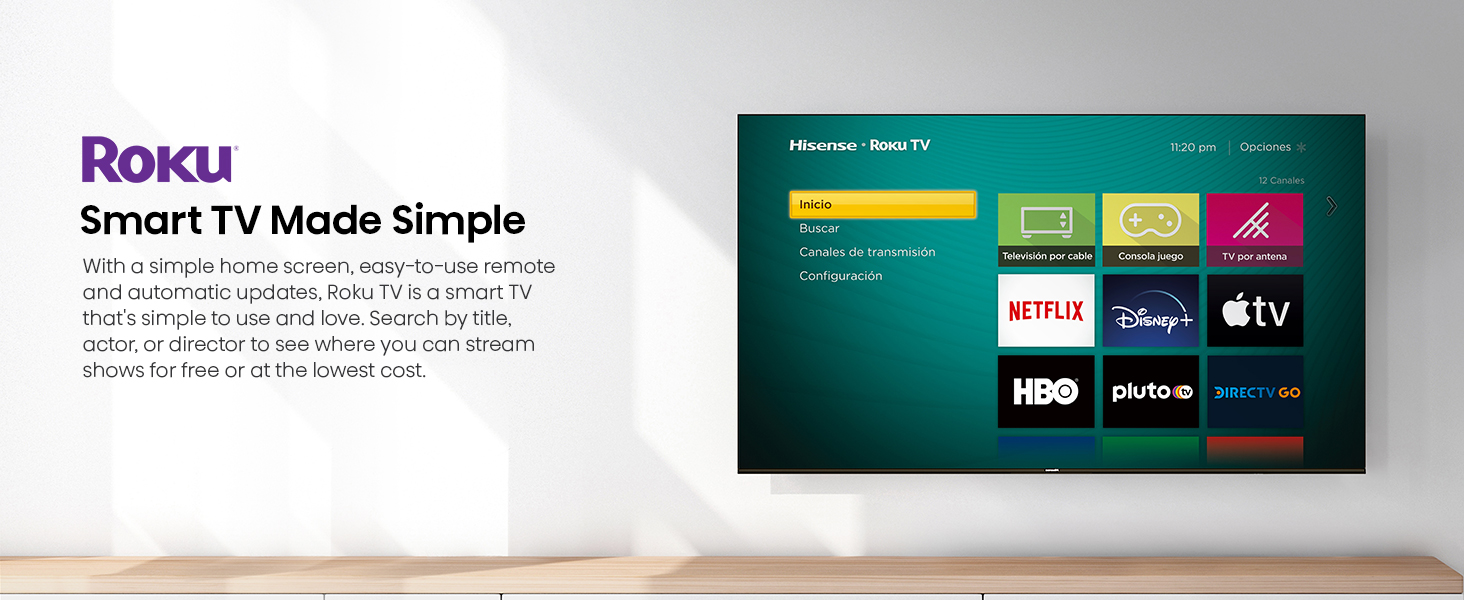
Image 4.2: A visual representation of the Roku TV interface displaying a wide array of streaming content options.
4.3. Voice Control Compatibility
The TV is compatible with Google Assistant and Alexa. If you own a compatible smart speaker or device, you can link it to your Roku TV to control functions like power, volume, and channel selection using voice commands.
4.4. Dolby Audio
Experience enhanced sound quality with Dolby Audio. This technology provides clear, detailed, and immersive audio for all content. No special settings are typically required as it processes audio automatically.
Image 4.3: Visual illustrating the immersive audio experience provided by Dolby Audio, with a focus on sound detail.
4.5. Modeu Kaulinan
For an optimized gaming experience, the TV features a Game Mode designed to reduce input lag. This mode can be activated through the TV settings when a game console is connected, providing a more responsive gaming session.
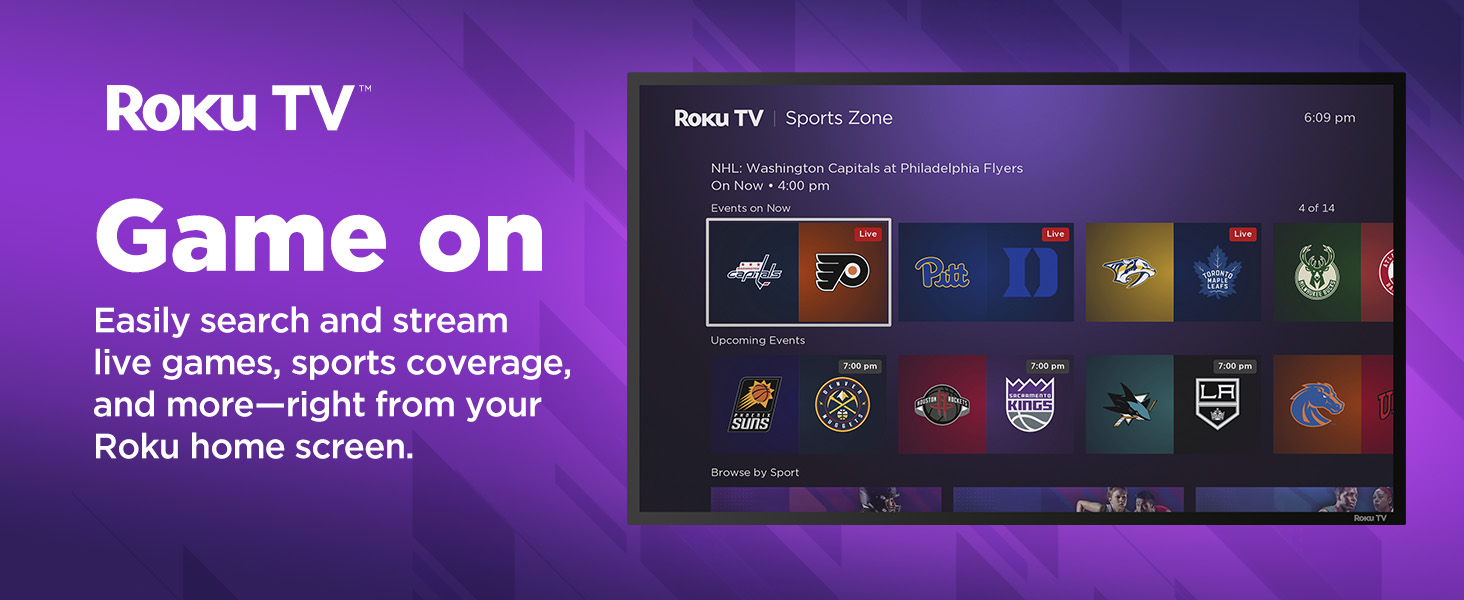
Image 4.4: Depiction of Game Mode, highlighting its benefit for responsive gaming with reduced input lag.
4.6. AI Sports Mode
The AI Sports Mode intelligently adjusts picture and sound settings to enhance sports viewing. This mode aims to provide a stadium-like experience by optimizing clarity and immersion for live sports content.

Image 4.5: Illustration of AI Sports Mode, designed to optimize viewing for sports content with enhanced clarity and immersion.
4.7. Apple AirPlay & HomeKit
This TV supports Apple AirPlay, allowing you to stream content (movies, music, photos) from your iPhone, iPad, or Mac directly to the TV. With Apple HomeKit compatibility, you can integrate the TV into your Apple smart home ecosystem for control via Siri or the Home app.

Image 4.6: Demonstrates the use of Apple AirPlay to stream content from a mobile device to the Hisense TV.
5. Pangropéa
5.1. Ngabersihan TV
Pikeun ngabersihkeun layar, usap lembut nganggo lawon anu lemes, garing, sareng teu aya serat. Pikeun tanda nekad, rada dampen the cloth with water or a screen-specific cleaning solution (avoid harsh chemicals). For the TV frame, use a soft, dry cloth.
- Sok cabut TV samemeh beberesih.
- Do not spray liquid directly onto the screen or frame.
5.2. Apdet parangkat lunak
Your Roku TV will automatically check for and install software updates when connected to the internet. These updates provide new features, performance improvements, and security enhancements. Ensure your TV remains connected to the internet for optimal performance.
6. Cara ngungkulan
If you encounter issues with your Hisense Roku TV, refer to the following common solutions:
| Masalah | Solusi anu mungkin |
|---|---|
| Taya Daya |
|
| Taya Gambar / Layar Hideung |
|
| Taya Sora |
|
| Masalah Sambungan Jaringan |
|
| Remote Control Teu Gawé |
|
7. Spésifikasi
| Fitur | Rincian |
|---|---|
| Nomer modél | 32A4NR |
| Ukuran layar | 31.5 inci (diagonal) |
| Téknologi tampilan | LCD, LED |
| Resolusi | 1080p lengkep HD |
| Refresh Laju | 60 Hz |
| Rasio Aspék | 16:9 |
| Ukuran produk (D x W x H) | 3.3" x 28.6" x 16.9" |
| Item Beurat | 8.2 pon |
| Voltage | 110 volt |
| Wattage | 50 watt |
| Téhnologi konektipitas | HDMI, USB, Wi-Fi |
| Fitur husus | Dolby Audio, Multiple Voice Assistance (Google Assistant, Alexa), Slim Bezel Design |
| Komponén Kaasup | TV, Kabel Daya, Jauh, Nangtung |
8. Jaminan & Dukungan
8.1. Garansi produk
Hisense products are covered by a limited warranty. For specific warranty terms and conditions applicable to your 32A4NR TV, please refer to the warranty card included with your product or visit the official Hisense website. Proof of purchase is typically required for warranty claims.
8.2. Rojongan Palanggan
For technical assistance, troubleshooting beyond this manual, or service inquiries, please contact Hisense customer support. You can find contact information (phone numbers, email, chat support) on the official Hisense websitus:
Please have your TV model number (32A4NR) and serial number ready when contacting support.


