
Bubuka
This manual provides comprehensive instructions for the safe and effective use of your Andoer 4K 60FPS Action Camera. Please read this manual thoroughly before operating the device and retain it for future reference. This camera is designed to capture high-quality video and photos in various environments, including underwater, with its robust features and included accessories.
Émbaran Kasalametan penting

Katerangan Gambar: A red warning triangle with an exclamation mark, accompanied by text in multiple languages. The English text reads: "Warning: If you find the product damaged, deformed or abnormal performance, please stop using it immediately and contact us."
Awas: If you find the product damaged, deformed, or exhibiting abnormal performance, immediately cease use and contact customer support. Failure to do so may result in damage to the device or personal injury.
- Ulah nyobian ngabongkar atanapi ngarobih kaméra.
- Keep the camera away from extreme temperatures, direct sunlight, and strong magnetic fields.
- Ensure all ports are securely closed before using the camera in wet conditions.
- Anggo ngan ukur kabel ngecas sareng adaptor daya anu ditangtukeun.
- Jauhkeun tina jangkauan barudak.
Eusi pakét
Mangga parios eusi pakét nalika unboxing. Lamun aya item nu leungit atawa ruksak, kontak rojongan customer.
- Andoer Action Camera (with battery inside)
- Set of Mounting Accessories
- Kabel Ngecas USB
- Manual pangguna (dokumén ieu)

Katerangan Gambar: The Andoer Action Camera displayed alongside a comprehensive set of mounting accessories, including various clips, adhesive mounts, and straps, indicating a complete kit.
Kaméra Ngalangkunganview
Biasakeun diri sareng komponén sareng kadali kaméra.

Katerangan Gambar: Panempoan deukeut view of the Andoer Action Camera, highlighting its main lens, the smaller front display screen showing an underwater scene, and the "4K WiFi" branding. Control buttons are visible on the top and side.

Katerangan Gambar: A composite image showing four distinct angles of the Andoer Action Camera: front, back (main touch screen), top (mode and shutter buttons), and side (power/menu button and port cover). This provides a comprehensive view of the camera's physical layout.
Komponén konci:
- Lensa Utama: 170° wide-angle lens for expansive shots.
- Tampilan Tukang: 2.0-inch HD touch control screen for navigation and playback.
- Tampilan Hareup: 1.3-inch IPS screen for easy framing, especially for selfies.
- Tombol Mode: Located on top, typically cycles through video, photo, and playback modes.
- Tombol Shutter / Record: Located on top, initiates recording or takes a photo.
- Power/Menu Button: Located on the side, powers the camera on/off and accesses menu settings.
- Tombol Naék / Turun: Located on the side, used for navigation in menus or digital zoom.
- Mikropon/Speaker: Built-in for audio capture and playback.
- Port USB: Pikeun ngecas sareng mindahkeun data.
- Slot Kartu MicroSD: For storage (supports up to 128GB, Class 10 recommended).
Disetél
1. Ngecas Batré
- Connect the camera to a USB power source using the provided USB charging cable.
- Lampu indikator ngecas bakal hurung.
- Once fully charged, the indicator light will change or turn off. A full charge typically takes approximately 2-3 hours.
2. Nyelapkeun Kartu MicroSD
A MicroSD card (not included) is required to store photos and videos. Use a Class 10 or higher MicroSD card, up to 128GB capacity.
- Pilari slot kartu MicroSD di sisi kaméra.
- Gently insert the MicroSD card with the gold contacts facing the front of the camera until it clicks into place.
- Pikeun nyabut, dorong kartu deui dugi ka kaluar.
3. Ngaformat Kartu MicroSD
It is recommended to format the MicroSD card before first use and periodically to ensure optimal performance.
- Hurungkeun kaméra.
- Navigate to the camera settings menu (usually by pressing the Power/Menu button repeatedly or swiping on the touch screen).
- Locate the "Format" option and confirm to format the card. This will erase all data on the card.
4. Attaching Mounting Accessories
The camera comes with a variety of mounting accessories for different activities. Refer to the accessory kit for specific attachment methods. Ensure all mounts are securely fastened before use.
Ngoperasikeun kaméra
Daya Hurung/Pareuman
- Pikeun Ngahurungkeun: Press and hold the Power/Menu button for a few seconds until the screen illuminates.
- Pikeun mareuman: Press and hold the Power/Menu button for a few seconds until the screen turns off.
Ngalihkeun Mode
Press the Mode button (usually on top) to cycle through available modes: Video Recording, Photo Mode, Playback Mode, and Settings.
Ngarékam pidéo

Katerangan Gambar: The Andoer Action Camera's rear screen shows a vibrant video of children playing on a beach, emphasizing its capability for "True 4K/60FPS Video" capture.
- Switch to Video Recording mode.
- Press the Shutter/Record button to start recording. A red indicator light or on-screen icon will confirm recording is active.
- Pencét deui tombol Shutter/Rekam pikeun ngeureunkeun ngarékam.
- Video Resolution options include 4K (3840x2160p) at 60/30fps, 2.7K at 30fps, 1080P at 120/60/30fps, and 720P at 120/60/30fps. Adjust settings in the menu.
Nyokot Poto
- Pindah ka Modeu Poto.
- Frame your shot using either the front or rear screen.
- Pencét tombol Rana/Rekam pikeun nyandak poto.
- Image Resolution options include 24M, 20M, 16M, 12M, and 10M. Adjust settings in the menu.
Using Dual Screens

Katerangan Gambar: Two Andoer Action Cameras are shown, one from the back revealing its main screen and another from the front showing its smaller display. Both screens depict a skier, highlighting the camera's "Dual Color Screens" feature for versatile framing.
The camera features a 2.0-inch rear touch screen and a 1.3-inch front IPS screen. The front screen is particularly useful for framing selfies or vlogs. You can switch between the screens or use them simultaneously for different perspectives, depending on the camera's firmware and settings.
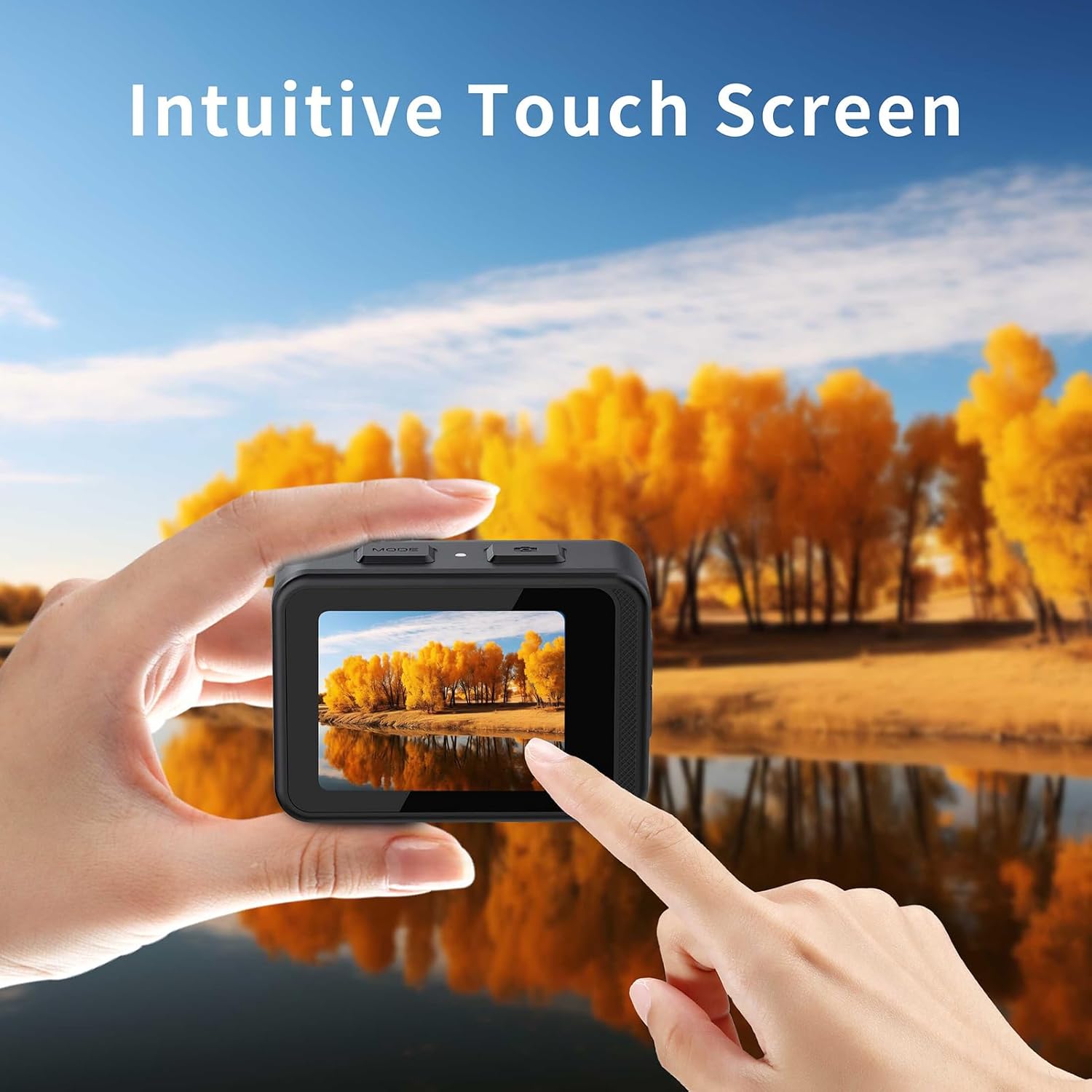
Katerangan Gambar: A hand is shown tapping the rear touch screen of the Andoer Action Camera, which displays a vibrant autumn landscape. The image emphasizes the "Intuitive Touch Screen" functionality for easy control.
WiFi Connectivity (XDV PRO App)
Connect your camera to a smartphone or tablet via Wi-Fi for remote control, live preview, jeung file transfer using the XDV PRO app.
- Download the "XDV PRO" app from your device's app store.
- On the camera, enable Wi-Fi (usually found in the settings menu or by a dedicated button/swipe gesture). The camera's Wi-Fi name and password will be displayed.
- On your smartphone/tablet, go to Wi-Fi settings and connect to the camera's Wi-Fi network.
- Open the XDV PRO app. You should now be able to control the camera remotely.
Pamakéan waterproof

Katerangan Gambar: Two Andoer Action Cameras are depicted fully submerged in water, surrounded by bubbles. Their screens display vibrant underwater scenes, illustrating the camera's "Body Waterproof 21m" capability.
The camera body is waterproof up to 21 meters (69 feet) without an additional housing. Before submerging the camera, ensure all port covers (USB, MicroSD) are securely closed and sealed. After use in saltwater, rinse the camera with fresh water and allow it to dry completely.
Anti-Shake Function

Katerangan Gambar: An action shot of a person mountain biking, with the Andoer Action Camera mounted and displaying a stable, clear image on its screen. The text "Super strong anti shake" highlights the camera's image stabilization feature.
The camera features an anti-shake function to ensure smooth and clear video recording, even during motion-intensive activities. This feature can typically be enabled or disabled in the camera's settings menu.
170 ° Lénsa Angle lega

Katerangan Gambar: A snowboarder is captured on a snowy mountain, with an overlay graphic demonstrating the expansive 170° wide-angle field of view of the Andoer Action Camera, showing how much more of the scene is included.
The 170° wide-angle lens allows for capturing a broader perspective, ideal for landscapes, action shots, and immersive video. Be aware that wide-angle lenses can introduce some barrel distortion at the edges of the frame.
Pangropéa
Ngabersihan Kaméra
- Use a soft, lint-free cloth to clean the camera body and screens.
- Pikeun lénsa, paké lawon beberesih lénsa khusus sareng solusi. Hindarkeun noel lensa ku ramo anjeun.
- After underwater use, rinse the camera with fresh water and dry thoroughly with a soft cloth.
- Ulah make bahan kimia kasar atawa bahan abrasive pikeun beberesih.
Perawatan batré
- Hindarkeun sering-sering ngeusi batre.
- Store the camera with the battery partially charged (around 50%) if not used for extended periods.
- Ulah ngalaan batréna kana panas anu ekstrim atanapi tiis.
Panyimpenan
Store the camera in a cool, dry place, away from dust and direct sunlight. If storing for a long time, remove the MicroSD card and ensure the battery is at a moderate charge level.
Pamérésan masalah
| Masalah | Solusi anu mungkin |
|---|---|
| Kaméra teu hurung. | Pastikeun batréna geus dieusian. Sambungkeun ka sumber listrik teras cobian deui. |
| Teu tiasa ngarékam pidéo atanapi nyandak poto. | Check if a MicroSD card is inserted and properly formatted. Ensure there is sufficient storage space. |
| Masalah sambungan Wi-Fi. | Ensure Wi-Fi is enabled on the camera and your mobile device. Restart both devices. Verify the correct Wi-Fi password. |
| Kualitas gambar/video goréng. | Clean the camera lens. Check resolution settings. Ensure adequate lighting. |
| Kaméra freezes atawa jadi unresponsive. | Press and hold the Power button for 10 seconds to force a restart. If issues persist, try formatting the MicroSD card. |
spésifikasi
| Témbongkeun LCD | 2.0 inch HD (Rear) + 1.3 inch IPS (Front) |
| Lensa | 170 ° Wide Angle |
| Panyimpenan | MicroSD Card, Class 10 or higher, up to 128GB (not included) |
| Input Audio | Diwangun-di Mikropon/Speaker |
| Wifi | Supported (APP: XDV PRO) |
| Batré | 3.7V 1000mAh batré rechargeable |
| Kadali jauh | Sumuhun |
| Jero waterproof | 21 Méter (69 suku) |
| Resolusi Video | 4K (3840x2160p) 60/30fps, 2.7K 30fps, 1080P 120/60/30fps, 720P 120/60/30fps |
| Format pidéo | MP4 |
| Resolusi gambar | 24M/ 20M/ 16M/ 12M/ 10M |
| Gambar File Formatna | JPG |
| Dimensi kaméra | 66 x 35 x 46.3 mm |
| Beurat kaméra | 116g |
| Fitur husus | Anti-Shake, Body Waterproof, Dual Screens, Touch Control |
Garansi sareng Rojongan
For warranty information, technical support, or service inquiries, please contact Andoer customer support through your retailer or the official Andoer website. Please have your product model (B0D5HNT5M) and purchase details ready when contacting support.
For the latest information and updates, visit the Andoer Store on Amazon.