Bubuka
Thank you for choosing the Sentry HPXBTA105 True Wireless Earbuds. These earbuds are designed to provide a superior audio experience with active noise canceling technology, comfortable wear, and intuitive touch controls. This manual will guide you through the setup, operation, and maintenance of your new earbuds to ensure optimal performance and longevity.
Émbaran Kasalametan
Mangga baca sakabeh warnings kaamanan jeung parentah taliti saméméh ngagunakeun produk ieu pikeun nyegah tatu atawa karuksakan. Simpen manual ieu pikeun rujukan ka hareup.
- Ulah ngantepkeun earbud atanapi wadah ngecas ka suhu, kalembaban, atanapi cairan anu ekstrim.
- Hindarkeun ngaragragkeun, mangaruhan, atanapi ngabongkar alat.
- Anggo ukur kabel ngecas anu disayogikeun atanapi anu sarimbag anu disertipikasi.
- Prolonged exposure to loud volumes may cause hearing damage. Adjust volume to a safe level.
- Entong nganggo earbuds dina kaayaan dimana henteu mampuh ngadéngé sora ambient bisa bahaya (misalna nyetir, sapédah, leumpang dina lalulintas).
- Jauhkeun tina jangkauan barudak sareng piaraan.
Naon dina Box
Pastikeun yén sadaya barang aya dina bungkusan:
- Sentry HPXBTA105 True Wireless Earbuds (Left and Right)
- Ngecas Case
- Kabel Ngecas USB
- Manual pangguna (dokumén ieu)

Figure 1: Product packaging showing the Sentry HPXBTA105 True Wireless Earbuds and charging case.
Produk Leuwihview
Familiarize yourself with the components of your Sentry HPXBTA105 True Wireless Earbuds.

Figure 2: The Sentry HPXBTA105 True Wireless Earbuds shown outside and inside their open charging case.
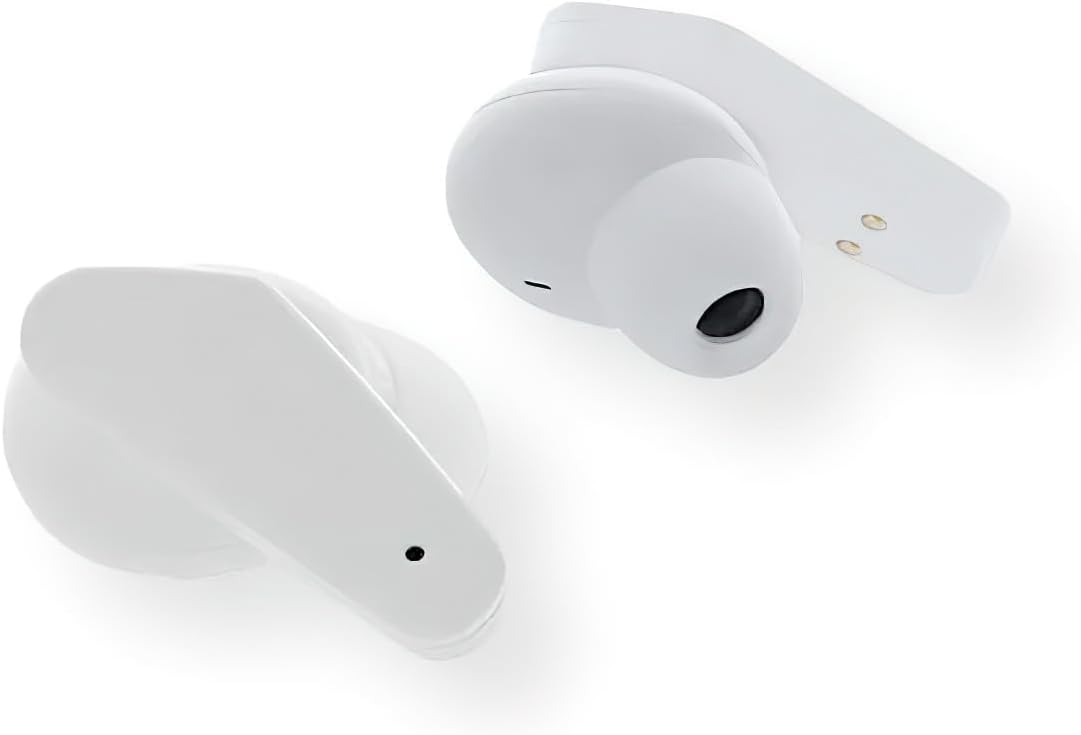
Gambar 3: A close-up view of the Sentry HPXBTA105 True Wireless Earbuds, highlighting their design and in-line microphone.
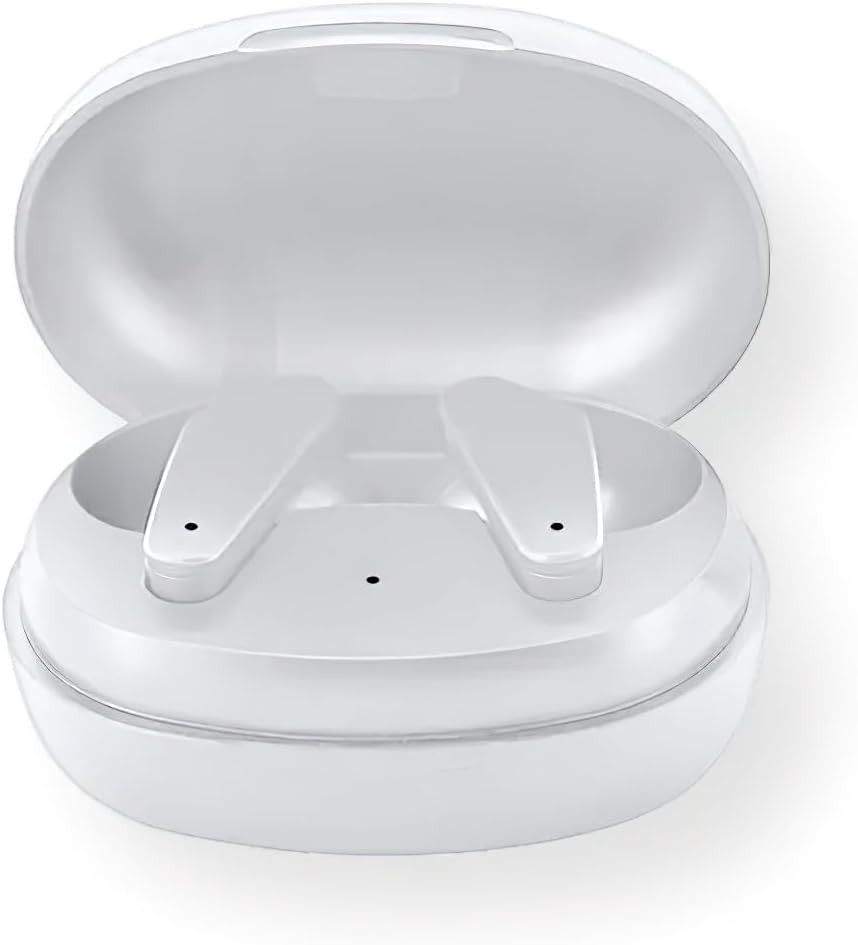
Figure 4: The Sentry HPXBTA105 charging case with both earbuds securely placed inside.
The earbuds feature a sleek white design with touch control buttons for easy operation. They are equipped with an in-line microphone for clear call handling and extra soft noise reduction earpads for comfort and effective noise cancellation.
Disetél
1. Ngecas Earbuds jeung Case
Saméméh dipaké munggaran, eusian pinuh ku earbuds jeung wadah ngecas.
- Simpen earbud kana wadah ngecas, pastikeun dipasangna kalayan leres.
- Sambungkeun kabel ngecas USB kana port ngecas dina casing sareng tungtung anu sanésna kana sumber daya USB (contona, komputer, adaptor témbok).
- The indicator lights on the case and/or earbuds will show charging status. Refer to the specific light patterns in the quick start guide for details.
- Saatos dicas pinuh, pegatkeun sambungan kabel ngecas.
2. Papasangan Bluetooth
Pair your earbuds with your device (smartphone, tablet, laptop) for wireless audio.
- Pastikeun yén earbuds dieusi sareng disimpen dina wadah ngecas.
- Open the charging case lid. The earbuds will automatically enter pairing mode (indicator lights will flash).
- Dina alat anjeun, buka setélan Bluetooth teras aktipkeun Bluetooth.
- Milarian pikeun available devices. Select "HPXBTA105" from the list.
- Sakali disambungkeun, earbud bakal nunjukkeun pasangan anu suksés (contona, aya paréntah sora atanapi lampu anu tetep).
- Earbuds bakal otomatis nyambung deui ka alat dipasangkeun panungtungan sawaktos nyandak kaluar tina wadahna, upami Bluetooth diaktipkeun dina alat.
Parentah Operasi
Toél Kontrol
The Sentry HPXBTA105 earbuds feature intuitive touch controls on each earbud. The specific functions may vary slightly, but common controls include:
- Puter / Reureuh: Ketok tunggal dina boh earbud.
- Lagu salajengna: Ketok dua kali dina earbud katuhu.
- Lagu Sateuacanna: Ketok dua kali dina earbud kénca.
- Volume Up: Ketok tilu kali dina earbud katuhu.
- Volume Turun: Ketok tilu kali dina earbud kénca.
- Ngajawab / mungkas Telepon: Ketok sakedap boh earbud salami sauran asup atanapi sauran aktip.
- Nolak Telepon: Pencet jeung tahan boh earbud salila telepon asup.
- Aktipkeun Asisten Sora: Press and hold for 2 seconds on either earbud (e.g., Siri, Google Assistant).
- Togél Modeu ANC/Transparansi: Long press (e.g., 3 seconds) on either earbud. Refer to the quick start guide for exact gesture.
Active Noise Cancelling (ANC)
The earbuds are equipped with Active Noise Canceling technology to reduce ambient noise. This feature is ideal for travel or noisy environments.
- To activate ANC, use the designated touch control gesture (as described above).
- You may hear a slight change in audio quality when ANC is engaged, which is normal.
- To deactivate ANC or switch to Transparency Mode (if available), repeat the touch control gesture.
Video 1: Official product video demonstrating key features and design of the Sentry HPXBTA105 True Wireless Earbuds, including active noise canceling.
Pangropéa
Proper care will extend the life of your earbuds.
- beberesih: Lembut usap earbuds sareng wadah ngecas ku lawon anu lemes, garing, teu aya serat. Ulah make bahan kimia kasar atawa bahan abrasive.
- Panyimpenan: Upami teu dianggo, simpen earbud dina wadah ngecasna pikeun ngajaga sareng ngajaga supaya tetep dicas. Simpen di tempat anu tiis sareng garing.
- Hindarkeun cai: The earbuds are not waterproof. Avoid exposure to water, sweat, or rain.
Pamérésan masalah
Upami anjeun ngalaman masalah sareng earbud anjeun, cobian solusi ieu:
| Masalah | Solusi anu mungkin |
|---|---|
| Earbuds teu dipasangkeun |
|
| Teu aya sora ti hiji earbud |
|
| Kasus ngecas teu ngecas |
|
| Active Noise Canceling not working |
|
spésifikasi
| Fitur | Rincian |
|---|---|
| Ngaran modél | HPXBTA105 |
| Téhnologi konektipitas | Nirkabel (Bluetooth) |
| Unit drive | 10 mm |
| Rentang Frékuénsi | 20Hz - 20KHz |
| Sensitipitas | 103dB +/- 3dB |
| Impedansi | 32 ohm |
| Kontrol bising | Pembatalan Noise aktip |
| Mikropon | Mikropon dina garis |
| Tipe Kontrol | Toél Tombol Kontrol |
| Warna | Bodas |
| Item Beurat | 6.4 ons |
| Ukuran Paket | 8 x 5.75 x 2.5 inci |
Garansi sareng Rojongan
Sentry products are designed and manufactured to the highest quality standards. For information regarding warranty coverage, technical support, or service, please refer to the warranty card included with your product or visit the official Sentry websitus. Simpen bukti pameseran anjeun pikeun klaim garansi.
For further assistance, you may also refer to the product detail page on Amazon.com: https://www.amazon.com/dp/B0D5DP1G3M


