1. Bubuka
Thank you for choosing the truefree O2 Open Ear Headphones. This manual provides detailed instructions for setting up, operating, and maintaining your new wireless earbuds. Please read this guide thoroughly to ensure optimal performance and a satisfying user experience.
2. Eusi Paket
Pastikeun yén sadaya item anu didaptarkeun di handap aya dina pakét anjeun:
- truefree O2 Open Ear Earbuds (x2)
- Ngecas Case
- Kabel Ngecas USB-C
- Manual pamaké
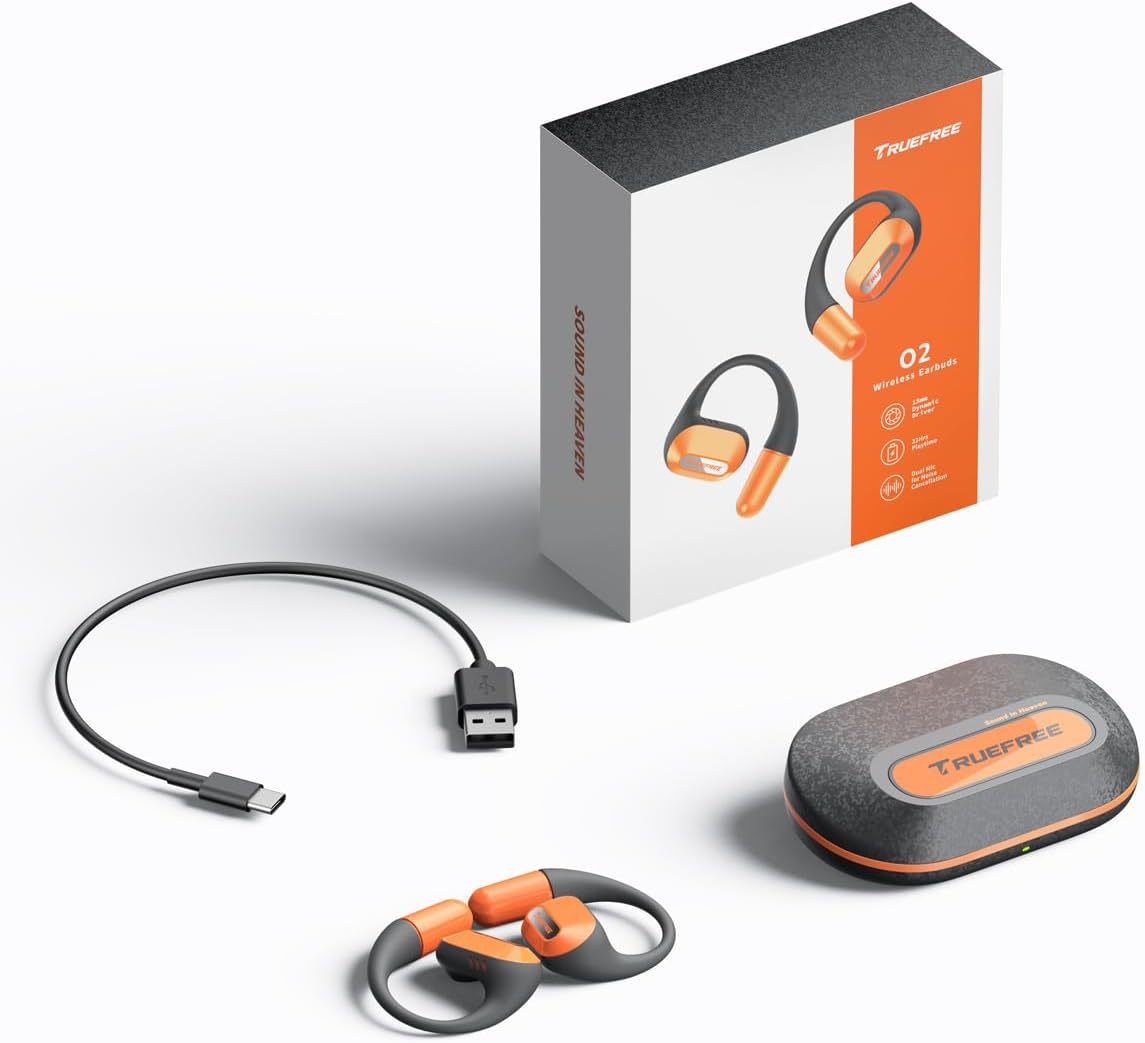
The complete package contents: two truefree O2 open ear earbuds, the charging case, a USB-C charging cable, and the user manual.
3. Produk Langkungview
The truefree O2 headphones feature an open-ear design for comfort and situational awareness, equipped with 15mm dynamic drivers and directional acoustics. The earbuds are ultra-lightweight (8g each) and designed with soft silicone ear hooks for a secure fit during various activities.

The truefree O2 open ear headphones and their compact charging case.
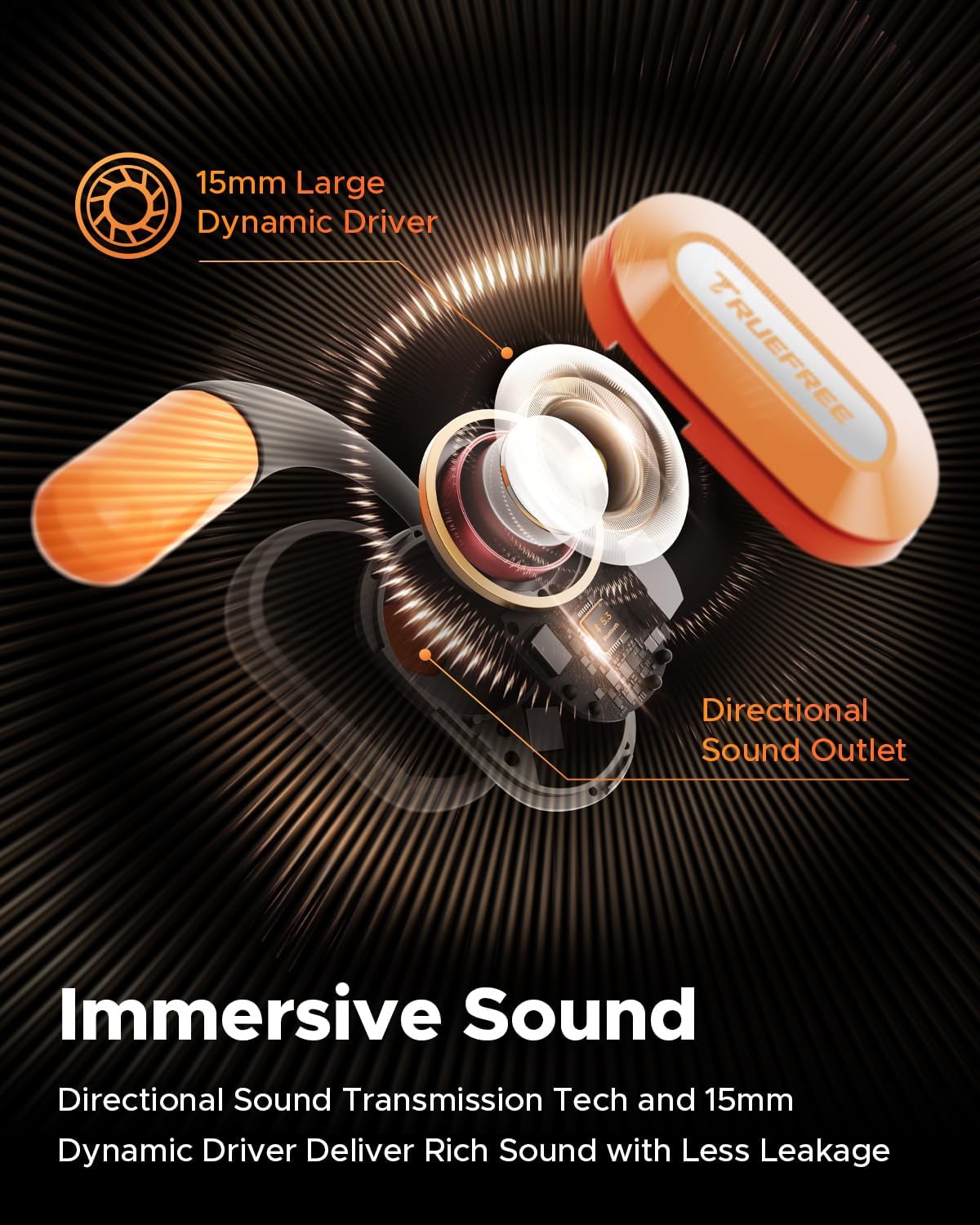
Hiji ngabeledug view diagram of the truefree O2 earbud, highlighting its 15mm large dynamic driver and directional sound outlet for immersive audio with minimal leakage.
4. Ngagem Earbuds
Pikeun kualitas sareng kanyamanan sora anu optimal, pastikeun earbud dianggo kalayan leres.
- Identipikasi earbuds kénca (L) jeung katuhu (R).
- Gently hook the earbud over your ear, positioning the speaker part towards your ear canal.
- Adjust the ear hook to fit snugly and securely around your ear. The flexible NiTi alloy memory steel wire ensures a stable fit for various ear shapes.
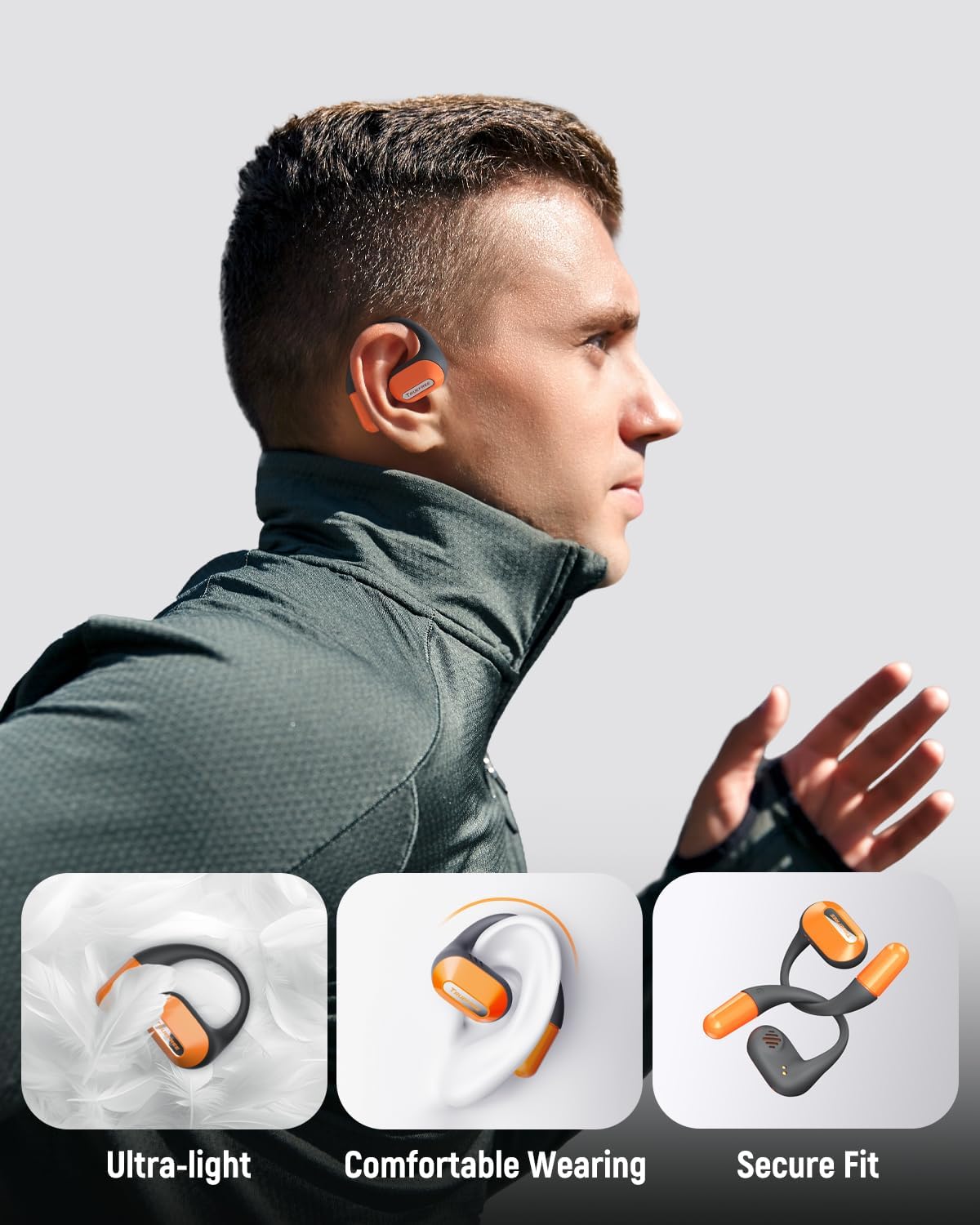
A user wearing the truefree O2 headphones, demonstrating their ultra-light design, comfortable fit, and secure ear hooks suitable for active use.
5. Ngecas
The truefree O2 headphones and charging case are designed for efficient power management.
5.1 Ngecas Earbuds
- Lebetkeun earbud kana wadah ngecas. Pastikeun kontak ngecasna sajajar.
- Lampu indikator dina earbud bakal némbongkeun status ngecasna.
- Muatan pinuh nyayogikeun kirang langkung 6.5 jam waktos maén.
5.2 Ngecas Casing
- Sambungkeun kabel ngecas USB-C ka port ngecas dina case jeung ka sumber kakuatan.
- The charging case can be fully charged in approximately 1 hour and 15 minutes.
- A fully charged case provides up to 22 hours of total playtime for the earbuds.

An illustration detailing the IPX5 waterproof rating, 6.5 hours of playtime on a single charge, 22 hours total with the charging case, and 1 hour 15 minutes fast charging via USB-C.
6. Setélan
6.1 Pamasangan Bluetooth Awal
- Buka wadah ngecas. Earbuds bakal otomatis asup kana mode papasangan.
- Aktipkeun Bluetooth dina alat anjeun (smartphone, tablet, laptop).
- Milarian pikeun "truefree O2" in the list of available Bluetooth devices.
- Select "truefree O2" to connect. A voice prompt will confirm successful pairing.
6.2 App Control
Enhance your experience by downloading the "Truefree" application from your device's app store.
- Kustomisasi: Adjust EQ settings, including 9 personalized presets and a customizable option.
- Pembaruan firmware: Jaga earbud anjeun tetep diropéa ku fitur sareng paningkatan pangénggalna.
- Fungsi husus: Control features like game mode and other settings directly from the app.
- Sambungan Alat Ganda: Enable multipoint connection for seamless switching between two devices.
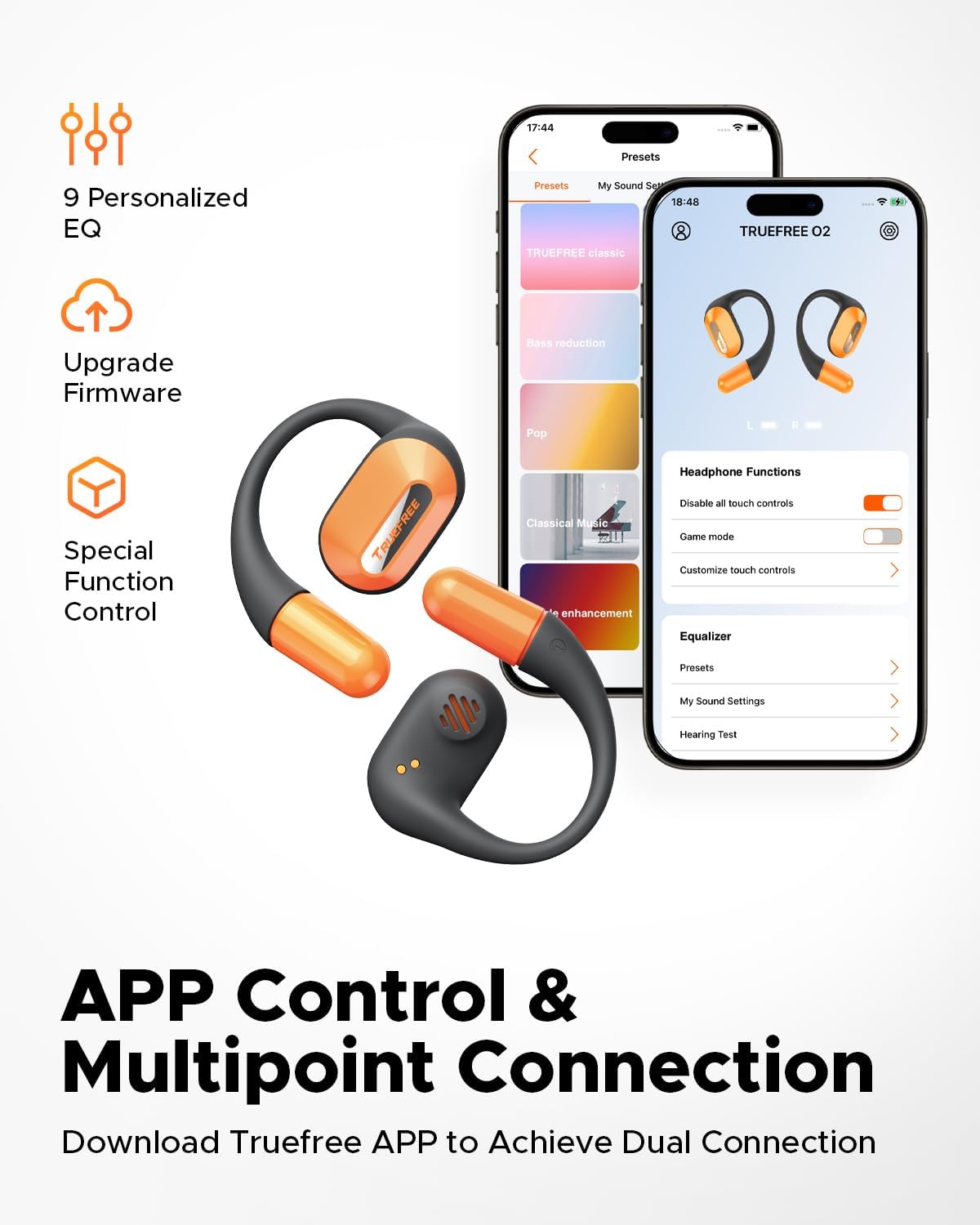
Screenshots of the Truefree mobile application, illustrating options for customizing EQ settings, game mode, and other control functions for the O2 headphones.
7. Nyuping
7.1 Kontrol Toél
The truefree O2 earbuds feature intuitive touch controls on both the left (L) and right (R) earbuds.
| Aksi | Fungsi |
|---|---|
| L & R Double tap | Play / Reureuh, Jawab / Tungtung Telepon |
| L & R Long press for 1.5s | Previous Track (L), Next Track (R), Power On/Off (when not in case) |
| L Single tap | Volume Turun |
| R Single tap | Volume Up |
| L Long press for 3s | Aktipkeun Game Mode |
| R Long press for 3s | Aktipkeun Asisten Sora |

A visual guide to the touch control functions on the truefree O2 earbuds.
7.2 Konéksi Multititik
The truefree O2 supports connecting to two devices simultaneously, allowing for seamless switching between audio sources.
- Ensure the earbuds are connected to your first device.
- Put the earbuds back into the charging case, then take them out again to re-enter pairing mode.
- Connect the earbuds to your second device via Bluetooth.
- Once both devices are paired, the earbuds will intelligently switch audio based on activity (e.g., taking a call on your phone while listening to music on your laptop).

An image showing the truefree O2 headphones connected to both a laptop and a smartphone, illustrating the multipoint connection feature for seamless device switching.
7.3 Modeu Kaulinan
Activate Game Mode for reduced audio latency, providing a more synchronized audio-visual experience during gaming.
- To activate: Long press the left earbud for 3 seconds.
- To deactivate: Repeat the action.
- Game Mode can also be toggled via the Truefree app.
8. Pangropéa
8.1 Rating Tahan Cai IPX5
The truefree O2 earbuds are IPX5 waterproof, meaning they are resistant to sweat and light splashes of water. This makes them suitable for workouts and outdoor activities.
- Ulah beuleum earbuds dina cai.
- Pastikeun yén earbuds garing sateuacan nempatkeun deui kana wadah ngecas pikeun nyegah karusakan.

The truefree O2 earbud with water droplets, illustrating its IPX5 waterproof rating.
8.2 beberesih
- Ngusap earbuds sareng wadah ngecas ku lawon anu lemes, garing, teu aya serat.
- Hindarkeun ngagunakeun bahan abrasive atanapi bahan kimia anu kasar.
- Bersihkeun kontak pangisi daya dina earbud sareng wadahna sacara rutin pikeun mastikeun pangisian dayana leres.
9. Cara ngungkulan
If you encounter issues with your truefree O2 headphones, refer to the following common solutions:
| Masalah | Solusi |
|---|---|
| Earbuds teu dipasangkeun | Ensure earbuds are charged. Turn off and on Bluetooth on your device. Forget "truefree O2" from your device's Bluetooth list and re-pair. |
| Teu aya sora ti hiji earbud | Place both earbuds back in the case, close it, then open it again. Check device's audio balance settings. |
| Masalah ngecas | Clean charging contacts on earbuds and case. Try a different USB-C cable and power adapter. Ensure earbuds are correctly seated in the case. |
| volume low | Adjust volume on both the earbuds and your connected device. Check EQ settings in the Truefree app. |
| Sambungan sering turun | Ensure no obstructions between earbuds and device. Reduce distance between earbuds and device. Avoid strong electromagnetic interference. |
If the issue persists, please contact truefree customer support for further assistance.
10. Spésifikasi
| Fitur | Rincian |
|---|---|
| Ngaran modél | truefree O2 |
| Konektipitas | Bluetooth 5.3 |
| Panempatan Ceuli | Buka Ceuli |
| Wangun Earpiece | Hook |
| Tahan cai | IPX5 |
| Kahirupan Batré Earbud | Nepi ka 6.5 jam |
| Total Playtime (kalawan Case) | Nepi ka 22 jam |
| Waktos Ngecas Case | Approx. 1 hour 15 minutes (USB-C) |
| Ukuran Supir Audio | 15 mm |
| Beurat Earbud | 8 gram (unggal) |
| Tipe Kontrol | Toél Control, App Control |
| Fitur husus | Multipoint Pairing, Game Mode, Dual-mic Noise Cancelling |
11. Garansi jeung Rojongan
truefree is committed to providing excellent customer experience. If you have any problems or suggestions regarding your truefree O2 Open Ear Headphones, please do not hesitate to contact our customer support team. We are ready to offer you a satisfactory solution.
For support, please refer to the contact information provided on the truefree official websitus atanapi platform pameseran Anjeun.